
Amazon Account Scam Calls and Texts for Seniors: How the Scripts Work, How to Check Safely, and What to Do in the First Hour
A call or text about a suspicious Amazon order is almost always a scam — but hanging up is only step one. This guide gives you the exact scripts, the safe way to check your real account, and the first-hour recovery order the official pages skip.
Affiliate disclosure: As an Amazon Associate I earn from qualifying purchases. This is a safety guide, not a buying guide, so the few links below are searches only for genuinely fitting prevention products (a call-blocking device, a senior phone with spam-call blocking, a simple phone with a spam filter, a scam-protection book), so you can compare current listings yourself. We print no prices, because prices change too often — and differ too much between sellers and models — to print honestly. Check the current price and the current listing details on Amazon before you buy. It costs you nothing extra, and it keeps this site free. Read our affiliate disclosure.
Verdict: if a call or text says something is wrong with your Amazon account — a suspicious order, a suspension, a refund — treat it as a scam until you prove otherwise yourself, in the official app or on the official site, never through the number or link in the message. Hang up, do not engage, and check your real account the safe way. The steps below give you the exact scripts, the safe check, and the first-hour recovery order that the official pages skip.
What Just Happened
You received a call or a text claiming something is wrong with your Amazon account: a suspicious purchase, an account about to be suspended, a refund owed, or a security problem only the caller can fix. If that message did not come from inside the official Amazon app or site — from a call, a text, or an email that arrived out of nowhere — it is almost certainly a scam. That is not a guess: the search results for this exact problem are full of official warnings saying the same thing, and the pattern is one of the most-reported impersonation scams in the United States, aimed at seniors more than anyone else, because seniors are more likely to answer an unknown call, more likely to trust a polite "fraud team," and more likely to have savings worth stealing. The Federal Trade Commission's alert on this scam describes exactly that shape: a suspicious-charge call or text that escalates into an identity-fraud story, with the end goal of draining bank or retirement accounts. The delivery-text version of the same trick is our fake delivery text guide — the six signs of a scam delivery text and the five calm steps to handle one. The iPhone fix for the same texts is our how to stop spam texts on iPhone guide — the two-minute setup that cuts most junk to a trickle.
Why seniors, specifically? Three reasons, and none of them is foolishness. First, seniors answer the phone: a lifetime of answering unknown numbers is a habit scammers exploit. Second, seniors trust institutions: a caller who says "Amazon fraud department" sounds like a real department, and the caller's calm, professional manner is designed to sound like one. Third, seniors keep their affairs in order: an unexpected charge, a threatened suspension, or a promised refund all touch the same nerve — the fear that something is wrong with an account they manage carefully. Scammers know all three, and every script below is built on them. Knowing that is not an insult; it is armour, because once you recognise the script, its urgency stops working.
This guide is different from the pages at the top of the search in one deliberate way: those pages tell you what the scam is, but they do not walk you through what to do, minute by minute, in plain language, at senior pace. So this guide fills those gaps, in order: the scripts first (so you recognise them), the real-vs-fake comparison (so you can test any message), the safe account check (so you can verify your real account without fear), the first-hour recovery order (so you know what to do first), the already-shared-or-paid paths (so a mistake is not the end of the story), and the family-helper and reporting checklists (so nobody faces this alone).
The Fake-Order Script
This is the most common opening, and it sounds like this, in pattern form: "Hello, this is Amazon calling about a suspicious purchase on your account. An expensive phone [or laptop, or television] has been ordered for a large amount. If you did not place this order, press 1 to speak to our fraud department, or stay on the line." Sometimes it arrives as a text instead: "Your Amazon order of [expensive item] has shipped. If this was not you, call [number] immediately." The details vary — the item, the amount, the number — but the shape never does: an expensive thing you did not buy, urgency to act now, and a single offered route — the caller's number, the caller's link, the caller's instructions.
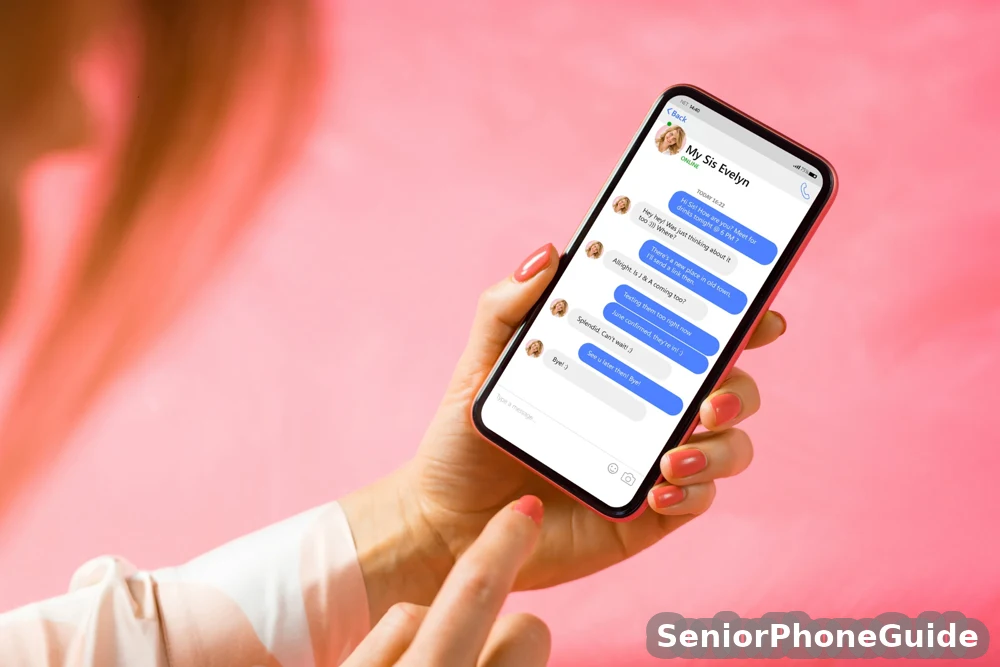
Why it works: it creates a problem that feels personal (your account, your money) and a solution that feels official (their fraud department). The defence is one rule, said until it sticks: never check an account problem through the channel that told you about it. If a call or text says there is a problem, you check it yourself, in the official app or on the official site, typed or opened by you — never by tapping the message's link, never by calling the message's number, never by following the caller's instructions. If there is a real suspicious order, it will be in Your Orders, inside the app. If there is nothing there, there is no problem, and the call was the whole scam.
Two more tells mark this script. The caller ID can be faked: scammers spoof real-looking numbers, so "it looked like Amazon's number" proves nothing. And the caller will pressure you to keep it secret: "Do not tell your bank, do not tell your family, this is a confidential fraud investigation." A real company never asks you to hide a fraud investigation from your own family and bank. If anyone on the phone tells you not to tell anyone, that alone is the proof it is a scam: hang up, and then tell someone immediately.
The Suspension-Threat Script
This script was not named as a distinct script in the search overview, which is exactly why it deserves its own section: it arrives as a threat, not a purchase. In pattern form: "Your Amazon account will be suspended [or locked] within 24 hours due to suspicious activity. To prevent suspension, verify your identity now" — followed by a request for a password, a code, payment details, or remote access. Sometimes it arrives as a text with a link: "Verify now to avoid suspension." The threat is designed to bypass thinking: suspension sounds final, 24 hours sounds short, and verification sounds reasonable. All three are manufactured.
The truth is simpler than the threat. Amazon does not suspend accounts by threatening phone call, and it does not ask you to verify your identity to a stranger on the phone to prevent it. If there were a genuine account issue, it would appear in the Message Center inside the official app or site — and you would find it by opening the app yourself, not by following a caller's link. The urgency is the weapon, not the deadline: the scammer needs you to act before you think, before you check, before you call family. Slowing down defeats it completely. The correct response to a suspension threat is the same as to a fake order: hang up, do not use the supplied number or link, and check the Message Center yourself. If it is empty, the threat was fiction.
A fifth script deserves its own warning because it arrives as a bill, not a threat: the Prime renewal call. In pattern form: "Your Prime membership will renew tomorrow at the annual membership price. Press 1 to cancel, or speak to an agent." The amount sounds official and the cancel option sounds helpful — both are the trap. Pressing 1 connects a scammer who asks for bank details or remote access to "process the cancellation." The truth: a real renewal appears in Your Account under Memberships, and Amazon does not call to collect a cancellation. Treat any renewal call the same way: hang up, open the app yourself, and check the membership status there.
The Refund Script
The refund script works in the opposite emotional direction: not fear, but a gift. In pattern form: "You have been overcharged [or you are owed a refund] on your Amazon account. To process your refund, please confirm your bank details [or install our refund app, or give us remote access so we can return the money]." Sometimes it follows a fake order: first the caller invents a charge, then offers to refund it — a two-act play in which the victim, relieved that the "problem" is being fixed, cooperates with the second act, which is the actual theft. The refund script was also not named as a distinct script in the search overview, yet it is one of the oldest refund-fraud shapes in circulation, and it works because a refund feels like money coming back, not going out.
The defence is the same rule, applied to good news: Amazon never returns money by asking you to give access, codes, or bank details to a caller. A genuine refund appears in Your Orders, inside the official app, as a completed refund on the original payment method — you do not need to "process" it with anyone, install anything, or share anything. And the shape of the trap is worth naming plainly: the caller will often ask you to log in to your bank account while they watch (via remote access), or to read out numbers from a screen, and the "refund" they process is actually a transfer out of your account, sometimes disguised by typing an extra zero and claiming it was a mistake you must now "return." If any refund conversation involves your bank login, your screen, or money moving anywhere, it is not a refund: hang up, and treat it as a theft in progress, following the first-hour order later in this guide.
The Remote-Access Trap
The remote-access trap is the most dangerous script in this guide, because it turns a phone scam into full control of your computer. It usually arrives as helpfulness: "To fix this, I need to connect to your computer and remove the fraudulent software [or process your refund, or secure your account]. Please download this app [or go to this site] and read me the code on your screen." The moment you read out that code, or install that app, the caller can see your screen, move your mouse, open your bank, and read your passwords — while sounding helpful throughout. The bank guide on page one describes this four-step shape exactly: fake contact, remote access, a login or payment under the caller's direction, and then the caller holding the account, the payment data, and the computer contents.
The rule here is absolute and has no exceptions: never give remote access to your computer or phone to anyone who called or texted you. No real company — Amazon, your bank, Microsoft, anyone — will ever call you out of nowhere and ask to connect to your device. But an incoming caller asking for access is, by definition, a scammer: there is no version of this story in which the caller is legitimate. If you have already given access, do not panic and do not argue with the caller — hang up, disconnect the computer from the internet (unplug the cable or switch off the Wi-Fi), and follow the already-shared-or-paid paths later in this guide, starting with the bank and the device-cleanup steps. Speed matters more than embarrassment: every minute of access is another account the caller can open.
Where to look: compare call-blocking devices for home phones and senior phones with spam-call blocking, and check the current listing details for the exact blocking features before you buy.
The Payment-and-Code Trap
Every script in this guide ends at the same place: the caller wants something of value, and the request always takes one of a few shapes. Learn the shapes, and no script can surprise you. First, gift cards: "Buy gift cards and read me the codes" — gift-card codes are cash, irreversible once read out, and no real company ever asks for them. Second, wire transfers and cryptocurrency: "Send the money to this account to secure it" — wires and crypto cannot be recalled, which is why scammers love them. Third, card details read aloud: "Just confirm your card number so we can verify you" — a verification that is actually a purchase. Fourth, verification codes: "We just sent you a code, read it back to confirm your identity" — that code is the key to your account, your bank, or your email, and reading it out hands the account to the caller. Fifth, bank login while watched: "Log in to your bank so we can check the refund" — with remote access, the caller watches every keystroke.
The single defence covers all five: never read out, type in, or send anything of value to someone who contacted you first. Codes, card numbers, gift-card codes, bank logins, passwords — none of these are ever legitimately requested by an incoming caller or text, from Amazon or anyone else. Amazon's own "never" list, quoted in the senior audience guide, says it plainly: Amazon never asks for gift cards, software downloads, or phone payments. If a conversation reaches any of these five requests, the conversation is over: hang up, do not explain, do not argue, do not say goodbye politely. Hanging up is not rude; it is the correct security procedure, and it is the first step of the recovery order below.
The worst version of this scam does not end with one call. The first caller "transfers" you to bank security, who transfers you to a supposed fraud officer — each new voice more urgent than the last, each one telling you to keep it secret from family and the bank. The story grows as it goes: someone used your Social Security number to open accounts in your name, you face immediate arrest, and the only way to protect your savings and retirement accounts is to move the money where they say. None of it is real — no legitimate caller builds a chain of transfers, no officer threatens arrest by phone, and no one real ever tells you to keep it secret. The escalation itself is the tell: hang up at the first transfer, not the third. Amazon's name is also borrowed for fake job offers and fake publishing deals — warehouse work, remote work, a book deal — where the "employer" asks for a fee for equipment or training before any work exists. A real employer never charges you to start.
Real vs Fake Amazon Contact
The search overview mentions the Message Center but gives no side-by-side comparison, so here is the test you can apply to any message, in under a minute. A real Amazon message about your account lives inside the official app or site, in the Message Center, and in Your Orders — places you reach by opening the app yourself or typing the site address yourself. A fake message arrives from outside: a call from an unknown number, a text with a link, an email from a lookalike address. The channel itself is the first test: if it came to you, rather than waiting for you inside the app, treat it as suspect until proven otherwise.
| Channel | Real Amazon contact looks like | Fake contact looks like |
|---|---|---|
| Call | Amazon almost never calls about account problems; any genuine call never asks for passwords, codes, payment details, or remote access | Urgent call about an order, suspension, or refund; asks you to press a number, share a code, or install software |
| Text | Order and delivery updates tied to a real order you placed, no payment or login request, no threatening link | Threatening or promising text with a link or a callback number; odd numbers, foreign codes, misspelled web addresses |
| Sent to your account email, about a real order, readable in full inside the Message Center | Urgent email from a lookalike address, with a link or attachment, demanding immediate action | |
| What Amazon never asks for | Passwords, verification codes, full payment details, gift cards, software downloads, phone payments, or remote access — by any channel | |
Two practical checks complete the test. First, the Message Center check: open the official app yourself, go to the Message Center, and look for the message there. If the call or text described a problem and the Message Center is empty, the problem does not exist. Second, the order check: open Your Orders yourself and look for the suspicious order, the refund, or the charge. If it is not there, it never happened. Both checks take under a minute, both are done inside the app you opened yourself, and both are decisive: the app is the truth, and the message is only a claim about the truth. Our guides to recognising fake delivery texts, payment-app scam texts, and the senior scam checklist use the same test for their own scripts, and the same rule — check it yourself, inside the official place — covers all of them.
Safe Account Check, Step by Step
Do this check slowly, one step at a time, with a trusted person beside you if possible. If any step confuses you, stop at that step and ask the trusted person — the check is designed with pause points, because a rushed check is how mistakes happen. Do not use any number, link, or instruction from the suspicious message at any point in this check.
Step 1: hang up and put the phone down
End the call or ignore the text. Do not reply, do not press any number, do not click anything. Take a breath. You are safe the moment you stop engaging.
Step 2: open the official app or site yourself
Open the Amazon app you already have, or type the site address yourself in your browser. Never tap a link from the message, never call a number from the message. If you do not have the app, type the address yourself — do not search for it and click the first result, because scammers also buy search ads.
Step 3: check Your Orders
Look for the suspicious order, the charge, or the refund the message described. If it is not there, it never happened, and the message was the whole scam. Note what you found, or did not find, for the reporting step later.

Step 4: check the Message Center
Inside the app or site, open the Message Center and look for any message matching the call or text. Real Amazon messages live here. If the Message Center is empty on this subject, the message did not come from Amazon.
Step 5: check signed-in devices
In your account settings, open the signed-in devices (or "Manage Content and Devices") and look for any device you do not recognise. If you find one, deregister it — the official pages describe this step, and it takes seconds. If every device is yours, your account has not been entered from elsewhere.
Step 6: change your password, then turn on two-factor authentication
Change the password to a new one you have never used elsewhere, then switch on two-factor authentication, which asks for a second proof (usually a code from an app or text to your own number) whenever anyone signs in. Do this even if the checks above found nothing: it locks the door the scammer was trying to open.
If the account offers passkeys — signing in with your face or fingerprint instead of a password — set one up: a passkey cannot be read out over the phone, so it defeats the code-theft trick entirely.Step 7: pause and ask a trusted person
Before doing anything else — before reporting, before calling the bank, before deciding anything — tell a family member or trusted neighbour what happened, and show them the message. A second pair of eyes catches what urgency hides, and no step after this one needs to be rushed.
Step 8: report and preserve
Keep the message, the number, and any receipts (do not delete them — they are evidence), and follow the reporting pack later in this guide. Then, and only then, decide whether the bank or card issuer needs a call, using the already-shared-or-paid paths below if anything was shared or paid.
First-Hour Recovery Order
The official pages give no timed recovery order, so here is one, in the order that matters. Do these steps in this sequence, and do not skip ahead: each step protects the next one. If you hung up immediately and shared nothing, steps 1 to 3 are the whole job, and you can stop there with confidence.
Minute 0–5: hang up and stop engaging
End the call, ignore the text, click nothing, call nobody from the message. Put the phone down. You are safe from this moment, because the scam only works while you are engaged.

Minute 5–15: check your real account, the safe way
Follow the safe account check above: open the app yourself, check Your Orders and the Message Center, check signed-in devices. If everything is clean, the scam failed, and the remaining steps are reporting and prevention only.
Minute 15–30: lock the account
Change your password to a new one used nowhere else, and switch on two-factor authentication. If you shared a code or gave access, this step is urgent, not optional — it locks the door behind the scammer. If you shared nothing, it is still worth doing: it is the single best protection against the next attempt.
Minute 30–60: call the bank or card issuer — but only if anything was shared or paid
Use the number on the back of your card, or a number you looked up yourself — never a number from the message. Tell them exactly what happened, in the order it happened, and ask what they can freeze, reverse, or watch. Then tell a trusted family member, show them the message, and keep the message, the number, and any receipts for reporting. That is the first hour. Everything after it — reporting, device cleanup, prevention — is important, but it is not urgent, and it should never be rushed while the account is still open.
If You Already Shared or Paid
A mistake is not the end of the story, and shame is the scammer's second weapon: victims who feel foolish stay silent, and silence lets the scammer keep working. Every path below starts the same way — hang up, then follow the first-hour order — and then splits by what actually happened, because different mistakes need different fixes. The official pages do not split these paths; that is why this section exists.
If you shared a verification code
change your password immediately, sign out of all devices, and switch on two-factor authentication. Then check Your Orders, the Message Center, and signed-in devices for anything changed, and check your email account too — codes often unlock email first, and email unlocks everything else. Change the email password as well if the same code or password was involved.
If you gave remote access
disconnect the computer from the internet at once (unplug the cable or switch off the Wi-Fi), then hang up. Do not let the caller "finish up" or "clean up" — that is more theft. After disconnecting, have a trusted person or a reputable local technician check the computer for installed software, remove anything the caller installed, and run a full security scan. Change every password that was typed or visible during the session, starting with email and banking, from a different, clean device.
If you paid by card
call the card issuer on the number on the back of the card, explain that the payment was fraud, and ask about a chargeback and a replacement card. Do this the same day: the sooner the issuer knows, the better the chance of reversal. Watch statements for the following weeks, and set up transaction alerts so any new charge reaches you instantly.
If you bought gift cards and read out the codes
act within minutes if possible, because gift-card balances drain fast. Call the gift-card issuer's fraud line (the number on the card or its packaging) with the card numbers and receipts, and ask whether the balance can be frozen. Recovery is uncertain — gift cards are designed to be hard to reverse, which is why scammers demand them — but a fast call is the only chance, and it costs nothing to make. Keep the cards and receipts for the report.
If you sent a wire transfer or bank transfer
call your bank immediately on a number you found yourself, explain that the transfer was fraud, and ask whether it can be recalled. Wire recalls are time-critical and often fail once the money has been collected, but banks have fraud teams for exactly this call, and the call must be made before anything else. If cryptocurrency was sent, recovery is almost never possible — report it anyway, to the reporting routes below, because reports build the cases that stop the next victim.
Family-Helper Checklist
If you are helping a parent or relative through this, your job is calm, order, and no blame. Start by believing them and saying so: "You did the right thing by telling me" matters more than any technical step, because a person who feels judged stops reporting, and the next scam then succeeds in silence. Then work the checklist in order, with the senior present where possible, and without them where they are too distressed — the account steps can be done by a trusted helper with permission, but the senior should understand each step in plain language afterwards.
With the senior present
sit together, open the official app together, and walk the safe account check together — Orders, Message Center, devices, password, two-factor. Explain each step as you do it, in one sentence each. Set up the phone's spam filtering together, and agree a family code word: a word only the family knows, so any future caller claiming to be family (or claiming a family emergency) can be tested with one question. Write the code word, the safe-check steps, and the bank's number on a card kept with the phone.
Without the senior present (if they are distressed or asleep)
preserve everything first — do not delete the message, the call log, or any receipts; screenshot the message and the number. Then, with their permission (or, for a parent with diminished capacity, with the family's agreed authority), change the account password, sign out unknown devices, and switch on two-factor authentication. Call the bank only if something was shared or paid, and only on a number you found yourself. When the senior is ready, walk them through what you did, slowly, and agree the family code word together. Never let an unknown caller "fix" anything remotely, and never pay anyone who offers to recover the money for a fee — recovery-fee offers are a second scam aimed at people already scammed once.
Reporting Pack
Report in this order, and keep the same details for every report: the message itself (screenshot or exact wording), the number or address it came from, the date and time, what was asked for, and what, if anything, was shared or paid. Reports do not only help you: they build the cases that shut down numbers, domains, and gangs, and they protect the next senior who receives the same script.
Amazon: report the impersonation through Amazon's report-a-scam route (amazon.com/reportascam) or by forwarding the suspicious message to the Amazon verification address the official pages publish. Report inside the app where possible, so the report is tied to your account. Federal Trade Commission and FBI: report to the FTC and to the FBI's Internet Crime Complaint Center (IC3), especially if money was lost or identity information was shared. Bank or card issuer: report to the issuer on the number on the back of the card, and ask about fraud alerts and replacement cards. Forward scam texts to 7726 (free) so your carrier can block the sender. Trusted person and helpline: tell a family member, and consider the senior fraud helpline route the senior audience guide publishes (the AARP Fraud Watch Network Helpline) for a plain-language talk-through of what happened and what to do next. If identity theft occurred, the FTC's IdentityTheft.gov route walks you through a recovery plan and an extended fraud alert. Keep copies of every report reference number, on the same card as the family code word.
Report online at ReportFraud.ftc.gov, and never reply STOP to a suspicious text — replying tells the sender the number is live and invites more.When Amazon Really Contacts You
Real Amazon contact about your account is boring, and that is the point. Order confirmations, shipping updates, and delivery notices arrive in the app and by email tied to a real order you placed, with no request for passwords, codes, payments, or access. Account messages live in the Message Center, waiting for you to open them — they do not chase you by threatening call or text. If a message demands immediate action, asks for anything of value, or arrives about an order you never placed, it fails the real-contact test, whatever logo or name it carries. And if you are ever unsure, the test never changes: hang up, open the app yourself, and look. The app is the truth; the message is only a claim.

Where to look: compare simple phones for seniors with spam filters and scam-protection books for seniors, and check the current listing details before you buy. For the wider senior-safety picture, see our guides to stopping spam texts on iPhone and who called me, and our guide to choosing a phone for a senior.
One more Amazon trick arrives without a call or a text at all: unordered parcels — packages you never ordered, turning up at your door. Scammers send them to create fake verified reviews, a practice called brushing. You owe nothing for goods you did not order, and you do not need to return them — but check Your Orders yourself: if no order matches, change your password and switch on two-step verification, because your name and address are in someone else's hands. Amazon says it will never ask for payment by phone or email, never ask you to install software or give remote access, and never ask you to buy a gift card.
A cousin of brushing: a text claiming a recent order was recalled, with a link to arrange the return — the link is the scam; a real recall appears in Your Orders and the Message Center, and needs no link from a text.Quick answers
The one rule: never check an account problem through the channel that told you about it — open the official app yourself. The hang-up line: "I do not deal with account problems by phone. I will check this myself." Then hang up. The first hour: hang up, check the app yourself, change the password and switch on two-factor, call the bank only if something was shared or paid, tell a trusted person. Already paid: card — call the issuer the same day; gift cards — call the issuer within minutes; wire — call the bank immediately; crypto — report it, recovery is unlikely. Real Amazon contact: boring, in the Message Center, never asking for passwords, codes, gift cards, or access.
Bottom line: a call or text about your Amazon account is a scam until you prove otherwise yourself, inside the official app — and proving it takes under a minute. Hang up, check Orders and the Message Center yourself, lock the account with a new password and two-factor authentication, and tell a trusted person. If something was shared or paid, work the path for exactly that mistake, in the first hour, without shame and without delay. The scammer's power is urgency plus secrecy; your power is a minute of calm and one trusted person beside you.
Follow along: SeniorPhoneGuide on Pinterest shares one plain-language senior-phone tip at a time — follow SeniorPhoneGuide on Pinterest.
Frequently asked questions
- Is there a scam going on with Amazon right now?
- Yes — Amazon impersonation by call and text is one of the most-reported scams in the United States, and it runs year-round, not in a single wave. The scripts change (fake orders, suspensions, refunds, tech support), but the shape stays the same: an urgent message about your account, from outside the official app, asking you to act through the caller's number, link, or instructions. Treat any such message as suspect until you check the official app yourself.
- Is there an Amazon phone scam going around?
- Yes. Callers impersonating Amazon claim a suspicious purchase, a suspended account, a refund, or a security problem, and then ask for passwords, codes, payment details, gift cards, or remote access. Amazon almost never calls about account problems, and it never asks for any of those things by phone. If you receive such a call, hang up and check Your Orders and the Message Center yourself, inside the official app.
- Is there an Amazon text scam?
- Yes. Texts impersonating Amazon typically claim a suspicious order, a delivery problem, or an account issue, and include a link or a callback number. Real Amazon texts are tied to real orders you placed and never ask for payment, login details, or immediate action through a link. Do not tap the link or call the number: open the official app yourself and check Your Orders and the Message Center.
- I got a phone call saying my Amazon account is charged. Is this a scam?
- Almost certainly yes, if the call arrived out of nowhere. The fake-order script is the most common Amazon impersonation opening: an expensive item supposedly bought on your account, urgency to act, and a single offered route — the caller's number or instructions. Hang up, open the official app yourself, and check Your Orders. If the charge is not there, it never happened, and the call was the whole scam.
- Does Amazon call about suspicious activity?
- Almost never, and never in the way scammers describe. A genuine Amazon contact about your account lives in the Message Center inside the official app or site, waiting for you to open it — it does not chase you with a threatening call demanding passwords, codes, payment details, or remote access. If a caller claims to be Amazon and asks for any of those things, it is not Amazon, whatever number the caller ID shows, because caller ID can be faked.
- What does a fake Amazon text look like?
- It usually claims an order, delivery, suspension, or refund problem, uses urgent wording ("act now", "within 24 hours"), and includes a link or a callback number. Tells include odd sender numbers, foreign country codes, misspelled web addresses mimicking Amazon, and any request for payment, login details, codes, or action through the link. A real Amazon text is tied to a real order, asks for nothing, and can be verified by opening the official app yourself and checking Your Orders and the Message Center.
- I already paid — can I get it back?
- It depends on how you paid, and speed matters more than anything else. Card payments: call the issuer the same day and ask about a chargeback and a replacement card. Gift cards: call the issuer within minutes with the card numbers and receipts and ask whether the balance can be frozen — recovery is uncertain, but a fast call is the only chance. Wire or bank transfers: call your bank immediately and ask whether the transfer can be recalled — recalls are time-critical. Cryptocurrency: recovery is almost never possible, but report it anyway, because reports build the cases that stop the next victim.
- What should I say to the caller?
- Say this, once, and then hang up: "I do not deal with account problems by phone. I will check this myself." Do not explain, do not argue, do not answer questions, and do not say goodbye politely — hanging up is the correct security procedure, not rudeness. Never read out a code, a card number, a gift-card code, or a password, and never install anything or give remote access, whatever the caller promises or threatens.
- What if I already gave remote access?
- Disconnect the computer from the internet at once (unplug the cable or switch off the Wi-Fi) and hang up — do not let the caller "finish up" or "clean up". Then have a trusted person or reputable local technician check the computer, remove anything the caller installed, and run a full security scan. Change every password typed or visible during the session, starting with email and banking, from a different, clean device. Then follow the first-hour order and the reporting pack in this guide.
- What if I read out a verification code?
- Change your password immediately, sign out of all devices, and switch on two-factor authentication. Then check Your Orders, the Message Center, and signed-in devices for anything changed, and check your email account too — codes often unlock email first, and email unlocks everything else. Change the email password as well if the same code or password was involved, and tell a trusted person what happened so they can help you watch for further changes.
- Should I change my password even if I hung up immediately?
- Yes, it is worth doing even if you shared nothing and the account checks came back clean. A new password used nowhere else, plus two-factor authentication, is the single best protection against the next attempt, and it takes only minutes. Think of it as locking a door the scammer was trying — the attempt failed, but the lock is still worth turning.
- My mother already gave remote access to a caller claiming to be Amazon — what do we do in the next hour?
- First, disconnect her computer from the internet at once and hang up — do not let the caller finish anything. Second, from a different, clean device, change her Amazon password, sign out all devices, and switch on two-factor authentication; then change her email password and any banking password typed or visible during the session. Third, call her bank on a number you found yourself, but only if money moved or bank details were visible, and ask what can be frozen or watched. Fourth, have a trusted technician check the computer, remove anything installed, and run a full security scan. Do all of this calmly, without blame: she did the right thing by telling you, and speed matters more than embarrassment.
- My father bought gift cards and read the codes to a caller — can the money be recovered, and what do we do first?
- Act within minutes, because gift-card balances drain fast. Call the gift-card issuer's fraud line (the number on the card or its packaging) with the card numbers and receipts, and ask whether the balance can be frozen — recovery is uncertain, and gift cards are designed to be hard to reverse, which is exactly why scammers demand them, but a fast call is the only chance and it costs nothing to make. Keep the cards and receipts, do not delete the message or call log, and report to Amazon and the FTC afterwards. Then agree a family code word together, so any future caller claiming a family emergency can be tested with one question.
- How do I report an Amazon scam?
- Keep the message, the number, and any receipts, and report in this order: Amazon through its report-a-scam route (or by forwarding the message to the Amazon verification address the official pages publish); the Federal Trade Commission and the FBI's Internet Crime Complaint Center (IC3), especially if money was lost or identity information was shared; your bank or card issuer on the number on the back of the card; and a trusted family member, plus the senior fraud helpline route the senior audience guide publishes (the AARP Fraud Watch Network Helpline) for a plain-language talk-through. Keep every report reference number on the same card as the family code word.
- How can I stop these calls and texts in future?
- Three layers, in order. First, the phone's own filters: switch on the built-in spam and unknown-call filtering (iPhone Silence Unknown Callers, Android Caller ID and Spam filter) and put family numbers in contacts so they always ring through. Second, the family rule: unknown number, let it go to voicemail, listen to the message, and never act on urgency from a stranger — plus a family code word for anyone claiming a family emergency. Third, consider a call-blocking device for the home phone or a senior phone with spam-call blocking built in, using the search links in this guide — and remember that no filter catches a brand-new scam number, so behaviour remains the real defence.