
Unpaid Toll Text Scam: How to Spot It, Check a Real Toll, and Report It
A text about an unpaid toll is almost always a scam. This guide for seniors shows you how to tell, how to check a real toll safely, and exactly what to do if you already clicked or paid — slowly, step by step, with no rush and no jargon.
Last updated: November 1, 2026
Plain note: this page contains no affiliate links and nothing is sold here. It is a safety guide only. If you need help, ask a family member to read it with you, and never pay anything from a link in an unexpected text.
By the end of this guide, you will be able to spot an unpaid toll text scam in seconds, check a real toll safely without touching the link, and report, block and delete the scam — plus know exactly what to do if you already clicked or paid.
Imagine this. Your phone buzzes in the afternoon. A text says you have an unpaid toll, and you must pay it right away or face a penalty. You may not remember driving on a toll road. You may remember one, vaguely, from a trip weeks ago. The message sounds official. It has a link. It feels urgent. And that uncomfortable mix — uncertainty plus urgency — is exactly what the sender is counting on. The delivery-text cousin of this scam is our fake delivery text guide — the same urgency-and-link pattern, with the six signs and the five calm steps. The iPhone fix for the same texts is our how to stop spam texts on iPhone guide — the two-minute setup that cuts most junk to a trickle. For the agency that takes the report, our official safety resources guide lists every one — the FBI, the FTC, the UK reporting service, and the Canadian Anti-Fraud Centre — with the real numbers.
Here is the short answer first, so you can relax: an unexpected text about an unpaid toll is almost always a scam. That is the advice given by consumer protection agencies in the United States, and it holds whether or not you drove on a toll road recently. Scammers send these messages widely, pretending to be toll agencies from coast to coast, hoping that a small share of the people who receive them will click, pay, or hand over personal details before they stop to think.
Verdict: do not trust the text; trust the check you do yourself. The safest response to any unexpected toll text is the same every time: do not click, do not reply, check through your own account or the official authority, report it, block it, and delete it. Teach that routine to everyone in the family, and this scam loses its power.
- An unexpected toll text is almost always a scam, even if you did use a toll road recently.
- Urgency, a threat, and a payment link appearing together are the strongest warning signs.
- A real toll can be checked through your own account or the official toll authority, never through the text.
- Report the text, block the sender, and then delete the message.
- If you already clicked or paid, call your bank first, change any password you entered, and report it. Help is available, and acting calmly now is what matters.
What the text usually says
Scam toll texts follow a pattern, and once you have seen the pattern, later versions are much easier to spot. The details change — the agency name changes, the wording changes, the link changes — but the shape of the message stays remarkably steady. That steadiness is good news for you, because it means you can learn one pattern and recognise it again and again, even when the next message looks slightly different.
Most versions start with a claim that you owe money. The wording varies: unpaid toll, outstanding toll, unpaid toll fee, toll bill, or toll violation. Those are the five wordings people search for most often, and scammers rotate through them precisely because each one sounds plausible to a different reader. An unpaid toll sounds like a small oversight. An outstanding toll sounds like an account that needs attention. A toll fee sounds like an ordinary charge. A toll bill sounds like paperwork you forgot. A violation sounds more serious, as if you broke a rule and now face a consequence. The word changes; the demand does not.
Then comes the link. The message asks you to tap a link to pay, to verify your details, or to view the charge. That link is the heart of the scam. It leads to a fake payment page built to look like an official toll site. On that page, anything you type — card details, bank details, a driving licence number, an address, a password — can be collected by the scammer. In some versions, the page may also try to install harmful software or to collect details that can later be used to steal an identity. The link may look almost right: a familiar agency name with a small misspelling, extra hyphens, an odd ending, or a string of characters that does not match the official site. Some links are short links that hide where they really lead. You do not need to study the link closely. You only need one rule: never tap it.
One exact template is worth knowing, because it has travelled from state to state. A message naming the local toll service, an outstanding amount of $12.51, and a $50 late fee unless a link is visited. The FBI's April 2024 warning counted over 2,000 complaints in a few weeks across at least three states, with the same wording re-skinned for each state's toll name. The amount is deliberately small — small enough to pay without thinking, which is exactly why it works.
It helps to know what this kind of scam is called, because the name makes the method easier to remember and to explain to family. When a phishing scam arrives by text message, it is called smishing, a blend of the words for text messaging and phishing. Phishing is the older trick: a fake message that pretends to come from a trusted organisation and tries to lure you into handing over money or personal information. Smishing is simply that same trick delivered to your phone as a text. Once you know the name, you can describe it in one sentence to a parent, a neighbour, or a grandchild: it is a smishing text pretending to be about a toll.
Why this scam works so well
This scam works because it touches several ordinary worries at once, and it does so in a place where we tend to act quickly: the phone in our hand. Most of us check text messages the moment they arrive, often while doing something else — cooking, watching television, waiting for an appointment, walking through a shop. A message that arrives in that moment does not get the same careful attention as a letter opened at a desk. It gets a glance, a flutter of worry, and a thumb hovering over the link. Scammers understand that rhythm very well, and they design their messages for it.
Two more reasons it works. The small amount does half the job: a large demand would invite a phone call to the family; $12.51 invites a shrug and a tap. And the trick is not only texts. The same demand has arrived by email — New York E-ZPass holders received messages claiming to come from the state thruway authority — and in one reported variant, scammers impersonated a district court. A demand that arrives in a new channel is the same scam wearing a new coat: the check is always the same, through the agency's own channel, opened by you.
Seven warning signs to check in ten seconds
First, you did not expect it
The message arrives out of the blue, with no prior letter, no account notice you recognise, and no journey you can clearly connect it to. Genuine toll charges usually appear through channels you already use: an account statement, a letter to your home address, or a notice in an app you signed up for. A first warning that arrives only as a text, from an unknown sender, is already suspicious, even before you read the details.
Second, it demands speed
Words like immediately, today, urgent, final notice, or a short deadline are designed to compress your thinking time. A genuine authority may set a deadline, but it will communicate it through official channels and give you a reasonable way to verify it.
Third, it threatens a consequence
Late fees, penalties, licence suspension, registration trouble, or legal action are all used to raise the stakes. Threats are especially effective on seniors, because driving and independence matter so much. That pairing — threat plus instant payment through the link — is a hallmark of a scam.
Fourth, it contains a link or asks for a reply
A link to pay, a link to verify, a request to reply with a single letter, or a request to open a page in a browser are all routes to the same destination: a fake site or an active conversation with a scammer. A genuine toll authority does not need you to tap a link in an unexpected text to resolve a charge. It has accounts, offices, and official websites you can reach on your own.
Fifth, it lacks real detail
The message rarely names the road you used, the date of travel, the vehicle, or an account number you recognise. Vague claims — an unpaid balance, an outstanding amount, a violation — without checkable detail are easy to send to thousands of people at once. A genuine notice is specific, because it is tied to a real journey and a real account. Vagueness is not proof of fraud on its own, but combined with urgency and a link, it is a strong warning.
Sixth, the sender looks wrong
The number may have too many digits, may come from another country, may be a long random number rather than a short official code, or may name a state you never visited. The link may misspell an agency name, add odd hyphens, or end in an unusual way. You do not need to analyse the link in detail — in fact, you should not tap it to investigate — but a sender or link that looks even slightly off is enough reason to stop and verify elsewhere.
Seventh, it asks for personal or payment details by text
No genuine toll authority asks you to send card details, bank details, a driving licence number, or a password in reply to a text, or to enter them on a page that a text linked to. Any request of that kind, however politely worded, is a reason to stop immediately. Your personal details are the real prize in this scam, even more than any single payment.
Real toll notice or fake text: side by side
Comparing a real toll notice with a fake text side by side makes the differences concrete. The table below is general guidance, because toll systems differ from place to place, and no single description fits every authority. Use it as a way to sharpen your instincts, not as a rulebook for any one state. The underlying principle is simple: a real notice can be verified through a channel you already trust, while a fake text can only be verified through itself — and that is no verification at all.
| What to look at | A fake toll text usually looks like this | A genuine toll notice usually behaves like this |
|---|---|---|
| How it first reaches you | An unexpected text from an unknown number, often with no prior contact about the charge. | A letter, an account statement, or a notice in an account or app you already use and signed up for. |
| The tone | Urgent and threatening: pay now or face a penalty, suspension, or legal trouble. | Businesslike and specific: it states what is owed, for what journey, and how to check or query it. |
| The detail | Vague: an unpaid balance with no road, date, vehicle, or matching account detail. | Specific: tied to a journey, a vehicle, or an account you can recognise and check. |
| The payment route | A link inside the text, or a number printed in the text, leading to a page asking for card or personal details. | An official website or office you find yourself, or an account you already hold, where you sign in as usual. |
| Requests for personal details | Asks for card, bank, licence, or password details through the link or by reply. | Does not ask for sensitive details by unexpected text, and lets you verify through a secure signed-in account. |
| What happens if you pause | The message insists that pausing will make things worse, right now. | Pausing to verify through official channels is expected and does not remove your right to query a charge. |
What to do first: the calm four-step stop
When a toll text arrives, you need a routine that is so simple you can follow it even when you feel worried. The routine below has four steps, and it works for every version of this scam, whatever the wording. Practice it once in your head now, while you are calm, and it will be there when you need it. If you help a parent, practise it together, out loud, so it becomes a shared family habit rather than a lecture.
- Stop. Put the phone down for a moment. Do not tap the link, do not reply, and do not call any number printed in the message. Urgency is the scammer's favourite tool, and a pause of even a minute breaks its power. Take a breath. Nothing genuine about a toll charge is decided in the next few seconds, and no real authority will punish you for taking time to verify a claim properly.
- Do not engage. Do not reply with a single letter, do not reply asking who this is, and do not reply telling the sender to stop. Any reply confirms that your number is active and monitored. Do not forward the link to yourself and open it on another device out of curiosity either. Curiosity is understandable, but the fake page is designed to collect details from anyone who visits it, and some versions try to do more than that. Leave the message untouched until you have reported it.
- Check it yourself. If you think you might genuinely owe a toll, check through a safe channel, as described in the next section: your own transponder account, or the official toll authority for the road you used, found independently. If the charge is real, it will appear there. If nothing appears, you have your answer, and you have checked without giving the scammer anything.
- Report, block, delete. Report the message using the steps in the reporting section, block the sender so it cannot reach you again from that number, and then delete the message. Reporting helps carriers and authorities spot the campaign and protect other people. Blocking protects you from repeat messages from that number, although scammers use many numbers, so blocking is a help rather than a complete shield. Deleting clears the temptation to click later, when the worry has faded but the link remains.
That is the whole routine. It fits on a small card: stop, do not engage, check it yourself, report, block, delete. Families sometimes add a fifth step of their own: tell someone. Tell a son, a daughter, a neighbour, or a friend that the message arrived. Telling someone turns a private worry into a shared check, and shared checks catch scams far more reliably than private worry ever does. If you live alone, consider agreeing with one trusted person that any message asking for money gets shown to them first, before any payment. That agreement, made calmly in advance, is one of the strongest protections available, and it costs nothing.
How to check a real toll without using the link
Checking a real toll safely is a skill worth learning properly, because it is the step that replaces fear with fact. Many people skip it, either because they assume the text must be fake or because they assume it must be real, and both assumptions can cause trouble. A fake text ignored is fine, but a real toll left entirely unchecked could lead to further notices. A fake text paid is a loss, but a real toll checked safely costs nothing extra. The method below lets you settle the question without ever trusting the message.
Start with what you already have. If you hold a transponder account for toll roads, open that account the way you normally do — through its app on your phone, or by typing its website address yourself into a browser, or by using a bookmark you saved earlier. Sign in as usual and look for any balance, notice, or recent journey. A genuine charge connected to your account will be visible there. If you find nothing, and the text claimed a charge on that account, the text was not genuine. Do not use a search engine to find the account by clicking the first result while you are worried; use the route you already know, or ask a family member to help you reach the official site. The few extra minutes this takes are the whole point: they are what separates a safe check from a rushed click.
If you do not hold a transponder account, think about the road. Toll roads are run by authorities that differ from place to place, and the authority you need is the one responsible for the road you actually used, not the one named in the text. Search for that authority by name, using a search engine, and check that the website you reach is the official one — look for a site that matches the authority's name, that describes the road network you used, and that offers account, payment, and contact pages rather than a single payment form. If you are unsure which authority runs the road, a family member can help, or you can ask the question through a general search about the road itself rather than about the text. Once you have the official site, look for a way to check a charge or a bill, and follow the site's own process. If the site offers a phone number, you may call it — but only the number listed on the official site, never the number from the text.
One named check helps in New York, because it is specific enough to test. Scam warnings about E-ZPass New York point out that genuine texts come from the short code 39769, start with "EZPNY", and never ask for personal information or make unsolicited payment demands. A message naming E-ZPass that comes from any other number, or that asks for details, fails that check on its face. Whatever state you live in, the same principle applies: the agency’s own channel, opened by you, is the only check that counts.
Two agency habits settle most doubts. Real toll bills usually arrive by mail first, with further notices following over weeks — not by a first-ever text demanding immediate payment through a link. And some agencies let account holders verify genuine notifications inside the account dashboard itself — one authority's dashboard calls the feature Notification Verification. One narrow exception exists: a toll authority may use a named debt-collection partner to text customers with a large overdue balance — but even then, no legitimate message asks for payment through a link.
How to report it on iPhone and Android
Reporting a scam text is quick, it is free in the usual reporting routes described here, and it genuinely helps. Carriers use reports to spot scam campaigns and block the numbers behind them, and consumer protection agencies use reports to track which scams are spreading and to warn the public. A single report will not end the scam on its own, but thousands of reports together shape the warnings and blocks that protect everyone, including people who never report anything themselves.
On an iPhone, use the built-in report option first, before you reply to anything
Open the Messages app. If you have not opened the suspicious message, swipe left on it in the message list and choose the report option, then confirm the deletion and report. If you have already opened it, look for a Report Spam link shown under a message from an unknown sender, tap it, and then tap Delete and Report Spam. One important detail: once you have replied to a message, the report option may no longer be available, which is another reason to avoid replying to suspicious texts. Reporting through the messages app shares the message with your carrier in many cases, depending on your carrier and region, and it removes the message at the same time.
On an Android phone, use the report spam option in your messages app
The exact wording varies by phone and by app, but the path is similar: open the conversation, open the options menu, and choose Block and report spam, or Report spam, and confirm. In the Google Messages app, you can also report from the message list by touching and holding the conversation and choosing the block and report option. As with iPhone, reporting before replying gives you the cleanest result, and blocking the sender at the same time stops further messages from that number.
Forward the text to 7726
In the United States, you can forward a suspicious text to 7726, which spells SPAM on a phone keypad. Your carrier may reply asking for the sender's number, so keep the original message until that reply arrives, and then reply with the sender number as requested. This forwarding service is offered by major carriers and is designed for exactly this purpose. If you are unsure whether your carrier supports it, try it once and see whether you receive the carrier reply; if nothing comes back, the in-app report option and the agency reports below still cover you.
Report to the authorities as well
You can report the scam to the Federal Trade Commission through its fraud reporting site, describing the message and what it asked you to do. You can also report it to the FBI Internet Crime Complaint Center, which collects reports about internet crime including text scams. You do not need to write a long account. A short, factual description — what the message said, when it arrived, and what it asked for — is enough. Keep the original message until you have finished reporting, because you may need the sender details and the wording for the report, and then delete it.
In the United States, you can also file a report with the Federal Trade Commission at ReportFraud.ftc.gov, keeping the sender number, the time, and the exact wording of the message.
If you already clicked the link
First, breathe. Clicking a link does not automatically mean money has been taken or an identity has been stolen, and panic helps no one. What matters now is a short, orderly sequence: stop giving anything away, secure what you may have shared, and report what happened. Work through the steps below in order, and ask a family member to sit with you while you do them if that makes it easier. You are not in trouble for clicking. You are taking sensible action, and that is what counts.
- Close the page and enter nothing further. Do not fill in any form, do not download anything the page offers, and do not follow any further link on that page. If the page asks you to allow notifications or to install something, decline. Simply close the browser tab or the app view that the link opened.
- Think about what, if anything, you entered. Did you type a password? Card details? Bank details? A driving licence number? An address? A date of birth? Make a brief private note of what you shared, because that list decides the next steps. If you entered nothing at all and only viewed the page, your risk is lower, but still report the text and watch your accounts for a while.
- Change any password you entered, right away. Change it on the genuine site, reached the way you normally reach it, not through any link. If you used the same password anywhere else, change it there too, and give each important account its own password from now on. Where an account offers an extra sign-in check, such as a code sent to your phone, turn that on — it makes a stolen password far less useful on its own.
- Check your phone and accounts for anything unusual. Look for unfamiliar apps, changed settings, or messages you did not send. Check bank and card statements over the next few weeks for transactions you do not recognise, however small. Small unfamiliar transactions are sometimes used as a test before larger ones, so do not dismiss them.
- Report the text. Use the reporting steps in the previous section: report in your messages app, forward to 7726, and report to the fraud reporting site and the Internet Crime Complaint Center. Mention that you clicked the link and what, if anything, you entered. Reports from people who clicked are especially valuable, because they help authorities understand how the scam page works.
- Tell someone you trust. Tell a family member, a friend, or your bank that you clicked a suspicious link. This is not an admission of carelessness. It is the step that gets you help fastest, and it protects others in the family who may receive the same message next.
If you already paid
If you already paid through a link in a toll text, act promptly but calmly, and start with your bank. The steps below are ordered deliberately: money first, then passwords, then reports, then watching. You do not need to do everything in one sitting, but the bank call should not wait until tomorrow if you can make it today. Keep notes as you go: dates, names of people you spoke to, and what you were told to do next.
- Call your bank or card issuer right away. Use the number on the back of your card or on a statement you trust, never a number from the text or the fake page. Explain that you paid through a link in a suspicious toll text, and ask whether the payment can be disputed and whether the card should be blocked or replaced. Follow their instructions exactly. A new card is an inconvenience, not a disaster, and it closes a door the scammer may have opened.
- Watch your statements closely. Check bank and card statements over the coming weeks for any transaction you do not recognise, however small, and report anything unfamiliar to your bank straight away. Keep the statements that show the suspicious payment, because your bank or a later report may ask for them.
- Change passwords and secure accounts. If you entered any password on the fake page, change it on the genuine site, and change it anywhere else you used the same password. If you entered bank login details, tell your bank that too, so they can advise on securing the account. Turn on extra sign-in checks where they are offered.
- Report it. Report the text through your messages app and by forwarding it to 7726, and report the fraud to the Federal Trade Commission through its fraud reporting site and to the FBI Internet Crime Complaint Center. If money was taken, you may also wish to report it to your local police. Reports do not guarantee that money will be recovered, and this guide makes no promise about that, but reports create the record that banks, carriers, and agencies use.
When you file with the FBI's complaint centre, include the phone number the text came from and the website in the link — those two details are what investigators ask for. If identity details were shared, the FTC's IdentityTheft.gov route walks through a recovery plan; and watch for the warning signs in the weeks after: bills for care you never received, accounts or cards you never opened, mail going missing, errors on a tax return — any of them means calling the bank and checking credit reports promptly.
Be ready for follow-up attempts. After a successful scam, the same person may receive further messages pretending to offer a refund or a recovery service. Treat any unexpected offer of help that asks for payment or personal details with the same caution as the original scam. And do not let embarrassment delay the bank call: bank staff handle these calls regularly, and the sooner it is made, the more options the bank has.
Helping a parent or grandparent stay safe
Families often ask how to help without taking away independence, and that balance matters. A parent who feels lectured or controlled may stop mentioning suspicious messages at all, which is the opposite of safety. The approach that works best is collaborative: agree on a simple routine together, practise it, and make asking for help feel normal and easy, not embarrassing. The routine in this guide — stop, do not engage, check yourself, report, block, delete — is a good shared routine, because it gives the parent clear actions rather than vague warnings, and it gives the family a shared language for talking about new messages.
Agree on a family rule for money messages. A simple version works well: any message asking for money, payment details, or urgent action gets shown to a named family member before anything is paid, no exceptions, no rush. Put that rule in writing, somewhere visible, and repeat it without blame when a message arrives. When a parent does show you a suspicious message, thank them first, before discussing what it is. That thank-you is not politeness for its own sake. It is the reinforcement that makes the next message get shown too. Families that react with alarm, criticism, or disbelief teach their parents to hide the next message, and hidden messages are the ones that get paid.
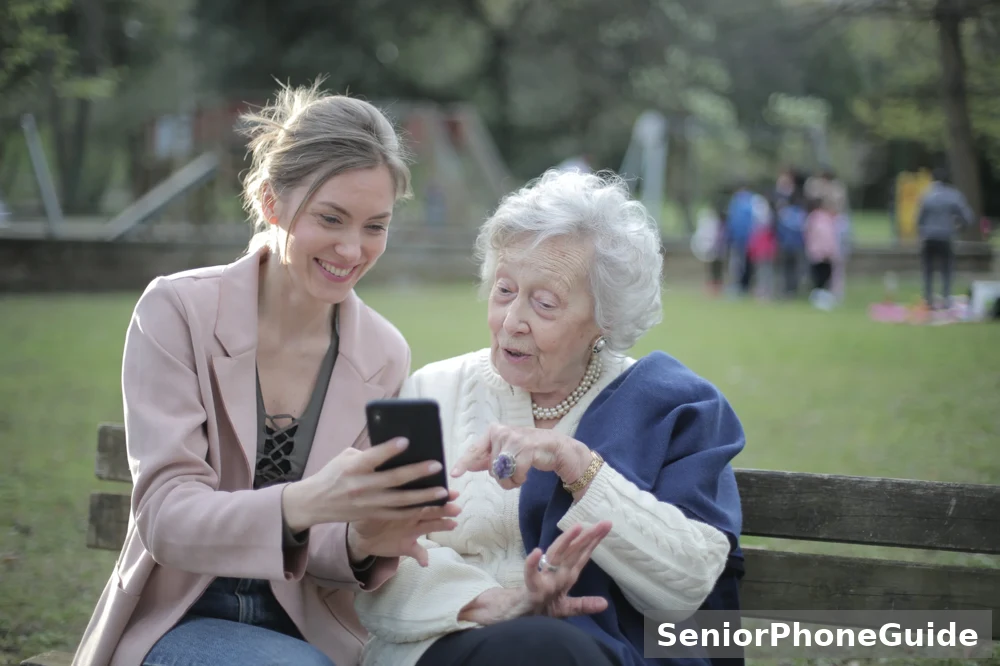
If your parent drives on toll roads, help them set up the genuine account check in advance, while calm, so they are not learning it for the first time under pressure. Save the official app or website in an easy place — a home screen icon, a bookmark with a clear name, or a written note near the computer — so the safe check is always easier to reach than a suspicious link. And if your parent has already clicked or paid, follow the sections above together, starting with the bank call, and keep the tone practical and kind throughout.
Why the rules differ from state to state
Readers often ask for a single rule: what happens with unpaid tolls in their state, how long they have to pay, and whether registration is affected. This guide deliberately does not give a single answer, because there is not one. Toll roads in the United States are run by many different authorities, each with its own system, its own payment methods, its own notice process, and its own rules for what happens when a toll goes unpaid. Some roads use transponder accounts, some use billing by licence plate, some use a mix, and the steps for checking or paying differ accordingly. A rule stated confidently for one place may be wrong for another,
Those questions all share the same safe answer: find the official toll authority for the road you used, and check with them. If the journey crossed into another state, the authority to contact is the one for the road where the toll was charged, not necessarily the authority for your home state. If you are unsure which authority that is, start from the road itself: its name, its route, and its official site, found through a general search, will lead you to the right place.

Related reading on SeniorPhoneGuide
If this guide was useful, the following SeniorPhoneGuide safety guides cover the neighbouring topics in the same plain, step-by-step style. They are written for the same readers: seniors who want clear instructions, and families who want to help without taking over.
- How to Stop Spam Texts on iPhone — the iPhone filtering and reporting settings in full, step by step.
- Block Spam Texts on Android — the Android equivalents, including block and report spam.
- Is This Message a Scam? — a general check for any suspicious message, not only toll texts.
- Spot a Fake Delivery Text — the delivery cousin of the toll scam, with the same urgency and link pattern.
- Senior Scam Checklist — a wider checklist of current scam scripts and the house rules that defeat them.
- Protect Personal Information Online for Seniors — what to share, what never to share, and how to think about passwords.
- Payment App Scam Texts — when a scam text targets a payment app rather than a toll account.
- Official Safety Resources — the official sources behind guides like this one, in plain language.
- Who Called Me? — how to check a suspicious number before calling back.
And a final reminder, because it bears repeating one last time: if a text about an unpaid toll arrives tomorrow, you already know what to do. Stop. Do not click and do not reply. Check through your own account or the official authority. Report it, block it, delete it. Tell someone if it would help. That routine, practised once and shared with family, is the whole defence — and it works.
Frequently asked questions
- Is an unpaid toll text a scam?
- Almost always, yes. A text out of the blue that says you owe a toll and must pay right away through a link is the classic form of this scam. Even if you did drive on a toll road recently, do not trust the text itself. Treat it as unproven until you check through a channel you already trust, as explained below.
- Is the unpaid toll text legit if I did drive on a toll road recently?
- Not necessarily. Scammers send these texts widely, so some of them land with people who really did use a toll road. A real toll and a fake text can arrive in the same week. The fact that you drove somewhere does not make the text genuine. Check your own account or the official toll authority directly, never through the link in the text.
- What does an unpaid toll fee text scam usually say?
- It usually says you have an unpaid toll fee or an outstanding balance, and that you must pay soon to avoid a late fee, a penalty, or trouble with your licence or registration. It often includes a link and asks you to enter payment or personal details. Urgency, a threat, and a link are the three parts that appear together most often.
- What is the difference between an outstanding toll text and a violation text?
- The wording changes, but the trick stays the same. Outstanding, unpaid, overdue, and violation are different words for the same claim: that you owe money and must act now. A violation text may sound more serious because it suggests you broke a rule. Do not let the stronger word rush you. Check the claim the same calm way, through an official channel you find yourself.
- Can I pay unpaid tolls over the phone?
- Sometimes, but only through a number you find yourself, never through a number printed in a suspicious text. If you believe you may owe a toll, find the official toll authority for the road you used, using a search or a bill you already trust, and call the number listed there. Never call a number from an unexpected text, and never read card details to a caller you did not expect.
- How do I pay unpaid tolls online safely?
- Go to the official toll authority website by typing its address yourself or by using an app or account you already use, and sign in there. Do not follow a link from a text, do not search for the link text and click the first result without checking it, and do not enter payment details on a page that a text sent you to. If you cannot find the official site, ask a family member to help you find it before you pay anything.
- How do I check if I have unpaid tolls?
- Check in one of two safe ways. If you have a transponder account, sign in to the account you already use and look for any balance or notice there. If you do not have an account, contact the toll authority for the road you used, using contact details you find independently. A text message is not a reliable way to check, even if it looks official.
- What happens if you have unpaid tolls?
- It depends on the toll authority and the place where the toll was charged, because toll systems and their rules differ. In general, an unpaid toll may lead to further notices, added charges, or problems when you renew a registration, but the exact steps and timing are set by the authority that charged the toll. Check with that authority directly for what applies to you, and do not accept a deadline given in a text as fact.
- Can unpaid tolls affect vehicle registration?
- In some places they can, and in others the process works differently, because this is decided by the authority that runs the toll and by local rules. That is why this guide does not state one rule for every state. If you are worried about registration, contact the official toll authority and, if needed, the vehicle registration office for your state, using details you find yourself.
- How do I report a text message scam?
- Report it before you delete it. Use the report junk or report spam option in your messages app, and forward the text to 7726, which spells SPAM on a phone keypad, so your carrier can act on it. You can also report it to the Federal Trade Commission through its fraud reporting site, and to the FBI Internet Crime Complaint Center. Then block the number and delete the message.
- How do I report a text message scam on iPhone?
- On an iPhone, a Report Spam link appears under a message from an unknown sender. Tap it, then tap Delete and Report Spam. If you have not opened the message, you can swipe left on it and choose the same option. You can also forward the message to 7726. Note that once you have replied to a message, the report option may no longer be available, so report first when you can.
- What should I do if I already clicked the link?
- Stay calm and do not enter anything else on that page. Close the page, do not download anything it offers, and do not fill in any form. If you entered a password on that page, change that password right away, and change it anywhere else you used the same password. Then report the text as described above, and keep an eye on your accounts for anything unusual.
- What should I do if I already paid?
- Call your bank or card issuer right away, using the number on your card or on a statement you trust, and tell them what happened. Ask what they can do about the payment and whether the card should be blocked or replaced. Then watch your statements closely, report the text, and keep a note of the date, the sender details, and what you shared. Acting quickly helps, and there is no shame in reporting it.
- Can a toll-free number be a scam?
- Yes. A number that looks toll-free, or a message that comes from an ordinary-looking number, is not proof that the sender is genuine. Scammers can display numbers that look familiar or official. Judge the message by what it asks you to do, not by how the number looks. If it asks you to click a link or pay urgently, check it through an official channel before you act.
- How long do I have to pay unpaid tolls?
- There is no single answer that covers every toll road, because deadlines are set by the toll authority that charged the toll. A text that gives you a very short deadline is trying to rush you, and rushing is itself a warning sign. Find the official authority for the road you used, and ask them or check your account there for the real deadline that applies to you.
Verdict: do not trust the text; trust the check you do yourself. The safest response to any unexpected toll text is the same every time: do not click, do not reply, check through your own account or the official authority, report it, block it, and delete it. Teach that routine to everyone in the family, and this scam loses its power.