
Canada Post Parcel Scam Texts for Seniors: The Scripts, the Real Short Codes, and What to Do in the First Hour
A text saying Canada Post held your parcel is almost always a scam — but deleting it is only step one. This guide gives you the exact scripts, the real short codes, and the first-hour order the short warnings never give you.
As an Amazon Associate, I earn from qualifying purchases.
In a hurry? See the current price on Amazon.
Affiliate disclosure: As an Amazon Associate I earn from qualifying purchases. This is a safety guide, not a buying guide, so the links below are searches only for genuinely fitting prevention products (a call-blocking device, a cordless phone with call block, a senior phone with spam-call blocking, a scam-protection book), so you can compare current listings yourself. We print no prices, because prices change too often — and differ too much between sellers and models — to print honestly. Check the current price and the current listing details on Amazon before you buy. It costs you nothing extra, and it keeps this site free. Read our affiliate disclosure.
Verdict: if a text says Canada Post could not deliver your parcel and asks you to tap a link or pay a small fee, treat it as a scam until you prove otherwise yourself, through the tracking number in the shop's own email or through the Canada Post site you typed yourself — never through the link in the text. Do not tap, do not reply, and check your real parcel the safe way. The scripts below show you exactly what the scammers write, what Canada Post will never ask for by text, and the first-hour order that the short warnings on the search results never give you.
What Just Happened
You received a text claiming to be Canada Post, saying a parcel could not be delivered, or is being held, or needs a fee before it can be released. It may have named a tracking number, warned that the parcel will be returned, and offered one quick fix: tap the link, confirm your address, or pay a small amount. If that text arrived out of nowhere — you did not sign up for tracking updates on that parcel, or it came from an ordinary-looking mobile number rather than a short code — it is almost certainly a scam. The wider delivery-text family is our fake delivery text guide — the six signs, the five calm steps, and the carrier walkthroughs for USPS, FedEx, UPS, Royal Mail and DPD.
This is not a rare or new trick. The search results for this exact problem are full of warnings about it, but none of them is a proper senior guide. The strongest page found is a short security-company guide from July 2026; the rest are news items from 2023 and 2024, a reader letter, social-media discussions, and a paid question-and-answer page. They warn, but they do not walk you through the scripts, the safe check, or the recovery order. That is the gap this guide fills, and it matters because this scam works on seniors more than anyone else: it arrives on the phone, it uses a trusted Canadian name, and it threatens something every household waits for — a parcel, often a gift, often from family.
Three things make this scam convincing, and naming them takes away their power. First, the name: Canada Post is real, familiar, and trusted, so a text in its name feels legitimate before a word is read. Second, the timing: these texts often arrive when a parcel genuinely is on its way, or when nothing is expected and the reader assumes someone sent something. Third, the fee: it is always small, which makes paying feel harmless — and the small fee is the whole trick. Every defence here is built to buy back one quiet minute: do not tap first, check later, through a channel you control.
The Missed-Delivery Script
Most versions of this scam open the same way, and knowing the shape means you recognise it in the first few seconds. A text arrives saying something close to this: "Canada Post: your parcel could not be delivered because the address was incomplete" — or because nobody was home, or because a signature was missing — "tap here to reschedule delivery" or "to confirm your address". The details vary, but the structure never does: a trusted name, a delivery problem you did not know about, and an instruction to tap a link now.
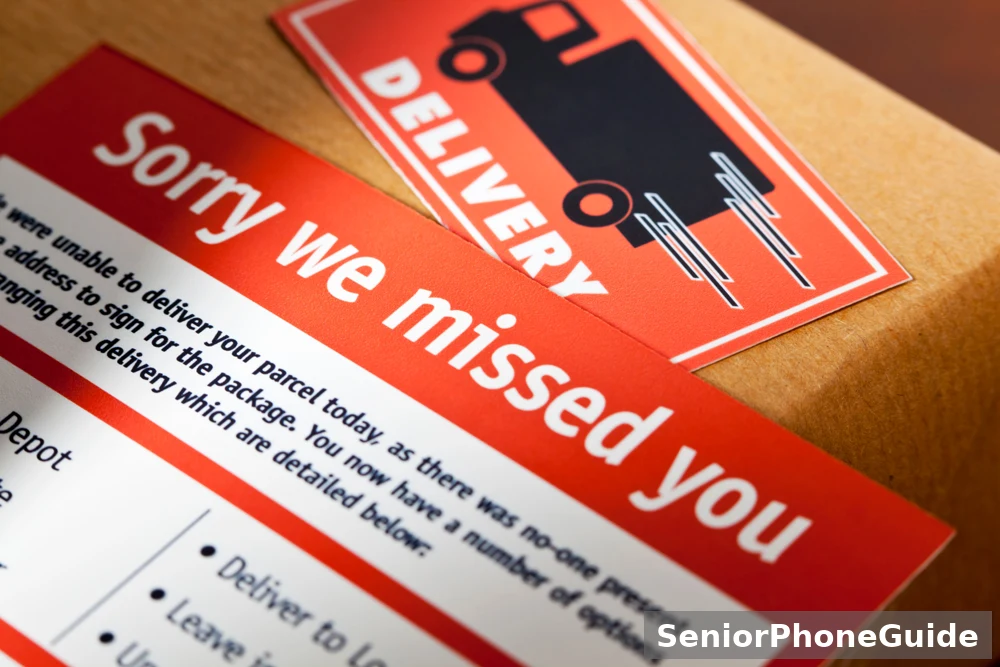
The missed-delivery story works because it matches real life. Real parcels do miss people, and real delivery notices do arrive. The difference is the channel. A real failed delivery leaves a physical paper card at your door or in your mailbox, telling you where the parcel is being held and how to collect it or reschedule. It does not arrive as a text with a link and a demand. If the only notice of a missed delivery is a text asking you to tap, that text is the scam — and the missing paper card is itself evidence.
Some versions add a second hook: the parcel will be returned if you do not act today, or within 24 hours. The deadline is the weapon — it frightens and stops the reader putting the phone down and checking calmly. A real parcel hold does not come with a countdown in a text message; real holds are explained on a paper card or inside your Canada Post account. If a text gives you a deadline, that deadline is itself proof it is a scam.

The Customs-Fee Script
The second script in this scam family does not mention a missed delivery at all. Instead, the text says your parcel is held at customs, or held for inspection, and cannot be released until a customs duty, a tax, or a handling fee is paid — through the link in the text, right now. It is the setup for the same theft: the link leads to a fake site that harvests your card details and sometimes your name, birth date, and address as well.
The customs story works because many Canadians do order from outside the country, and real cross-border parcels can attract duties. The difference is again the channel. Canada Post never asks you to pay a shipping or customs fee through a link in an unsolicited text. A genuine customs charge is handled through official Canada Post channels you open yourself — never through a link a stranger texted you. If a text asks for a customs payment, the text is the scam.
Where to look: compare call-blocking devices for landline phones and cordless phones with call block for seniors, and check the current listing details for blocking and screening features on the exact model before you buy.
A cousin of this scam wears a different uniform: a text claiming to be from the Canada Border Services Agency (CBSA) says duty is owed and must be paid through a link. The CBSA never asks for money or personal details by text — duties on mailed parcels are collected by Canada Post before delivery, never through a text link.
Why the Fee Is So Small
Every version of this scam asks for a tiny amount — and that is deliberate. One widely reported example, described by a security company in July 2026, showed a fake missed-parcel text asking for a $1.10 redelivery fee; a news report from Ontario in May 2023 described a fake site asking for $1 or $1.25 to choose a new delivery date. These are those pages' own examples, not general claims — but the pattern is the point: a tiny fee feels too small to be a crime, and too small to check.
The small fee is not the prize. The prize is what you type to pay it: your card number, your name, your birth date, your address, and sometimes a banking login or a password. Once those details are entered on a fake site, the criminals can use them for larger fraud, and the small payment itself is only the cover story that got you typing. In some versions, a fake bank-agent call follows days later, claiming suspicious activity and asking for more details to "fix" it. That second call is part of the same scam, not a rescue from it.
This is why the rule is absolute: never pay any fee, of any size, through a link in a delivery text. The safe route costs nothing: check the parcel through the shop's own email and the site you typed yourself, and forward the text to 7726 so the number can be blocked for others.
The Fake Tracking Site
The link in a scam text leads to a fake tracking site, and understanding its anatomy takes away its power. The site usually copies the look of a delivery page: a tracking number, a parcel status, a redelivery or payment button, and branding that resembles Canada Post closely enough to pass a quick glance. The domain, though, is never the real one. Scam domains rotate constantly — small variations, extra words, odd endings — while the real domain is canadapost-postescanada.ca. If the address in your browser is anything else, you are not on Canada Post's site, whatever the page looks like.
The fake site follows a pattern. First, it shows a plausible parcel status, which makes the story feel confirmed. Then it asks for something small — confirm your address, choose a new delivery date — which feels harmless and builds compliance. Then comes the payment form, asking for card details and personal details: name, birth date, address, sometimes a phone number or an email password. Each step feels ordinary, and none of it is real: the parcel status is invented, the form sends your details to criminals, and the "confirmation" at the end confirms nothing except that the harvest worked.
Two tells mark this site: how you arrived — through a link in a text you did not expect, rather than an address you typed yourself — and what it asks for: a real tracking check asks for a tracking number and shows a status, never card details, banking logins, or passwords. If a tracking page asks for payment or a password, close it at once. The recovery section covers what to do if you already entered something.
Real vs Fake Canada Post Contact
The fastest way to judge any Canada Post text is the short-code rule, and it is worth learning by heart. Real Canada Post tracking texts come only from the short codes 272727 or 55555, and only if you signed up for tracking updates yourself — for example, through your Canada Post account when you were expecting a parcel. A text from any other number, especially an ordinary 10-digit mobile number, claiming to be Canada Post is fake, whatever it says. Support texts from Canada Post may also come from 613-734-1002 or 613-734-1004, but those are support messages, not delivery-fee demands, and they never ask you to pay through a link.
| Real Canada Post contact | A scammer will… |
|---|---|
| Leaves a paper card at your door or in your mailbox when a delivery fails | Sends only a text with a link, and no paper card at all |
| Sends tracking texts only from 272727 or 55555, and only if you signed up | Texts from an ordinary 10-digit mobile number you do not recognise |
| Never asks for payment, card details, or passwords by text or email to release or track a delivery | Asks you to tap a link and pay a fee, or enter card and personal details |
| Shows parcel status on the site you typed yourself, or in the app you already have | Sends you to a look-alike site through a link in the text |
| Gives you time, in writing, to check and query anything about your parcel | Gives you a countdown — today, or within 24 hours — to force a quick tap |
Real Canada Post contact looks different in every way that matters: a paper card you can hold, or a message inside an account you opened yourself; a tracking update you asked for, from a short code you can recognise; a customs question answered through channels you reach without the text. A real Canada Post message will never mind you ignoring the text and checking another way — only a scammer needs you to tap the link.
One honest tension deserves a plain explanation. Some summaries say Canada Post "never texts or calls", while the detailed answers say tracking texts do exist from 272727 and 55555 for people who signed up. Both point at the same rule: Canada Post never sends an unsolicited text about a delivery problem, an unpaid fee, or an address update, and never sends a text link asking for a shipping or customs fee. The only legitimate texts are the ones you asked for, from those two short codes — and a fee demand by text is fake even if you signed up.
Where to look: compare senior phones with spam-call blocking and simple mobile phones for seniors with spam filters, and check the current listing details for spam-filtering features on the exact model before you buy.
Do This in the First Hour
Step 1: do not tap, do not reply
Leave the text unopened if you can, or close it without tapping the link. Do not reply — not even to write "stop" or "who is this" — because replying tells the scammer's system that a real, responsive person is at this number, which can bring more texts. Do not call any number in the text either. The text stays on your phone, untouched, until you have reported it.
Step 2: forward it to 7726, then delete it
Forward the suspicious text to 7726 (which spells SPAM on a phone keypad), then delete the original. Forwarding reports the number so carriers can block it for others, and deleting removes the temptation to tap later. This takes less than a minute, and it is the single most useful thing you can do for the next person who receives the same text.
Step 3: check your real parcel the safe way
Find the tracking number in the shop's own email — the order confirmation from the store you bought from — not in the text. Then type canadapost-postescanada.ca yourself in your browser, or open the Canada Post app you already have, and enter the tracking number there.
Step 4: check the door for a paper card
Look at your front door and your mailbox for a Canada Post delivery card. A real failed delivery leaves one; a scam text never does. If there is a card, follow the instructions on the card. If there is no card and no tracking update in your own account, there was no failed delivery — the text was the whole scam.
Step 5: call your bank at once if details or money were shared
If you tapped the link and entered card details, bank details, or a password, or paid anything, call your bank immediately on the number on the back of your card, and say you were scammed. Do this before anything else in that case — the faster the call, the more can be done.
Step 6: tell a trusted person
Tell a family member, a neighbour, or a friend what happened, and show them the text, before doing anything else. A second pair of eyes kills the script on contact, and a trusted person can make the bank and reporting calls with you.
Step 7: report it, and write the settings card
Report as the reporting pack below explains — 7726 already done, plus the Canadian Anti-Fraud Centre if money was lost. Then write the settings card, kept with the phone: the family rule (unknown text with a link, do not tap, check later), the 7726 number, the Canada Post number you trust (1-866-607-6301), and the helper's name.
Check Your Parcel Safely
First, the shop's email: open the order confirmation from the store you bought from — the email that arrived when you placed the order, not any message that arrived with the suspicious text. That email contains the real tracking number, if the shop provided one, and the name of the carrier. If you cannot find an order email, and nobody in the family ordered anything, that is itself an answer: a delivery notice for an order that does not exist is a scam, and the safe check ends here, with the text forwarded to 7726 and deleted.
Second, the site you type yourself: open your browser and type canadapost-postescanada.ca yourself — letter by letter, never by tapping a link in a text or an email you did not expect. Enter the tracking number from the shop's email. The real tracking page shows the parcel's status and nothing else: it never asks for card details, banking logins, or passwords to show you a status. If the page you reach asks for payment or a password, close it at once — you have reached a fake site, and the recovery section covers what to do next.

Third, the paper card and a number you already know: check your door and mailbox for a Canada Post delivery card, and if anything is still unclear, call Canada Post on 1-866-607-6301 — a number from a card, a bill, or the site you opened yourself, never a number from the suspicious text. Tell Canada Post what the text claimed, and ask whether anything matches. Canada Post can confirm in minutes whether a parcel is held, whether a fee is owed, and whether any delivery was attempted, and the answer is almost always that nothing matches.
Two more safe checks. Canada Post's free FlexDelivery service lets you have parcels held at a post office for pickup — a real hold notice never asks for a fee by text, so any text demanding payment for a held parcel is fake. And if you did order something — from Amazon, Temu, AliExpress, or any store — check the order inside that store's own app or site, never through the text's link. This kind of text-message fraud has a name, smishing, and you will see that word in official warnings — it means phishing by text message.
If You Clicked, Shared, or Paid
Case 1: you received the text, but tapped nothing and shared nothing
Nothing was shared and nothing was paid, so nothing needs recovering. Forward the text to 7726, delete it, and carry on. Receiving a scam text alone does not give a scammer access to your phone or your accounts; the danger starts with tapping and typing, and you did neither.
Case 2: you tapped the link, but entered nothing
Close the page at once, and do not enter anything else. Forward the text to 7726 and delete it. Tapping alone, with nothing entered, does not hand over card details or passwords — but the visit may mark the number as live, which can bring more texts, so lean on your phone's spam filtering rather than switching it off in frustration. Tell a trusted person what happened, so the next text does not catch you alone. No accounts need changing, because nothing was entered.
Case 3: you shared personal details, but no payment information
Forward the text to 7726 and delete it, then act in this order. Tell a trusted person what was shared. Watch for further scam attempts using those details — a name, address, or birth date from a fake site is often used to make the next scam more convincing, such as a call that already knows your address. Consider a fraud alert with Canada's credit bureaus, and keep a note of what was shared, when, and through which link, so any later report is precise. No card needs replacing, because no card details were shared — but stay alert.

Case 4: you paid, or gave card or bank details that could move money
Call your bank at once, on the number on the back of your card, and say you were scammed. Ask about stopping the payment, replacing the card, and watching the account. The faster this call happens, the more can be done: card payments can sometimes be reversed, and bank transfers are time-critical, so do not wait until morning. Keep every receipt, message, and call log. Then tell a trusted person, forward the text to 7726, and report to the Canadian Anti-Fraud Centre on 1-888-495-8501 or through its online report.
Case 5: you entered a password, or logged in, on the fake site
Change that password at once, from a different, clean device — a phone or computer the fake site never touched — starting with your email account, because email is the key to resetting other accounts. Switch on two-factor authentication on every account whose password was entered, and on your email account first of all. If it was your Canada Post account password, change it through the real site you typed yourself, and check the account for changes you did not make. Then tell a trusted person, forward the text to 7726, and report.
One rule covers all five cases: never pay anyone who contacts you claiming they can recover money already lost to a parcel scam text. Recovery scams are a second scam aimed at the same victims, and they arrive as helpful calls, official-looking messages, and promises of refunds for a fee. Money lost to a scam is recovered through your bank and the reporting routes, never through a stranger who contacts you asking for a further payment.
Family-Helper Checklist
Start with the person's own phone, not yours. Walk the first-hour checklist together, on their handset, and let them press the buttons while you guide. Show them how to forward a text to 7726 and delete it, and practise it once with a harmless message, so the motion is familiar before a real scam text arrives. Show them what a blocked or filtered text looks like, and where blocked numbers live. Agree the family rule, in plain words: a text with a link about a parcel is never tapped — the parcel is always checked through the shop's email and the site typed by hand.
Then agree the routine, in writing, on the settings card. Who checks the phone for suspicious texts, and when — once a day at the same time works best. Who reviews the blocked list, and how often — once a month is enough. What happens when a text frightens the person — the rule is to put the phone down first and call the helper second, never to tap and work it out alone. And what happens after a software update — check the spam filtering stayed on, because updates occasionally reset message settings, and the card shows what "on" looks like.
For a parent who lives alone, add two more habits. First, a weekly call from the helper that is not about the phone at all — a normal chat, during which the helper casually asks whether any strange texts came through, since seniors often hide frightening texts out of embarrassment. Second, warn the neighbours: parcel scam texts hit whole streets at once, because scammers work through number ranges.
For a parent with memory loss, simplify further. Fewer choices beat stronger tools: a phone where only contacts ring through, with everything else filtered, and a helper who checks filtered messages daily. Do not add an app the person cannot tend, and do not rely on the person remembering a rule under pressure — the system must protect them on a bad day, when they forget the rule entirely.
Where to look: compare scam-protection books for seniors and amplified phones with call blocking for seniors, and check the current listing details for call-blocking features on the exact model before you buy.
Reporting Pack
Reporting is the step everyone skips, and it is the step that makes the next person's phone quieter. Forward every Canada Post scam text to 7726, then delete it — that report alone helps carriers block the number. Keep a short note of every text: the date, the number, what it claimed, and whether anything was tapped or paid.
Two more routes deserve a plain explanation. If money was lost, or card or bank details were shared, report to the Canadian Anti-Fraud Centre (CAFC) — on 1-888-495-8501, or through its online report — keeping the note you made, the receipts, and the call logs. And Canada Post itself wants to know: report the scam text through Canada Post's own fraud-reporting channels, reached from the site you typed yourself. Reporting to Canada Post is not a substitute for the Anti-Fraud Centre, and neither is a substitute for calling your bank — the three routes do three different jobs, and a serious case needs all three.
The Centre is run by the RCMP, so a report there feeds the national picture, not just one file.For the wider scam-safety picture, see our guide to scam texts in Canada, our guide to stopping robocalls, our guide to Amazon account scam calls and texts, and our guide to spotting a fake delivery text.

When Canada Post Really Contacts You
A real failed delivery arrives as a paper card at your door or in your mailbox, telling you where the parcel is held and how to collect it or reschedule — with time to act, and details you can re-read. A real tracking update is one you signed up for, from 272727 or 55555, showing a status and asking for nothing. A real customs question is handled through official Canada Post channels you open yourself, with a notice you can verify, never through a link in a surprise text. A real appointment — a redelivery you booked, a pickup you arranged — is one you made, with a date and a reference you can check.
Three habits make the distinction automatic: never act on a text you did not expect; never let urgency decide, because a real parcel process gives you time in writing while a scammer gives you a countdown in a text; and never pay or enter a password on a first contact, because a real Canada Post process has steps you can verify at each stage.
The Email Version
The same scam also arrives by email, and it deserves its own section because the search results show it clearly: a question about a damaged-parcel or lost-address email, community answers treating it as a scam, and a paid advice page noting that Canada Post does not typically email about mailed packages. The email version uses the same stories — a parcel held, an address wrong, a fee owed — with a link or a button instead of a text tap, and the same rule applies: do not click, do not reply, and check through a channel you control.
Judging an email takes one extra habit: check the actual address and domain behind the display name, not just the name shown. A message can display "Canada Post" in large, friendly letters while the real sender address is something else entirely — and that mismatch is the proof. A genuine Canada Post email comes from a Canada Post domain, and even then, it will not ask you to pay a fee or enter card details through a link to release a parcel. If the domain is anything else, or the message asks for payment or a password, report it as spam through your email provider's button, delete it, and check the parcel the safe way.
The email version has one more trap worth naming: the "I didn't order anything" case. A physical delivery card can genuinely relate to registered or official mail — from a bank, an insurer, a government office, or a legal sender — or to an item needing a signature, or too large for a community mailbox. A digital text or email notice about an order you never placed is very likely phishing. The distinction is the channel again: paper you can hold and verify is real; a link you are pushed to tap is not.
First win: the first quiet month is the proof the setup works. When a whole month passes without a single parcel scam text getting a tap, and the only messages are genuine ones from people you know plus the tracking updates you signed up for, the phone has gone back to being a tool instead of a source of dread. That is the result this guide is built for, and it is reachable in one day of setup.
Skip this guide if: the person never taps links in unknown texts anyway, never shares details by text or email, and already has spam filtering plus a trusted-person routine working — in that case, the only steps still worth adding are the 7726 number and the Canada Post number on the settings card, and everything else here is already done.
Bottom line: do not tap a parcel text link, check the parcel through the shop's email and the site you typed yourself, and forward the text to 7726. That one habit plus the settings card beats every version of this scam, old or new.
Quick answers
Will Canada Post really text me about a parcel? Only if you signed up for tracking updates yourself — and then only from the short codes 272727 or 55555, showing a status and asking for nothing. Any other Canada Post text, especially one asking for a fee, is fake.
What is the single most important rule? Do not tap a link in a parcel text. Check the parcel through the shop's email and the Canada Post site you typed yourself.
What if I already tapped the link but entered nothing? Close the page, forward the text to 7726, delete it, and tell a trusted person. No accounts need changing unless details or money were shared.
What is 7726? The number to forward spam texts to — it spells SPAM on a phone keypad. Forward the text, then delete it. Carriers use the report to block the number for others.
Do I need to buy anything? No. Not tapping, the safe check, 7726, and the Canadian Anti-Fraud Centre are all free. A phone with spam filtering is the one purchase genuinely worth it for a household getting many scam texts.
Follow along: SeniorPhoneGuide on Pinterest shares one plain-language senior-phone tip at a time — follow SeniorPhoneGuide on Pinterest.
Frequently asked questions
- Will Canada Post send me a text?
- Only if you signed up for tracking updates yourself — and then only from the short codes 272727 or 55555, showing a parcel status and asking for nothing. Canada Post does not send unsolicited texts about delivery problems, unpaid fees, or address updates, and never sends a text link asking for a shipping or customs fee. If you did not sign up, any Canada Post text is fake; a fee demand by text is fake even if you did sign up.
- How do I know if a text from Canada Post is real?
- Check three things, in order: the number — a real tracking text comes only from 272727 or 55555; whether you signed up — real tracking texts arrive only for parcels you asked to track; and what it asks — a real text shows a status and asks for nothing, while a fake text asks you to tap a link, confirm an address, or pay a fee. If any one of the three fails, treat the text as fake: forward it to 7726, delete it, and check the parcel the safe way.
- Does Canada Post send emails about deliveries?
- Canada Post does not typically email about mailed packages, and it never emails asking you to pay a fee or enter card details through a link to release a parcel. An email claiming a parcel problem, with a link or a button, should be judged the same way as a text: check the actual sender address and domain behind the display name, do not click, and check the parcel through the shop's email and the site you typed yourself. Report it through your email provider's spam button, then delete it.
- I received a delivery notice from Canada Post, but I didn't order anything. What could be the reason?
- It depends on the channel. A physical card at your door can genuinely relate to registered or official mail — from a bank, an insurer, a government office, or a legal sender — or to an item needing a signature, or too large for a community mailbox. A digital text or email notice about an order you never placed is very likely phishing, because scammers send these notices widely and wait for someone who assumes a relative sent something. The safe check is the same either way: the paper card, the shop's email, and tracking on the site you typed yourself — never through the link in the notice.
- What does a Canada Post parcel scam text usually say?
- Usually one of three stories: a parcel could not be delivered because the address was incomplete, or nobody was home, or a signature was missing; a parcel is held at customs or for inspection until a fee is paid; or a parcel will be returned unless you tap to reschedule today. All three end the same way: a link to a fake site that asks for card details and personal details. The wording varies, but the structure never does: a trusted name, a delivery problem you did not know about, a deadline, and an instruction to tap now.
- What is the $1.10 redelivery fee text?
- It is one reported example of this scam, described by a security company in July 2026: a fake missed-parcel text asking for a $1.10 redelivery fee. A news report from Ontario in May 2023 described a similar fake site asking for $1 or $1.25 to choose a new delivery date. These are those pages' own examples, not a claim about what every scam text charges — but they show why the fee is always small: a tiny amount feels too small to check, while the real prize is the card and personal details typed to pay it.
- What are short codes 272727 and 55555?
- They are the only numbers Canada Post uses for tracking texts, and only for people who signed up for tracking updates themselves. A text from either short code, showing a parcel status and asking for nothing, can be genuine. A text from any other number claiming to be Canada Post — especially an ordinary 10-digit mobile number — is fake, whatever it says. Support texts may also come from 613-734-1002 or 613-734-1004, but those are support messages, not delivery-fee demands, and they never ask you to pay through a link.
- What should I do if I clicked the link but did not enter anything?
- Close the page at once, and do not enter anything else. Forward the text to 7726 and delete it. Tapping alone, with nothing entered, does not hand over card details or passwords — but the visit may mark the number as live, which can bring more texts, so lean on your phone's spam filtering rather than switching it off in frustration. Tell a trusted person what happened, so the next text does not catch you alone. No accounts need changing, because nothing was entered.
- What should I do if I entered my card details on a fake site?
- Call your bank at once, on the number on the back of your card, and say you were scammed. Ask about stopping the payment, replacing the card, and watching the account. Card payments can sometimes be reversed, and bank transfers are time-critical, so do not wait until morning. Keep every receipt, message, and call log. Then tell a trusted person, forward the text to 7726, and report to the Canadian Anti-Fraud Centre on 1-888-495-8501 or through its online report. Never pay anyone who contacts you claiming they can recover the money for a fee — that is a second scam.
- How do I report a Canada Post scam text?
- Forward the text to 7726, then delete it — that report alone helps carriers block the number. If money was lost, or card or bank details were shared, also report to the Canadian Anti-Fraud Centre on 1-888-495-8501 or through its online report, keeping the date, the number, what the text claimed, and any receipts and call logs. Canada Post itself also wants to know, through its own fraud-reporting channels reached from the site you typed yourself. And if money or bank details were involved, call your bank first, because stopping the money matters more than the report.
- How can my family help stop these texts?
- Set the phone up together, in person, and agree a routine: who checks for suspicious texts daily, who reviews the blocked list monthly, and what happens when a text frightens the person — put the phone down first, call the helper second. Practise forwarding a text to 7726 and deleting it once, with a harmless message, so the motion is familiar before a real scam text arrives. Agree the family rule in plain words — a text with a link about a parcel is never tapped — and keep a settings card with the phone.
- My mother clicked a Canada Post text link — what do we do now?
- First, find out what happened after the tap, without blame, because the next step depends on it. If she entered nothing, close the page, forward the text to 7726, delete it, and agree the family rule together: unknown text with a link, do not tap, check later. If she entered personal details but no payment information, watch for further scam attempts using those details, and consider a fraud alert with Canada's credit bureaus. If she entered card or bank details or paid anything, call her bank at once and report to the Canadian Anti-Fraud Centre. In every case, tell her this happens to thousands of careful people, and make the settings card together.
- My father entered his card details on a fake Canada Post site — what do we do now?
- Call his bank at once, on the number on the back of his card, and say he was scammed. Ask about stopping the payment, replacing the card, and watching the account — card payments can sometimes be reversed, and speed matters more than embarrassment. Keep every receipt, message, and call log. Then forward the text to 7726, delete it, and report to the Canadian Anti-Fraud Centre on 1-888-495-8501 or through its online report. Tell a trusted person as well, so your father is not dealing with the next attempt alone. And never pay anyone who contacts him claiming they can recover the money for a fee — that is a second scam.
- Can a scammer do anything with just my email address?
- An email address alone is not enough to take money from an account, but it is enough to aim better scams at you: phishing emails that already know your name, fake delivery notices timed to your real orders, and password-reset attempts against accounts tied to that address. That is why the email version of this scam matters even when no payment is demanded — the address is collected, and the next attempt is more convincing. If your address was entered on a fake site, switch on two-factor authentication on your email account, watch for password-reset messages you did not request, and never click a reset link you did not ask for.
- Why should I forward the text to 7726 instead of just deleting it?
- Deleting protects you; forwarding protects everyone else as well. When you forward a scam text to 7726, carriers receive a report tied to the sending number, and that report helps them block the number for other customers — including other seniors who might have tapped. Deleting alone removes the temptation from your phone, but leaves the number free to text the next person. Forward first, then delete: the two steps together take less than a minute.
Bottom line: if a text asks you to pay anything to release a parcel, it is not Canada Post. Delete it, forward it to 7726, and track the parcel yourself. Readers in Ireland meet the same trick under another postal name — our guide to An Post scam texts explains the Irish version.
Related: DMV Scam Text: Spot a Fake Ticket Text and Report It — the fake ticket text going around in the US.