
Best Flip Phones for Seniors in Canada: The 4G and VoLTE Checks, Canadian Networks, and the Buying Sequence That Prevents a Wrong Buy
A senior-paced Canadian buying guide: flip phones, the 3G and VoLTE truth by provider, the networks and flankers, and the checks that stop a wrong buy. No prices printed, because they change too fast to print honestly.
As an Amazon Associate, I earn from qualifying purchases.
In a hurry? See the current price on Amazon.
Affiliate disclosure: As an Amazon Associate I earn from qualifying purchases. Our picks come from our own research into the CRTC, TELUS, Rogers, and Best Buy Canada pages, checked in October 2026. We print no prices on this page, because they change too often to print honestly; check the current price on Amazon.ca before you buy. It costs you nothing extra, and it keeps this site free. Read our affiliate disclosure.
The short answer
For most seniors in Canada, the best flip phone is a 4G flip phone with VoLTE, checked against the reader's own provider before buying, bought where returning it is painless, and tested at home inside the return window. The shape matters, but the network underneath matters more: a flip phone that cannot use the provider's current network cannot make calls.
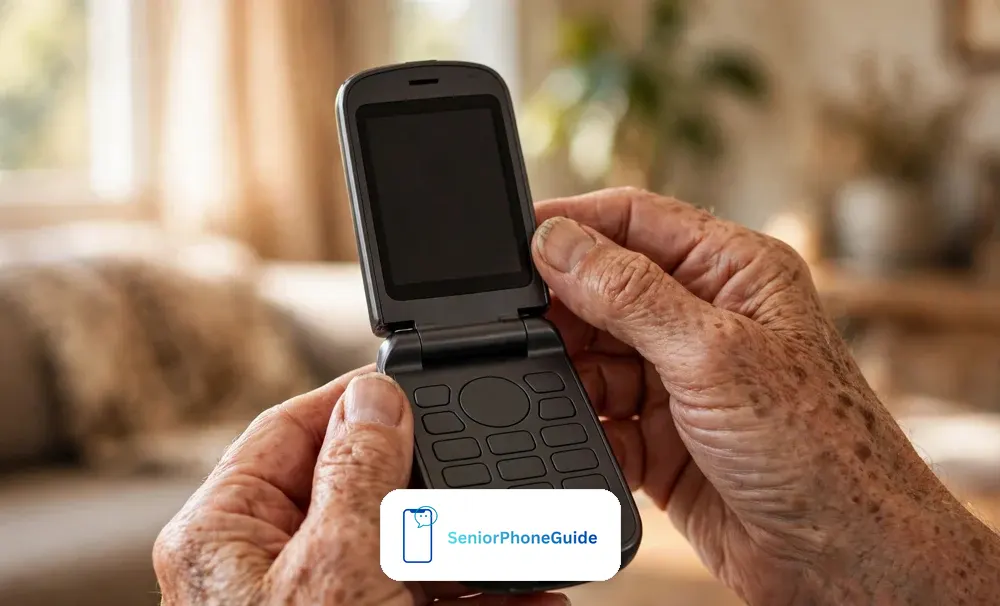
Here is the honest state of the Canadian field, as found on 30 October 2026. No senior-paced, Canada-specific flip-phone guide ranked in the top results for any of the searches behind this guide. The closest rival, a refurbished-phone seller's blog post from 18 February 2026, lists four models in one or two lines each, with no detail on hearing aids, setup, 3G, scams, or returns.
Only one model was verified as sold in Canada on an opened Canadian page: the TCL Flip, listed by Rogers. Every other name here is labelled as seen in a search or on a seller's page — never as a verified Canadian option. That narrowness is deliberate.
Verdict: Start with the checks, not the model name. Confirm 4G and VoLTE for the reader's own provider, confirm the phone is not locked to a different provider, and confirm the return terms. Then look at the phone itself: keys that can be felt one at a time, an outside screen, a loud ringtone, and a charging method the person can manage. Test it at home, with the hearing aid in, before the return window closes.
The 60-second picker: which flip phone fits?
Answer five questions about the person, not about phones. Each answer points to the first thing to check. If two answers pull in different directions, the hearing and memory answers win.
| What is true about the person? | Check first | The failure to avoid |
|---|---|---|
| Hears with a hearing aid | The live-call test, with the hearing aid in, in a normal room | A phone with no hearing-aid rating, bought on a badge claim |
| Shaky hands or poor eyesight | Keys that can be felt one at a time, and the outside screen | Tiny keys, a dim keypad, a cable plugged in daily |
| Lives alone | What the assistance button actually does, and who it contacts | Assuming the button calls 9-1-1 — it does not, by itself |
| Memory loss is part of life | Few decisions, familiar contacts, a fixed charging place | A phone that needs remembering: menus and codes |
| A family member sets it up | The set-up afternoon, done together, in one visit | A phone set up in another room |
Three more questions finish the picture. Who is the provider — Rogers, Bell, TELUS, Freedom, SaskTel, or one of their flanker brands? A phone that works on one provider's network is not automatically right for another, and 3G phase-out timing varies by provider, as the CRTC explains. Where will the phone be charged — and can the person put it there unaided, every night? And who will the person call first when something goes wrong? That person should be in the room for the test call.
If the picker points away from a flip phone altogether — video calls with grandchildren, or a screen for large print — that is useful information, not a failure. A flip phone is the right answer for calls and texts with the fewest decisions. For video calls and a bigger screen, our guide to choosing a phone for a senior covers that choice. Do not buy a flip phone and hope it grows into a smartphone. It will not.
Flip, bar, or simplified smartphone?
A flip phone opens to answer and closes to end the call. That single habit removes the most confusing moment on a modern phone: finding the right button on a screen. The closed phone cannot dial by accident in a pocket or a bag, and the outside screen shows who is calling before it is opened. Flip phones suit people who like a clear beginning and end to a call. Their weakness is the smaller inside screen and slower texting — and charging varies, so check whether a cradle is in the box, and whether the phone charges by cable or drops into a dock.
A bar phone is the classic rectangle, with a physical keypad always visible below the screen. The keys are always there, always in the same place. For some hands that is better: nothing to open, and one solid shape. For others, the always-exposed keypad is the problem — pocket dials, and keys pressed by accident. The test is the same either way: can the thumb find one key at a time, and can the numbers be read without glasses sliding down?
A simplified smartphone is a different animal: a touchscreen, but with a stripped-back homescreen, few menus, and large text. It suits people who want video calls, photos from family, or a bigger screen for reading — and who have a family member to set it up simply first. It is not a flip phone with extras. If the person wants WhatsApp and video calls, buy the simplified smartphone, not the flip phone. If the person wants calls and texts only, the flip phone is simpler, cheaper to run, and easier to keep charged. Check flip phone options on Amazon.ca
One more shape answers a different question. If the person almost never leaves the house, a cordless landline phone with big buttons may serve better than any mobile — no network checks or SIM card. Our guide to landline phones with big buttons covers that choice. Where the handset must leave its base, compare cordless handsets first: same big buttons, room-to-room range, and battery trade-offs to weigh.
Hearing and sound: the live-call test
Hearing-aid compatibility is the first branch in this guide, because it is where a wrong buy is hardest to undo. A phone that buzzes against a hearing aid, or a voice that cannot be heard clearly, will sit unused — and the return window is the only cheap way back. So this section gives the test, not a badge list.
On the Rogers page read for this guide, the TCL Flip specifications section showed the screen, camera, battery, processor, SIM size, VoLTE support, and LTE bands — and it showed no hearing-aid rating and no SOS line. That absence means the rating must be asked for, in writing, rather than assumed from a listing. Ratings use letters, and a 2019 standard is sometimes cited — but no rating could be verified for any phone on a Canadian page, so none is printed here. Ask what the rating means on the maker's own page, and test anyway.
Do the test inside the return window, with the hearing aid in, holding the phone exactly as the person normally holds it. First, call a family member and ask whether voices are clear at both ends, with the television on low in the background — a quiet room flatters every phone. Second, listen for buzzing when the phone is held against the hearing aid. If it still buzzes, the phone is wrong for that hearing aid, and it should go back, however cheap or good-looking it was. Third, check the ringtone from another room, with vibration switched on. A phone that cannot be heard ringing is a phone that misses calls. Fourth, check the speakerphone. Check hearing-aid-compatible phone options on Amazon.ca
Two more checks belong in the shop, before paying. Ask whether the loud speaker setting stays loud — some phones reset their volume. And check the volume buttons can be found by feel, without looking.
Hands and dexterity: buttons you can feel
Hands decide more purchases than specifications do. A keypad that cannot be felt one key at a time will produce wrong numbers, deleted messages, and a phone that gets left in a drawer. So judge the phone with the hands, not the eyes: close your eyes, or look away, and find the call button. Can the thumb feel the gap between keys? Are the keys raised enough to tell one from the next, and is the keypad backlit for a dim hallway? If the answers need squinting, the phone is wrong.
The outside screen earns its keep every day. It shows who is calling before the phone is opened, so the person can decide whether to answer — and it shows the time and the battery without opening anything. Check it in daylight, not only under shop lights: can the name be read at arm's length, in sunlight? Check the inside screen the same way. Long messages take more scrolling on a small screen, and typing long texts is slow on any flip phone — a fair trade, but a knowing one, not a surprise.
Weight and grip belong in the same test. The TCL Flip listed by Rogers weighs 140 grams — but weight on a page is not weight in a hand, and a phone that slips is a phone that breaks. Hold it for a full minute, and open and close it ten times. If the hinge feels stiff or the phone feels slippery, say so in the shop, while returning it is still easy.
Charging is the daily habit that decides whether the phone is charged when it matters. Some flip phones charge by cable, which means a small plug found by feel, every night. Others drop into a cradle or dock, which means one movement, no plug. Ask which this phone uses, and whether the cradle is in the box or sold separately. Then put the charging home beside the favourite chair, and practise the movement twice, so it becomes a habit before nightfall. A phone with a dead battery cannot call anyone.
Living alone: what an SOS button really does
Ask whether the SOS button sends your location with the alert — a call for help without a location is only half the help.
The assistance or SOS button is the feature families ask about most, and the feature most often misunderstood. Here is what it does, what it does not do, and the questions that must be asked before anyone relies on it. The button contacts whoever it was set up to contact. It is not, by itself, a call to 9-1-1.
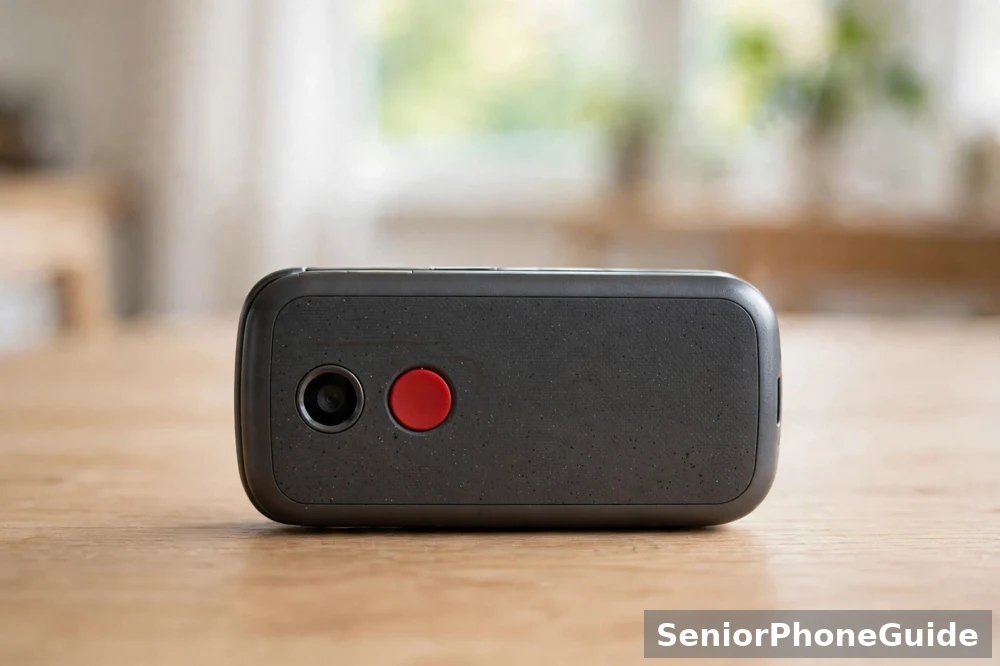
What the button does varies by phone and by setup. Some buttons message or call named family contacts. Some connect to a monitoring centre, which may involve a plan with a monthly cost — ask what that cost is, in total, before agreeing to anything, and never accept a figure from a snippet or a listing. Some buttons do nothing at all until they are set up, and a button that was never set up is a button that does nothing in an emergency. Ask three questions, and get the answers in writing: who does this button contact? Does it call, message, or both? And what happens if the first contact does not answer?
On the Rogers page read for this guide, the TCL Flip specifications section showed no SOS line. That does not prove the phone has no assistance feature — it proves the feature was not described in the section read, and must be asked about directly. Do not buy a phone for its SOS button on a listing headline. Ask the seller to demonstrate the setup, with the family contacts named, before paying. Then test it once, with the contacts warned first, so everyone knows what happens. Check flip phones with an SOS button on Amazon.ca
For a person who lives alone, the button is one part of a wider safety setup, not the setup itself. The phone must be charged, have signal, and be in the room where the person is. A daily check-in call, a neighbour with a key, and a written list of numbers matter as much as the button. If the person has fallen and cannot reach the phone, no button helps.
Memory loss: when a flip phone stops being enough
Early on, a flip phone can be the kindest choice for a person living with memory loss: open to answer, close to end, two or three familiar people on speed-dial, and a charging cradle in one fixed place. A phone the person already knows is usually kinder than a new phone. Keep the contact list short and familiar, keep one ringtone, and keep the phone charged in the same place every night. Review the setup as needs change, with family.
The boundary to watch for is not a date or a diagnosis. It is the day the phone itself becomes a source of confusion or distress: numbers forgotten, the same wrong number called repeatedly, the phone misplaced or left uncharged, calls answered from strangers because the screen cannot be read in time. When that day comes, change the setup instead — fewer contacts, a family member managing the phone, or a different routine. Pushing on with a phone that frightens the person helps nobody.
Two warnings belong here, plainly. First, no flip phone should be bought as a dementia solution on the strength of location-sharing or tracking claims in a listing. No such claim was verified for any phone on a Canadian page in the research for this guide, and a claim in a listing is not evidence. If location sharing matters, ask the maker directly and get the answer in writing. Second, a phone is not a substitute for people. It can carry a voice, but it cannot check that the person has eaten. The people around the person are the safety system; the phone is a tool inside it. Our guide to cell phones for seniors with dementia covers the next step in full, including when a flip phone stops being enough.
The 3G and VoLTE truth in Canada
This is the section that prevents the most expensive mistake in this guide: buying a phone whose network has already gone. It varies by provider: the only safe version is the provider's own word. Everything here comes from two opened pages: the CRTC's 3G page and TELUS's 3G shutdown page.
The CRTC says providers in Canada and globally are phasing out or have phased out 3G, and that some older phones may no longer be able to make or receive calls or texts, including emergency calls to 9-1-1. The timeline, the CRTC says, varies by provider: some have finished, some have announced dates, and some are still planning. After the phase-out, all voice calls use VoLTE. An upgrade is needed if the phone is 3G-only, uses a 3G-only SIM, lacks VoLTE — which can include some older 4G devices — or was not bought through the provider and is not compatible with its network. Without an upgrade, the CRTC says, the phone will have no mobile services at all, including 9-1-1, once 3G is phased out for that provider.
| Provider | What was verified | What to do |
|---|---|---|
| TELUS | TELUS states its 3G network will no longer be available as of 1 March 2027 nationally, and 14 April 2026 in Manitoba; non-compatible devices lose calling, texting, data, and 9-1-1 access after that date | Enable VoLTE in the phone's settings, and use the IMEI compatibility checker TELUS offers |
| Rogers, Bell, SaskTel, Freedom, and flanker brands | No switch-off date was verified on an opened page for this guide | Ask the provider directly, with the exact model name — do not trust a snippet, a forum post, or a listing |
Dates seen in search snippets for other providers were not verified on opened pages, and this guide prints none of them. The check that settles it is the provider's own compatibility checker, using the phone's IMEI number, or a direct question with the exact model name and the SIM card in hand. If the answer is that the phone will stop working, believe it. Check 4G VoLTE flip phones on Amazon.ca
Canadian networks and flankers: who carries what
Canada's networks are run by a small number of companies that own the masts, plus their budget brands — called flankers — and regional providers. The CRTC's 3G page lists the flanker brands as follows: Bell carries Lucky Mobile and Virgin Mobile; Québecor carries Vidéotron, FIZZ, and Freedom Mobile; Rogers carries Chatr Mobile and Fido; SaskTel carries Lüm Mobile; and TELUS carries Koodo Mobile and Public Mobile. Those pairings are the CRTC's.
The practical point is simple: a phone bought for one provider is not automatically right for another. The phone must carry the LTE bands the provider uses, must support VoLTE on that provider's network, and must not be locked to a different provider. A phone bought through the provider is the safest route on all three counts. A phone bought elsewhere — online, second-hand, or from a marketplace seller — must be checked against all three, with the exact model name, before paying. The CRTC warns that a phone not bought through the provider, and not compatible with its network, will need an upgrade.
Coverage is the second half of the network question, and it is local. The only coverage that matters is the kitchen, the bedroom, and the chair by the window. Before buying, check the provider's coverage checker for the home postcode, and ask a neighbour whether calls hold indoors. If the person already has a phone that works at home, note which provider it uses — that provider is the safe default, and changing providers to save a little each month is a poor trade if the new provider's signal does not reach the living room. A phone with no signal is a paperweight with a keypad.
What is actually sold in Canada
This section names only what was read on opened Canadian pages, and says plainly where the evidence runs out. That narrowness is the point.
Rogers lists the TCL Flip, in black, with 8 GB of storage. The specifications section read on 30 October 2026 lists: a 2.8-inch LCD screen, a 2 megapixel rear camera, 1 GB of memory, a 1,850 mAh battery, a MediaTek 6739 processor, Android AOSP software, a Nano SIM, VoLTE support marked yes, Wi-Fi calling marked no, LTE bands B2, 4, 5, 7, 12, 17, 13, 66, and 71, HSPA+ bands B2, 4, and 5, no 5G, a microSD card slot to 32 GB, and a weight of 140 grams. Rogers also states 15-day worry-free returns for online orders, and free in-store pickup. The same section showed no hearing-aid rating and no SOS line — so both must be asked about, not assumed. Check the TCL Flip on Amazon.ca Check unlocked flip phones for Canada on Amazon.ca
A Best Buy Canada search for unlocked flip phones for seniors, read on 30 October 2026, showed about 100 results, mostly Marketplace listings marked available online only. The listings seen included Easyfone, ZTE, TCL Flip, Sonim, and CAT models — and one 2G listing. That single 2G listing is worth pausing on: it sat among results aimed at seniors, and a buyer who trusted the search would have bought a phone whose network is being switched off. Marketplace listings deserve the full checks in this guide, and the return terms read before paying. Check easy flip phones on Amazon.ca Check big-button flip phones on Amazon.ca
The closest Canadian rival to this guide is a refurbished-phone seller's blog post, dated 18 February 2026, which lists four models — the Nokia 2660 Flip, the Alcatel Go Flip 3, the TCL Flip 2022, and the Sonim XP3 Plus — in one or two lines each. It gives no hearing-aid detail, setup steps, 3G discussion, scam note, or compatibility checks, and its carrier claims are a seller's marketing copy, not verified fact. Note the confusing names: a TCL Flip 2022 on a seller's blog is not necessarily the TCL Flip listed by Rogers — check the exact model against the reader's provider.
What this guide could not verify, it will not pretend to know. No Bell, Freedom, Doro, or HMD Canada page was opened, so none of their offerings is named here. Amazon.ca and Walmart Canada listings were not opened in full. If the reader's provider is Bell, Freedom, or a flanker, the questions in this guide still apply in full — but the answers must come from the provider, not from this page. A guide that admits its edges beats one that invents a shortlist.
Buy it in this order: the seven-step Canadian sequence
Ask how long the warranty lasts and what it covers before you pay — a phone that lives in a pocket earns its keep through the warranty, not the price tag.
Buy in this order — each step is cheap before paying and expensive after. The sequence is the same whether the phone is bought in a store or online — only the place where the questions get asked changes.
- Check VoLTE and LTE bands for the reader's OWN provider before buying — ask the provider, or use its IMEI compatibility checker.
- Check the SIM card: size, and whether it is a 3G-only SIM. The TCL Flip listed by Rogers uses a Nano SIM. A 3G-only SIM must be replaced even if the phone itself is 4G.
- Decide about the number: keep the old number or start fresh. Ask the new provider to move the number for you, and do not cancel the old service until the number has moved.
- Choose where to buy, and check the return window in the seller's own terms before paying — Rogers states 15-day worry-free returns for online orders. Keep the box and receipt.
- Ask the in-store questions: 4G, locked, LTE bands, hearing-aid rating, what the assistance button does, and what returning it involves.
- Test it at home inside the return window: a live hearing-aid call, the assistance button and speed-dial with family, voicemail, the outside screen, and the charging cradle.
- Set it up together: real contacts, speed-dial, one loud ringtone with vibration, the charging home, and the scam house rule agreed out loud.
In a store, ask for a demonstration: opening and closing, the outside screen in daylight, volume buttons found by feel, and the assistance button's setup with real contacts. Online, put the same questions to the seller in writing, before paying — and keep the answers. If a seller cannot answer the VoLTE question, or will not say whether the phone is locked, that is an answer in itself: buy elsewhere. Check simple cell phones for seniors on Amazon.ca
Three traps sit along this sequence, and all three were seen in the research. The first is the 2G listing hiding among seniors' results. The second is the refurbished or open-box phone, which may be locked to another provider, may carry an old SIM, or may have a return window measured in days, not weeks. The third is the long contract with a handset that looks free: leaving early has consequences to understand before signing. See also our guide to cheap cell phone plans for seniors. In each case, the defence is the same: the exact model name, the provider's own answer, and the return terms in writing.
Test it before the return window closes
The return window is the only free second chance — use it as a test period. Use the phone daily from the first day — a fault found after the window closes is a fault owned.
Five tests, in this order. First, the live hearing-aid call, exactly as described in the hearing section: a family member on the line, television on low, listening for buzzing, ringtone checked from another room. Second, the assistance button and speed-dial, practised with family, with the contacts warned first — so everyone knows what happens, who gets the message, and how long it takes. Third, voicemail: leave, listen to, and delete a message, without help. If voicemail needs a code the person cannot remember, write it on the card that stays with the phone. Fourth, the outside screen: who is calling, read at arm's length, in daylight. Fifth, the charging home: the phone put into its cradle or plugged in, twice, by the person themselves, in the place where it will live.
Keep the box, the receipt, and every letter until all five tests pass. If any test fails, take the phone back inside the window and say plainly what failed. The next phone should be tested the same way, on the first day, not the last day of its window. Check flip phones with large buttons on Amazon.ca
The set-up afternoon: make it theirs
Programme the speed-dial keys on set-up day, while the helper is still there — the numbers that matter most should take one press, not a menu.
Set the phone up together, on one afternoon. A phone set up together arrives as theirs. One unhurried afternoon is worth more than any feature on the box.
Contacts first, everything else second. Enter the people the person actually calls, in the order they call them, using the names the person uses. On most flip phones that means speed-dial or favourites; put the two or three most-called people where they can be reached with the fewest presses. Call each person once, from the new phone, while they are in the room. Then set one loud ringtone, with vibration switched on, and test it from another room. Make the text as large as the phone allows.
Put the charging cradle or cable where the phone will live, and practise the movement twice. Agree the charging routine out loud: the phone goes back to its place every night, and the morning check is part of the routine, like locking the door. Write the small things on a card that stays with the phone: the voicemail code, the safe word, and the family member to call first. A card is the difference between a phone that gets used and a phone that gets feared. Check senior phones with a charging cradle on Amazon.ca
Before the afternoon ends, make one more call together: the scam house rule, agreed out loud, is in the next section — but the person who sets the phone up should be the person who explains it, patiently, with examples. The rule only works if the person who must use it helped make it. Our choosing-a-phone guide and dementia guide cover the set-up conversation further.
Aftercare: charging, contacts, and the scam house rule
Charge it every night in the same place, check it every morning, and keep the contact list short. Review the setup when something changes — a new provider, a move, a hearing aid adjusted, memory getting worse. Re-check the 3G position once a year with the provider's IMEI checker — a phone that worked last year can go quiet when a timetable reaches it.
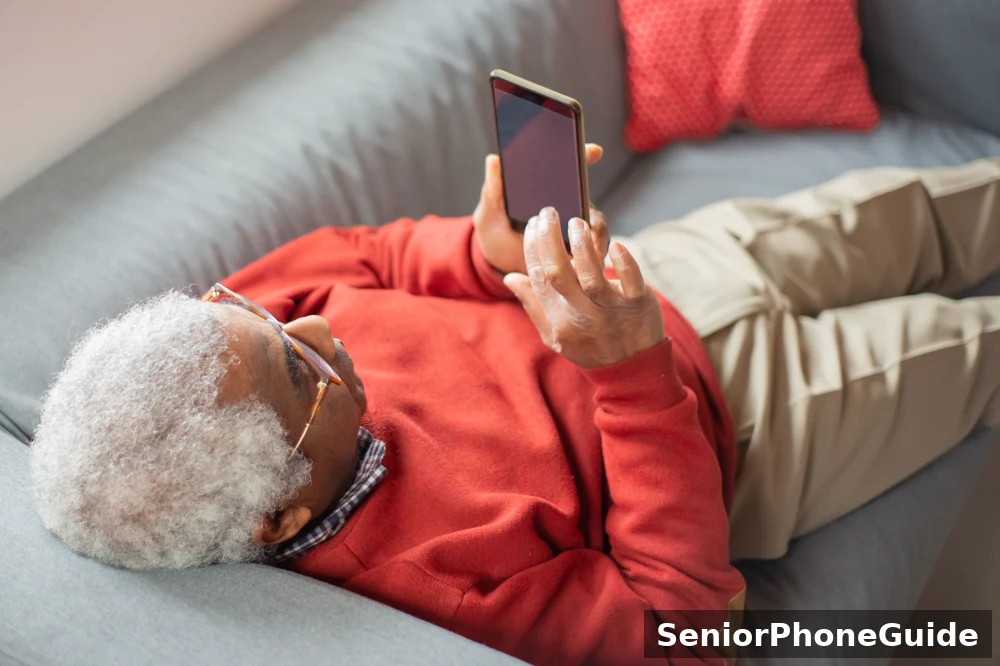
Agree the scam house rule together, out loud, and write it on the card that stays with the phone. Let unknown calls go to voicemail. Never share a code, a password, or bank details because a call or text asked for it. Never buy gift cards or send a wire transfer because someone on the phone said to — that is the shape of the most common phone scams, and no real bank, provider, or government office asks for payment that way. Hang up on pressure, and call back on a number you already know. Add a family safe word, so a call claiming to be a grandchild in trouble can be tested in seconds.
If a scam call or message has already arrived, or money or details have been given, act in this order. First, the bank or card provider, at once, on the number on the back of the card — never a number from the suspicious message. Second, report it: the Canadian Anti-Fraud Centre takes reports of fraud and cybercrime online at reportcyberandfraud.canada.ca, with an anonymous option, and by phone at 1-888-495-8501, Monday to Friday from 10:00 a.m. to 4:45 p.m. Eastern time, closed on holidays. Contact local police as soon as possible — they investigate, and the Anti-Fraud Centre assists through a central repository. Keep everything: the number, the time, the message, and a note of what was said and what was given. Our scam-texts-in-Canada guide covers the message side of the same problem. Check basic mobile phones for elderly people on Amazon.ca
Bottom line: Buy a 4G flip phone with VoLTE confirmed for the reader's own provider — the TCL Flip listed by Rogers is the one model verified on an opened Canadian page, and every other name must pass the same checks. Test it at home, with the hearing aid in, inside the return window. Set it up together, charge it in the same place every night, and agree the scam house rule out loud. And remember what the assistance button is: a message to the people you chose, not a call to 9-1-1. In a real emergency, call 9-1-1.
Frequently asked questions
- What is the easiest flip phone for a senior in Canada?
- The easiest flip phone is the one with the fewest decisions: open it to answer, close it to end the call, large keys that can be felt one at a time, and a charging cradle it simply drops into. The name on the box matters less than three checks: it must be a 4G phone with VoLTE that works on the reader's own provider, the hearing-aid test in this guide must pass, and the phone must be tested at home inside the return window. Only one model was verified as sold in Canada on an opened Canadian page — the TCL Flip, listed by Rogers — so start there.
- What is the best dumb flip phone in 2026?
- Searchers use the word dumb to mean a phone that does calls and texts and nothing else — no app store, no social media, no endless menus. A flip phone is the closest match, but the word to use in a shop is feature phone, and the question to ask is whether the phone is 4G with VoLTE on the reader's provider. A simple-looking phone that only works on 3G is not a bargain: once 3G is phased out for that provider, it cannot make calls at all, including emergency calls to 9-1-1, as the CRTC explains. Check the generation before anything else.
- What flip phones does Bell Canada offer for seniors?
- This guide cannot name a Bell offering, because no Bell page was opened and checked in the research for it. Guessing at a carrier's range is guessing with the reader's money. If the reader is with Bell or a Bell flanker such as Lucky Mobile or Virgin Mobile, ask Bell the same questions this guide asks everywhere — is the handset a 4G phone with VoLTE, is it locked to Bell, what are the LTE bands, and can it be returned after a test at home? Do not accept a snippet or a forum post as the answer.
- What is the best phone for an 80-year-old?
- Age is not a phone specification. An active 80-year-old who video-calls grandchildren daily needs a different phone from an 80-year-old who wants one button that calls her daughter. This guide branches by need, not by age: hearing, hands, eyesight, memory, and who helps. Use the 60-second picker near the top of this guide, and test the phone with the person before the return window closes. The wrong phone is usually the right shape bought for the wrong job.
- What is the simplest cell phone for seniors in Canada?
- For most seniors in Canada, the simplest cell phone is a flip phone: open to answer, close to end, an outside screen that shows who is calling, and physical keys. But simple only stays simple if the network underneath still works. The CRTC says the timing of the 3G phase-out varies by provider, and that after phase-out all voice calls use VoLTE. So the simplest phone is a 4G flip phone with VoLTE confirmed for the reader's own provider, bought where returning it is painless.
- Who sells flip phones for seniors in Canada?
- On the pages opened for this guide: Rogers lists the TCL Flip, with free in-store pickup. A Best Buy Canada search read on 30 October 2026 showed about 100 results, mostly Marketplace listings marked available online only. Walmart Canada and Amazon.ca also list flip phones, but their listings were not opened in full, so no claim is made here about any individual listing. Treat Marketplace listings with extra care: check the generation, the lock, and the return terms — the search showed one 2G listing, and a 2G phone is the trap this guide exists to prevent.
- What is the easiest cell phone for seniors with dementia?
- There is no single easiest phone for dementia, because dementia changes what a person can do from month to month. Early on, a flip phone with a short list of familiar contacts, one clear way to answer, and a charging cradle in a fixed place can work well. As memory loss grows, even that can become too much — numbers forgotten, the phone misplaced, charging forgotten. That is the boundary this guide marks plainly: when the phone itself becomes a source of confusion or distress, stop trying to simplify the phone and change the setup instead. Our dementia guide covers that step.
- Should a person with dementia have a cell phone?
- In most cases, yes — but it should be the right kind of phone, set up the right way, and reviewed as needs change. A phone that keeps a person in touch with family, in a shape they already understand, is worth keeping for as long as it helps. A phone that causes confusion, repeated wrong calls, or distress is not helping, however simple the box claims to be. Set the phone up together, keep the contact list short and familiar, put the charging cradle where it will always be found, and agree as a family when to review the setup again. Keeping a phone the person already knows is usually kinder than replacing it.
- What type of mobile phone is best for people with dementia?
- The type that matches what the person can still do reliably: few decisions, familiar actions, and help close by. A flip phone suits many people early on — open to answer, close to end — especially with speed-dial for two or three familiar people and a charging cradle that removes the cable. What matters more than the type is the setup: short contact list, one ringtone, the phone always charged in the same place, and a family member who checks in. When those supports stop being enough, the answer is not a different phone but a different setup, and our dementia guide explains that change.
- Is 3G gone in Canada?
- No — not as a blanket statement, and this guide will not print one. The CRTC, writing on 3 February 2025, says providers in Canada and globally are phasing out or have phased out 3G, and that the timeline varies by provider: some have finished, some have announced dates, and some are still planning. TELUS states its 3G network will no longer be available as of 1 March 2027 nationally, and 14 April 2026 in Manitoba. For other providers, no switch-off date was verified on an opened page — ask the provider directly.
- Will my old flip phone still call 9-1-1?
- It depends on the phone and the provider, and the answer must be checked, not assumed. The CRTC says some older phones may no longer be able to make or receive calls or texts, including emergency calls to 9-1-1, once 3G is phased out for their provider. An upgrade is needed if the phone is 3G-only, uses a 3G-only SIM card, lacks VoLTE — which can include some older 4G devices — or was not bought through the provider and is not compatible with its 4G or LTE network. Check with the provider's IMEI compatibility checker, or ask directly with the exact model name.
- Does a flip phone SOS button call 9-1-1?
- Not by itself, and never assume it does. What an assistance or SOS button does varies by phone and by setup: some message or call named family contacts, some connect to a monitoring centre, and some do nothing until they are set up. The button contacts the people or service it was set up to contact. It is not a substitute for calling 9-1-1 in a real emergency. Before relying on any button, ask who it contacts, whether a monitoring centre or monthly plan is involved, and test it once with the contacts warned first. The Rogers page showed no SOS line for the TCL Flip — ask.
- My mother lives alone, wears a hearing aid, and her old flip phone has gone quiet. What do I check first?
- Check the network before the phone. First, find out whether her provider has phased out 3G where she lives, and whether her phone has VoLTE — the CRTC says timing varies by provider, and an old phone can go quiet because the network underneath it changed, not because the phone broke. Second, check the phone itself: volume and a blocked speaker hole. Third, do the hearing-aid test in this guide with a family member on the line. If the phone is 3G-only or lacks VoLTE for her provider, no volume adjustment will fix it — the fix is a 4G phone checked against her provider, tested at home inside the return window.
- My father bought a flip phone online and it will not make calls on his provider. What went wrong?
- One of four things, in the order to check them. First, the generation: the phone may be 3G-only, or an older 4G phone without VoLTE, and the provider has phased out 3G — the CRTC says this varies by provider. Second, the bands: the phone may not carry the LTE bands the provider uses. Third, the lock: the phone may be locked to a different provider. Fourth, the SIM card: it may be a 3G-only SIM, or the wrong size. Take the exact model name, the provider, and the SIM card to the provider's store and ask all four questions before buying a replacement. Keep the box and receipt until the replacement has been tested at home.
- My mother was sold a flip phone on a long contract she cannot use. What do I check first?
- Four things, in this order. First, the return window: when was it bought, and can it still be returned? Check the seller's own terms for the actual purchase. Second, the network: is the phone locked to one provider, and is it a 4G phone with VoLTE for that provider? Third, the contract: what is the total monthly cost, how long does it run, and what happens if you leave early? Fourth, the fit: can your mother feel the keys, read the outside screen, and hear a call with her hearing aid in? If any answer is no, take the phone back, use the seven-step sequence in this guide for the replacement, and keep every letter and receipt.
Bottom line: the right Canadian flip phone is the one that passes the provider check, the hearing test, and the return-window test — in that order. The brand matters less than the network it runs on and the hands that will hold it. Buy the 4G VoLTE flip that fits the reader's provider, test it at home with the hearing aid in, and keep the receipt until the first week of real use says it works.
More phone-safety guides, in plain language, are on Pinterest: follow SeniorPhoneGuide on Pinterest to get new guides as soon as they appear.