
Best Cell Phones for Seniors With Dementia in 2026: 6 Honest Picks
Updated November 1, 2026 · Independently researched · How we review
This page is written for the buyer, not the patient: the daughter, son, or spouse trying to keep a thread of connection with someone whose memory is failing. Below: six current phones matched to dementia stages, a failure column most guides hide, honest total-cost math, and the caregiver setup checklist. For the flip-phone side of early stage, see our flip phones for seniors deep-dive. For a parent with dementia, SOS is the safety net that matters most — our Emergency SOS setup guide for iPhone and Android walks through the five-minute setup, so help is one button away when you need it.
Last updated: November 1, 2026
Affiliate disclosure: As an Amazon Associate I earn from qualifying purchases. Our picks come from our own research into manufacturer specifications and named reviewer reporting — prices and availability change often, so check the current price on Amazon before you buy. It costs you nothing extra, and it keeps this site free. We print no prices on this page — they change too often to print honestly. Read our affiliate disclosure.
Best for dementia and memory loss — Check Price on Amazon
Best familiar flip for early stage — Check Price on Amazon
Best picture buttons + charging dock — Check Price on Amazon
If you're reading this, you're probably not really shopping for a phone. You're trying to solve a painful problem: Mom's smartphone has become a source of daily anxiety — wrong taps, lost menus, missed calls. Or Dad answers calls from strangers and agrees to things he'd never have agreed to five years ago. The question behind your search is really two: which phone can my loved one still actually use — and which one keeps them safe while they're using it?
Three honest objections before you buy. Setup is the caregiver's — the app, the portal, the photos, the testing — and the setup burden score below says how much of it. Some models need a service plan on top of the phone; read the total-cost math. And when a phone stops being enough, no phone here fixes that; the guide says so plainly.
Verdict: for the buyer, not the patient — the phone must ask nothing new of a memory that cannot relearn. Next step: decide the stage first, then match the phone to it.
Most guides answer with the same generic list they'd give any senior: big buttons, loud speaker, SOS button. That misses the point. Dementia changes what "easy" means: a phone with menus, updates, and settings someone can wander into is unusable, however big its buttons. The test for every phone here is simple: can the user get lost in it? If yes, it is not a dementia phone, whatever the listing says. Only two of the six pass it fully — the rest are honest answers for earlier stages, and we say which stage each one fits.
Before the picks, one promise. We will not pretend we bought and tested all six phones — nobody should believe a new site that says that. What we did: checked every feature below against the manufacturer's own pages, user guides, and carrier documentation in October 2026, and against named dementia-care reviewers who work with these phones daily. Where a detail couldn't be verified, we say so. The full method is at the bottom of this page.
Is This Page For You? The 30-Second Check
Answer honestly — this page only earns its place if your situation is in the left column.
| This page IS for you if… | Then look here instead |
|---|---|
| Your loved one has dementia or serious memory loss, and normal phones now cause more confusion than connection. | How to choose a phone for a senior — the general flip-vs-smartphone decision, without the dementia lens. |
| You're the caregiver doing the buying and the setup — not the senior. Every pick below is judged on your workload too. | |
| Scam and stranger calls are a real worry — she's already answered calls she shouldn't have. | Protecting personal information for the household habits that no phone can provide alone. |
| You want a phone, not a medical device — something that keeps calls possible longer, honestly described. | Best big-button cell phones for seniors — our sibling roundup for physical difficulties (eyes, ears, hands) rather than memory. |
| None of the above? If your parent is comfortable on a normal smartphone and just needs bigger text, a new phone is usually the wrong answer — our bigger text guides fix that for free. Save your money. | |
Key Takeaways
- RAZ Memory Cell Phone — the only phone here built from scratch for dementia: one photo screen that never changes; you tap and hold a face to call. Decisive point: the caregiver holds all complexity in an app — including limiting incoming calls to contacts only, which is the strongest scam shield on this page.
- Lively Jitterbug Flip3 — the familiar-flip answer for early stage, with a staffed emergency button. Decisive point: the response service behind the button needs Lively's Preferred or Premium plan tier, and the phone works on Lively service only — budget the plan, not just the phone.
- Easyfone Prime-T6 — picture buttons, SOS button, and a charging dock it drops into. Decisive point: it's explicitly listed by Amazon for dementia and memory loss, and the dock solves the "she forgot to charge it" problem mechanically.
- Doro 7050 — the Consumer Cellular flip with a dedicated SOS button on the back and loud, clear audio. Decisive point: best fit if the family is already on Consumer Cellular; don't switch carriers to chase it.
- TCL Flip 2 — the ultra-simple calls-only flip at the lowest commitment. Decisive point: no emergency service, no frills — it's for early stage where "familiar phone that still works" is the whole requirement.
- Snapfon ez4G — big buttons with a talking keypad and one of the loudest volumes here. Decisive point: the loudest honest answer for a parent who mainly needs to hear and be heard, with SOS built in.
Which Phone for Which Stage? Decide Here First
Every guide we tore down listed phones without saying which stage they fit — and the stage is the entire decision. "Early": forgets names and repeats questions, but still learns new things with patience. "Middle": can't learn new screens, gets lost in menus, needs the same screen every time. "Late": a phone is no longer the main safety answer — read the honest section near the bottom before spending.
| If this sounds like your family… | Buy this | Why, in one line |
|---|---|---|
| "She repeats herself but still figures new things out with help." (early) | Jitterbug Flip3 or Easyfone Prime-T6 | Familiar forms — open-to-answer, picture buttons — with safety nets around them. |
| "He can't learn anything new. Every change confuses him." (early-to-middle) | Easyfone Prime-T6 or Snapfon ez4G | Picture buttons plus a dock or talking keypad; nothing to relearn. |
| "Menus are over. She gets frightened by screens that change." (middle) | RAZ Memory Cell Phone | One screen of family photos that never changes; tap and hold a face to call. |
| "He dials strangers, answers scam calls, calls 911 by accident." (middle, behavior changes) | RAZ Memory Cell Phone | Incoming calls can be limited to contacts only; the false-alarm problem has a real answer (below). |
| "She wanders, or no longer knows how to use any phone." (late) | No phone on this page is the answer. | Read "When a phone stops being enough" before buying anything — a location device and human check-ins matter more now. |
The most common mistake families make is buying one stage too complicated. If you're torn between two rows, choose the simpler phone. Familiar beats better here, every time.
If you have not narrowed it down to one type yet, our complete guide, Best Cell Phones for Seniors: The Complete Guide for 2026, compares the full range in one place.
The 6 Picks, Compared — Including What Each Gets Wrong
Speakerphone matters more than the camera — a caregiver's instructions need to be heard hands-free from across the room.
This is the column other guides leave out: what each phone cannot do. Read it before the details — it's the fastest way to rule things out.
| Phone | Best for | Can the user get lost in it? | Scam-call shield | Carrier / plan | The failure column: what it gets wrong |
|---|---|---|---|---|---|
| RAZ Memory Cell Phone | Middle-stage dementia | No — one fixed photo screen | Strongest: incoming calls limited to contacts only | Unlocked — works on Verizon, AT&T, T-Mobile networks; needs a plan | No texting, no internet, no 5G; someone must keep it charged; max 30 standard contacts |
| Lively Jitterbug Flip3 | Early stage, familiar flip | Menus exist, but simple and fixed | None built in — rely on carrier blocking | Lively service ONLY; response service needs Preferred/Premium tier | Plan lock-in; emergency button useless on the basic plan; no video calls |
| Easyfone Prime-T6 | Early-to-middle, picture dialing | Minimal — picture buttons + SOS | Basic — fewer features to abuse | Check the listing's network fit before buying | Less caregiver remote control than the RAZ; verify current Amazon availability |
| Doro 7050 | Early stage, loud audio | Menus exist, simple | None built in | Consumer Cellular | Carrier-bound; no remote caregiver management; not a memory-loss design |
| TCL Flip 2 | Early stage, bare minimum | Very little to get lost in | None built in | TracFone prepaid (check fit) | No emergency service, no SOS button, no caregiver tools — it's just a phone |
| Snapfon ez4G | Early-to-middle, loud + simple | Minimal | Basic | Snapfon / GSM carriers | Talking keypad helps ears, not memory; no remote management, no false-alarm handling |
Prices are deliberately missing from this table — they move with promotions, and an honest guide doesn't print numbers it can't keep current. Every pick has a Check Price button showing the live price on the day you buy.
1. RAZ Memory Cell Phone — Best for Dementia and Memory Loss
Best for: a parent or spouse in the middle stage of dementia or serious memory loss, where every other phone — even the simplest flip — still asks too much. The one genuine dementia phone on this page: different in kind, not just degree.
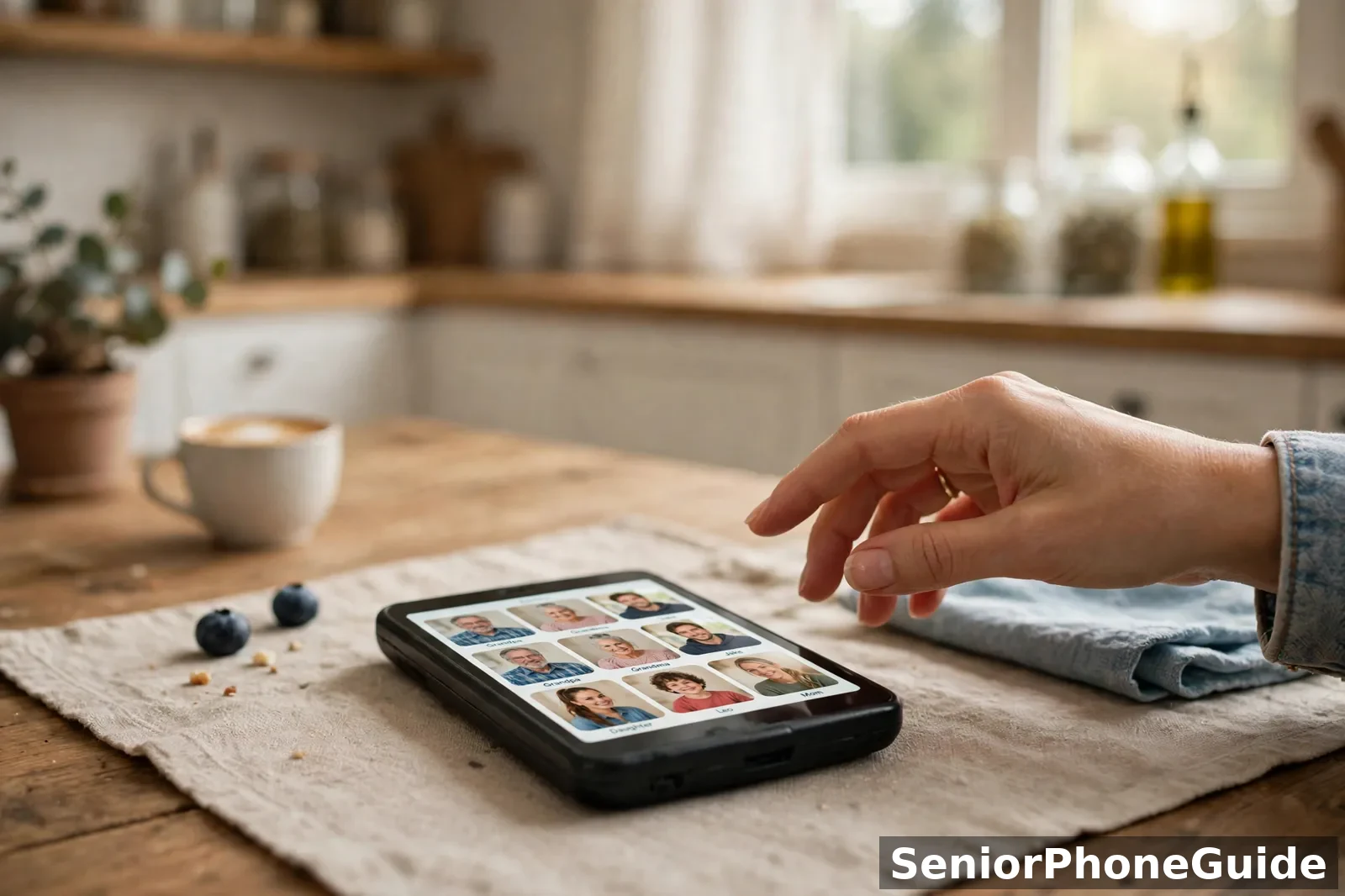
The whole phone is one screen: large photos of the people your loved one calls, six to a page, each with a name underneath. To call, they tap and hold a face — that's the entire interface. No menus, no settings, no app store, no notifications, no updates that rearrange things overnight. The screen never changes, which is precisely what makes it work for a memory that can no longer relearn.
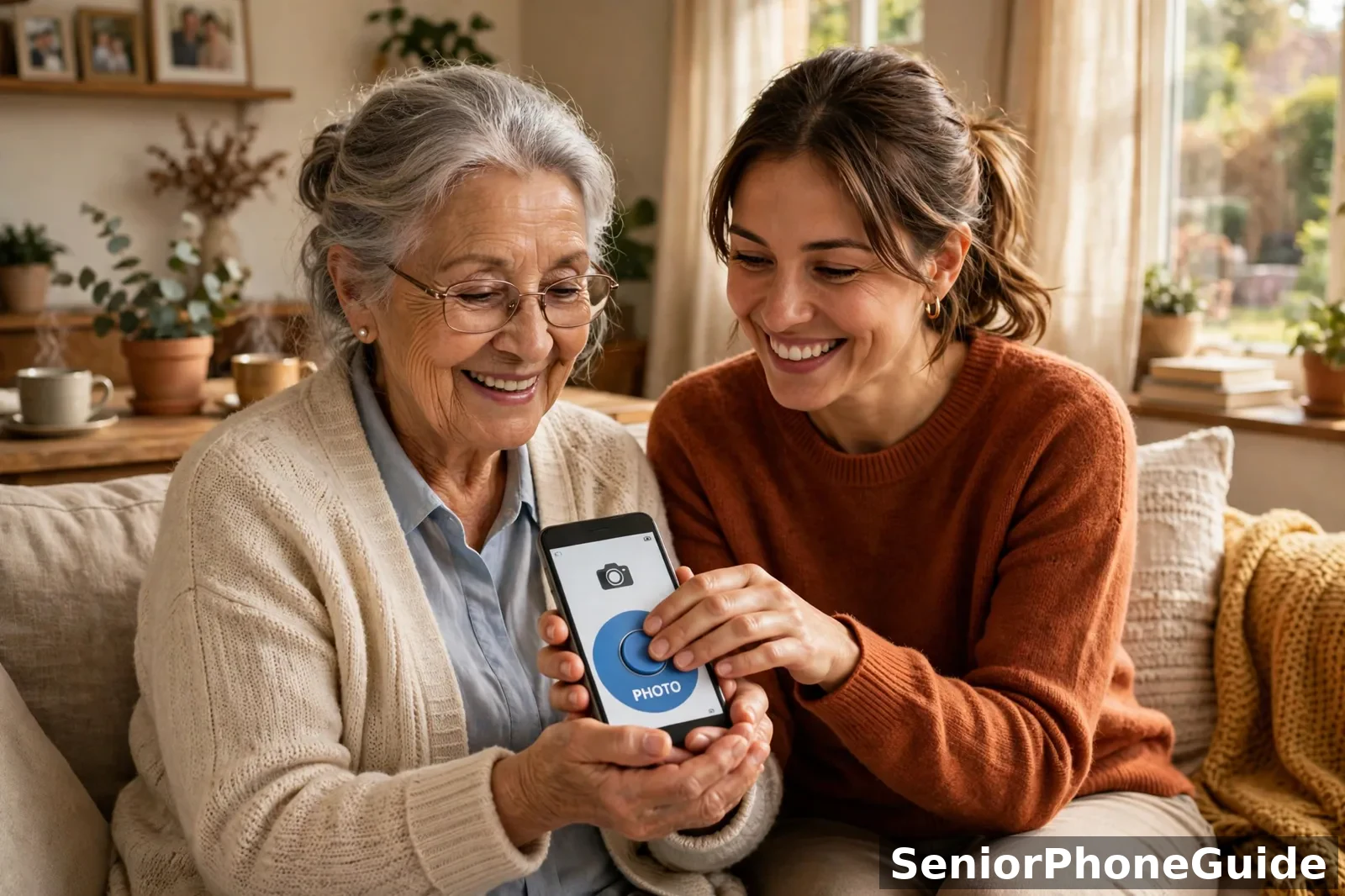
The second half of this phone lives in your pocket. The RAZ Care app (plus an online portal) lets the caregiver add and edit photo contacts, check location, battery, and signal, set quiet hours, send reminders, and disable the power button so it can't be switched off by accident. Up to 30 standard contacts fit, plus emergency contacts. One caregiver manages the phone, up to three more family members can be added as secondary caregivers, and one caregiver can manage several RAZ phones — practical when two parents both need one.
The scam-call shield is the strongest on this page. Incoming calls can be limited to contacts only, which quietly blocks the scam and robocalls that target exactly this group. Pair it with our guide to protecting personal information for the household habits no phone can replace.
The false-alarm problem, answered honestly. A common caregiver pain point is the accidental or repeated 911 call — confusion or a forgotten sequence of buttons can bring emergency services when nothing is wrong. The RAZ's emergency button calls 911 by default, but RAZ also offers a paid Emergency Service add-on: the button routes to a private dispatch center whose agents are trained to de-escalate and know they're dealing with memory loss, and they notify you directly. Check the current annual fee on RAZ Mobility's own site — for families living the false-alarm cycle, it's the reason some choose this phone.
Total cost of ownership: the device, plus a monthly wireless plan (unlocked for Verizon, AT&T, and T-Mobile — shop plans independently), plus the optional annual Emergency Service fee, plus the optional charging stand. Over two years, the plan dwarfs the device.
Charging is the weak link — plan for it. The RAZ can be charged wirelessly, with an optional charging set aimed at tremor and Parkinson's hands. A phone left uncharged in a drawer helps no one, so the stand matters more than it sounds — and the caregiver app sends low-battery alerts to you, the notification you'll be most grateful for.
Who should keep looking?
Independent seniors without memory problems — they'll find it limiting, and that's by design. If your parent still manages a simple flip happily, don't upgrade them out of it yet — but buy this before the crisis.
So you get a screen that never changes: six faces, tap and hold.
Skip this if a simple flip still works happily.
2. Lively Jitterbug Flip3 — Best Familiar Flip for Early Stage
Best for: early-stage dementia where the person still recognizes and operates a flip phone — open to answer, close to hang up — and the family's real worry is falls and 2 a.m. emergencies. Muscle-memory territory, with a staffed safety net underneath.
The Flip3 is Lively's current flip — and "current" matters, because the Flip2 that older guides still recommend is listed by Lively's own store as no longer available, replaced by the Flip3 (and the Smart5). It keeps the simple list-style menu, big backlit keys, loud speaker, and the Urgent Response button connecting to Lively's trained agents.
Now the mandatory honest warning, because it changes the monthly cost: the service behind that button is included only on Lively's Preferred and Premium plan tiers — on the basic plan, the button has no response team behind it. Budget for the tier, not just the phone. And the phone works only on Lively service; if the family won't switch carriers, this pick is off the table.
Total cost of ownership: the device plus a monthly Lively plan at the tier that includes the response service. That monthly figure, times 24 months, is the real price.
Who should keep looking?
Anyone past the point where menus confuse — the Flip3's menu is simple, but a frightened user can still get lost. Anyone determined to keep their current carrier, and anyone who needs scam-call shielding.
So you get muscle memory plus a staffed safety net.
Skip this if: menus already confuse — or the family will not switch to Lively.
3. Easyfone Prime-T6 — Best Picture Buttons + Charging Dock
Best for: early-to-middle stage, where you want physical picture buttons — faces you press to call — without the full smartphone replacement the RAZ represents.
The design solves the two problems that strand dementia families: dialing and charging. The picture buttons mean calling a daughter is pressing her face, not remembering a number. The SOS button sits apart from everything else. And the dock answers "she forgot to charge it": the phone drops into the cradle, no cable to fumble with arthritic hands.
The honest trade-off is on the caregiver side: this is a phone, not a remote-management system. You don't get the RAZ's app-based control over incoming calls, location, or settings — the simplicity runs both ways. Check the listing's network fit and availability carefully before buying.
Total cost of ownership: the device plus whatever plan the listing's network requires. No response service — 911 and speed-dial contacts are the emergency plan.
Who should keep looking?
Families who need scam-call shielding or remote caregiver control — that's the RAZ's territory. And anyone whose parent is past learning even picture buttons.
So you get picture buttons plus a dock.
Skip this if you need remote caregiver control — that is the RAZ.
4. Doro 7050 — Best Loud Flip on Consumer Cellular
Best for: early stage where the limiting factor is hearing and simplicity together — a parent who mainly needs calls to be loud and the phone uncomplicated, and whose family is already on Consumer Cellular.
Doro designs specifically for this audience: large, widely spaced backlit keys, a bright display, and notably loud, clear audio with hearing-aid compatibility. The SOS button on the back calls pre-set contacts or emergency services with one press — simpler than a staffed service, but also less: it reaches family or 911 directly, with nobody in between.
The honest boundary: the Doro 7050 is a Consumer Cellular phone, and it is not a memory-loss design. No caregiver remote management, no incoming-call limiting, no false-alarm handling. It's an excellent simple flip that happens to be easy — not a phone built for dementia. Don't switch carriers to chase it.
Total cost of ownership: the device plus a Consumer Cellular plan. Still read the plan page like a contract.
Who should keep looking?
Anyone past early stage — menus plus memory loss is a losing combination. And any family needing the scam shield or remote control: look at the RAZ.
So you get loud, clear calls and a one-press SOS.
Skip this if you're past early stage or need the scam shield.
5. TCL Flip 2 — The Bare-Minimum Flip
Best for: early stage where "the phone she already knows, still working" is genuinely the whole requirement — calls and texts, big buttons, nothing else, at the lowest commitment on this page.
This is the simplest honest phone here: a basic flip with large keys, 4G calling, and a prepaid TracFone structure that keeps the monthly cost predictable. Almost nothing to get lost in — but also almost nothing else. No emergency service, no SOS button, no caregiver tools, no scam shielding. Your safety plan is 911 and speed dial.
Total cost of ownership: the device plus a prepaid plan — the lowest two-year total here, but the least help per dollar.
Who should keep looking?
Anyone whose family is buying for safety or memory loss — this phone offers neither.
So you get the lowest two-year total, with nothing to get lost in.
Who should keep looking? Anyone whose family is buying for safety or memory loss — this phone offers neither.
6. Snapfon ez4G — Best for Loud and Simple
Best for: early-to-middle stage where the dominant problem is hearing layered on forgetfulness — a parent who can't hear the phone and therefore can't use it.
Snapfon builds for ears first: big buttons with a talking keypad that speaks each number as it's pressed, enhanced volume, and an SOS button. For the senior who mainly needs to hear and be heard, this is the loudest honest answer on the page.
The boundary, stated plainly: a talking keypad helps ears, not memory. There is no remote caregiver management, no incoming-call limiting, and no false-alarm handling. It reduces one frustration beautifully and addresses none of the others.
Total cost of ownership: the device plus a Snapfon or compatible GSM-carrier plan.
Who should keep looking?
Families whose main problem is confusion rather than hearing — volume doesn't fix menus.
So you get a talking keypad plus enhanced volume.
Skip this if confusion, not hearing, is the problem.
The Setup Burden Score — What It Costs You, the Caregiver
The price on Amazon is the small half of what a dementia phone costs. The big half is your time: setup, charging reminders, scam-call aftermath, false alarms. So we score each pick on that, with the rubric printed below — a score without its method is just decoration.
The rubric (all four criteria are our editorial judgement, printed openly — not measured data):
| Criterion | What a good score looks like | Weight |
|---|---|---|
| Caregiver setup effort | You can configure everything once, remotely, from your own phone — no menu-hunting on theirs. | 40% |
| Charging reality | Dock or wireless charging; low-battery alerts reach you, not just the person who forgets. | 20% |
| Scam-call shielding | Stranger calls are blocked in the phone's design, not just advised against. | 20% |
| False-alarm handling | Accidental emergency calls are answered by people trained for memory loss, not raw 911. | 20% |
Each phone gets 1–5 on each criterion, weighted into a single number out of 5. Higher means less burden on you. This is our judgement from the documented features above, not a lab measurement.
| Phone | Setup | Charging | Scam shield | False alarms | Setup Burden Score |
|---|---|---|---|---|---|
| RAZ Memory Cell Phone | 5 — full remote app | 4 — wireless stand + caregiver alerts | 5 — contacts-only incoming calls | 5 — trained Emergency Service option | 4.8 / 5 |
| Easyfone Prime-T6 | 2 — on-device setup | 4 — included charging dock | 2 — simplicity only | 2 — standard SOS | 2.4 / 5 |
| Lively Jitterbug Flip3 | 3 — Lively setup help available | 2 — cable charging | 2 — none built in | 4 — staffed response service | 2.8 / 5 |
| Doro 7050 | 2 — on-device setup | 2 — cable charging | 2 — none built in | 2 — one-press SOS only | 2.0 / 5 |
| Snapfon ez4G | 2 — on-device setup | 2 — cable charging | 2 — none built in | 2 — one-press SOS only | 2.0 / 5 |
| TCL Flip 2 | 2 — on-device setup | 2 — cable charging | 1 — nothing | 1 — nothing | 1.6 / 5 |
The table tells the real story: the RAZ costs more in money and less in you. Every other pick costs less in money and more in you — setup visits, charging reminders, scam-call cleanups. Choose with your calendar, not just your wallet.
The Caregiver Setup Checklist — Do These in Order, Before the First Call
Whichever phone you chose, the setup is the same six moves, in this order. Print this section or keep it open on your own phone while you work. Related reading: our Emergency SOS setup guide.
- Load photo contacts first — and only the people called most. Four to six faces, clear photos, first names underneath. Fewer faces means less confusion. This is the single highest-value setup step on any dementia phone.
- Make the text as big as it goes. Largest text size, bold text on, display zoom up. Test it at arm's length with the glasses they actually wear — not yours. Our step-by-step guides cover iPhone and Android if the pick is a smartphone-type device.
- Set auto-answer if the phone offers it. For middle-stage dementia, an incoming call that answers itself on speaker after a few rings means your mom never has to find the green button. Check the phone's settings or caregiver app for it.
- Block unknown callers — at the phone and the carrier. On the RAZ, limit incoming calls to contacts only. On every other pick, turn on the carrier's spam blocking and silence unknown callers, then test it with your own number before you leave. Scam calls are the fastest way a new phone becomes a problem.
- Program the SOS button and the Medical ID the same afternoon. The emergency button should call the right number on day one — not "we'll set it up later." Add emergency contacts with their relationships ("Daughter — Lisa") and any medical notes the phone's health features accept.
- Make three practice calls together before you leave. You call them; they answer. They call you; you answer. They press the emergency button while you stand there, so the first press is never a real emergency. Then write the charging spot on a sticky note stuck to the wall above it — and take a photo of the whole setup so the next caregiver knows exactly how it looked.
What NOT to Buy: The Red Flags
These cost families more than any wrong pick on the shortlist:
- The discontinued bestseller. Old guides and search results still push the Jitterbug Flip2 and Smart4 as top dementia picks. Lively's own store lists both as no longer available — replaced by the Flip3 and Smart5. Any "deal" on the old models is old stock or second-hand: no warranty, awkward returns. If a page's #1 pick can't be bought new from its own maker, close the page.
- The "dementia phone" that has menus. Some ordinary phones are marketed with the word "dementia" and nothing dementia-specific about them. The test from the start of this page: can the user get lost in it? If it has menus, settings, or an app store, it is not a dementia phone — whatever the listing says.
- The bargain import. Marketplaces carry no-name "senior phones" with giant buttons and tiny prices. Some are 2G or 3G devices — and the US 2G/3G networks have been shut down, so the phone may light up and never make a call. Others are European models with band, charger, and support problems in the US. If the listing doesn't clearly say 4G or 5G and name a US carrier it works on, it isn't a bargain — it's a paperweight with buttons.
- The locked phone for the wrong carrier. A carrier-locked phone bought "because it was cheap" is only cheap if the family is on that carrier. The Jitterbug works on Lively only; the Doro on Consumer Cellular. Run the carrier question before money moves.
- The surprise gift. A phone chosen without the senior's hands on it is almost always the wrong phone — and for dementia, introducing the phone while they can still learn one new motion matters more than any feature. Never upgrade someone after the crisis if you can do it before.
- The free-phone fog. A free or discounted device tied to a long plan can cost more over two years than buying outright. Ask one question: "What will I have paid in total after 24 months?" If the seller won't answer plainly, walk away.
Help Beyond the Phone: The Numbers Worth Saving
A phone keeps the connection alive; these organizations keep the caregiver going. All are US national resources, verified in October 2026 — save them in your own phone tonight, not your parent's.
| Who | What they do for you | Number / where |
|---|---|---|
| Alzheimer's Association 24/7 Helpline | Free, confidential support any time — care planning, crisis help, local referrals, in 200+ languages. | 800-272-3900 (24/7) |
| Alzheimer's Foundation of America Helpline | Licensed social workers, 7 days a week — guidance, care-partner support, resource navigation. | 866-232-8484 |
| Eldercare Locator | A public service of the Administration for Community Living — connects you to your local Area Agency on Aging: respite care, meals, transportation, caregiver training. | 1-800-677-1116 (Mon–Fri, 8am–9pm ET) |
| FTC — Report Fraud | Report the scam calls your parent receives; the FTC's reports are how enforcement patterns get built. | ReportFraud.ftc.gov |
| FBI Internet Crime Complaint Center | Report internet-enabled fraud — including scams targeting seniors by phone, text, or email. | ic3.gov |
| National Elder Fraud Hotline | For adults 60+ who experienced financial fraud — case managers who help with next steps. | 833-FRAUD-11 (833-372-8311) |
One more line of help is worth saving in your own phone: RAZ Mobility runs a free dementia helpline for anyone caring for a person with dementia — not only RAZ customers. Its specialists offer support on behaviour and communication changes, the emotional weight of caregiving, practical education about dementia, and information about Medicare and local services. It is a conversation, not a sales line, and there is no obligation to buy anything. RAZ publishes the number on its dementia-care pages, so check the current number there before you call, since helpline numbers change.
When a Phone Stops Being Enough
Ask the clinic whether video visits work on the phone before you buy — a phone that can't do the appointment is the wrong phone.
There comes a stage where no phone is the right safety answer. The signs: she no longer recognizes what the phone is for; he leaves the house and can't be guided back by a call; the phone is used to invite strangers in or send money out, and no setting stops it. Then the answer is a medical alert system with fall detection, a GPS location device, in-home care hours, and a conversation with their doctor about supervision. The Alzheimer's Association's helpline (800-272-3900) and the federal government's dementia resources at alzheimers.gov exist for exactly this transition. Having the conversation early is a kindness, not a surrender — and buying a sixth phone instead of having it is the most expensive mistake on this page.
How We Chose These Phones
Honestly, and in the open: we did not buy or bench-test these phones, and we won't pretend otherwise. What we did: tore down the five pages ranking for this keyword plus the AI-style overviews (most still recommend the discontinued Jitterbug Flip2 and Smart4), then verified every feature against the manufacturer's or carrier's official pages and user guides in October 2026, and against named dementia-care reviewers who work with these phones. Where sources disagreed, we used the maker's figure and said so. Picks were chosen for distinct jobs — one per stage and situation — not to pad a list. No brand paid for placement, and no price was worth printing because prices move too fast to print honestly.
Quick answers
The 10-second version: middle stage with confusion → RAZ Memory Cell Phone. Early stage, still manages a flip → Jitterbug Flip3 or Easyfone Prime-T6. Loud and simple → Snapfon ez4G. On Consumer Cellular → Doro 7050. Past what a phone can do → read the section above before spending.
The 3-step path: match the stage in the decision table, run the 6-step caregiver setup checklist, then buy somewhere with a real return window — and decide within the first week of real use at home.
The golden rule: the best dementia phone is the one still being answered, calmly, three months from now — not the one with the longest feature list on buying day.
Shopping around the sales? Read our Black Friday phone guide for seniors before the discounts start talking. Comparing with the general shortlist? See our best big-button cell phones and, if a landline would be simpler, our big-button landline guide. For everything else, browse Phone Technology or start from the SeniorPhoneGuide homepage.
Frequently asked questions
- Is there really a phone with no menus at all for someone with dementia?
- Yes — the RAZ Memory Cell Phone is built around a single fixed screen of family photos. Your loved one taps and holds a face to call. There are no menus, no settings, no app store, and no notifications to wander into, and the screen never changes — which is exactly why it works for a memory that can't relearn new screens.
- Will a photo-button phone stop scam calls from reaching my mom?
- The RAZ comes closest: incoming calls can be limited to contacts only, which quietly blocks scam and robocalls at the phone itself. No phone blocks everything, though — pair it with the carrier's spam blocking and the household habits in our guide to protecting personal information, because a phone is one layer, not the whole shield.
- What happens if my dad dials 911 by accident, over and over?
- This is one of the most common dementia-caregiver problems — confusion or paranoia can mean repeated accidental emergency calls. The RAZ's optional Emergency Service add-on routes the button to a private dispatch center whose trained agents know they're dealing with memory loss: they de-escalate and notify you instead of sending a public 911 operator blind. On ordinary phones, repeated false 911 calls can bring fines — talk to your local department calmly if it's already happening.
- Should I buy the phone now, or wait until she really needs it?
- Now — while she can still learn one new motion. Introduce the RAZ (or any switch) before the crisis, when tapping a face is still learnable. The families who struggle most are the ones who changed phones after a crisis, when nothing new sticks anymore. If she still manages a simple flip happily today, that's fine — but have the simpler phone ready, not ordered in a panic later.
- Can the RAZ make video calls with the grandchildren?
- Yes, but only ones your family starts. Through the RAZ Care app, approved family members can start a video call to the phone — your mom doesn't dial, doesn't answer a button, doesn't do anything except be there. It's video calling where all the complexity lives on your side, which is the right way round for dementia.
- Will he forget to charge it?
- Probably, yes — plan for it instead of hoping. The RAZ can charge wirelessly, and there's an optional wireless charging stand aimed at tremor hands: the phone just drops in. The caregiver app also sends low-battery alerts to your phone, not his. For the other picks here, the dock on the Easyfone is the mechanical version of the same answer — and a sticky note above the charging spot is free.
- Does the Jitterbug Flip3's emergency button work on the cheapest plan?
- No — and this is the catch that changes the real cost. The dedicated Urgent Response button is built into the phone, but the response service behind it is included only on Lively's Preferred and Premium plan tiers. On the basic plan the button has no response team behind it. If the emergency button is why you're buying, budget for the plan tier, not just the phone.
- Why do so many guides recommend the Jitterbug Flip2 for dementia?
- Because it was the default answer for years — but Lively has replaced it. Lively's own store lists the Flip2 (and the Smart4) as no longer available, with the Flip3 and Smart5 as the current models. Any guide still recommending the Flip2 for a new purchase hasn't been updated; deals on the old models are old stock or second-hand, with no warranty and awkward returns. The honest replacement in this guide is the Flip3.
- Can several family members share the caregiving side of the RAZ?
- Yes. One caregiver is the primary manager of a RAZ Memory Cell Phone, and up to three additional family members can be added as secondary caregivers with the same controls over contacts, location, and settings. It also works the other way round: one caregiver can manage several RAZ phones — practical when both parents need one.
- My mother is in the middle stage but still talks fine — is the RAZ too early for her?
- It's the sweet spot, not too early. The RAZ is designed for exactly this: she can still talk and recognize faces, but can't learn or keep new screens. The photo screen uses recognition (faces she knows) instead of recall (numbers, menus) — and recognition survives far longer into dementia than recall does. Buy it now, while tapping a face is still learnable; later is harder, not easier.
- Is there a free helpline for dementia caregivers?
- Yes. RAZ Mobility runs a free dementia helpline for anyone caring for a person with dementia — you do not have to be a RAZ customer to call. Its specialists offer support on behaviour and communication changes, the emotional weight of caregiving, practical education about dementia, and information about Medicare and local services. It is a conversation, not a sales line, and there is no obligation to buy anything. Check the current number on RAZ Mobility's dementia-care pages before you call, since helpline numbers change.
- Can I limit who can call my parent, so scammers cannot reach them?
- On one phone on this page, yes. The RAZ Memory Cell Phone can limit incoming calls to contacts only, which quietly blocks the scam and robocalls that target people with memory loss — one of the few phones that addresses the problem in hardware rather than advice. None of the other five picks offers incoming-call limiting. Whatever phone you choose, pair it with the household habits in our guide to protecting personal information, because no phone setting replaces the habit of never giving codes or card details to an unexpected caller.
- My parent refuses to give up their old phone. What then?
- Do not force the swap. A phone change after a crisis is the change that fails most often, because a memory that cannot relearn is being asked to learn everything at once. Simplify the phone they already have first, introduce the new phone alongside it with only family faces loaded, and let the old phone stay in the drawer as a backup while the new one proves itself on real calls. Buy before the crisis, while they can still learn the one motion the new phone asks of them — tapping a face — and expect the transition to take weeks, not an afternoon.
- Does the RAZ Memory Cell Phone work if the caregiver does not have a smartphone?
- Not fully. The RAZ's setup and ongoing management — adding photo contacts, checking location and battery, setting quiet hours — run through the RAZ Care app and an online portal, so the caregiver needs a smartphone or a computer to manage it. If no family member has either, the RAZ is the wrong pick: choose a flip from this page instead, and set it up together in person. The portal can be reached from a computer, so a caregiver with a laptop but no smartphone can still manage the phone.
- Will any of these phones track my parent if they wander?
- Only one, and only partly. The RAZ Care app lets the caregiver check the phone's location, which helps if a phone is lost or a parent is late home — but none of these phones is a wandering-safety device. If wandering is the worry, the honest answer is a dedicated GPS location device or medical alert system with fall detection, plus a conversation with their doctor about supervision. A phone's location check is a convenience for the family; it is not a substitute for a safety plan built for someone who leaves the house and cannot be guided back by a call.
Verdict: for the buyer, not the patient — the phone must ask nothing new of a memory that cannot relearn. Next step: decide the stage first, then match the phone to it.