
Cordless Big Button Phones for Seniors: The Honest Guide to Range, Battery, and Power Cuts
A cordless phone lets you walk around the house while you talk — but it dies when the power goes out, needs charging discipline, and its advertised range is measured in open fields, not through your walls. This guide gives the indoor truth, the battery truth, and the setup that makes cordless work. A cordless phone has no screen to enlarge — but the mobile next to it does: our make text bigger on Android guide shows the one slider that makes messages, emails, and menus comfortably large.
As an Amazon Associate, I earn from qualifying purchases.
In a hurry? See the current price on Amazon.
Affiliate disclosure: As an Amazon Associate I earn from qualifying purchases. The links below are searches for a phone type (cordless big button phone, amplified cordless phone, cordless phone with answering machine) or a fitting accessory, so you can compare current listings yourself. We print no prices, because prices change too often — and differ too much between sellers and set sizes — to print honestly. Check the current price and the current listing details on Amazon before you buy. It costs you nothing extra, and it keeps this site free. Read our affiliate disclosure.
Verdict: buy cordless for freedom to move around the house while talking — but only if the household can keep a handset on its charger, the far rooms stay in range, and there is a power-cut plan, because a cordless phone dies with its base power. Check range, battery behaviour, and the power-cut plan before you pay.
What a Cordless Big Button Phone Actually Is
A cordless big button phone combines two ideas. First, the big buttons: oversized, widely spaced, high-contrast keys that a person with low vision, stiff hands, or shaky fingers can actually hit — the same kindness that makes corded big button phones work, applied to a handset you carry. Second, the cordless part: the handset talks to a base station by radio instead of by cord, so the person can answer in the kitchen, carry the conversation into the living room, and sit in their favourite chair instead of standing where the phone lives. For someone who moves around the house, that freedom is the whole reason to buy cordless rather than corded.
The system has three pieces, and understanding them prevents most disappointments. The base station plugs into the phone line and mains power, and usually holds the answering machine and the connection to the outside world. The handset is the part you hold; it has its own rechargeable battery, and only works while it can reach the base by radio. The charger cradle — often built into the base for the first handset, a separate small stand for each extra — is where the handset lives when not in use, topping its battery up. If any one is in the wrong place, the system disappoints: a base hidden in a far corner shortens the range, a handset left on the sofa slowly dies, and a charger without a nearby socket becomes decoration.
Shoppers most often meet four shapes: a VTech two-handset system with an answering machine, wide-spaced buttons, and a full-duplex speakerphone that lets both sides talk at once; an AT&T system with a high-contrast display, talking digits, a visual ringer, and an audio-assist boost; a Clarity system advertised as amplified up to 40 decibels; and a Panasonic system with a voice boost advertised up to 50 decibels, a loud ringer, and a slow-talk control. Those are headline features, not guidance.
Say plainly what a cordless phone is not. It is not a mobile phone: outside the base's radio range it is a dead weight, and it cannot send texts or make video calls. It is not a smartphone with bigger buttons. It is a home phone, working only where there is a home phone line — traditional or internet-based — and mains power for the base.
The Cordless Reality Check: Range, Battery, and Weight
Start with range, the most overstated number in cordless advertising. The figure on a box or listing is almost always open-field: handset and base with nothing between them but air. Walls, floors, brick, metal appliances, and even a fish tank all eat radio signal, and the range that matters is base to farthest chair — through whatever walls and floors lie between. One guide mentioned around 360 feet for one Panasonic system, with no indoor figure, and no guide we checked gave a wall-by-wall indoor range. That absence is the point: nobody can honestly promise an indoor number for your house without testing it there.
Base placement is the lever you control. A base in the centre of the home, raised on a shelf rather than hidden behind the television, reaches farther than one tucked in a far corner behind metal and masonry. If the phone line enters at one end and the favourite chair is at the other, solve that before buying — move the base to a more central jack, put extra handsets where they are needed, or admit cordless will frustrate this household and choose corded instead. Range is not a feature you buy; it is a property of your house and your base position together.
Then the battery, the second reality. A cordless handset runs on a rechargeable battery pack, and its life is quoted in two numbers: talk time (how long you can be on a call) and standby time (how long it sits waiting). Neither is the number that matters most: how long the handset lasts off its charger, in real use, with real calls? Rely on the routine, not the rating: a handset that sleeps in its cradle every night is always ready; one left on the sofa arm or kitchen counter slowly drains until it dies mid-call. Charging takes hours, not minutes, so a dead handset is not a five-minute fix.
Handset weight is the third reality, and it is almost never discussed. A cordless handset is heavier than a corded handset, because it carries a battery, a radio, a speaker, and a display. For arthritis, weak grip, or tremor, that weight matters over a twenty-minute call: a handset fine for thirty seconds in a shop can feel like a brick at minute fifteen. Hold it to your ear for two full minutes, in the position the person will actually use, and ask whether hand and shoulder are comfortable at the end. For someone who calls their daughter every evening, that comfort decides whether the call happens or gets avoided.
Where to look: compare cordless big button phones for seniors and cordless phones with large numbers, and check the current listing details for the exact system — including whether a replacement battery pack is sold for it — before you buy.
What Happens in a Power Cut
This is the section most cordless guides skip, and it is the one that matters most in an emergency. A cordless phone system needs mains power twice over: the base station must have power to connect to the phone line, and the handset must have charge. When the power goes out, the base dies immediately — and with it every handset, no matter how full its battery is. A handset with a full battery and a dead base is a paperweight: the bridge to the phone network has no power.
Compare a corded phone on a traditional copper landline, which draws power from the line itself and keeps ringing when the lights go out. That is the corded phone's superpower, and exactly what cordless gives up for freedom of movement. If the person lives alone, has a medical condition, or lives where outages are frequent, face this trade before buying, not during the first storm. The practical answer is "buy cordless AND keep a fallback": a charged mobile in a known spot, or a simple corded phone on a second jack.
There is a second, subtler power trap. Some households believe their phone is a traditional landline when it is actually an internet phone service: if the cable from the wall socket runs to the broadband router, the number is internet-based even if the bill still calls it a landline. Then the service dies with the router's power, and a corded phone on that line dies too. Ask the provider one question before buying anything: "If the power goes out, does my home phone still work?" The answer decides whether the emergency plan needs a mobile phone, a battery-backed router, or both.
DECT, VoIP, and Your Phone Line
The old copper landline is being switched off — a phone that works over broadband is the future-proof buy, not the one tied to copper.
Most cordless handsets link to their base by DECT, a short-range radio built for home phones. DECT is not Wi-Fi and not a mobile connection: the handset works only in the house, within radio reach of its base, and the base still needs a working phone line. Systems here are usually labelled DECT 6.0 (1.9 GHz); the label describes the radio, not the line.
Ask the provider which service the number runs on: traditional line, or internet service through the broadband router (VoIP or digital voice). Most systems plug into the router's phone port or a provider adapter, but confirm compatibility first, especially when switching. On an internet service the phone needs a registered address for emergency calls, updated if the household moves — see the FCC's guidance on VoIP and 911 service.
Do Not Buy Cordless If…
Most guides tell you who should buy. This section tells you who should not, because a wrong cordless purchase is worse than no purchase: it teaches the person that phones do not work, and that lesson is hard to undo. Do not buy cordless if the person forgets to charge things. The system only works if the handset returns to its cradle every day, without fail. If that cannot be guaranteed — by the person, or by a family member or carer who visits daily and puts the handset back — buy a corded phone, always ready because it never needs charging. Our guide to the SMPL big button phone covers the corded alternative, including photo-button dialing that removes number remembering entirely.
Do not buy cordless if the house is large or multi-floor and the base cannot sit centrally. A handset that crackles or beeps "out of range" in the bedroom or garden teaches the person to stay near the base — defeating the entire purpose of cordless.
Do not buy cordless if the person needs a phone that always works, with no exceptions — someone living alone with a serious medical condition, or a household with frequent power cuts and no reliable mobile signal as backup. There the corded phone's line-powered reliability is not a nice-to-have; it is the requirement, and cordless is the wrong tool. And do not buy cordless if the person loses things between rooms. A handset travels, and gets left in the bathroom, under a cushion, or in a coat pocket. Every system has a paging button that makes a lost handset ring — teach it on day one — but a household losing the handset weekly will spend more time hunting the phone than using it.
The golden rule: cordless freedom is only freedom if charging, range, and the power-cut plan all hold. If any one fails in your house, the advantage collapses, and the corded phone wins.
Choosing by Hearing Loss
Choose a loud, distinct ringtone, not just a loud phone — a ring that cuts through the house matters more than a volume number on a box.
For hearing loss, the number on the box is the beginning, not the end. Cordless systems advertise amplification in decibels: Clarity up to 40 decibels of incoming-sound amplification, Panasonic up to 50 decibels of voice boost. Bigger is not automatically better. First, advertised decibels are not measured the same way by every maker, so one maker's 40 against another's 50 is two different rulers. Second, louder is not clearer: a handset that makes everything louder, including hiss and distortion, can be harder to understand than a quieter one with good tone control.
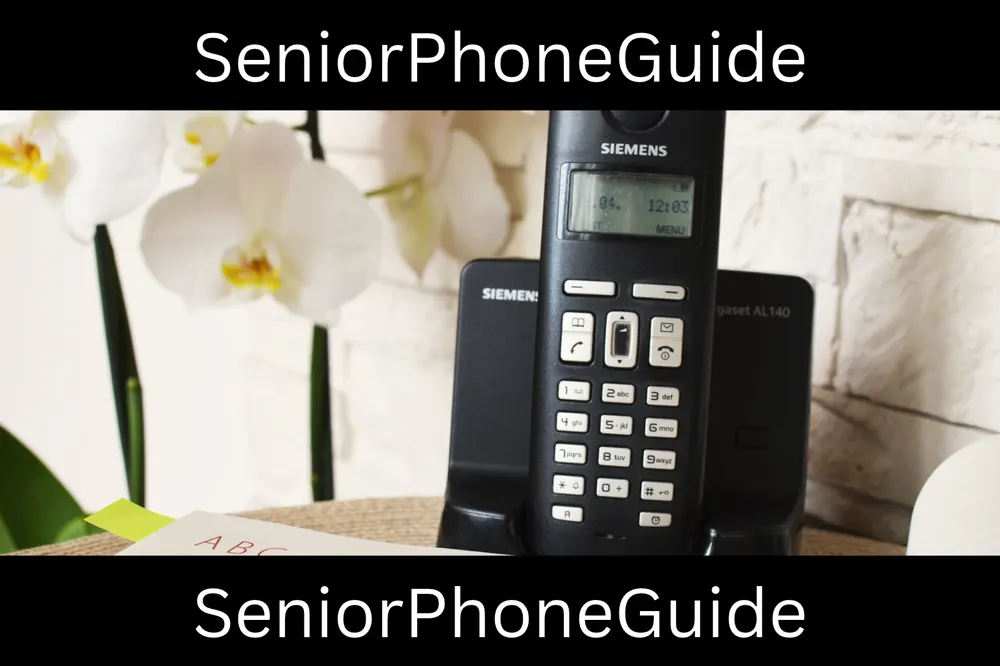

Three features matter more than the headline number. Tone control shapes the sound — boosting the high frequencies where consonants live — rather than just turning everything up; for many kinds of age-related hearing loss, it does more for understanding than raw volume. Slow-talk control, featured on the Panasonic system, slows down a fast talker without changing their pitch, which helps when the difficulty is speed rather than volume. Hearing-aid compatibility is separate from amplification: a handset rated compatible (the M and T ratings, with T for telecoil) is designed to work with the aid rather than fight it, producing less buzz. Ask for the compatibility rating on the exact model, and test it with the person's own hearing aids in — a handset that buzzes with one aid may be silent with another, and no specification sheet can tell you which. The FCC's guidance on hearing aid compatibility explains the labelling: qualifying wireline telephones must be labelled "HAC", and newer handsets may simply be labelled hearing aid compatible under the 2019 ANSI standard, without M and T ratings.
The practical test is simple and should be done in the first days. Call the most frequent contact — daughter, friend, doctor's office — from the chair the person actually sits in, television on at its usual volume, wearing the hearing aids they actually wear. Can they follow without asking for repeats? Does the handset buzz or whistle with the aids? Is the loudest setting clear or distorted? Keep the box and receipt until this test has passed: a hearing test in a quiet shop is not one in a real living room.
Where to look: compare amplified cordless phones for hearing loss and Panasonic big button cordless phones, and check the current listing details for hearing-aid compatibility and tone control before you buy.
Choosing by Low Vision
For low vision, the question is not just "are the buttons big" — it is "can the person find, read, and press the right button without glasses, in dim light, by touch alone?" Big buttons help, but four other details decide whether a handset works for poor eyesight. First, contrast: white or yellow numbers on black buttons (or black on white) read far better than grey on silver, and the best handsets use high-contrast keys with large, bold digits that stay readable when the room light is low. Second, backlighting: a keypad that lights up when picked up or when a call comes in is the difference between dialing confidently at night and guessing. Third, display size: the screen should show the name or number in large type, not small grey text — on the best systems, large enough to read from arm's length. Fourth, talking digits: on systems like the AT&T model the handset speaks each number as pressed, so the person hears every key press and catches a wrong digit before the call goes out.
The visual ringer is the low-vision feature buyers most often overlook. A handset that only rings can be missed by someone hard of hearing as well as low-visioned, or in another room. A flashing light for incoming calls — and a visible indicator on the base — gives the eyes a second chance to catch the call.
One more detail: big buttons are not the same as big numbers. A handset can have large buttons with small printed numbers, which helps stiff fingers but not poor eyes. What you want is both: a large button AND a large number on it, high-contrast and backlit. When comparing listings, look at a photograph of the keypad, not just "big button" in the title — the photograph tells the truth about number size in a way the title never will.
Where to look: compare cordless phones with talking caller ID and VTech amplified cordless phones for seniors, and check the current listing details for keypad photographs and talking-digit support.
Choosing by Memory and Dementia
Memory loss changes the cordless question completely, because the two things a cordless system demands — returning the handset to its charger, and remembering where it is — are exactly what memory loss makes hard. If nobody can guarantee that, cordless will fail on the worst day, and the kindest choice is a corded phone in one fixed spot — always in the same place, never needing charging, always found. Photo-button dialing, where a face replaces a number, is the memory-loss feature that matters most, and it is far more common on corded phones than on cordless handsets; our guide to the SMPL big button phone explains that design in full.
If the household does choose cordless for someone with memory loss, four rules make it work. First, one fixed charging spot, in a place the person passes every day — the kitchen counter by the kettle, the table by the favourite chair — and a household rule, repeated by everyone, that the handset lives there and nowhere else. Second, use one handset only, so there is a single handset to lose and a single cradle to check. Third, program the most-called numbers as one-touch speed dials, and teach one number first — the daughter, the son, the carer — until that one call is automatic, before adding a second.
There is a subtler memory point too. A handset has a screen with menus, and menus are memory work: finding the phone book, the redial, the volume. The best memory-friendly systems minimise menu work — big physical buttons for answer, hang up, redial, and volume, with the phone book one press away rather than three. When comparing systems, count the presses to call the most-called person: one is ideal, two is acceptable, and anything needing menu navigation will confuse on a bad day.
How Many Handsets: Twin, Triple, and More
Check for an intercom between handsets — calling room to room without shouting is the feature families actually use daily.
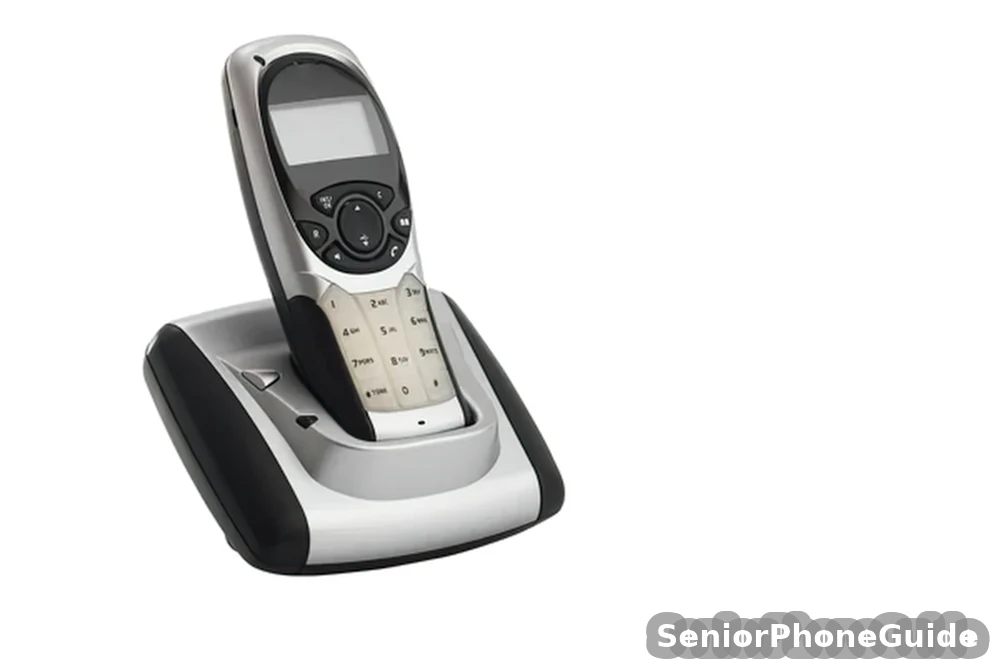
Systems are sold as single, twin, triple, or quad sets, and the right count follows the house, not the bargain. One handset belongs where the person spends most of the day; a second in the bedroom, so a night call does not mean a trip downstairs in the dark; a third where they sit second-most — kitchen, garden room, study. Each extra handset needs its own cradle and mains socket, so count sockets as well as rooms: a handset without a nearby socket will not get charged. Buy the set together rather than adding handsets later, unless you have confirmed the exact model accepts extras and they are still sold.
More handsets mean more range questions, not fewer. Every handset talks to the same base, so a handset in the far bedroom is only as good as its radio link to that base — the twin set does not extend the range, it just puts a handset where the range already reaches. Charging discipline multiplies with the count: two handsets means two cradles to keep filled, three means three. If you plan to add handsets later, confirm the exact model accepts extras and they are still sold — buying the set together avoids that search.
Where to look: compare twin cordless big button phones and cordless phones with photo dial buttons — photo dial is rare on cordless handsets, so check carefully rather than assuming it is there.
Answering Machine and Caller ID
Two features that sound like extras are, for senior households, close to essentials: the answering machine and caller ID. The machine matters because it catches the calls the person misses — and a senior who moves slowly misses more calls than a fast mover. Check three things, because machines differ enormously: how many minutes of messages it stores (a full machine stops taking new ones, silently); whether it announces the number of messages and plays them back with one button rather than a menu; and whether it can be checked from the handset, not just the base — the person will be sitting in their chair, not standing at the base, when they listen.
Caller ID matters for safety: seeing who is calling before answering lets the person ignore unknown numbers, the single most effective defence against phone scams — and seniors are the most targeted group. Talking caller ID goes further: the handset speaks the caller's name or number aloud, so the person knows who is calling without reading a small screen. Check whether it is on the exact model, because it is not universal, and whether the display shows the name, the number, or both. Caller ID alone helps good eyesight; talking caller ID helps poor eyesight too.
Where to look: compare cordless phones with answering machines for seniors, and check the current listing details for message capacity and handset playback.
Spam-Blocking Reality
Spam blocking is advertised on many cordless systems; the reality is more modest than the advertising. What the better systems do is let you block specific numbers — building a block list one nuisance caller at a time — and some, like certain AT&T and Panasonic systems, include a call-block button that sends the current caller straight to the list. What no ordinary cordless system does is magically know which unknown numbers are scams: a brand-new scam number, calling for the first time, will still ring, because the system has never seen it.
So judge spam blocking honestly. A block list genuinely silences repeat nuisance callers — the same number calling every day can be silenced permanently. A call-block button is genuinely useful in the moment — one press, and that caller never rings again. But the first defence remains household behaviour: let unknown numbers go to the answering machine, listen to the message, and call back only through a number the family already knows. Machine screening plus block list plus family rule is what actually cuts scam exposure. The FTC's advice on blocking unwanted calls agrees: blocking helps, but some robocalls still get through, and the Do Not Call Registry will not stop scammers.
Where to look: compare cordless phones with call blocking for seniors, and check the current listing details for how the block list works — one-press blocking, or menu digging.
The Corded-Cordless Combo
A third shape sits between corded and cordless: a corded base with a cordless handset registered to it. The corded handset stays in one place, is always found, never needs charging, and — on a traditional line — keeps working in a power cut. The cordless handset carries calls around the house. The price is a base that must live near the phone jack.
The combo also solves the memory-loss problem pure cordless handles worst. Photo-button dialling is rare on cordless handsets but common on corded bases, so the most-called faces can live on the base where they are always found. Before buying, check the base really carries photo buttons, the handset registers to the same base, and it is not cut down, with a shorter battery life. Its cordless handsets still die in a power cut.
Setting It Up, Step by Step
Ask how long the warranty lasts and what it covers before you pay — a phone that lives in daily use earns its keep through the warranty, not the price tag.
Setup is where a cordless system either becomes part of daily life or becomes a drawer item, so do it in this order, on one visit, with the person present — not rushed, not left as a box for later. The guides we checked barely covered setup: one mentioned "program speed dials, keep it on charger" and stopped there, which is not a setup guide at all.
Step 1: place the base centrally and raised
Choose a spot near the phone jack and a mains socket, as central as the wiring allows, on a shelf rather than on the floor behind furniture. Plug the base into the phone line and mains power, and confirm the indicator lights show it is live before going further.
Step 2: register every handset to the base
Follow the leaflet — usually a button on the base and a button on the handset, held until they pair — and confirm each handset shows a signal and can make a call before moving on.
Step 3: give every handset a fixed charging spot
Each cradle goes in the room where its handset lives — living room, bedroom, kitchen — next to a mains socket, where the person passes every day. Say the rule out loud, together: the handset lives in its cradle, always, and nowhere else.
Step 4: program the speed dials, most-called first
Program the daughter, son, or carer first, and test it with a real call immediately. Then one more number. Write every number on a card kept with the base, so reprogramming never depends on memory.
Step 5: set up the answering machine
Record a short greeting in the person's own voice, set message capacity to maximum, and practise playing messages back from the handset — not just the base — because that is where the person will sit to listen.
Step 6: set up spam blocking and teach the family rule
Show the call-block button (if the system has one), then say the rule until it sticks: unknown number, let the machine take it, listen to the message, and never act on urgency from a stranger without checking through a number the family already knows.
Step 7: set the ringer, the volume, and the tone, then test from the next room
Choose the ringer level, check the visual flasher is visible in daylight, and set volume and tone to the clearest — not the loudest — setting. Then have someone call from a mobile while the person sits in their usual chair with the television on.
Step 8: make a test call from the farthest room, and practise finding a lost handset
Walk to the farthest room the person uses and make a real call. If it crackles or drops, move the base more centrally or reconsider the system before the return window closes. Then hide a handset on purpose, press the paging button, and let the person find it by following the ring.
Where to look: compare replacement batteries for cordless phones — confirm a pack exists for your exact model before you buy, because a system whose battery cannot be replaced has a built-in expiry date.
Cordless vs Corded vs Smartphone
The honest comparison is not about which device is "best" — it is about which fits the person's daily life. The table states the trade-offs plainly; the paragraph after it says who should pick which.
| What matters | Cordless | Corded | Corded + cordless combo | Senior smartphone |
|---|---|---|---|---|
| Freedom to move while talking | Yes, around the house | No, fixed to one spot | Yes, with the cordless handset | Yes, anywhere with signal |
| Works in a power cut | No, base needs power | Yes, on a traditional line | Base handset yes, on a traditional line | Yes, while its battery lasts |
| Needs charging | Yes, daily discipline | Never | Handset yes; base handset never | Yes, daily discipline |
| Photo-button dialing | Rare | Yes, the kindest for memory loss | Yes, on the corded base | Possible, with setup help |
| Texts, photos, video calls | No | No | No | Yes |
| Best for | Mobile around the house, reliable charger | Memory loss, always-works need | Always-there phone plus freedom to move | Video calls and family photos matter |
Decide in this order:
- Line type: traditional line or internet service, and the power-cut fallback.
- Hearing: clearest setting on a real call, not the biggest number.
- Charging: who puts the handset back, every day, without fail.
- Rooms: handsets where the person actually sits, with a socket for each cradle.
Pick cordless if the person moves around the house while talking, can keep a handset on its charger (or has someone who will), and has a power-cut fallback — a charged mobile, or a corded phone on a second jack. Pick corded if memory loss, charging forgetfulness, or an always-works requirement dominates: our guide to the SMPL big button phone shows the best corded design, and our guide to choosing a phone for a senior walks the whole decision question by question. Pick a senior smartphone if video calls, photos, or texts are part of daily life and a patient helper will set it up — our guide to the best big-button cell phones for seniors covers that choice.
Common Problems and Fixes
The handset dies mid-call
Almost always a charging-routine failure, not a broken phone: the handset lived on the sofa instead of its cradle. Put it back, wait for a full charge, and reinstate the fixed-spot rule.
"Out of range" beeps or crackling in one room
The base is too far, too low, or too shielded from that room.
Static, buzzing, or interference
Other electronics near the base or handset — routers, microwaves, baby monitors — can interfere. Buzzing only with hearing aids worn is a compatibility question: try a different volume and tone, and ask the hearing-aid provider whether that handset pairs cleanly with that aid model.
The handset is lost
Press the paging button on the base and follow the ring, then put the handset straight back in its cradle. Check where handsets hide — coat pockets, cushions, the bathroom — and reinstate the fixed-spot rule before the next call is missed.
The volume resets or the ringer is missed
Some handsets drop back to a lower volume when hung up, so reset volume and tone to the clearest setting and test the ringer from the next room, television on. If calls are still missed, check the visual flasher and move the cradle closer to where the person sits.
Messages stop being taken
The machine is full. Play back and delete old messages from the handset, and set capacity to maximum — a full machine silently refuses new ones.
Quick answers
Range: no honest indoor number exists for your house — test a real call from the farthest room before the return window closes, base centrally placed and raised. Charging: the system only works if the handset sleeps in its cradle every night; confirm a replacement battery pack exists for your model before buying. Power cuts: a cordless system dies with its base power, so every cordless household needs a fallback — a charged mobile, or a corded phone on a second jack — and an answer from the provider to the question "if the power goes out, does my home phone still work?"
Bottom line: a cordless big button phone is right when the person moves around the house, the charging routine will hold, the far rooms are in the base's honest range, and a power-cut fallback exists. If charging, range, or always-works reliability fails in your house, a corded phone — or a senior smartphone, if video calls matter — will serve better, and buying the simpler device is not settling: it is choosing the phone that will be there when it rings.
Follow along: SeniorPhoneGuide on Pinterest shares one plain-language senior-phone tip at a time — follow SeniorPhoneGuide on Pinterest.
Frequently asked questions
- What is a cordless big button phone, in plain words?
- It is a home phone whose handset has no cord: it talks to a base station by radio, so you can walk around the house while you talk. Its buttons are oversized, widely spaced, and high-contrast, so a person with low vision, stiff hands, or shaky fingers can dial confidently. The base plugs into the phone line and into mains power, and the handset charges in a cradle when it is not in use.
- How far will a cordless handset really reach inside my house?
- Nobody can honestly promise you an indoor number without testing your house: walls, floors, brick, and metal appliances all eat radio signal, and the advertised figure is measured in open fields, not through your rooms. Test a real call from the farthest room before the return window closes, with the base placed centrally and raised. If that room crackles or drops, move the base or reconsider the system.
- How long does the battery last, and what happens when it dies?
- Listings quote talk time and standby time, but the number that matters is how long the handset lasts off its charger in real use. Charging takes hours, not minutes, so a dead handset is not a quick fix. The routine matters more than the rating: a handset that sleeps in its cradle every night is always ready. After a year or two, the pack holds less charge; replace it with the exact battery pack for that model.
- What happens to a cordless phone in a power cut?
- It stops working, immediately. The base station needs mains power to connect to the phone line, so when the power goes out, every handset in the house is cut off, no matter how full its battery is. On an internet phone service the router must also have power. Every cordless household needs a fallback: a charged mobile phone in a known spot, or a simple corded phone on a second jack for emergencies.
- Is a cordless phone safe for someone who lives alone?
- It can be, with two conditions met: the charging routine must be reliable, so the handset is never dead when it is needed, and there must be a power-cut fallback, so the person is never without any phone. If either condition cannot be guaranteed, a corded phone on a traditional line — which needs no charging and works in a power cut — is the safer choice for a person living alone.
- What does the decibel number mean — is 50 dB better than 40 dB?
- Not necessarily. Advertised decibels are not measured the same way by every maker, so one maker's 40 and another's 50 are different rulers. Louder is also not the same as clearer: a handset that makes everything louder, including hiss and distortion, can be harder to understand than a quieter one with good tone control. Test with a real call, with the person's own hearing aids in and the television on, and pick the clearest setting, not the loudest number.
- Will it work with hearing aids?
- Check the hearing-aid compatibility rating on the exact model — the M and T ratings, with T for telecoil — and do not assume it. Then test with a real call wearing the person's own hearing aids: a handset that buzzes with one aid model may be silent with another, and no specification sheet can tell you which. Ask the hearing-aid provider whether that handset pairs cleanly with that exact aid model.
- Does it have an answering machine and talking caller ID?
- It depends on the model, so check before buying, not after. The better systems include an answering machine in the base with messages playable from the handset, and talking caller ID that speaks the caller's name or number aloud. Both matter for senior households: the machine catches calls the person is too slow to reach, and talking caller ID lets a person with poor eyesight know who is calling without reading a small screen.
- Can it block scam and nuisance calls?
- Partly, and honestly. The better systems let you block specific numbers permanently and some have a one-press call-block button for the current caller — genuinely useful against repeat nuisance callers. But no ordinary cordless system can recognise a brand-new scam number calling for the first time, so it will still ring. The real defence is the combination: let unknown numbers go to the answering machine, listen to the message, and never act on urgency from a stranger without checking through a number the family already knows.
- How many handsets should we buy — single, twin, or triple?
- Follow the house, not the bargain. One handset where the person spends most of the day, a second in the bedroom so night calls do not mean a trip downstairs in the dark, and a third where they sit second-most. Each extra handset needs its own cradle and mains socket, and must be registered to the base. Remember that extra handsets do not extend the range — they only put a handset where the range already reaches — and that each extra handset is another one to keep charged and another one to lose.
- My mother lives in a two-storey house and keeps forgetting to charge things — is a cordless phone a mistake, and what should we do instead?
- In that combination, yes, cordless is likely a mistake, for two separate reasons: the handset will die because it is not returned to its charger, and the upstairs rooms may fall out of range from a base downstairs. The kinder design is a corded phone in one fixed spot she passes every day — always in the same place, never needing charge — with photo-button dialing if she also forgets numbers. If the family still wants cordless, it only works if someone visits daily and puts the handset back in its cradle, and only after a test call from the upstairs bedroom has passed before the return window closes.
- We had a power cut last winter and my father could not call anyone — what should we have had in place?
- A fallback, decided before the next cut, not during it. If his phone is cordless, the base dies with the power, so the household needs a charged mobile phone in a known spot that everyone knows about — or a simple corded phone on a second jack, which works in a power cut on a traditional line. First ask the provider: "If the power goes out, does my home phone still work?" If the number runs through the broadband router, it does not, and the mobile is the emergency phone. Write the rule down where everyone can see it: when the power goes out, the mobile is the phone.
- How much does a cordless big button phone cost?
- We print no price, deliberately: prices differ between sellers and between single, twin, and triple sets, and they change often enough that any printed figure would be stale within weeks. Use the search links in this guide to compare current listings for the exact system you want, and check the current price and listing details on Amazon before you buy — the system size matters more than a few dollars either way.
- What if we buy it and it does not suit them?
- That is what the return window is for. Before paying, ask how many days you have to return or exchange it, keep the box and receipt until that window closes, and run the decisive tests in the first days: a real call from the farthest room, a real call with the person's own hearing aids in, and the ringer heard from the next room with the television on. A system that fails any of those three tests in your house is a system to exchange, not to tolerate.
- Is a cordless phone, a corded phone, or a smartphone better for my father instead?
- It depends on what he actually does. A cordless phone wins if he moves around the house while talking and the charging routine will hold. A corded phone wins if he mainly calls from one spot, forgets to charge things, or needs a phone that always works — our guide to the SMPL big button phone covers that design. A senior smartphone wins if video calls, photos, or texts matter and a patient helper will set it up. Match the device to the daily life, not to the feature list, and when two devices tie, pick the simpler one.