
SMPL Big Button Phone for Seniors: The Honest Guide to Models, Amplification, and VoIP
A corded phone with photo buttons sounds simple — until the listings disagree about 3 photos or 6, landline or VoIP, and what “amplified” really means. This guide decodes the models, the permanent amplification switch, and the power checklist, with the honest limits no listing tells you.
In a hurry? See the current price on Amazon.
Affiliate disclosure: As an Amazon Associate I earn from qualifying purchases. The links below are searches for a phone type (SMPL big button phone, photo dial phone, amplified corded phone) or a fitting accessory, so you can compare current listings yourself. We print no prices, because prices change too often — and differ too much between sellers and variants — to print honestly. Check the current price and the current listing details on Amazon before you buy. It costs you nothing extra, and it keeps this site free. Read our affiliate disclosure.
The SMPL big button phone is a corded landline phone with photographs on its buttons: instead of remembering numbers, the person presses the face of the person they want to call. That one idea makes it one of the kindest phones available for someone with memory loss, poor eyesight, shaky hands, or hearing loss. But buying one is harder than it should be, because the listings disagree with each other. Some sell a phone with three photo buttons, some with six. Some say it needs no power at all, some say it ships with a power adapter for VoIP. This guide fills those gaps, so you buy the right variant once, instead of the wrong one twice.
Verdict: buy it for photo-button dialing and permanent amplification — but only after you check three things on the actual box: the photo-button count (3 or 6), the amplification switch, and whether your home phone line is a traditional landline or VoIP. Those three checks decide everything.
What the SMPL Big Button Phone Actually Is
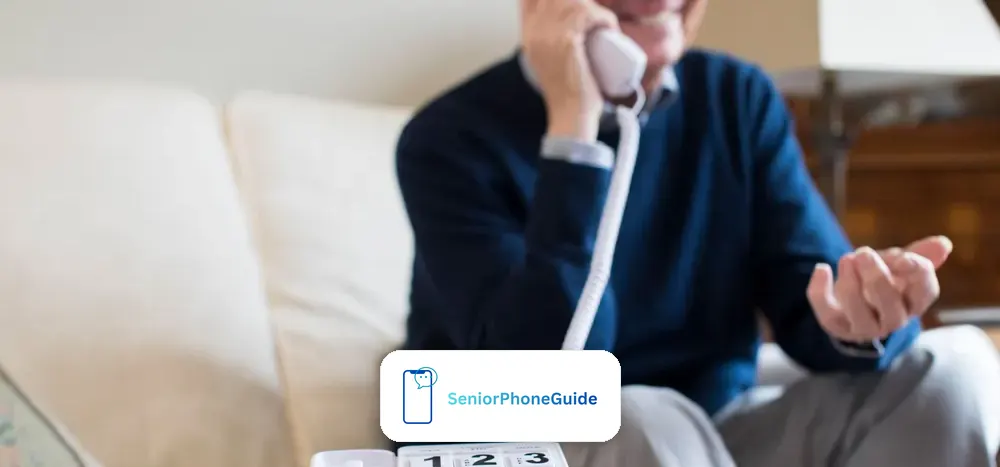
Strip away the listings and the SMPL big button phone is a simple idea executed well. It is a corded telephone — it plugs into a phone jack with a cord, it sits on a table or hangs on a wall, and it has no screen full of menus, no app store, no software updates, and nothing to charge every night. Across the top (on the six-button version) or beside the keypad (on the three-button version) sit large buttons with space for a photograph under each one. You put a picture of a daughter, a son, a grandchild, a neighbour, or the doctor under a button, program that button to dial their number, and from then on calling them is one press on a familiar face.
Underneath that simplicity sit three features that matter more than the photographs. The first is the amplification switch, covered in full below: a physical Low, Medium, High switch that keeps the handset volume where you set it, call after call, instead of resetting every time the phone is hung up. The second is the ringer: it is rated above 75 decibels, which is genuinely loud — loud enough to hear from another room — and it is paired with a flashing visual indicator, so an incoming call is seen as well as heard. The third is the keypad itself: oversized, high-contrast buttons with large numbers, built for eyes that no longer read small print and hands that no longer hit small targets reliably.
It is not a mobile phone: it cannot leave the house, it cannot send texts, and it cannot make video calls. It is not a smartphone with a simplified screen. It is a landline phone, and it only works where there is a working home phone line — traditional or VoIP, as explained in the power checklist below.
People with memory loss or dementia, who can recognise a face long after they have forgotten a number. People with hearing loss, who need a loud handset that stays loud. People with low vision, who need big buttons and big numbers. And people with stiff, shaky, or arthritic hands, who need one large target instead of ten small ones. If the person you are buying for sits in one of those groups and mainly calls from home, you are looking at the right kind of phone. The rest of this guide is about making sure you buy the right variant of it.
The Model-Number Map
The SMPL range is sold under several names and numbers, and the listings mix them freely.
First, the photo-button count. There are two real variants in circulation. One has three photo buttons: it is sold as the photoDIAL*3, described by its retailer as a "New Model" under product code 0020-0001, and it pairs its three photo buttons with a large standard keypad for all other numbers. The other has six photo buttons across the top: it is the version shown in the short demonstration video, described in the search overview as having "6 one-touch photo speed-dial buttons," and framed the same way in the main marketplace listings. Neither variant is "the real one" — they are two versions of the same idea. That is the single most common buying mistake with this phone: expecting six faces and receiving three, or the other way around.
Second, the model numbers. A manual listing names model 56020, but its manual sits behind a sign-in wall, so we could not read it and cannot tell you how 56020 differs from anything else. A product carousel mentions 56010. Earlier research into this range mentions 56011, 56012, and 56015 as part of the same family, with 56011 noted as the variant carrying the permanent Low, Medium, High amplification switch. If a listing leans on a model number without saying the photo count, the amplification type, and the power arrangement, the model number alone tells you nothing useful.
So here is the reliable check, and it works regardless of what the listing calls the phone. Before you pay, confirm three facts about the actual item in the box: how many photo buttons it has (three or six); whether its amplification is the permanent switch type or a per-call boost (see the next section — this matters enormously for hearing loss); and whether a power adapter is included in the box (which tells you the seller expects VoIP use). If the listing does not state all three, ask the seller in plain words, or buy from a listing that does.
Where to look: compare current SMPL big button phones and SMPL photo dial phones as types and variants — and on every listing, check the photo-button count in the photographs and the description before anything else, because that is where the variants get mixed up.
Permanent Amplification vs Per-Call Amplification
If hearing loss is part of why you are buying this phone, this is the most important section in the guide, and it is the distinction almost every listing skips. There are two kinds of "amplified" phone, and they behave very differently in daily life.
On a per-call phone, amplification is a boost you switch on during each call — usually a button you press after answering, or a volume control you turn up every time. For someone with memory loss, or someone who is flustered by the phone ringing, that extra step is exactly the step that gets forgotten — and the call is then held at normal volume, which defeats the purpose of the phone.
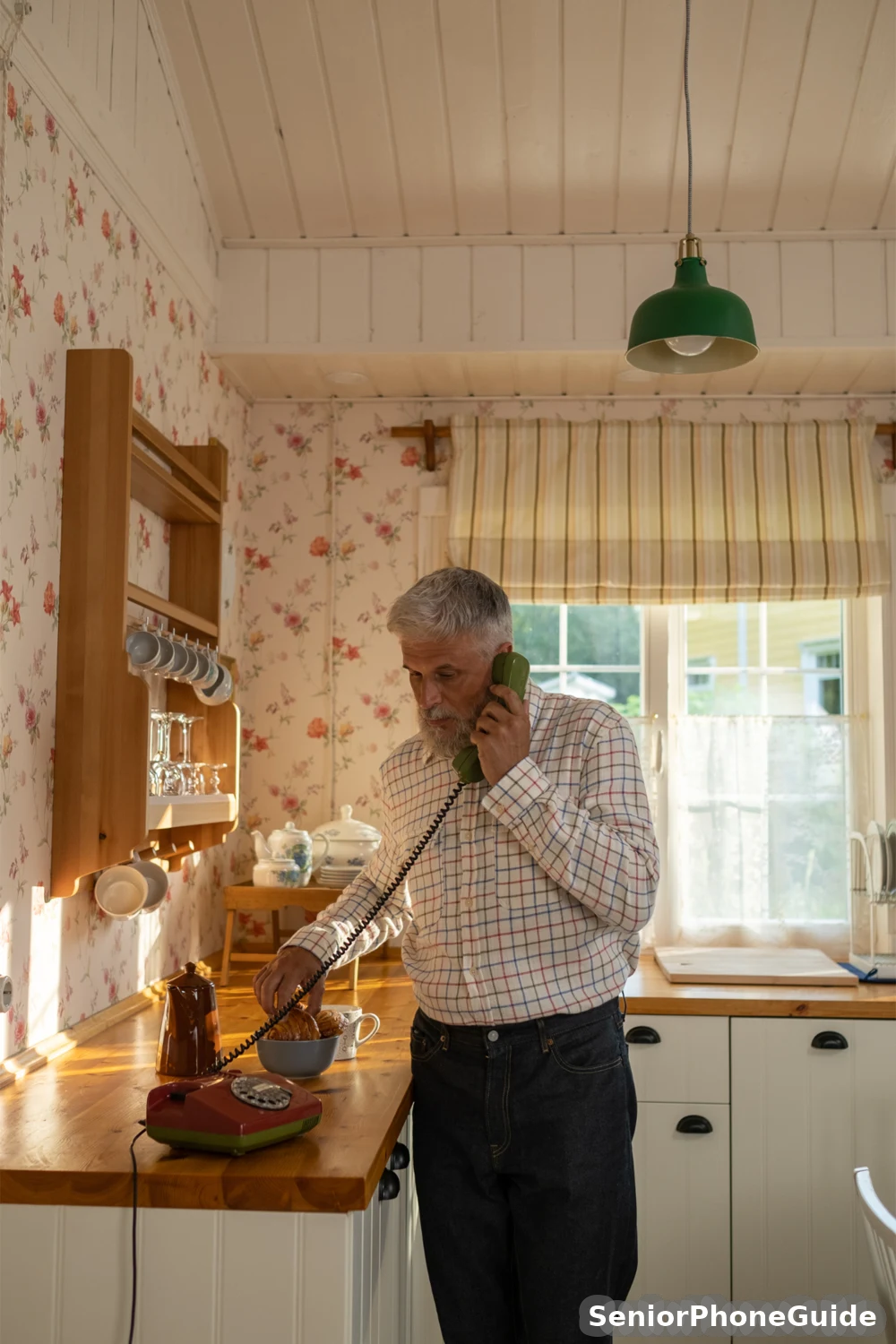
On a permanent-amplification phone, the volume is set once on a physical switch and stays there. The SMPL's switch has three positions — Low, Medium, High — and the search overview describes its amplification as reaching up to 28 decibels of gain, kept between calls. For hearing loss combined with memory loss, that difference is not a detail — it is the whole reason to choose this phone over a cheaper "amplified" handset that resets itself.
Two honest cautions belong here. First, decibels confuse everyone, including listings: the "up to 28 dB" figure describes amplification gain (how much louder than normal the handset is boosted), while the ringer is rated separately, above 75 dB. They measure different things. Second, hearing-aid compatibility: no readable source we checked states a hearing-aid compatibility rating for this phone. Do not assume it. If the person wears hearing aids, the honest test is a real call made with their own hearing aids in, inside the return window — and a five-minute call to their hearing-aid provider before buying, asking whether this phone pairs cleanly with that exact hearing-aid model, will save a month of buzzing and frustration afterwards. Read our guide to choosing a phone for a senior for what the M and T hearing-aid ratings mean in plain words.
Where to look: compare amplified corded phones for hearing loss — and on any candidate, confirm the amplification is the permanent switch type, not a per-call boost, before you pay.
The Photo Buttons: How They Work
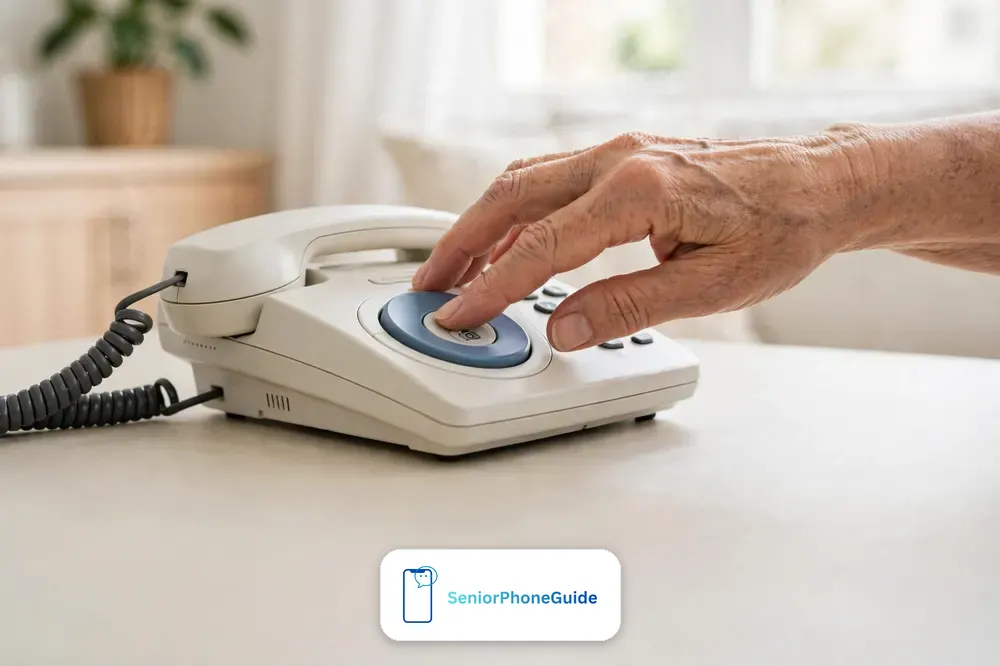
The photo buttons are the heart of the phone, and setting them up is a calm half-hour job, not a technical project. The phone ships with a template for the photographs: you cut small photographs — or print small portraits — to the template size, slide each one under its button cover, and then program each button to dial the matching number. Follow the leaflet in the box for your variant — the shape of the job is always the same: choose the people, prepare the photographs, program one button, test it with a real call, then move to the next.
Choose the people first, before touching the phone. For most families the right list is short: a daughter, a son, a grandchild who calls often, a neighbour who checks in, and the doctor's surgery or a carer. Five or six faces cover nearly every call the person actually makes, and a short list is a kindness — a button for someone who never calls is a button that confuses. Put the most-called person on the easiest button to reach, and keep the order stable afterwards.
Two practical details decide whether the photo buttons succeed or fail. The first is photograph choice: use a recent, front-facing, well-lit portrait where the face fills the frame — a group photograph at a distance, or a photograph from twenty years ago, will not be recognised in a hurry. The second is the test call: after programming each button, press it and confirm it dials the right person, in front of the person who will use the phone, so the first real use is not also the first test. Write the numbers on a card kept inside the phone's box, so a future reprogramming takes minutes instead of a fresh investigation.
Program two buttons, teach those two, and let the person make two successful calls before adding more. A phone that works for two people today beats a phone with six buttons nobody has practised with.
Landline vs VoIP: The Power Checklist
One retailer's page says the phone needs "no additional power" and "works when the power is out — no power adapter needed," and on the same page says it is "now VoIP compatible with included power adapter." Both statements are true — but about different kinds of phone line, and the listing never says so. Here is the distinction that untangles it.
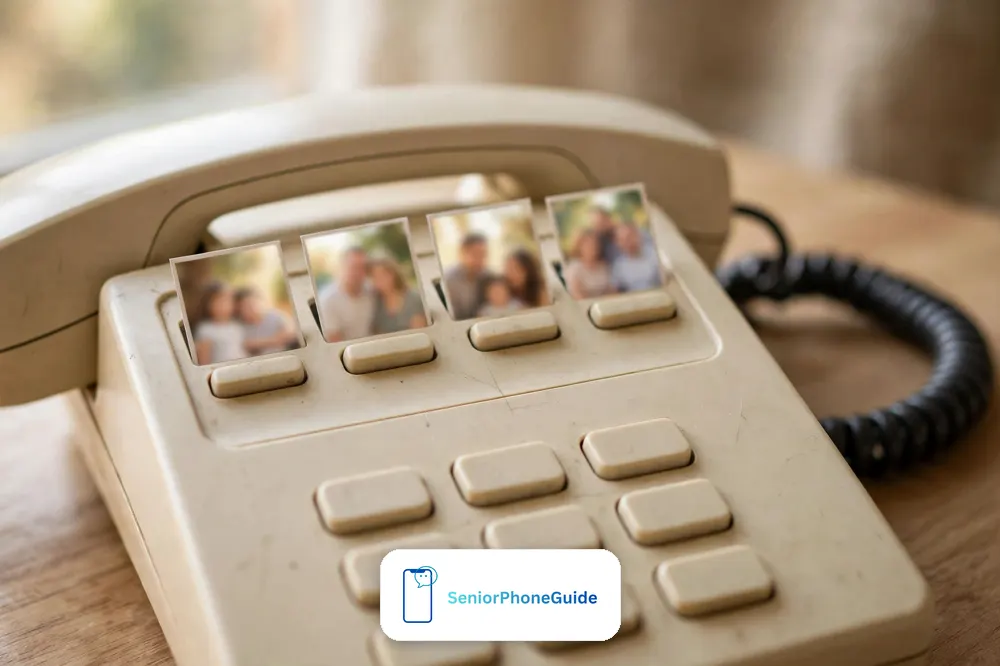
On a traditional landline — the old copper-wire line coming into the house — a corded phone is powered by the line itself. The line carries a small electric current, and that current runs the phone. That is why a corded phone keeps working during a household power cut. No adapter, no battery, no charger involved. If your home phone line is this kind, the "no power needed" claim is simply true.
On VoIP — a phone service delivered over the internet, usually through the broadband router — the phone cannot draw power from a line that is really an internet connection. It needs the included power adapter, plugged into a mains socket, and it behaves like every other internet device in a power cut: when the router loses power, the phone service goes with it, unless the router has battery backup. So the honest VoIP checklist, before you buy, is three questions: does the box include the power adapter; is there a mains socket within reach of where the phone will sit; and what happens in a power cut — router backup, or a mobile phone as fallback?
Many households today have a "landline" number that is actually delivered over VoIP — the number stayed the same when broadband was installed, but the wall socket now runs from the router. If you are not sure which kind you have, look at where the phone socket's cable goes: if it runs to the broadband router, treat it as VoIP for power purposes, whatever the bill says. When in doubt, ask the provider one plain question: "If the power goes out, does my home phone still work?"
Where to look: compare VoIP-compatible corded phones — and confirm the adapter is in the box, because a VoIP household without it has bought half a phone.
Ringer, Flasher, and Big Buttons
Check for a speakerphone too — hands-free calls matter when holding the handset is the hard part, not hearing it.
Three small features do more daily work than any specification, and they are worth understanding properly because they are the features the person actually notices. The ringer is rated above 75 decibels with three levels — low, medium, high — and that matters because hearing loss is rarely uniform: a ringer that is merely "loud" can still be missed if its tone sits in the frequencies the person no longer hears well. Set the ringer to the highest level that still sounds clear, and test it from the room the person actually sits in, with the television on at normal volume.
The visual flasher is the ringer's partner, and for many households it is the more important of the two. When a call comes in, a bright light flashes as well as the bell rings, so the call is seen from across the room, from the kitchen, or by someone who has taken their hearing aids out for the evening. Check the flasher is visible in daylight, and place the phone where the light faces the room, not the wall.
The big buttons deserve a sentence of their own, because "big buttons" is doing three jobs at once. The numbers are large and high-contrast, so they can be read without glasses at arm's length. The buttons themselves are large targets, so a shaky or stiff hand hits the right one instead of two at once. And the buttons are physical — they press with a real click — so the person gets confirmation through their fingers, not just their eyes.
Two fitting extras complete this picture, and both are worth buying with the phone rather than after the first problem. A wall mount puts the phone at standing height in a hallway or kitchen, where it is always in the same place and always reachable — but check the wall jack fits the mount before ordering, because jack fit is one of the buyer-reported problems below. And a spare coiled handset cord costs little and removes the commonest physical failure — a cord chewed by a pet, caught in a door, or simply worn out after years of stretching to the favourite chair.
What It Does NOT Have
Here is the list, without softening. First, caller ID: no caller ID display is listed in any specification we could read for this phone. If seeing who is calling matters, weigh that absence before buying.
Second, there is no built-in answering machine in any specification we could read. The maker's own wording is that the phone "works with existing answering machines" — which is a polite way of saying you need a separate machine if you want one.
Third, there is no speakerphone worth the name in buyer reports, and no mobility: the phone is tied to its jack by a cord. Fourth, it cannot text, cannot show photographs sent by family, and cannot make video calls — all of which a senior smartphone can, as our choosing guide explains.
Finally, the buyer-reported drawbacks, stated as buyer reports rather than specifications, because that is what they are. Some buyers report saved numbers dropping out and needing reprogramming. Some report dial-tone trouble, or static, echo, or beeping on the line — which is as often a line or jack problem as a phone problem, and the fixes section below separates the two. Some report a photo button reprogramming itself when held down too long — which is really the programming feature being triggered by accident, and is fixed by reprogramming and by teaching the household not to hold the buttons. And some report the volume resetting, which on the permanent-switch variant usually means the switch itself was knocked to a different position. None of these reports, on its own, condemns the phone. Together, they describe a phone that rewards careful setup and punishes rushed setup — which is exactly what the setup section below is for.
Who Should Buy It — and Who Should Not
Most guides stop at "seniors," which describes nobody in particular. Here are the four real buyers, with what each one should check before paying.
Buying for memory loss or dementia
This is the phone's strongest case. A face is recognised long after a number is forgotten, and one press replaces a whole sequence of remembering, finding, and dialling. Check: the photo count matches the people who actually call (three faces may be enough; six faces give room for the doctor and a neighbour); the photographs are recent and front-facing; and the household knows not to hold the buttons down. Read our dedicated guide to the best cell phones for seniors with dementia for the fuller picture.
Buying for hearing loss
Check the permanent switch, not just the word "amplified": Low, Medium, High, set once, kept between calls. Check the ringer from the next room with the television on. And make the hearing-aid test — a real call with the person's own hearing aids in, inside the return window — a condition of keeping the phone, because no readable source states a hearing-aid rating for it.
Buying for low vision
Check the numbers can be read at arm's length without glasses, the flasher is visible in daylight, and the phone sits where its light faces the room.
Buying for stiff, shaky, or arthritic hands
Check the buttons can be pressed with the side of a hand or a knuckle, not just a fingertip, and that the handset is light enough to hold for a whole conversation.
And the other side, stated just as plainly. Do not buy it if the person needs caller ID to feel safe, needs a built-in answering machine, needs to carry the phone around the house or garden, needs to text, or needs video calls with grandchildren — in each case a different device fits, and forcing this phone into that job will end with it unused. A phone chosen without the senior present is almost always the wrong phone. If carrying the phone around the house is the deciding need, start with cordless phones with big buttons instead, which keep the large keys and add a handset that leaves its base.
Setting It Up, Step by Step
Ask how long the warranty lasts and what it covers before you pay — a phone in daily use earns its keep through the warranty, not the price tag.
Do this in one calm session, with the senior present.
- Choose the spot first. A table or wall position the person passes every day, near the phone jack and, for VoIP, a mains socket. The phone must live in one fixed place, always, so finding it is never a task.
- Connect the line and, for VoIP, the adapter. Plug the line cord into the wall jack or the router's phone socket for VoIP, and the adapter into the mains for VoIP use. On a traditional line, skip the adapter entirely — the line powers the phone.
- Set the amplification switch before the first call. Put it on High to start; it can always come down later, but starting loud tells you immediately whether loud is clear or distorted, and the permanent switch keeps the setting afterwards.
- Set the ringer and test it from the next room. Choose the level and check the flasher is visible in daylight. Have someone call the number from a mobile while the senior sits in their usual chair with the television on — a ringer that passes this test is a ringer that works.
- Prepare the photographs. Recent, front-facing, well-lit portraits, cut to the template size. One face per button, no group shots, no photographs from decades ago.
- Program one button, then test it with a real call. Follow the leaflet for your variant, press the button, and confirm it dials the right person. Only then program the next button. Write every number on a card kept in the box.
- Teach two buttons, then stop for the day. The most-called person first, then one more. Two successful calls today beat six unpractised buttons. Add the rest over the following visits, one or two at a time.
- Write the household rules on the same card. Do not hold the photo buttons down (that reprograms them). Do not move the photographs once learned. If a number changes, reprogram from the card, then test again.
Every future fix in the next section starts from that card.
The First Week: Teaching Someone to Use It
The phone is installed; now the person has to trust it, and trust comes from successful calls, not from explanations. The pattern that works, visit by visit, is the same one that works for every senior phone: one skill per visit, practised together, never all at once.
On the first visit, do exactly two things: answer a call together, and make a call together using one photo button.
On the second visit, add the second photo button and practise the ringer from another room. On the third visit, add one more button and practise what to do when the wrong button is pressed — hang up, breathe, press the right face — so a mistake is a small event, not a crisis.
Two teaching mistakes undo more good phones than any fault. The first is teaching by demonstration: the helper's hands fly over the buttons while the senior watches, and nothing is learned, because watching is not doing. The senior's hands must press the buttons, every time, even if it is slower. The second is correcting every mistake instantly: a corrected mistake feels like a failure, while a mistake the person fixes themselves feels like learning. And keep the old phone working alongside for the first weeks if there is one — a safety net makes trying the new phone feel free instead of frightening.
After the first week, the routine that keeps the phone working is boring and therefore effective: the phone stays in its spot, the photographs stay where they are, the amplification switch stays where it was set, and any number change goes through the card in the box. Boring is the goal. A phone that never changes is a phone that never needs relearning.
SMPL vs the Other Choices
No prices are printed — they change too often and differ between sellers and variants — so compare capabilities, then check current listings.
| SMPL big button phone | Standard corded phone | Cordless phone | Senior smartphone | |
|---|---|---|---|---|
| What it is | Corded landline phone with photo buttons, permanent amplification, loud ringer and flasher. | Ordinary corded phone, standard keypad, normal volume. | Wireless handset around the house, base in the jack. | Touch-screen phone, big icons, simplified menus. |
| Dialing | One press on a familiar face — no number to remember. | Full number, from memory or a list. | Full number or speed-dial keys, no photographs. | Tap a contact's name or photograph on screen. |
| Amplification | Permanent Low, Medium, High switch, kept between calls. | Normal volume only. | Volume control per call on most models. | Volume and accessibility settings, plus Bluetooth audio. |
| Ringer & alerts | Loud ringer above 75 dB plus flashing visual indicator. | Standard ringer, no flasher. | Ringer plus vibration on the handset. | Ringer, vibration, and flashing alerts where offered. |
| Caller ID | Not listed in any specification we could read. | Available on many models. | Usually available on the handset display. | Full caller ID with contact photographs. |
| Answering machine | None built in; works with an existing machine. | Built in on many models. | Usually built into the base. | Carrier voicemail, plus visual voicemail. |
| Power & outages | Line-powered on traditional landline; adapter for VoIP; VoIP dies with router power. | Line-powered on traditional landline; same VoIP limits. | Needs mains for the base and charging for the handset. | Needs nightly charging; useless when flat. |
| Mobility | Fixed to its jack — one room, one spot. | Fixed to its jack. | Anywhere in the house and garden. | Anywhere, pocket-sized. |
| Video calls & texts | Neither — voice calls only. | Neither. | Neither (voice only). | Both, plus photos and apps. |
| Best for | Memory loss, hearing loss, low vision, stiff hands — at home. | Anyone who wants a simple, reliable home phone. | Someone who moves around the house while talking. | Video calls, photos, and apps, with a patient helper. |
Where to look: compare big button corded phones for seniors against the type that fits the person's real life — the SMPL wins on photo dialing and permanent amplification, and loses on mobility, caller ID, and video calls.
One more check before you pay, because listings change. Stock of a single model comes and goes, and one specialist review updated on 31 October 2026 reports that the SMPL phone is no longer listed on Amazon, pointing readers instead to the VTech SN1117 — a corded phone with eight photo speed-dial buttons, talking digits, and the same keep-working-in-a-power-cut landline behaviour. Treat that as a lead to verify, not as a verdict: open the actual listing, check that the seller and the model in the box match the variant checks above, and if the SMPL is unavailable, judge any replacement by the same job — photo buttons, permanent amplification, and a power arrangement that fits your line.
Common Problems and Fixes
The phone dials the wrong person from a photo button
The button was reprogrammed — usually by being held down too long, which starts programming mode. Reprogram it from the card, test it with a real call, and tell the household: press and release, never hold.
Saved numbers keep dropping out
Reprogram from the card and test over several days. If numbers drop repeatedly on a VoIP setup, check the adapter is firmly plugged in and the socket is not shared with a switch that gets turned off at night — repeated power loss is the first suspect.
Static, echo, or beeping on calls
First, unplug and firmly replug both ends of the line cord and the handset cord. Try a different wall jack if there is one. If the noise follows the phone to another jack, the phone or cord is the suspect; if it stays with the jack, the line is.
Dial tone trouble, or no dial tone at all
Check the line cord is in the correct socket — the router's phone socket for VoIP, the wall jack for a traditional line — and that the router is powered for VoIP households. On a traditional line with no dial tone anywhere in the house, the fault is almost certainly the line, and the provider's fault line is the next call.
The volume keeps resetting
On the permanent-switch variant, check the Low, Medium, High switch has not been knocked to a different position.
The wall mount does not fit the jack
Measure before ordering, and check the mount's jack type against the wall socket's type — one photograph of the socket sent to the seller avoids this entirely. If it already does not fit, a short adapter lead is cheaper than a new mount, and a table position works exactly as well.
Calls are missed because the ringer was not heard
Raise the ringer a level, check the flasher faces the room, and test from the usual chair with the television on. If hearing loss has progressed past what the ringer and flasher cover, the honest next step is not a louder phone — it is a flashing alert or vibrating pager paired with the phone line; ask the hearing-aid provider.
When to Skip This Phone
If none of those apply, and the person mainly calls from home and struggles with numbers, hearing, eyesight, or stiff hands, this is a genuinely kind phone — and the variant checks in the model section are the difference between buying it once and buying it twice. Take the checks seriously, buy from a listing that answers all three, and keep the return window until both tests have passed.
Quick answers
The 10-second version: a corded phone with faces instead of numbers, a permanent loudness switch, and a loud ringer with a flashing light — brilliant for memory loss, hearing loss, low vision, and stiff hands at home, and wrong for anyone who needs caller ID, an answering machine, mobility, texts, or video calls.
The 3-step path: check the photo-button count, the permanent switch, and your line type on the actual box — then set it up in one calm session, teach two buttons on day one, and keep the return window until both tests have passed.
The golden rule: the variant matters as much as the phone — a listing that will not say the photo count, the amplification type, and the power arrangement is a listing to walk away from.
For the wider decision, see our guide to choosing a phone for a senior and the best big-button cell phones for seniors.
Where to look: compare SMPL photo memory phones, big button phones for dementia, big button phones for low vision, and corded phones with a loud ringer — always checking the photo count, amplification type, and power arrangement before paying.
Bottom line: if the person mainly calls from home and struggles with numbers, hearing, eyesight, or stiff hands, the SMPL big button phone is a genuinely kind choice — provided you verify the photo-button count, the permanent amplification switch, and your line type before paying, teach two buttons on day one, and keep the return window until the hearing-aid test and the next-room ringer test have passed. If caller ID, a built-in answering machine, mobility, texts, or video calls are part of daily life, buy a different device instead.
Follow along: SeniorPhoneGuide on Pinterest shares one plain-language senior-phone tip at a time — follow SeniorPhoneGuide on Pinterest.
Frequently asked questions
- What is the SMPL big button phone, in plain words?
- It is a corded landline phone with photographs on its buttons. You put a picture of a family member under a button, program that button to dial their number, and calling them becomes one press on a familiar face — no number to remember, no digits to dial. It also has a permanent loudness switch, a loud ringer, and a flashing light for incoming calls.
- How many photo buttons does it have — three or six?
- Both versions exist, and that is the commonest buying confusion. One variant, sold as the photoDIAL*3, has three photo buttons plus a large standard keypad. Another version has six photo buttons across the top. Neither is the "real" one — but you must know which one a listing is selling before you pay.
- What does permanent amplification mean, and why does it beat a per-call boost?
- Permanent amplification means a physical Low, Medium, High switch set once, which keeps the handset volume where you set it on every call afterwards — the search overview describes it as reaching up to 28 decibels of gain. A per-call boost must be switched on during each individual call, which is exactly the step a person with memory loss forgets. For hearing loss combined with memory loss, permanent is not a luxury — it is the reason to choose this phone.
- Does it work with hearing aids?
- Honestly, no readable source we checked states a hearing-aid compatibility rating for this phone, so do not assume it. The safe test is a real call made with the person's own hearing aids in, inside the return window, plus a quick call to their hearing-aid provider beforehand asking whether this phone pairs cleanly with that exact hearing-aid model.
- Will it work on VoIP, an internet phone service?
- Yes, with the included power adapter — but only with it, and only while the router has power. On VoIP the phone cannot draw power from the line the way it can on a traditional landline, so the adapter must be plugged into a mains socket near the phone. Confirm the adapter is in the box before you pay, because a VoIP household without it has bought half a phone.
- Will it work in a power cut?
- On a traditional copper landline, yes — the line itself powers the phone, so it keeps ringing and dialling when the house lights go out. On VoIP, no, unless the broadband router has battery backup, because the phone service dies with the router's power. If your "landline" number actually runs through the router, treat it as VoIP for power purposes and keep a mobile phone as the emergency fallback.
- Does it have caller ID?
- No caller ID display is listed in any specification we could read for this phone. If seeing who is calling before answering matters to your household — and for scam protection it often does — weigh that absence before buying, not after. The practical defence is the family rule: never act on an urgent call or message from an unknown number without checking through a number the family already knows.
- Does it have an answering machine?
- No built-in answering machine is listed in any specification we could read. The maker's own wording is that the phone "works with existing answering machines," which means a household that already has one can keep using it alongside this phone, while a household without one must budget for a separate machine or accept that unanswered calls simply go unanswered.
- My mother has dementia and keeps forgetting numbers — will the photo buttons really help, and what happens if she holds a button down?
- Yes, this is exactly the case photo buttons are built for: a face is recognised long after a number is forgotten, and one press replaces remembering, finding, and dialling. If a button is held down too long, it enters programming mode and can reprogram itself — that is the commonest accident, and the fix is simple: reprogram it from the number card kept in the box, test it with a real call, and teach the household to press and release, never hold.
- We switched to an internet phone service (VoIP) last year — will this phone still work, and what do we need to check?
- It will, provided three things are true: the box includes the power adapter, there is a mains socket within reach of where the phone will sit, and you have a power-cut plan, because the phone stops working when the router loses power unless the router has battery backup. Check where your phone socket's cable goes — if it runs to the broadband router, your number is VoIP even if the bill still calls it a landline — and ask your provider one question: "If the power goes out, does my home phone still work?"
- What do the model numbers 56010, 56011, 56012, 56015, and 56020 mean?
- They are numbers from the same product family that listings mention without explaining. A manual listing names 56020 but keeps its manual behind a sign-in wall, so its differences could not be verified. A product carousel mentions 56010, and earlier research mentions 56011, 56012, and 56015, with 56011 noted as the permanent-switch variant. Treat model numbers as labels, not specifications: the reliable check is always the photo-button count, the amplification type, and the power arrangement on the actual box.
- How much does the SMPL big button phone cost?
- We print no price, deliberately: the price differs between sellers and between the three-photo and six-photo variants, and it changes often enough that any printed figure would be stale within weeks. Use the search links in this guide to compare current listings for the exact variant you want, and check the current price and listing details on Amazon before you buy — the variant matters more than a few dollars either way.
- Can I put it on the wall?
- Yes, it can be table or wall mounted — but check the wall jack fits the mount before ordering, because jack fit is a reported buyer problem. Photograph the wall socket and confirm the mount type with the seller first, or keep the phone on a table: it works exactly as well there, and a fixed table spot the person passes every day is often the better choice anyway.
- What if we buy it and it does not suit them?
- That is what the return window is for. Before paying, ask how many days you have to return or exchange it, keep the box and receipt until that window closes, and run the two decisive tests in the first days: a real call with the person's own hearing aids in, and the ringer heard from the next room with the television on.
- Is a cordless phone or a smartphone better for my father instead?
- It depends on what he actually does. A cordless phone wins if he moves around the house while talking. A senior smartphone wins if video calls, photos, or texts matter and a patient helper will set it up. The SMPL wins if he mainly calls from home and struggles with numbers, hearing, eyesight, or stiff hands — photo dialing plus permanent amplification, in one fixed spot, with nothing to charge or update. Match the device to the daily life, not to the feature list.