
Landline Phones for Seniors with Big Buttons: 6 Picks That Actually Fit
Updated November 1, 2026 · Independently researched · How we review
Short on time? See the current price on Amazon.
Last updated: November 1, 2026
Affiliate disclosure: As an Amazon Associate I earn from qualifying purchases. Our picks come from our own desk research into manufacturer specifications and real user review patterns — prices and availability change often, so check the current price on Amazon before you buy. It costs you nothing extra, and it keeps this site free. We still print no prices on this page — they change too often to print honestly — and every feature below was checked against the manufacturer's official information in October 2026. Read our affiliate disclosure.
Here is the scene families describe to us again and again. Dad had a perfectly good smartphone, bought with love, and now it sits in a drawer. Meanwhile the old house phone still felt safe. That story is the whole reason this guide exists. For seniors with hearing loss, poor vision, shaky hands or fading memory, a big-button landline with photo dialling is the lowest-friction phone there is: no plan, no charging, no menus, and nothing that updates itself into a stranger overnight. A landline has no screen to enlarge — but the mobile next to it does: our make text bigger on Android guide shows the one slider that makes messages, emails, and menus comfortably large. A landline cannot call for help when nobody is home — the mobile next to it can: our Emergency SOS setup guide for iPhone and Android walks through the five-minute setup.
Before you buy, three honest objections. On a digital or cable line, a corded phone may go silent in a power cut — confirm it with the provider first. Photo buttons need a caregiver to program and refresh them. And no plan means no staffed emergency service behind the button.
Verdict: the phone that stays in one place, needs no charging and cannot update itself into a stranger. Next step: run the 60-second picker, then check it works with your parent's line.
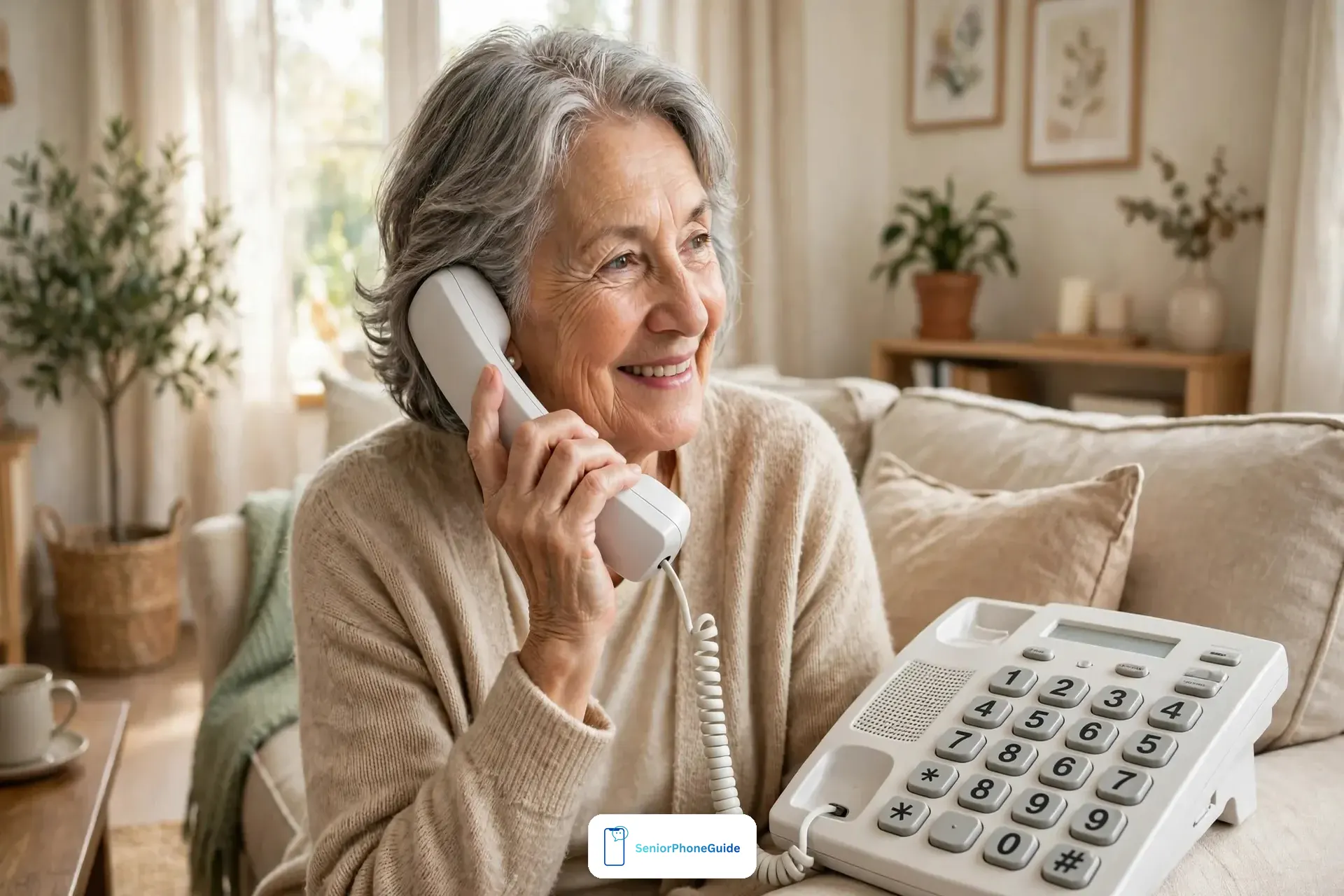
Best for hearing loss — the amplified corded-plus-cordless combo, big boost to the earpiece and a 90dB ringer: Check Price on Amazon
Best for memory loss — the picture-button phone for dementia, tap a photo to call: Check Price on Amazon
The simplest corded phone — photo speed-dial keys, works on line power even in a power cut: Check Price on Amazon
This guide is the landline sibling of our big-button cell phone guide — same calm tone, same honest method, for the house phone. And if the household is mobile and wants the simplest kind of cell phone, our flip phones for seniors deep-dive compares six current flips with the carrier traps and the 3G sunset warning.
The 60-Second Picker: Match the Situation, Not the Spec Sheet
| If this sounds familiar… | Buy this | Why, in one line |
|---|---|---|
| "We can barely hear her answer. The ringer might as well be silent." | VTech SN5147 | Up to 50dB extra at the earpiece and a very loud 90dB ringer, plus a cordless handset for other rooms. |
| "We just want the simplest phone that never breaks and never needs charging." | VTech SN1127 | Amplified, corded, photo keys — and it runs on line power, so blackouts do not silence it. |
| "Mum has dementia. New screens frighten her. She can still recognise our faces." | Serene Innovations photo phone | One touch on a family photo calls that person — no numbers, no menus. |
| "Dad loses every handset we give him. We find them in the fridge." | VTech SN1127 (corded) | The handset is tethered by a cord to a base that never moves. Nothing to lose. |
| "She squints at the little screen on the phone to see who is calling." | AT&T CL2940 | An extra-large tilt display plus a speakerphone, so she sees and hears who is calling. |
| "He needs maximum loudness in three rooms of the house." | Clarity XLC3.4+ | The strongest amplification here, expandable to three handsets. |
| "She wants to see the grandchildren — real video calls." | A landline will never do this | No landline does video calls. That job belongs to our big-button cell phone guide, the sibling of this page. |
One honest note: no landline has a smartphone-style emergency button that calls a response centre — that is a cell-phone feature. What a landline gives you instead is reliability: always in the same place, always behaving the same way.
Corded or Cordless? The Decision Table
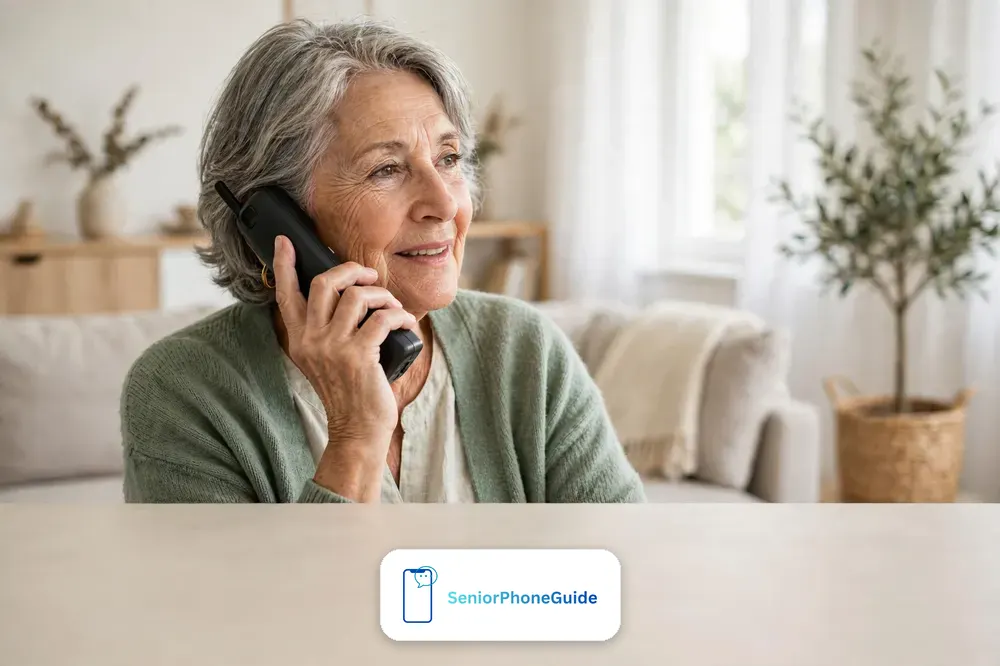
The failure column is the part where each type admits what it cannot do.
| Type | Best for | The failure column — what it cannot do |
|---|---|---|
| Line-powered corded (VTech SN1127, AT&T CL2940, SMPL) | The senior who loses things; dementia and memory loss; the house that needs a phone that simply never dies | The base never moves, so no roaming around the house. Long cords are a trip risk — plan where the base sits. |
| Amplified cordless (VTech SN5147, Clarity XLC3.4+) | Good hearing needs plus walking the house; multiple rooms; shaky hands that drop handsets in laps | The handset is charged from the base — it can be misplaced, and in a power cut the handsets go dead with the base. |
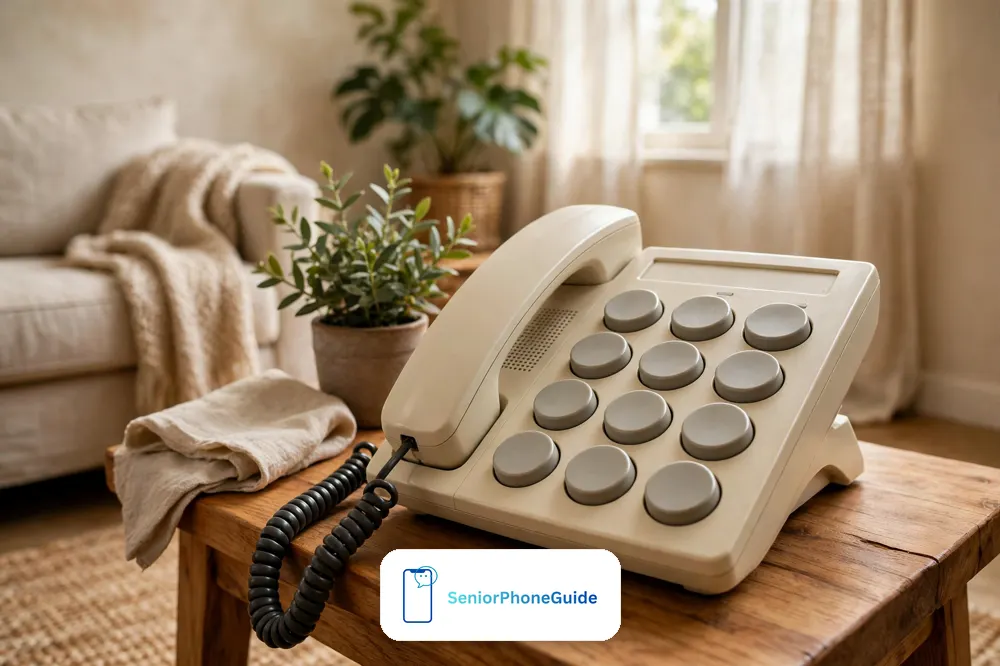
| Photo-dial corded (VTech SN1127, Serene, SMPL) | Dementia, Alzheimer's, anyone who cannot reliably dial a number anymore | Someone must set up the photo keys first — this phone asks for one afternoon of family effort before it gives back years of ease. |
The row that matters most: a line-powered corded phone keeps working when the electricity goes out — its power comes down the phone line itself. A cordless system goes quiet with the house, because the base needs mains power. If your parent lives alone through storm seasons, that single fact often decides the whole purchase.
Key takeaways
- VTech SN5147 — the hearing-loss pick: amplified base plus cordless handset, call blocker, answering machine.
- VTech SN1127 — the simplest always-works phone: amplified, corded, photo keys, line-powered.
- Serene Innovations — the memory-loss pick: big picture buttons, loud ring and bright flasher.
- SMPL Hands-Free — the Alzheimer's/hands-free pick: one-touch photo dial, works from across the room.
- Clarity XLC3.4+ — the maximum-amplification pick: loudest here, handsets in up to three rooms.
- AT&T CL2940 — the low-vision pick: extra-large tilt display, speakerphone, big buttons.
1. VTech SN5147 — Best for Hearing Loss + Unwanted Scam Calls
Best for: the senior who misses calls because they cannot hear them — at the ear and across the room. This is an amplified corded base with a cordless handset in the same box, a digital answering machine, a 90dB extra-loud ringer, Audio Assist up to 50dB, big buttons, a large backlit display, and call blocking.
The earpiece boost is the headline: Audio Assist adds up to 50dB, with a dedicated boost button for the moments a normal conversation still is not enough. The 90dB ringer is genuinely loud — the sort you hear from the garden. The call blocker handles the repeat nuisance numbers landlines attract, and the built-in answering machine means the household stops answering every unknown call out of fear of missing the important one.
Honest limits: it is the busiest phone on this list — base plus cordless handset means more to keep track of. The answering machine only earns its keep if someone records the greeting and teaches message playback. And call blocking catches known nuisance numbers, not tomorrow's new scam caller — the hang-up rule still applies.
What owners consistently report: owners mention the loud ringer and simple big buttons as the two things that changed daily life, and the boost feature for making conversations possible again. Common gripes: programming took a second try, and the handset migrates to odd rooms.
Setup Burden Score: 3 out of 5. Plugs in and answers calls immediately; programming the speed-dial photos, call blocker and greeting takes one patient afternoon with the manual open. How we score this: our desk-research estimate, not a measured result — 1 means plug in and go, 5 means printing photos, trimming, programming keys and running a test call. It exists so a family can budget one honest afternoon.
Total cost: no plan or subscription — just the phone, plus the line bill.
Who should skip it: anyone who wants photo buttons only in the simplest single unit — and anyone committed to a pure corded phone with no handset to lose.
2. VTech SN1127 — The Simplest Corded Phone That Runs on Line Power
Best for: the senior — or the exhausted adult child — who wants one phone, in one place, that needs no charging. This amplified corded phone has photo speed-dial buttons and a visual ringer light, and its defining feature is the one competitors bury in footnotes: it runs on line power, so it keeps working when the electricity goes out.
The day-to-day is deliberately small: big buttons, photo keys you press instead of dialling, a bright flashing light when it rings — a kindness for anyone whose hearing aids come out in the evening — and amplification for the calls themselves. Nothing to charge, nothing to misplace, no handset to hunt for.
Honest limits: you trade freedom for reliability — no carrying it to the garden, no bedroom coverage without a second unit, and the cord needs a thought-out route along the wall so it never becomes a trip hazard. The photo keys arrive unprogrammed; a family member does that part.
What owners consistently report: owners mention the loud ringer and simple buttons, and the visual flasher as what finally got through to a hard-of-hearing parent; programming the photo keys took a second try — normal, not a defect.
Setup Burden Score: 2 out of 5. Plug into the wall jack and calls work immediately; the photo keys ask for printing, trimming and one programming session.
Total cost: no plan or subscription — just the phone, plus the line bill.
Who should skip it: anyone who wants multiple rooms covered by one purchase, or the freedom of a cordless handset.
3. Serene Innovations Amplified Big-Button Phone — Best for Dementia and Memory Loss
Best for: the parent who cannot dial a number anymore but still lights up at a familiar face. This picture-button amplified phone is built for dementia and memory loss: big photo buttons that call the person in the picture, around 85dB of ringer volume, and a bright visual flasher.
What matters is the single motion it asks for: press the face you want, and the phone does the rest. No number to remember, no order of operations, no small text to misread. Loud ring plus flashing light is the right combination for the parent whose hearing aids come out at night.
Honest limits: a caregiver does the setup — printing photos, assigning numbers, testing each button — and the photos need refreshing when they fade. It will not stop a stranger's call or notice a fall, and if the dementia advances past recognising faces, the phone's main trick stops working too. That is the honest boundary of every photo phone.
What owners consistently report: families say the first successful call — a parent reaching a child alone — is worth the setup afternoon; gripes are about sizing photos for the button windows.
Setup Burden Score: 4 out of 5. Works as a phone immediately, but its real value needs printed photos, trimming to size, programming each button, and a test call to every single photo.
Total cost: no plan or subscription — just the phone, plus the line bill.
Who should skip it: an independent senior who still dials normally — limitation is only a virtue when the alternative is a phone that never gets used.
4. SMPL Hands-Free Dial Photo Memory Corded Phone — Best for Alzheimer's / Hands-Free
Best for: the senior whose hands will not reliably lift a handset anymore, or whose memory needs the photo and nothing else. The SMPL is a hands-free photo-memory corded phone: one-touch photo dial, hands-free calling, flashing alerts.
Built for one scenario: a parent in a chair, family photos on the phone beside them, one press, and the conversation happens on speaker — no handset to hold. For hands weakened by arthritis, speaker-first calling is not a convenience; it is the difference between calling and not calling.
Honest limits: it is corded, so the base sits where the jack is and the senior sits where the base is — the chair-side test matters more for this phone than any other here. Speakerphone calls are less private than handset calls, which the family should discuss openly. And like every photo phone, it asks for a caregiver's afternoon at setup.
What owners consistently report: relief at hearing a parent's voice on speaker without the handset struggle; photo programming rewards patience — the first button is fiddly, the rest go faster.
Setup Burden Score: 4 out of 5. Photos, trimming, programming, testing — plus thinking through where the chair and the base will live together.
Total cost: no plan or subscription — just the phone, plus the line bill.
Who should skip it: anyone who wants cordless freedom to roam the house.
5. Clarity XLC3.4+ DECT 6.0 Amplified Cordless — Best for Maximum Amplification + Multiple Rooms
Best for: the house where hearing is the whole battle and the battle is fought in more than one room. This DECT 6.0 amplified cordless system offers up to 50dB of amplification and a 95dB ringer — the loudest numbers on this page — expandable to three handsets.
The earpiece boost goes as far as amplified landlines go, the ring can reach the next room, and extra handsets can live in the bedroom, kitchen and living room without wires between them. For the senior whose hearing aids are off for the night, the 95dB ringer in the bedroom does the worrying for you.
Honest limits: three handsets are three things to misplace and three things to keep charged — in the house where handsets migrate, this strength quietly becomes a weakness. It is cordless, so in a power cut the handsets go silent with the base. And at the very top of its range the sound can distort, which is when the hearing-aid section below earns its keep.
What owners consistently report: praise for the ringer volume and the boosted earpiece; the recurring gripe is a handset left off its charger.
Setup Burden Score: 3 out of 5. Base plugs in and pairs to the handsets out of the box; the work is deciding where the chargers live and teaching the household that the handset goes back on the charger like keys on a hook.
Total cost: no plan or subscription — just the phone, plus the line bill.
Who should skip it: the parent who loses the handset constantly — corded is safer — and anyone in a storm belt where the power-cut question decides everything.
6. AT&T CL2940 — Best for Low Vision + Hands-Free Calls
Best for: the senior whose eyes went first. The CL2940 is a corded phone with a speakerphone, an extra-large tilt display and big buttons — built around the daily defeat of low-vision seniors: seeing who is calling.
The tilt display leans large digits toward whoever sits beside the phone, and caller ID shows in characters readable without hunting for glasses. The speakerphone means a conversation happens hands-free — a hand stays on the chair arm, and nobody holds a handset to an ear while squinting at a display.
Honest limits: this is the one pick here that is not truly amplified — loud-ish, not boosted. If hearing loss is the main problem, picks 1 and 5 do that job properly and this one does not. No photo buttons either; a senior who needs faces belongs with picks 2, 3 or 4. Know which sense you are buying for.
What owners consistently report: the big readable display and speakerphone as the daily wins; the steady complaint is from buyers who expected amplification and got a loud-but-normal phone.
Setup Burden Score: 1 out of 5. Plug into the wall jack and pick up — the only honest 1 on this list: nothing to program, nothing to charge.
Total cost: no plan or subscription — just the phone, plus the line bill.
Who should skip it: anyone whose main issue is hearing loss — the amplified picks serve that better — and anyone who needs photo dialling.
How We Chose These (Methodology)
Honestly, and in the open: we did not buy these phones, and we will not pretend we took them apart on a bench. What we did, in October 2026: started from the phones families actually search for, checked every feature against the makers' official pages, manuals and specification data, and read patterns in buyer reviews, not single reviews.
How loud is loud enough? Decibels in plain words
The short answer: for the ringer, 85dB and above is properly loud — you will hear it from another room. For the earpiece, a "+50dB boost" is a very large lift that turns whispers into conversations.
Two different louds live on every amplified phone's box. Ringer volume is how loud the phone is when it rings — around 85dB is very loud, 90 to 95dB is the sort the neighbours notice. Receiver gain — the "+50dB" figure — is how much louder the caller's voice gets in the earpiece. That is the number that decides whether a conversation is possible.
Two honest cautions: "louder" is not "clearer" — at maximum boost some phones distort — and a decibel on a box is a maker's test measurement, not a promise about your mother's hallway.
Will it work with hearing aids?
If the hearing aid has a T-coil, ask whether the phone's coil setting actually works with it — the label alone isn't proof.
The short answer: phones rated for hearing aids work with most of them — check for an M/T rating or a telecoil setting, and keep the flashing ringer as your backup plan for when the aids are out.
The FCC, the US regulator behind these rules, requires phones to carry hearing-aid compatibility ratings — our official safety resources page has the plain-language background. You will meet M/T ratings (M4/T4 is the top of the older scale) and, on newer ratings, conversational gain in decibels — different measurements, not to be converted.
What decides success at home is smaller: if the aid has a telecoil, set the phone to the T position and the maddening buzz usually disappears. If the aids come out at night, the flashing visual ringer becomes the main alerting system.
Photo dialling: how it actually works
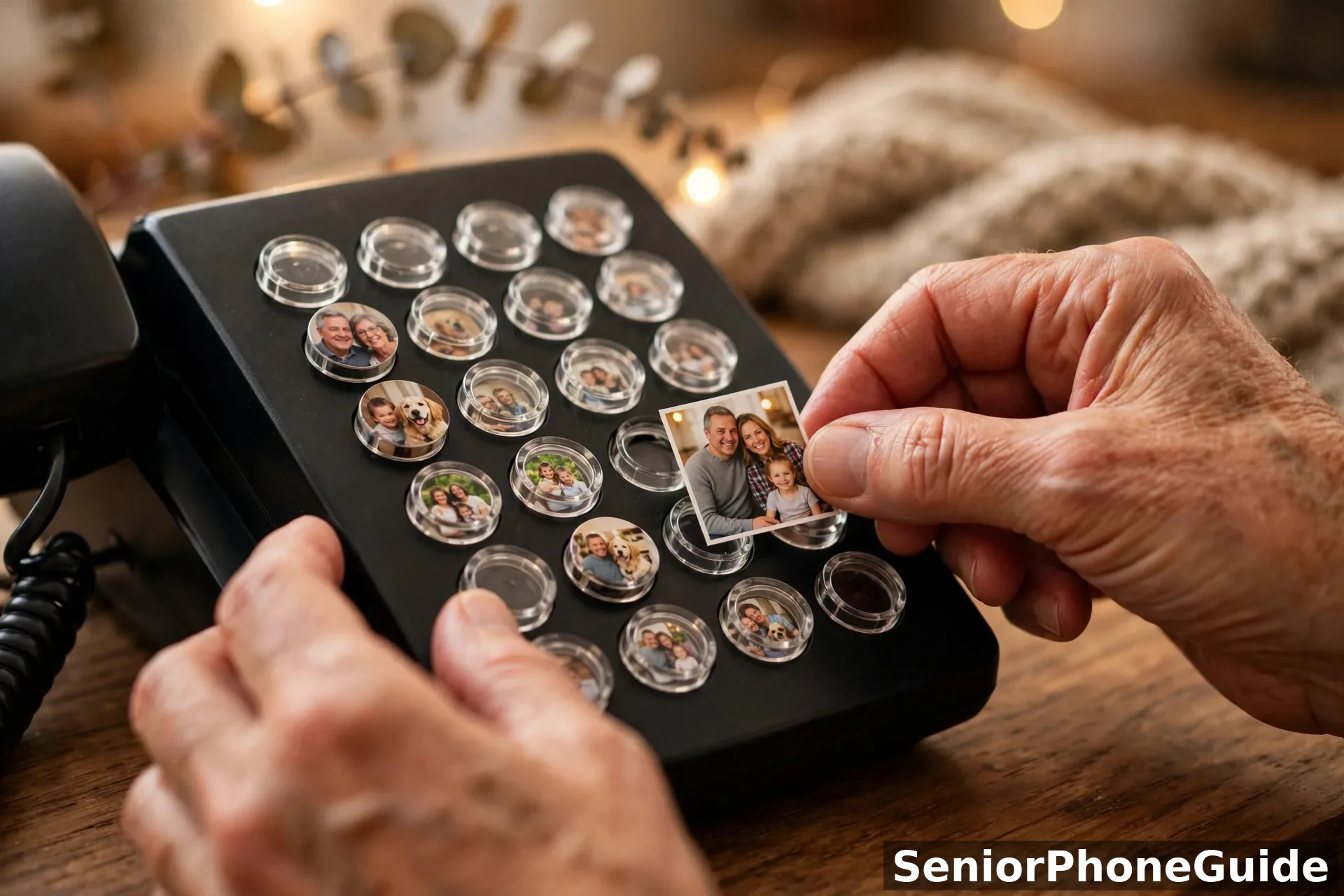
The short answer: you print small photos, trim them to fit the button windows, slip them under the clear covers, assign each button a phone number, then call every photo once to prove it works.
This is the procedure the listicle guides skip, and skipping it is why photo phones fail in week one. Choose clear headshots where the face fills the frame — a face that is a dot in a group shot will not read at button size. Print them small on ordinary paper, trim to fit with a millimetre to spare, and slip each under its clear cover.
Then, manual open: select each button, enter the full number with the area code, save — every button, even the ones you think will not be used. Finally, test-call every single photo from beside the phone.
Corded vs cordless: the power-cut question
The short answer: a line-powered corded phone keeps working when the electricity goes out; a cordless handset goes dead with its base. In storm country, that difference alone decides the purchase.
A corded phone draws its power from the telephone line itself — that is why the VTech SN1127, the AT&T CL2940 and the SMPL can ring through a blackout. A cordless system is a different animal: the base needs mains electricity to talk to the handsets, so when the power goes, the handsets go with it.
One honest footnote: on digital and cable-company lines the provider's box in the house usually needs power too, which changes the story. Rule of thumb: if your parent lives alone and the region loses power every winter, buy corded for the primary phone.
Scam and robocalls on a landline
The short answer: landlines get the worst of the robocall flood — but a call-block button, the answering machine, and one family rule ("never answer an unknown number") stop most of it cold.
A thirty-year-old landline number is on every robocall list. The SN5147's call blocker handles the repeat offenders, but it catches numbers you have already seen — not the ones invented tomorrow. The real defence is behavioural and beautifully simple: nobody answers a number they do not recognise. The machine takes the call, the family checks the message, and the scammer who needed a live voice gets a recording.
Then the hang-up rule: a caller claiming to be the bank, the tax office or a grandchild in trouble gets hung up on, and you call the real number back yourself. Our senior scam checklist covers the current scripts.
The answering machine still matters
The short answer: the built-in answering machine is your scam filter and message-taker in one — but only if someone records the greeting and shows the household how to play messages back.
It screens calls without rushing, catches the calls that arrive during the nap, and answers the unknown numbers so a human does not have to. But the factory greeting teaches a nervous senior nothing. Record it together, in the parent's own voice — "Hello, you've reached Margaret, please leave a message" — then call the house from your mobile, leave a message, and play it back together twice.
Will it work with my parent's phone line?
The short answer: these phones work with traditional home lines and with most digital and cable-company phone services — but confirm it with the provider first, because the power-cut and 911 behaviour are different on digital lines.
Every phone here plugs into a standard wall jack and works the way landlines always have — on a traditional copper line. Most households today get their "landline" from the cable or internet company. These phones work there too, in the great majority of cases — with two honest caveats. First, the power-cut promise changes: the company's box usually needs electricity, so when the power goes, the phone service goes with it — even the corded phones. Ask before you buy — "will an ordinary corded phone work on my service, and what happens in a power cut?"
Where to put the phone in the house
The short answer: bedroom and kitchen first, at chair height, where the ringer can be heard — then run the chair-side test: sit where they sit, and check the display is readable and the handset reachable.
Most houses get this wrong by putting the phone where the jack is convenient rather than where the person is. With only one phone, the kitchen usually wins. Set the base at about the height of the chair arm the parent actually uses, then sit in that chair and test: read the caller ID, reach the handset, read a button label. If anything fails from the chair, the phone moves, not the parent.
911 on a landline
The short answer: on a traditional line, calling 911 sends your address automatically; on a digital or cable-company line, ask the provider to confirm the 911 address registration — do not assume it.
This is the landline's quiet superpower: on a traditional copper line the address is attached to the line itself, so a 911 call carries the location even if the caller cannot speak — an advantage over a cell phone. The honest caveat is the digital one: if the "landline" comes through the cable or internet company, the address the 911 system sees is what the provider has on file — usually right, but moves and provider changes can leave it stale. Confirm it with the provider, and repeat the check after any move.
For dementia and memory loss: the honest section
The short answer: a photo phone works while faces are still recognised — one face, one call, nothing to remember — and the family's job is the setup, the monitoring, and knowing what the phone cannot do.
What helps is removing decisions: the Serene and the SMPL reduce the phone to one learned motion — touch the face you want. What the phone cannot do deserves equal space: it cannot notice a fall or judge a stranger at the door — and read this twice: a phone cannot help with a fall away from the phone. That is the job of a medical-alert pendant and a proper emergency plan, which our emergency SOS setup guide covers step by step.
Three practical rules: introduce the photo phone while your loved one can still learn one new motion. Keep the photo set small: four to six faces, the people who actually call. And the person who programs the phone owns it: check the buttons monthly and replace faded photos.
Setting it up for your parent: the one-visit walkthrough
The short answer: one visit, in this order — check the jack, plug in, program the photos, set the ringer, record the greeting together, make a test call, and leave a one-page cheat sheet on the table.
Do not mail the phone and hope. The setup visit is what separates a phone that gets used from one that joins the smartphone in the drawer. Plug in, place the base at chair height, route the cord along the wall, and run the chair-side test now. Program every photo key — the full photo-dialling procedure, no "I'll finish the rest later". Set the ringer to the level the house needs and test it by calling from your mobile while standing in the far room. Leave a one-page, large-print cheat sheet beside the phone.
5 mistakes families make
Ask about the warranty before you buy — a landline that dies in year two without one is a second purchase.
The short answer: buying cordless for someone who loses things, buying a "loud" phone with no real amplification, skipping the wall-jack check, leaving the answering machine unset, and forgetting to teach the new routine to every sibling.
- Buying cordless for someone who loses things. It feels like kindness until the handset lives in the laundry basket and the charger sits empty. If the parent loses the TV remote weekly, they will lose a handset. Buy corded.
- Buying a "loud" phone with no amplification spec. "Extra-loud" can mean a slightly louder ringer and nothing more. If hearing is the problem, you need the earpiece boost number — the +50dB-style figure — not marketing adjectives. Picks 1 and 5 have it; pick 6 honestly does not.
- Skipping the wall-jack check. The number of new phones returned because "it didn't work" — dead jack, or a digital line without its adapter — would fill a warehouse. Five minutes with the old phone first.
- Leaving the answering machine un-set-up. An unset machine is a scam door left open and a message-taker that never takes messages. The greeting gets recorded on setup day, with the parent, or never.
- Forgetting to tell the siblings the new routine. You set up photo buttons and the hang-up rule; your brother still calls the old number and your sister answers every unknown caller. The ten-minute family meeting is part of the installation.
When they stop using it: troubleshooting
The short answer: a phone that goes unused is usually telling you something specific — the ringer is wrong, the handset hurts, or the routine broke — and each one has a fix cheaper than a new phone.
"They never answer anymore."
Nine times out of ten it is the ringer: too quiet, the aids are out, or the parent sits where the ring does not reach. Turn it up, check the flasher fires, move the base closer to the chair — then test by calling from your mobile while they sit there. "They say the phone hurts." A heavy handset against an arthritic hand is a real reason to avoid the phone; switch the household to speakerphone-first calling. "They forgot how." The routine broke — usually after a hospital stay disrupted the pattern. Do not re-explain; re-practise: one photo-button call a day for a week.
Who this is NOT for / red flags
The short answer: skip the landline if they need video calls or texting, if the house has no phone line and nobody wants one, or if the listing hides its amplification specs — and never rent the phone from the phone company.
- They want video calls or texting. A landline will never show a grandchild's face. That is a different product, not a limitation to work around — our big-button cell phone guide, the sibling of this page, is the right start.
- No phone line, and nobody wants to add one. Adding a line is a real cost and a real appointment. If the household is already mobile-only, a simple cell phone serves better than a landline installed out of nostalgia.
- The listing hides its amplification numbers. A "senior phone" that will not state the ringer dB or receiver gain is selling you the word "senior", not a phone for one. The honest makers print the numbers.
- The phone-company rental trap. Some providers still rent you a basic phone monthly, forever, for a phone worth less than a year of the rental. Buying outright ends that subscription the day it arrives.
- The discontinued model with no returns. If the model has vanished from the maker's own site and only marketplace stalls with no return policy sell it, you are buying someone else's problem. Current models, real returns, always.
- The "dementia phone" with menus. If it has settings to get lost in, it is not a dementia phone, whatever the listing claims.
The real cost: no plan, no subscription
The short answer: the phone itself costs nothing monthly — you buy it once, and the only recurring bill is the phone company's line charge, usually less than a cell plan.
This is the landline's quiet financial argument. Every phone on this page is a one-time purchase: no monthly plan, no subscription, no per-feature fees. The only recurring cost is the home phone line itself — and for many households that line already exists and is already being paid. Compare that honestly against the alternative: a cell phone needs the device and a monthly plan, and the simple senior plans in our cheap cell phone plans guide are a real monthly commitment on top.
Two honest footnotes: the line bill varies — a bare-bones traditional line and a bundled cable-company voice line are different prices, so check the actual bill. "No subscription" does not mean "no maintenance": photo phones need fresh photos, and every phone needs the occasional ringer check.
Giving it as a Christmas gift
The short answer: set it up completely before wrapping — programmed photos, recorded greeting, tested calls — so Christmas morning's first call is a joy, not a project.
A big-button landline is a lovely Christmas gift only if it works the moment the paper comes off. The rule is absolute: never give an unprogrammed photo phone. An empty photo phone on Christmas morning is a chore disguised as a present. Program every button with the family's photos, record the greeting, test-call each photo from your own mobile, and tuck the cheat sheet inside the box.
Quick answers
The 10-second version: hearing loss → VTech SN5147. Simplest always-works phone → VTech SN1127. Memory loss → Serene photo phone. Alzheimer's or hands-free → SMPL. Maximum loudness in several rooms → Clarity XLC3.4+. Low vision → AT&T CL2940.
The golden rule: the best big-button landline is the one still being used, confidently, three months from now — not the one with the longest feature list on buying day.
Still deciding between a house phone and a mobile? Our guide to choosing a phone for a senior settles the bigger question first. For everything else, browse Phone Technology or start from the SeniorPhoneGuide homepage.
Frequently asked questions
- Will this phone work if the power goes out?
- The corded picks — the VTech SN1127, the AT&T CL2940 and the SMPL — run on power from the phone line itself, so they keep working in a blackout on a traditional line. The cordless systems, the SN5147 and the Clarity XLC3.4+, go quiet with the house because their bases need mains electricity.
- Can my mom with Alzheimer's really use a photo phone?
- Many families say yes — with honest limits. A photo phone reduces calling to one motion: press the face you want. It works while faces are still recognised, and it works best when introduced early, before a crisis, with just four to six photos of the people who call most. What it cannot do is replace check-ins, notice a fall, or stay useful once faces stop being recognised.
- Do I need a landline plan for this?
- You need an active home phone line — the monthly line bill from the phone or cable company — but the phone itself has no plan, no subscription and no monthly fee of its own. If the house already has a landline, you are only buying the phone.
- What is the difference between the SN5147 and the SN1127?
- The SN5147 is the bigger system: an amplified corded base plus a cordless handset, with a digital answering machine, call blocking and Audio Assist up to 50dB — the pick for serious hearing loss and scam-call trouble. The SN1127 is the simpler single corded phone: amplified, with photo speed-dial keys and a visual ringer light, running on line power so it survives blackouts.
- Will it block robocalls?
- Partly. The SN5147's call blocker stops the nuisance numbers you program into it, which handles the repeat offenders. It cannot stop new scam numbers, because those are invented daily. The defence that actually works on a landline is the house rule: never answer an unknown number, let the answering machine take it, and hang up on anyone claiming to be the bank or the tax office
- Can I keep the same phone number?
- Yes. You are not changing the phone service at all — just plugging a new phone into the existing wall jack — so the number stays exactly as it is. Nothing to port, nobody to call, no paperwork. The one exception is if you are adding a brand-new line to a house that never had one; then the provider assigns the number, and you can usually ask for a memorable one when the line is installed.
- Is a cordless handset safe for someone with dementia?
- Honestly, usually not the best choice. Cordless handsets get misplaced, left off their chargers and found dead when they matter — and a person with memory loss cannot reliably keep the charging routine. A corded phone stays where it was put, needs no charging and behaves the same way every time. If you need coverage in two rooms, two corded phones beat one cordless system for this household.
- What if she cannot hear it even on max volume?
- First, check the two different volumes: the ringer (heard across the room) and the earpiece boost during the call are separate settings, and families often max one while the other sits low. Second, try the telecoil setting if the hearing aids have one — the buzzing that makes calls unbearable often vanishes there. If a +50dB-class phone on max still is not enough, that is a hearing-aid appointment, not a phone problem
- Does the answering machine need setting up?
- Yes, and this is the step families skip. Out of the box the machine answers with a factory greeting that teaches a nervous senior nothing. Record the greeting together in the parent's own voice, practice playing a message back twice, and check the message light is visible from the chair they actually sit in. An unset machine is a scam door left open and a message-taker that takes no messages.
- Can Dad call 911 from it?
- Yes — 911 works from any of these phones, and on a traditional line the address is attached to the line automatically, even if the caller cannot speak. On a digital or cable-company line, call the provider once and ask them to confirm the 911 address registration for the line, and repeat the check after any move.
- What if there is no phone jack in the bedroom?
- You have three honest options. The cheapest is a second corded phone in the room that does have a jack — many families end up with one in the kitchen and one in the bedroom anyway. The second is asking the phone company to install a jack, which is a real appointment with a real cost. The third, for digital and cable-company lines, is plugging the phone into the provider's adapter box, which can sit in any room with a power outlet.
- Should I buy corded or cordless for my father who lives alone?
- For a father living alone, buy corded unless there is a specific reason not to. The deciding questions are: does he lose things, does the region lose power, and can he keep a handset on its charger every night? If the answer to any of those is uncomfortable, the corded phone wins — it is always in the same place, always ready, and it rings through a blackout on a traditional line.
- Are these phones compatible with digital or cable phone service?
- In most cases, yes — they plug into the provider's adapter box or router just like they plug into a traditional wall jack. But confirm two things with the provider before you buy: that an ordinary corded phone works on your specific service, and what happens to the phone service in a power cut, since the provider's box usually needs electricity. Also ask them to confirm the 911 address registration.
- What do I do if we buy the wrong one?
- Buy as if you might. Keep the box, confirm the return window and any restocking fee before you pay, and decide within the first week of real use at home — a phone that feels hard in week one does not get easier in month two. The most common wrong buys are cordless for someone who loses things and a non-amplified phone for a hearing problem; both are fixable by exchanging within the window,
- What is Slow Talk, and do I need it?
- Slow Talk is a feature on some amplified phones — Panasonic's name for it — that slows down fast speech so it is easier to follow, without changing the caller's voice beyond recognition. It helps when the problem is fast talkers rather than quiet talkers. None of the six phones on this page claims the feature by that name, so if fast speech is the household's real problem, check the maker's own page for the exact model before you buy, and test it on a live call inside the return window.
Verdict: the phone that stays in one place, needs no charging and cannot update itself into a stranger. Next step: run the 60-second picker, then check it works with your parent's line.