
Best Flip Phones for Seniors in 2026: 6 Picks and the 3G Trap
A flip phone is the one phone your parent already knows how to use: open it to answer, close it to hang up. We compared the six flip phones you can still buy new today, matched to hearing loss, shaky hands, emergency help and the carrier you actually have. A flip phone has tiny text by design — on a smartphone the fix is one slider: our make text bigger on Android guide shows how to make messages, emails, and menus comfortably large in under a minute. A flip phone has no SOS gesture of its own — on a smartphone the fix is built in: our Emergency SOS setup guide for iPhone and Android walks through the five-minute setup. A flip phone has tiny text by design — on an iPhone the fix is two sliders: our increase text size on iPhone guide shows how to make an iPhone comfortable in twenty seconds.
Updated November 1, 2026 · Independently researched · How we review
As an Amazon Associate, I earn from qualifying purchases.
Short on time? See the current price on Amazon.
Last updated: November 1, 2026
Affiliate disclosure: As an Amazon Associate I earn from qualifying purchases. Our picks come from our own desk research into manufacturer specifications, carrier support pages and real user review patterns — prices and availability change often, so check the current price on Amazon before you buy. It costs you nothing extra, and it keeps this site free. We still print no prices on this page — they change too often to print honestly — and every feature below was checked against the manufacturer's or carrier's official information in October 2026. Read our affiliate disclosure.
Here is the question families really ask us: "Mom keeps losing the call on her smartphone — is there a phone that just works?" For a lot of families, the answer is yes, and it looks exactly like the phone she had twenty years ago. A flip phone has no app grid to wander into, no pop-ups, no updates that rearrange everything overnight. This guide is the flip-only companion to our best big-button cell phones for seniors guide.
Before you buy, three honest objections. A flip cannot do WhatsApp or video calls — if that matters, a simple smartphone fits better. The emergency button needs the right plan tier. And a 2G or 3G flip may stop calling altogether — read the 3G sunset section first.
Verdict: open to answer, close to hang up — the gesture hands already remember. Next step: pick by situation in the 60-second picker, then check the carrier truth table.
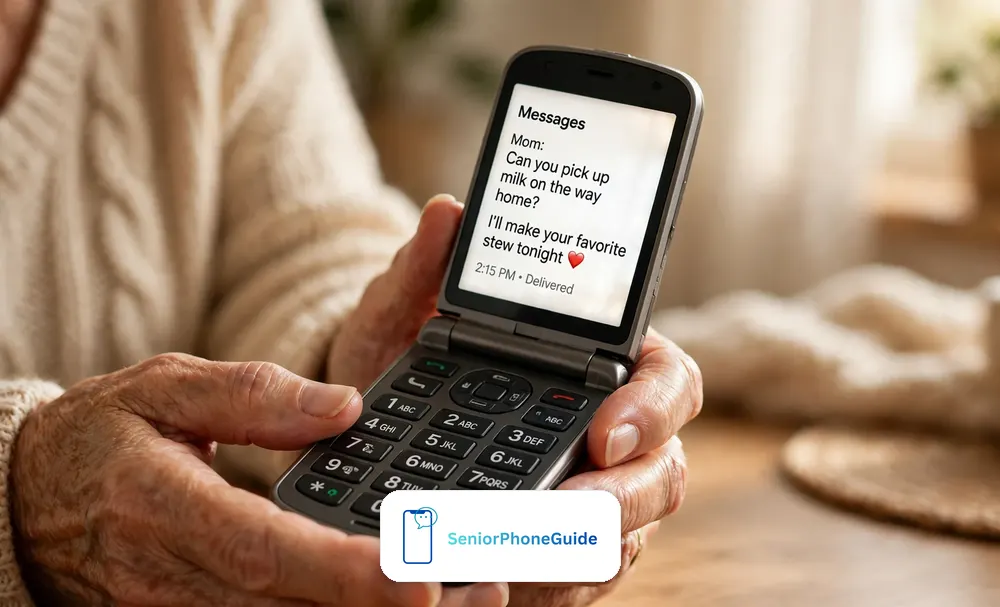
Best for emergency help — Check Price on Amazon
Best if you won't change carriers — Check Price on Amazon
Best for hearing aids — Check Price on Amazon
Why a Flip Still Wins (and When It Doesn't)
A flip phone wins for one reason no smartphone can copy: the physical shape teaches the user. Open it — you are answering. Close it — you hung up. The keys are real things she can feel before she presses them, the screen stays on one job at a time. For the senior who only calls and texts, a flip is not a compromise — it is the correct tool.
But let's be honest about the ceiling. A flip phone cannot do video calls — if seeing the grandchildren's faces is the whole point, you need a screen with apps, like the simple smartphone in our big-button guide. It cannot run the family group chat with photos, and for serious memory loss, even a flip asks too much — our dementia phones guide explains the one-screen phones that take over.
The 60-Second Picker: Match the Situation, Not the Spec Sheet
Find your family's row. Each one points to the flip we would buy for that exact situation — the reasons are in the pick sections below.
| If this sounds familiar… | Buy this | Why, in one line |
|---|---|---|
| "She lives alone. We need someone to answer if she falls." | Jitterbug Flip3 | The only flip here whose button reaches trained agents — budget the right plan tier. |
| "Dad has been on Verizon for 20 years and will not switch." | Nokia 2780 Flip | Unlocked: works on Verizon, AT&T and T-Mobile, no new company needed. |
| "He wears hearing aids and just wants to call and text." | IRIS Easy Flip | M4/T4 — the highest hearing-aid rating — on the simplest flip on this page. |
| "Every time we call, his phone is dead. Every time." | TCL Flip 4 5G | Up to 40 hours of talk time per T-Mobile — the battery champion by a mile. |
| "We're on T-Mobile and just want the cheapest honest flip." | Alcatel Go Flip 4 | Simple, light, USB-C, and the lowest-cost honest flip in this lineup. |
| "He drops everything, gardens, works in the garage." | Kyocera DuraXV Extreme+ | Military-grade rugged, waterproof, loud — a flip built like a work tool. |
| "Mom's memory is going. Even simple phones confuse her now." | Not a flip | Read our dementia phones guide instead — flips stop working at this stage. |
Two honest notes before the details. First, carrier lock-in decides more than any feature — three of these six phones only work on one carrier. Second, prices are deliberately missing: they change with promotions. Use the Check Price buttons for the live price on the day you buy.
If you have not narrowed it down to one type yet, our complete guide, Best Cell Phones for Seniors: The Complete Guide for 2026, compares the full range in one place.
The Shortlist at a Glance
Six flips, compared on what decides daily life. The last column is the one other guides hide: the way each phone can still fail you, stated up front.
| Phone | Best for | Screens | Hearing | Emergency help | Carrier | The catch (failure column) |
|---|---|---|---|---|---|---|
| Jitterbug Flip3 (Lively) | Emergency help | 3.2″ flip | ANSI 2019 rated | Dedicated SOS button | Lively only | Response service needs Preferred/Premium plan tier |
| Nokia 2780 Flip (HMD) | Keeping your carrier | 2.7″ + 1.77″ outer | M4/T4 (highest) | Programmable side button | Unlocked — big three | Setup is all on you: SIM, activation, porting |
| IRIS Easy Flip (Consumer Cellular) | Hearing aids, bare minimum | Dual 2.8″ flip | M4/T4 (highest) | Emergency contacts; no response service | Consumer Cellular only | Camera is basic; no voice assistant |
| TCL Flip 4 5G (T-Mobile) | Battery life | 3.2″ + 1.77″ outer | ANSI 2019 rated | No dedicated button | T-Mobile / Metro | No SOS button at all — 911 and speed dial only |
| Alcatel Go Flip 4 (T-Mobile) | Budget simplicity | 2.8″ + 1.44″ outer | HAC not published by maker | No dedicated button | T-Mobile / Metro | Small outer screen; 2MP camera is a snapshot camera |
| Kyocera DuraXV Extreme+ (Verizon) | Drops and rough hands | 2.6″ + 1.1″ outer | Hearing-aid compatible | Dedicated SOS key | Verizon only | Heavy, menus built for workers not grandparents |
1. Jitterbug Flip3 — Best for Emergency Help
Best for: the senior who lives alone, where the family's real fear is "what if she falls and can't reach help." The Flip3 is Lively's current flip; the Flip2 that older guides recommend is listed by Lively itself as no longer available.
What hands and eyes get: a 3.2-inch high-contrast screen with big, clear text, and large backlit keys you can feel in the dark. The keypad vibrates as you press, and a Read Out feature speaks the screen aloud for failing eyes. For hearing, the Flip3 is rated under the ANSI 2019 standard: Lively publishes conversational gain of 6.91 dB with a hearing aid and 13.00 dB without one. The battery is rated at up to 12 hours of talk time.
The headline feature is the dedicated Urgent Response button: press it and you are connected to Lively's trained agents, day or night. The honest catch: the service is included only on Lively's Preferred and Premium tiers — on the basic plan, the button has no response team behind it. Budget for the tier, not just the phone. The other limits mirror its simplicity: no apps, no video calls, and Lively service only.
What owners consistently report: the keys are the most-praised part — large, backlit, easy to feel without glasses — and families report real peace of mind from the Urgent Response button. The gripes: the Lively lock-in, and surprise at the response service costing extra on the basic tier. Test the button once, with your parent, on day one.
Setup Burden Score: 2/5. Lively activates the phone and their support is patient with seniors; the burden is the account setup and plan-tier decision. Total cost: phone plus a monthly plan, with the response service on the higher tiers — decide the tier before you buy.
Who should skip it: anyone determined to keep an existing carrier, and anyone who needs video calls.
2. Nokia 2780 Flip — Best for Keeping Your Carrier
Best for: the longtime flip-phone user who wants a new phone, not a new company. The 2780 is sold unlocked and works on Verizon, AT&T and T-Mobile — the only flip on this page with that freedom.
Nokia (HMD) built it like the flips people remember fondly: big buttons, a 2.7-inch main screen plus a 1.77-inch outer screen for caller ID, and a removable battery — HMD rates standby at up to about 18 days. Hearing is properly handled: M4/T4, the top rating on the older FCC scale, plus real-time text (RTT). There is a programmable side button you can set to dial a chosen loved one immediately — one press to a real person.
Honest limits: the 5MP camera is ordinary — fine for a snapshot of a grandchild's drawing, not for printing. "Unlocked" means the setup is on you: you will insert the SIM, activate with the carrier, and check coverage yourself. And it has no staffed emergency service behind its side button — the button calls a person you choose, not a response team.
What owners consistently report: the unlocked freedom is the reason people buy it and the thing they praise most. The gripes: the KaiOS menus take a week to learn, and some owners wish the camera were better. Nobody complains about the battery.
Setup Burden Score: 4/5. The price of freedom is paperwork: buy the phone, get a SIM, activate it, port the old number, move the contacts. Total cost: phone plus whatever plan you already have — the cheapest long-term pick for families already paying for a carrier line.
Who should skip it: anyone who wants a staffed emergency button, or a senior setting everything up alone.
3. IRIS Easy Flip — Best for Hearing Aids and the Bare Minimum
Best for: the senior who says "I just want to call and text" — and means it — especially if they wear hearing aids. The simplest honest phone on this page.
The headline number is its hearing-aid rating: M4/T4, confirmed in Consumer Cellular's own user guide — the highest score on the FCC's scale, with the best telecoil coupling for hearing aids that have one. You get two 2.8-inch screens, big raised keys with a dedicated Favorites button, USB-C charging, and a 3.5mm headphone jack.
The trade-offs are real but fair. The camera is basic. There is no staffed response service — your emergency plan is the contacts you program in, plus 911. And the phone works only on Consumer Cellular. For many families that is painless, but walk in knowing it.
What owners consistently report: hearing-aid wearers report the clearest calls they have had in years. The Favorites button gets mentioned again and again: one press, and Mom is calling her daughter. Gripes: the camera disappoints, and there is no voice assistant.
Setup Burden Score: 2/5. Consumer Cellular activates the phone and their support walks seniors through setup patiently. Total cost: phone plus Consumer Cellular's monthly plan, usually the gentlest yearly math here for light callers.
Who should skip it: anyone who needs to stay on Verizon, AT&T or T-Mobile, and anyone hoping for video calls.
4. TCL Flip 4 5G — Best Battery Life
Best for: the household where the phone is somehow always dead. T-Mobile rates this flip for up to 40 hours of talk time, with up to 15 days of standby, recharging in under two hours over USB-C.
It is a modern flip in other ways, too: a 3.2-inch internal screen, a 1.77-inch outer screen, 5G on T-Mobile's network, and dual microphones with noise cancellation plus HD Voice. Hearing-aid-wise it passes the ANSI 2019 standard, and T-Mobile's compatibility list publishes conversational gain of 15.77 dB with a hearing aid and 21.19 dB without — the strongest figures in this roundup (compare within the ANSI 2019 family, not against M/T scores).
The catches: no dedicated emergency button and no response service — your safety plan is 911 and speed dial. It runs KaiOS, so apps are basic. And it is a T-Mobile (or Metro) phone; if the family is dug in elsewhere, the Nokia 2780 gives you the same freedom on your own carrier.
What owners consistently report: the battery is the story — owners charge it once or twice a week with light use. Call quality gets steady praise, especially the noise cancellation. The gripes: no emergency button, and KaiOS's app store is a desert.
Setup Burden Score: 3/5. T-Mobile activates in store or by phone without drama, but the KaiOS menus still need a patient walkthrough. Total cost: phone plus a T-Mobile or Metro plan; Metro prepaid keeps the yearly math low.
Who should skip it: anyone who needs a staffed emergency button, or who will not join T-Mobile.
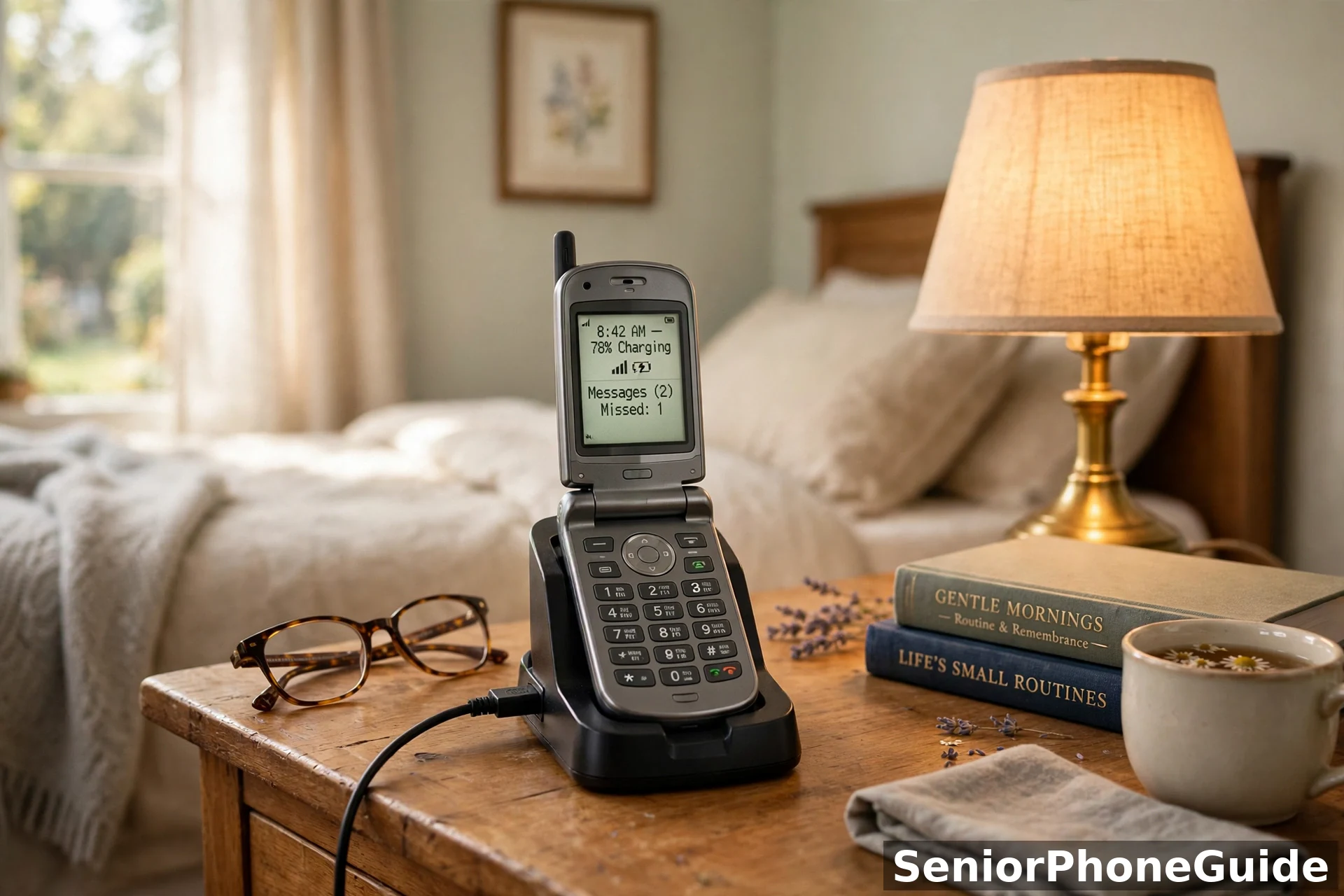
5. Alcatel Go Flip 4 — Best Simple Flip on a Budget
Best for: the family on T-Mobile that wants the cheapest honest flip that still does the job properly. The Go Flip 4 is the quiet workhorse of the T-Mobile lineup: simple, light at 4.7 ounces, and competent at calling, texting, and staying alive.
The facts: a 2.8-inch main screen plus a 1.44-inch outer screen, KaiOS 3.0, 4G LTE, Wi-Fi with Wi-Fi calling, Bluetooth, GPS, a 1,850 mAh battery rated for up to about 15 hours of talk time, USB-C charging, a 3.5mm jack, dedicated text and camera buttons, and large backlit keys. A T-Mobile phone, sold for T-Mobile service.
Honest limits: the outer screen is small (1.44 inches), the 2MP camera is a snapshot camera and nothing more, and there is no dedicated emergency button. Unlike the IRIS and Nokia, Alcatel publishes no hearing-aid rating — if hearing aids decide it, the IRIS or Nokia are the honest choice.
What owners consistently report: buyers chose it for the price band and stayed for the simplicity — the phone that "just works" for a parent who only calls and texts. The light weight gets praised by arthritic hands. The gripes: the tiny outer screen, the basic camera, and the lack of a published hearing-aid rating.
Setup Burden Score: 3/5. T-Mobile activation is straightforward, but the KaiOS basics still need a family walkthrough on day one. Total cost: phone plus a T-Mobile or Metro plan — the lowest-entry-cost honest flip on the page.
Who should skip it: hearing-aid wearers who need a confirmed rating, anyone not on T-Mobile, and anyone who needs an emergency button.
6. Kyocera DuraXV Extreme+ — Best for Drops, Dust and Work Gloves
Best for: the senior still active with his hands — gardening, the garage, the workshop — who destroys ordinary phones. The DuraXV Extreme+ is built like a work tool: military-grade 810G toughness, IP68 dust and water resistance, and dual speakers loud in a noisy room.
The details: a 2.6-inch inner screen plus a 1.1-inch monochrome outer screen, 4G LTE on Verizon, Wi-Fi, Bluetooth, GPS, a 5MP camera with flash, a removable 1,770 mAh battery (up to 9.5 hours of talk, about 18 days of standby), USB-C charging, and an SOS key. The keypad is high-visibility and backlit. It is a Verizon phone, full stop.
Honest limits — and they are significant. At 6.8 ounces it is nearly half as heavy again as the other flips here; hands with arthritis will feel it. The menus are built for workers, not grandparents, and the 1.1-inch outer screen is tiny. There is no staffed response service behind the SOS key. A specialist tool: perfect for the right person, wrong for everyone else.
What owners consistently report: indestructibility is the whole review — drops onto concrete, rain, dust, years of abuse, and the phone keeps working. The loud speakers get praise from hard-of-hearing owners. The gripes are weight and menus.
Setup Burden Score: 4/5. Verizon activation plus a menu system never designed for seniors — a family member must strip it down to calls and texts on day one. Total cost: phone plus a Verizon plan, the priciest of the three big carriers.
Who should skip it: anyone with arthritis or weak hands, anyone confused by menus, and anyone not on Verizon.
The 3G Sunset: The Trap Nobody Warns You About
VoLTE is the detail that decides whether a 4G flip keeps calling after 3G dies — ask the carrier to confirm it is switched on, not just that the phone 'supports 4G'.
America's 3G networks are gone — all three major carriers shut theirs down in 2022. Any flip phone built for 3G is now a paperweight: it cannot make calls, cannot receive them, and no carrier will activate it. Every phone on this page is 4G LTE or 5G. The trap is the second-hand and no-name market, full of cheap 3G flips from a decade ago. If a listing doesn't say 4G LTE or 5G, walk away.
Hearing Aids, in Plain English
Speakerphone matters more than the camera — a parent who cooks or gardens with the phone on the counter needs hands-free calling, and voice-dial is the backup when the keypad is too small.
Two rating systems appear in this guide, and comparing them wrong is how families buy the wrong phone. On the older FCC scale, phones get M and T scores out of 4, and 4 is the best on both. The IRIS Easy Flip and the Nokia 2780 both score M4/T4, the top of that scale. Newer phones use the ANSI 2019 standard instead, reporting "conversational gain" in decibels — the Flip3 and the TCL Flip 4 are rated this way. A decibel figure and an M/T score do not convert into each other.
The honest footnote: any rating is a laboratory promise, not a guarantee for your parent's specific aids. The Alcatel Go Flip 4 carries no published hearing-aid rating — that absence is information. If hearing decides it, the real test is a live call, in a noisy room, during the return window.
The SOS Button: Three Different Things
"SOS button" means three different things in this category, and the difference matters at 2 a.m.:
- A staffed response service (Jitterbug Flip3): the button reaches trained agents who can send help and stay on the line. On Lively it comes with the Preferred and Premium tiers — not basic — so the plan tier is part of the purchase, and test it once with your parent on day one.
- A one-press call to a person you choose (Nokia 2780's programmable side button; Kyocera's SOS key): simpler, no subscription, but it reaches family or 911 directly. Program it to the person who actually answers at 2 a.m.
- No button at all (IRIS Easy Flip, TCL Flip 4, Alcatel Go Flip 4): these rely on ordinary 911 dialing and speed dial. Walk in knowing that is the arrangement, and program the speed dial yourself.
One more truth nobody prints: an SOS button can be pressed by accident — in a pocket, in a purse, by a grandchild. Every phone here lets you confirm or cancel quickly; teach your parent that cancelling an accidental press is the system working.
Texting on a Flip: The Honest Truth
Texting on a flip phone works the way it did in 2005: T9 predictive text, where you press each key once per letter and the phone guesses the word. For short messages it is genuinely fine, and many seniors prefer it to a touchscreen keyboard they cannot feel. The KaiOS phones here include predictive text and basic voice-to-text.
The honest limits: group texts turn into a confusing thread of numbered messages, photos arrive small and cannot be zoomed comfortably, and nobody is typing an essay on nine keys. A flip phone is for receiving family news and sending short replies. If your mother sends forty photos a day, she does not want a flip. For texting basics on the family's other phones, our iPhone text-size guide and Android text-size guide help.
Battery: Think in Days, Not Hours
A flip phone sips power where a smartphone gulps it: tiny screen, no apps in the background, no bright display burning all day. That is why "up to 40 hours of talk time" on the TCL Flip 4 or "18 days of standby" on the Nokia 2780 are real numbers. For a parent who calls a few minutes a day, charging becomes a weekly habit.
Two practical points for arthritic hands. First, the charging dock beats the cable: several of these phones let the phone drop into a stand instead of fumbling a small USB plug every night — if your parent struggles with plugs, buy the dock with the phone. Second, USB-C (on the TCL, Alcatel and Kyocera) plugs in either way up.
The Outer Screen Matters More Than the Camera
Every guide obsesses over the camera. Here is the truth from real kitchens: the outer screen decides daily life, the camera does not. When the phone rings in another room, the outer screen tells your mother whether it is her daughter or a stranger. The Nokia 2780, the TCL Flip 4 and the IRIS show the caller's name large and clear; the Kyocera's 1.1-inch strip is the weakest of the six.
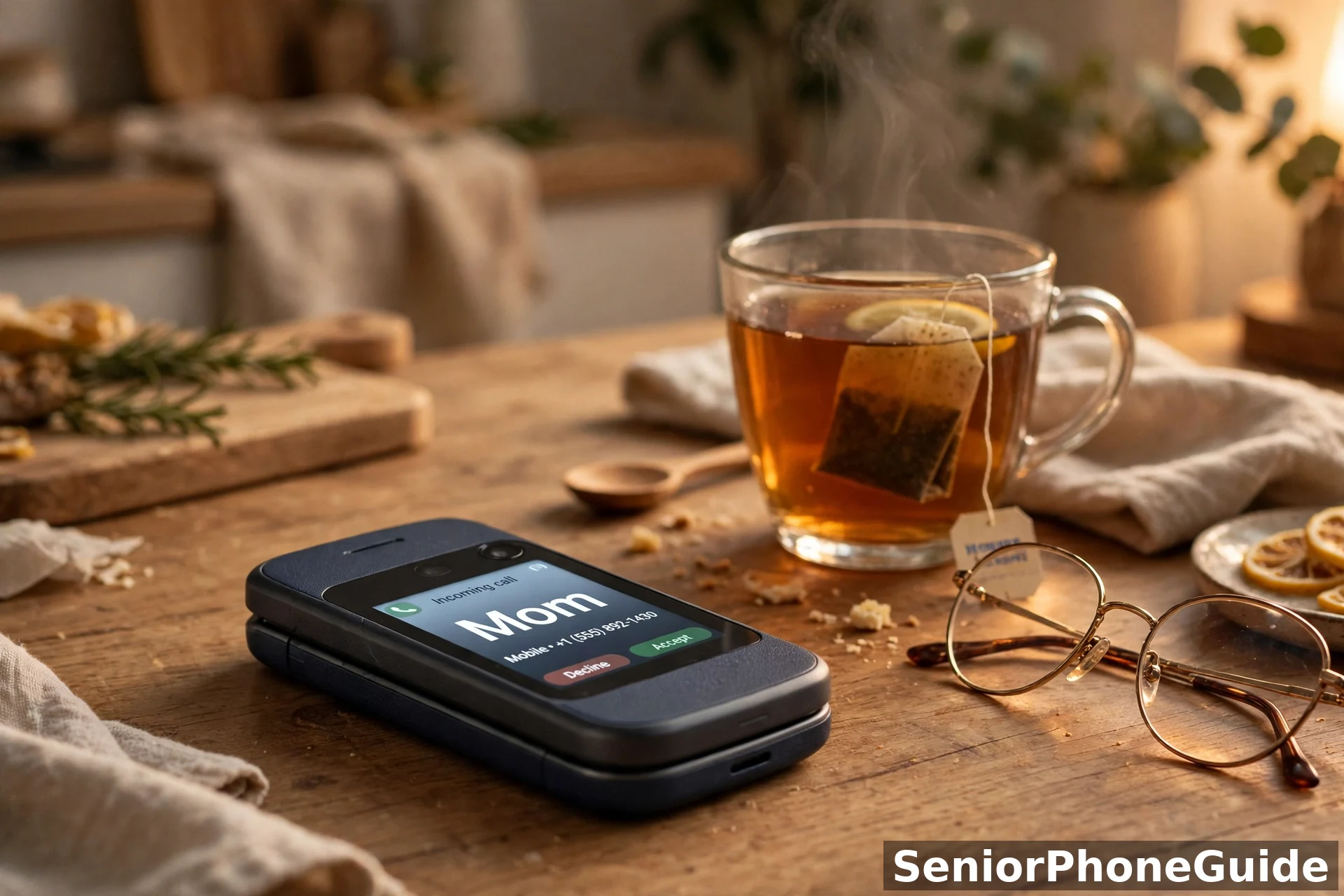
Teach one habit on day one: do not answer unknown names. If the outer screen shows a name you do not recognize, let it ring — a real caller leaves a message or texts. That one habit is worth more scam protection than any app. Do not buy a flip for its megapixels; buy it for its outer screen.
Carrier Compatibility: The Truth Table
This is the section that would have saved thousands of families a return trip. A flip phone is useless on the wrong network, and "unlocked" does not mean "works everywhere."
| Phone | Verizon | AT&T | T-Mobile | The truth |
|---|---|---|---|---|
| Nokia 2780 Flip | Yes | Yes | Yes | The only unlocked flip here. Bring your own SIM from any of the big three. |
| Jitterbug Flip3 | No | No | No | Lively service only. You are buying the carrier with the phone. |
| IRIS Easy Flip | No | No | No | Consumer Cellular only — which runs on AT&T's network underneath. |
| TCL Flip 4 5G | No | No | Yes | T-Mobile and its prepaid brand Metro. Nowhere else. |
| Alcatel Go Flip 4 | No | No | Yes | T-Mobile and Metro. Same lock-in as the TCL, simpler phone. |
| Kyocera DuraXV Extreme+ | Yes | No | No | Verizon only. Built for Verizon's network and sold for it. |
Three truths to carry into the store. First, Verizon keeps a whitelist: it only activates approved phones, so an "unlocked" bargain flip may be refused at activation — buy the Nokia 2780 new, from a reputable seller. Second, you can keep the phone number: every carrier here lets you port an existing number — what you usually cannot keep is the old carrier. Third, the plan math: our cheap cell phone plans for seniors guide walks through the plan landscape.
Will It Call 911 Without a Plan?
Yes — and this is worth saying plainly because it surprises everyone. In the United States, any cell phone with a signal can call 911, even with no plan, no SIM card, and no paid service at all. That means the old flip in the drawer and the phone whose plan lapsed can still call 911. A phone with no plan cannot receive your calls, so this is not a safety strategy — but a charged flip phone is never truly useless in an emergency.
Voicemail on a Flip Phone
Nobody explains this and everyone needs it. On a flip phone, voicemail works like this: when someone calls and you do not answer, the carrier takes the message, and an icon appears on the screen. To listen, press and hold the 1 key on every phone on this page and follow the spoken prompts. Two jobs on day one: record the greeting in your parent's own voice, and practice retrieving one message together, twice.
Flip vs Big-Button Candybar: The Honest Comparison
Should it be a flip, or one of those simple bar-shaped phones with big buttons? A flip protects itself: closed, the keys cannot be pressed in a pocket, and the open/close gesture is the answer/hang-up. A candybar shows everything at once with no opening step, which suits arthritic hands that struggle with the hinge, and its screen is usually larger. If the hinge is the problem but the simplicity is right, our big-button cell phones guide compares the bar-style options.
The First 30 Minutes: Family Setup Checklist
The phone matters less than the half hour after it arrives. Do this together, in this order, and the phone will actually get used:
- Charge it fully first. A phone that dies mid-setup teaches your parent that phones die. Plug it in, make tea, come back to a full battery.
- Activate with the carrier. Insert the SIM, call the carrier or visit the store, and confirm the line is live before you start teaching.
- Port the old number, if keeping it. Have the old account number and PIN ready; the carrier does the rest. Warn your parent the old phone may stop working mid-afternoon — that is the port succeeding, not breaking.
- Program the Favorites and the emergency button. Put the three most-called people on speed dial or the Favorites key, and set the SOS or side button to the person who actually answers at 2 a.m. Do not leave this for later.
- Set up voicemail together. Record the greeting in their voice, then practice retrieving a message twice. (See the voicemail section above.)
- Make the first real call together. Call someone they love, on speaker, and let them hear a familiar voice through the new phone. This is the moment the phone stops being a gadget and becomes theirs.
- Write the three steps on a card. "1. Open to answer. 2. Close to hang up. 3. Hold 1 for messages." Tape it by the charger. In week one it is everything.
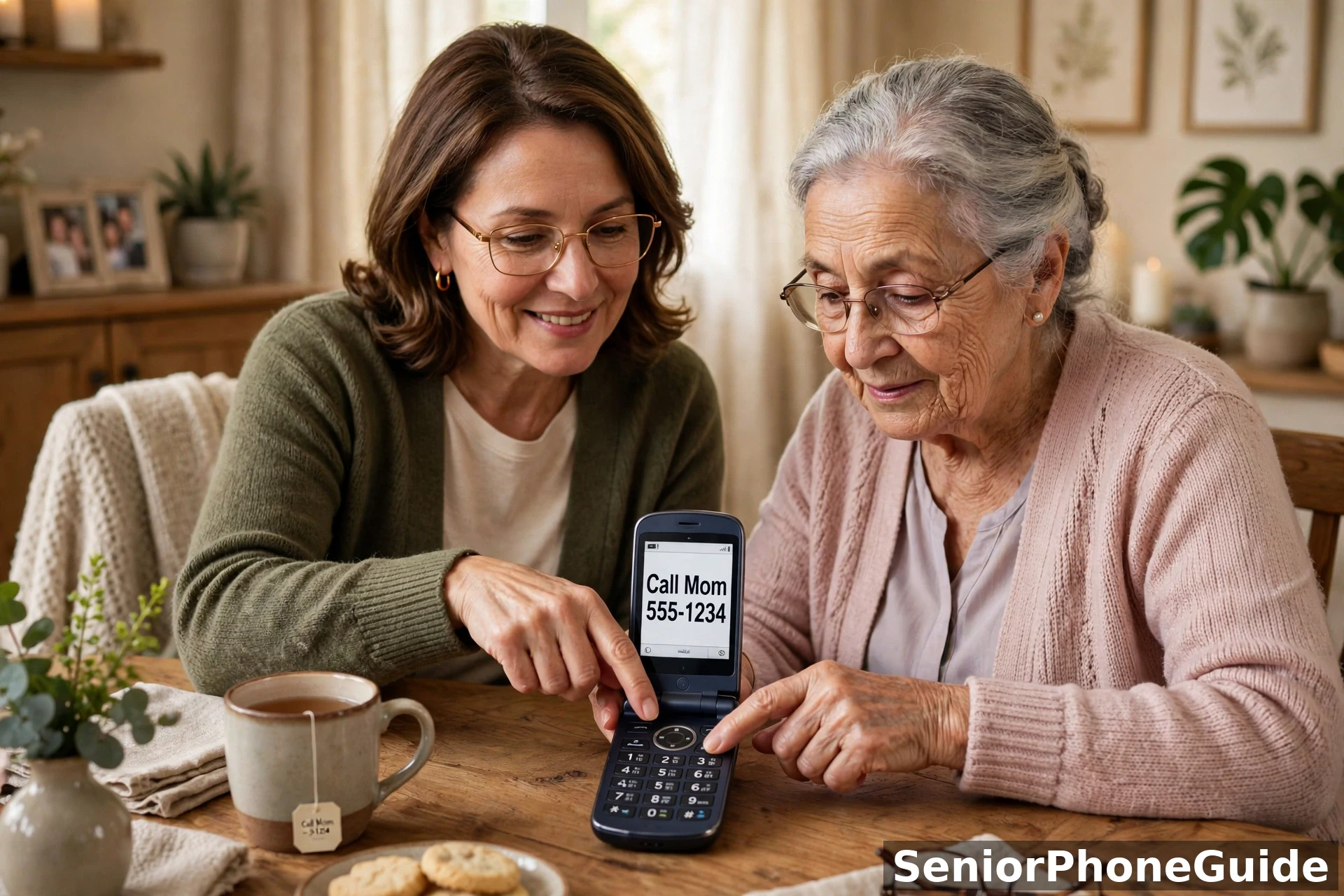
If the setup happens across distance, ship the phone to yourself first, do steps 1–5 at your kitchen table, then mail the working phone with the card. A phone that arrives already working gets used; a phone that arrives as homework gets put in a drawer.
Scam Calls on a Flip Phone
Here is the uncomfortable truth: a flip phone cannot install call-blocking apps, and scammers know seniors answer their phones. The big three all run free spam-blocking services — ask for it by name when you activate, because it is not always switched on by default. Consumer Cellular and Lively have their own versions.
The behavioral defense is the house rule: if the outer screen shows a name you do not recognize, do not answer — let it go to voicemail. A real caller leaves a message; a scammer does not. No legitimate bank, tax office, or grandchild in trouble asks for gift cards or wire transfers over the phone — ever. Our guide to blocking spam texts and our emergency setup guide cover the smartphone side.
Camera Honesty: What the Megapixels Really Mean
Let us translate the spec sheets into real life. The Nokia 2780's 5MP and the TCL Flip 4's 5MP take perfectly usable daylight snapshots. The Kyocera's 5MP with flash adds the flash, which matters more than megapixels indoors. The Alcatel's 2MP is a "proof it happened" camera: recognizable, not keepable. Never choose between two flips on camera specs — choose on hearing, carrier, emergency button, battery.
Total Cost of Ownership: The Yearly Math
Warranty is part of the yearly math too — check what the manufacturer covers before you count the saving, because a dead hinge outside warranty is a new phone.
A phone's price tag is the smallest number in the purchase. The real math is phone (once) + plan (every month, times twelve) — and the plan is where families get surprised. First, carrier-locked phones tie you to that carrier's plan menu: a Jitterbug means Lively's plans, an IRIS means Consumer Cellular's, the TCL and Alcatel mean T-Mobile or Metro. Second, the emergency button can change the tier: on Lively, the staffed response service lives on the higher tiers. Third, unlocked is freedom with homework: the Nokia 2780 adds nothing to any bill. Our cheap plans guide walks the whole landscape without the sales pitch.
What NOT to Buy: The Red Flags
An honest guide says what to skip, not just what to buy. Here are the traps:
- Any 3G flip, at any price. The networks are gone (see the 3G section above). A bargain-bin 3G flip is not a bargain; it is a paperweight with keys.
- No-name Amazon flip brands with "tested and reviewed" claims. Some ranking pages push obscure brands with five-star graphics and in-house testing claims but no evidence anyone held the phone. Stick to makers with real support lines: Lively, HMD/Nokia, Consumer Cellular, TCL, Alcatel, Kyocera.
- Guides still recommending the Jitterbug Flip2 as "current." Lively lists the Flip2 as no longer available. A guide pushing it new has not been updated since the Flip3 replaced it — buy the Flip3.
- "Unlocked" bargain flips with no carrier name attached. Verizon's whitelist means some unlocked phones are refused at activation. If the listing cannot name the networks it was made for, assume the worst.
- Used flips from strangers. A used flip may be carrier-locked to someone else's account, may have a dying battery you cannot easily replace, and has no return window worth the name. The savings are real and the risk is realer.
- The "free government phone" confusion. Lifeline and similar programs are real and legitimate for qualifying households — but the free phones are basic models chosen by the program, not the picks on this page, and anyone selling you a "free government phone" upgrade is running a scam. Apply through the official program, never through a salesman.
- Overpriced "senior phones" on auction sites. Discontinued models get listed at collector prices to families who do not know they are discontinued. Check the maker's own site first: if the maker no longer sells it, you should not pay a premium for it.
- A flip for the wrong person. The most expensive mistake is not a bad phone — it is the right phone for the wrong situation. A flip for someone who needs video calls, or for advancing dementia, will sit in a drawer. Read the next section before you buy.
Who This Guide Is For — and Who Should Skip It
This guide is for you if: your parent keeps losing calls on a smartphone and lights up at "a phone like I used to have"; if the household needs calls and texts and nothing else; if hearing aids make phone shopping a minefield; if someone lives alone and needs an emergency button without a smartphone.
Skip the flip and read these instead if: video calls are the whole point — the simple smartphone path in our big-button guide; if memory loss has reached the stage where even simple phones confuse — our dementia phones guide; if the house wants a phone that never charges and never needs a plan — our landline guide; and if the real problem is the monthly bill, start with our cheap plans guide; and if you are buying in Canada, our guide to the best flip phones for seniors in Canada covers the models actually sold there; and if a large, easy-to-read screen matters most, see our guide to smartphones with large screens.
How We Chose These Phones
We did not pretend to test phones we never held — no honest desk guide can. Our method: we started from the phones actually sold new in the US in October 2026, verified each one's network generation (4G LTE or 5G — the 3G models were cut), checked the maker's and carrier's own pages for hearing-aid ratings, emergency features, battery figures and lock-in, and read owner review patterns. Brands cannot pay for placement. Our full standards are in our editorial policy, and our affiliate relationship is disclosed at the top of this page and in our affiliate disclosure.
Two Phones, One Senior: Flip for Calls, Old Smartphone for Photos
You do not have to choose between the flip and the smartphone she already owns. Plenty of families run both: the flip is the phone she carries and answers, and the old smartphone stays at home on Wi-Fi for the things a flip does badly — photos, video calls, and the family group chat. It costs nothing extra, because the old phone is already paid for, and it removes the hardest trade-off in this whole guide.
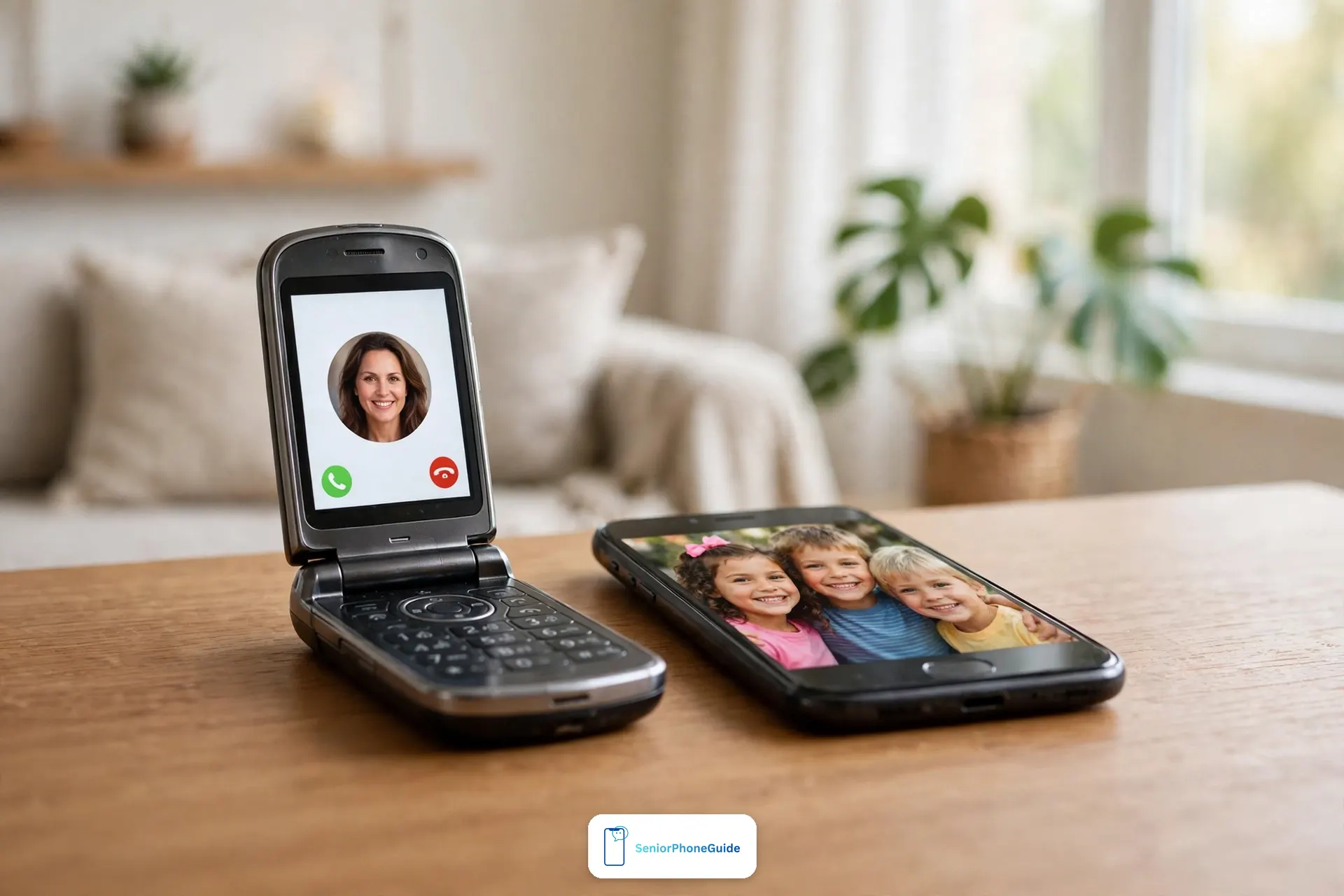
What the flip handles
The flip is the phone that rings, the phone she answers, and the phone that calls for help. Calls, short texts, the SOS button, voicemail — everything in this guide lives on the flip, and it is the only phone she needs to carry out of the house. Its number is the number the family calls. If a call matters, it comes to the flip, and she answers it by opening it — the one gesture every senior in this guide already knows.
What the old smartphone keeps doing on Wi-Fi
The old smartphone does not need a plan to be useful. On home Wi-Fi it still opens photos, plays video calls, and shows the family group chat — the three things a flip does badly. Set it by her chair like a photo frame that also rings for video calls: the grandchildren's pictures arrive full-size, she can pinch to zoom them, and nobody has to teach her a new phone. Keep its ringer off and its charger in one spot, so it never competes with the flip for her attention.
How to set it up so it actually works
Move the SIM card into the flip, so her number lives on the phone she carries. Leave the old smartphone on Wi-Fi with no SIM — it still works for everything at home. Then make the division obvious: tape a small card by the old phone's charger that says “Photos and video calls only — calls come to the flip.” Show her once, together, which phone rings for what, and let her practise answering a video call on the old phone while the flip sits beside it. Two phones only work when each one has exactly one job.
When two phones is the wrong answer
Two phones is not for everyone. If two chargers, two ringers, and two places to look confuse her — or if memory loss has reached the stage where even one simple phone is a stretch — simplify to the flip alone and let the family bring photos on visits instead. The test is simple: if she answers the flip every time and looks at photos on the old phone once a day, the setup works. If either phone starts getting ignored or mixed up, drop back to one.
The two-phone setup is not a compromise — it is the honest answer to the flip's one real weakness. The flip wins calls; the old smartphone, free on Wi-Fi, wins everything visual. Together they cover a senior's whole phone life for the price of one plan.
Quick answers
The 10-second version: emergency help at the press of a button → Jitterbug Flip3. Keep your carrier → Nokia 2780 Flip. Hearing aids → IRIS Easy Flip. Battery → TCL Flip 4. Budget → Alcatel Go Flip 4. Drops and dust → Kyocera DuraXV Extreme+.
Frequently asked questions
- Will a flip phone still work in 2026, or are they being shut down?
- Flip phones are not being shut down — but 3G networks are gone, shut down by all three major US carriers in 2022. Any flip built for 3G is now a paperweight. Every phone on this page is 4G LTE or 5G. If a listing does not say 4G LTE or 5G, do not buy it.
- Can I keep my current phone number when switching to a flip phone?
- Yes. Every carrier in this guide lets you port an existing number onto the new phone, including Lively and Consumer Cellular. Have the old account number and PIN ready. What you usually cannot keep is the old carrier itself, if the new phone is locked to a different one.
- Can my dad keep his carrier and just get a new flip phone?
- Only with the Nokia 2780 Flip — the one unlocked phone on this page, working on Verizon, AT&T and T-Mobile. The Jitterbug works only on Lively, the IRIS only on Consumer Cellular, the TCL and Alcatel only on T-Mobile/Metro, and the Kyocera only on Verizon. Check the carrier truth table above first.
- What is the difference between the Jitterbug Flip3 and the older Flip2?
- The Flip3 is Lively's current flip; the Flip2 is listed by Lively itself as no longer available. The Flip3 adds a bigger 3.2-inch screen, keypress vibration feedback, a Read Out feature, 5G and Wi-Fi calling. Any guide still recommending the Flip2 as a new purchase has not been updated.
- Do any flip phones do video calls?
- No. No flip phone on this page — or anywhere else in this category — can do video calls. If seeing the grandchildren's faces is the point, you need a simple smartphone instead; our big-button cell phones guide covers the Jitterbug Smart5, built for exactly that.
- Which flip phone is best for someone with hearing aids?
- The IRIS Easy Flip and the Nokia 2780 Flip, in that order — both carry the M4/T4 rating, the highest score on the FCC's hearing-aid scale. The Jitterbug Flip3 and TCL Flip 4 use the newer ANSI 2019 standard instead, with decibel figures rather than M/T scores. Avoid the Alcatel for hearing-aid wearers: the maker publishes no rating for it.
- Does the SOS button call 911 or a call center?
- It depends on the phone. The Jitterbug Flip3's button reaches Lively's trained agents — but only on the Preferred and Premium tiers, not basic. The Nokia 2780's side button and the Kyocera's SOS key call a person you program in (or 911) — no agents, no subscription. The IRIS, TCL and Alcatel have no dedicated button: 911 and speed dial are the emergency plan.
- Can a flip phone call 911 without a plan?
- Yes. In the US, any cell phone with a signal can call 911 — even with no plan, no SIM card and no paid service. Carriers must put emergency calls through. A charged flip with no plan cannot receive your calls, so it is not a safety strategy alone — but it is never useless in an emergency.
- How do you text on a flip phone?
- With T9 predictive text: press each key once per letter and the phone guesses the word. It is genuinely fine for short messages like call me or on my way. The KaiOS phones also offer basic voice-to-text. Group chats stay awkward — a flip is for short replies, not conversations.
- How long does a flip phone battery last?
- Days, not hours. The TCL Flip 4 is rated for up to 40 hours of talk time, the Nokia 2780 and the Kyocera for up to about 18 days of standby. For a parent who makes a few short calls a day, charging becomes a weekly habit. All figures are the makers' ratings — a weak signal at home drains any phone faster.
- Will a flip phone block spam and scam calls?
- Partly. A flip cannot install call-blocking apps, so the defense is carrier-level spam blocking (ask the carrier to switch it on — it is not always on by default) plus the house rule: do not answer numbers you do not recognize. A real caller leaves a message. No legitimate bank or tax office asks for gift cards over the phone, ever.
- What should we do in the first 30 minutes after the phone arrives?
- Charge it fully, activate it with the carrier, port the old number if you are keeping it, program the three most-called people into speed dial or Favorites, set the emergency button to the person who actually answers at 2 a.m., record the voicemail greeting in your parent's voice, and make the first real call together. Then write three steps on a card by the charger.
- Are the cheap no-name flip phones on Amazon worth it?
- Usually not for a senior. Obscure brands come with no support line, vague specifications, and sometimes tested and reviewed claims with no evidence behind them. The six makers on this page — Lively, HMD/Nokia, Consumer Cellular, TCL, Alcatel, Kyocera — all have real companies behind them. That is worth more than saving a few dollars.
- Can I buy a used flip phone to save money?
- We advise against it. A used flip may be locked to someone else's carrier account, may carry a dying battery, and has no return window worth the name. Worse, older used flips are often 3G models no carrier will activate. The savings are real; the risk of handing your parent a dead phone is realer.
- What if we buy the wrong phone — can we send it back?
- Buy as if you might. Confirm the return window and any restocking fee before you pay, keep the box, and decide within the first week of real use at home. A phone that feels hard in week one does not get easier in month two. The most common wrong buys — a carrier-locked phone for a family that will not switch, or a flip for someone who needed video calls — are both fixable by exchanging within the window.
Verdict: open to answer, close to hang up — the gesture hands already remember. Next step: pick by situation in the 60-second picker, then check the carrier truth table.
Related: Téléphone à clapet pour senior : lequel choisir ? — the French flip-phone guide.