
NBN Scam Calls for Seniors: The 24-Hour Disconnection Lie, the Press-1 Trap, and What to Do in the First Hour
A call saying nbn will disconnect you in 24 hours is a scam — but hanging up is only step one. This guide gives you the exact scripts, the press-1 trap, the remote-access danger, and the first-hour order the official pages never give you.
What Just Happened — And What To Do In The Next 60 Seconds
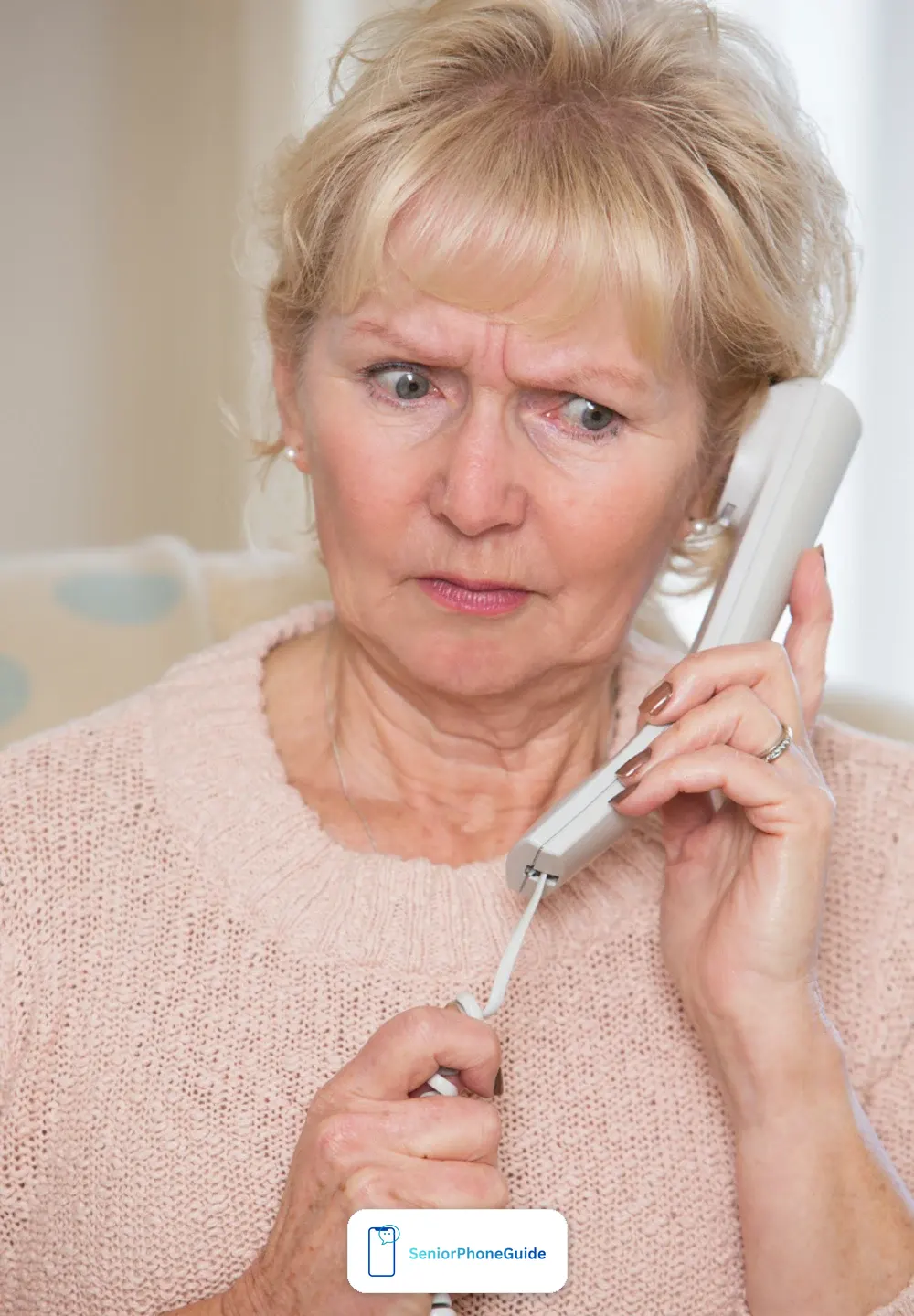
If you have just had a call saying nbn will disconnect your landline and internet within 24 hours, here is the direct answer: it is a scam. nbn is a wholesale-only network. It builds and runs the network that your phone and internet provider uses, but it does not sell phone or internet plans direct to the public. That one fact is decisive, because it means nbn never cold-calls to sell, disconnect, charge, or take remote access. A call that claims otherwise is not from nbn, no matter how official the voice sounds or how local the number looks.
Verdict: hang up, press nothing, and check with your own provider — in that order. Everything else in this guide is detail around that one move. You do not need to argue with the caller, explain yourself, or wait to hear the offer. A short sentence is enough, said calmly, before you put the phone down: "I'm going to hang up now and call my provider directly." Then hang up. One reassurance first: a phone number alone does not open your bank account — a scammer needs passwords, codes, or remote access, which is exactly why those are the things the call asks for.
Do these four things in the next 60 seconds. First, hang up. Second, do not press 1, 2, or any other key the recording asks for. Third, do not call the number back — a returned call can reach the same call centre, and it tells the scammer your number is active. Fourth, write down what you remember while it is fresh: the time of the call, the number on your screen, and anything the caller asked for. That note will help if you report the call later, and it helps a family member help you.
Seniors are the main target of this scam, and the numbers show it. People aged 65 and over accounted for 86% of the losses from nbn impersonation scams reported through Scamwatch between January and July 2024, with 863 reports mentioning nbn and more than $411,000 in losses in that period alone. That is not because seniors are careless. It is because the scam is built to frighten: an authoritative recorded voice, a short deadline, and a simple action — press 1 — that feels like the sensible thing to do. Knowing the shape of the scam in advance is the best protection against it.
The "Disconnected In 24 Hours" Script
The most reported version of this scam follows a fixed pattern. The wording changes from call to call, but the shape stays the same, and it has been reported to the Telecommunications Industry Ombudsman, WA ScamNet, Yahoo Finance Australia, and ABC News. Here is the pattern as reported — not a made-up conversation, but the shape that keeps appearing in real reports.
It usually starts with a recorded or robotic voice claiming to be from the national broadband network. The voice says it has been trying to reach your household, that nbn is now available in your area, and that your landline and internet will be disconnected within 24 hours unless you connect now. The listener is then told to press 1 to be put through to a technician, so the service can continue without interruption. In one variant reported by ABC News, the recording offers a choice: press 1 to discuss the matter, or press 2 to disconnect from the internet. The same disconnection script runs in the UK under the BT name — read our guide to the BT broadband scam call.
The 24-hour deadline is the whole trick. A genuine change to your service never arrives as a one-day robocall ultimatum. Real changes come from your own provider, through a letter or an account message, with proper notice. The deadline is there to stop you thinking, checking, or calling anyone else. If a call gives you no time to check, that is itself the warning sign.
The script has several variants, and it helps to know them all so none of them catches you off guard. In one, the reason is maintenance work in your area rather than a switch-off. In another, the caller gives a specific disconnection date, which can sound convincing because old copper connections were indeed removed during the nbn rollout. In a third, the caller says you must press 1 to keep your phone number. The goal also varies: sometimes it is remote access to your computer, sometimes a new router or a fibre upgrade, sometimes a speed fix, sometimes a straight fee. Whatever the reason and whatever the goal, the test is the same: it arrived out of the blue, it demands an instant action, and it claims to be from nbn. That combination is always a scam.
Why does it work so well? Partly because the voice sounds authoritative — one Queensland woman who received eight of these robocalls in three days described the voice as frightening, and worried that people in a genuine nbn area would believe it. Partly because the threat touches something real: your phone and internet matter. And partly because the call often arrives when fibre work really is happening nearby. Plausible is not the same as genuine.
The Press-1 Trap: What Happens If You Press

Pressing 1 is the hinge of this scam. The recording makes it sound harmless — just a key press to talk to a technician — but it connects you to a call-centre operator whose job is to get personal and financial details from you. WA ScamNet warns that the possible outcomes from that point include identity theft from the details you share, money lost through a payment, or even a premium fee for the call itself. The operator may ask for bank account numbers, card details, Medicare or licence numbers, or remote access to your computer. Each answer opens a new door for the scammer.
The choice offered in some recordings — press 1 to discuss, press 2 to disconnect — is a false choice. Neither button does what it claims. Pressing 1 does not protect your service, and pressing 2 does not disconnect anything. Both simply keep you on the line with the scammer. The safest response to any such prompt is to press nothing at all and hang up.
Here is the plain way to think about it if you have already pressed a key. No official page we checked explains exactly what pressing a key alone does, so this is our explanation, not a sourced claim: a key press by itself does not hand over your bank details, and it does not install software on your computer. Money and identity details only leave your hands if you give them, and software only gets onto your computer if you install it or allow someone in. So if you pressed 1 or 2 and then hung up without giving anything, do not panic — but do act. Hang up, do not answer a callback from the same number straight away, and keep an eye on your accounts over the next few days. If the caller rang back and you then shared something, follow the first-hour steps instead.
One more trap sits behind the first one: the callback. After you hang up, the same number — or a similar-looking one — may ring again. The caller may claim to be following up, or offering to block the scam calls for you. Treat every such callback the same way: hang up, press nothing, and call your own provider on the number on your bill if you are worried.
The Remote-Access Trap: When They Want Onto Your Computer

Many nbn scam calls do not end with a payment request. They end with the caller asking to get onto your computer. The story varies: your connection has been hacked, your computer has a virus, your speeds are slow because of a fault, or an upcoming installation needs line testing. The caller may claim to be from nbn, from Telstra, from Microsoft, or from a support team acting for your provider. The request is always the same: install a program, or read out a code, so they can take control of your screen.
The programs named in official warnings include AnyDesk, TeamViewer and QuickSupport, ScreenConnect, UltraViewer, LogMeIn, Zoho Assist, Splashtop, Supremo, Chrome Remote Desktop, Microsoft Remote Desktop, Windows Quick Assist, and AnyConnect. You do not need to memorise the list. The rule is simpler: never install remote-access software, and never read out an access code, because of a cold call. No genuine provider or nbn technician sets up remote access this way. If your computer genuinely needs help, you choose the helper, on a number you trust — never the other way around.
The danger is not just what the caller does while watching your screen. In the tech-support variant, the caller frightens you into giving computer control by claiming a virus, then installs software that records your keystrokes, harvesting banking passwords you type later. Remote-access scams caused $4,836,812 in reported losses in 2019, with about 71% arriving by phone.
If a caller is already on your screen, the priority is to break the connection fast. Hang up the phone, disconnect the computer from the internet — pull out the network cable or turn off the wi-fi — and do not type any passwords or banking details on that computer until it has been cleaned. The full device-cleanup steps are later in this guide. The key point here is simple: remote access given to a stranger is the most serious version of this scam, and it deserves the fastest response.
The Doorstep Version: A "Technician" At Your Door
Not every nbn scam arrives by phone. In areas where fibre work is actively happening, scammers also knock on doors. The story is familiar: a fee is needed to fix or upgrade your equipment, an appointment must be booked, or an inspection must be carried out before your service is cut off. The visitor may wear a high-visibility vest, carry a clipboard, and sound like they know the local rollout schedule. None of that proves they are genuine.
Genuine nbn workers carry a digital ID card with a QR code you can scan, and approved technicians carry an enAble ID card. Ask to see it, and take a moment to look at it properly. A genuine worker will expect the question and will not rush you. If the visitor becomes pushy, refuses to show ID, or pressures you to pay on the spot or let them inside straight away, shut the door. You can always arrange a real appointment later through your provider, on your own terms.
Never pay a doorstep visitor for nbn equipment, an upgrade, postage, or an appointment fee. nbn never cold-calls or door-knocks to sell broadband services, and it never asks for payment or financial details at your door. If you are unsure whether work is genuinely planned for your street, call your provider on the number on your bill and ask. That one call settles the question, and it costs you nothing but a few minutes.
The same story arrives by phone too: a caller offering a fibre upgrade who asks for a fee or payment for equipment is running the same script — real upgrades come through your provider, never through a cold call asking for money.Real Contact Versus Fake: The Wholesale Fact, With Its Limits
Here is the fact that settles almost every nbn call you will ever receive. nbn builds and operates Australia's wholesale broadband network. It sells services to phone and internet providers, not to households. Your provider — Telstra, Optus, Aussie Broadband, Swoop, or whichever company sends your bill — is the company you have the relationship with, and it is always your first point of contact. When something about your service needs attention, it is your provider who contacts you, not nbn. WA ScamNet puts it most directly: NBN Co is a wholesale-only company, it never makes unsolicited calls or door-knocks to sell broadband services, and it does not sell broadband packages direct to residents or businesses. In nbn's own wording, your provider is called your retail service provider, or RSP — the same company that sends your bill, and the name you will see on real nbn letters.
That fact has limits, and an honest guide must state them, because a senior who receives a genuine call in one of the exceptional cases needs to be able to tell it apart from a scam. There are three exceptions. First, nbn may call people registered on its Medical Alarm or Fire and Lift registers — but it never requests payment or bank account details during those calls. Second, a technology-switch call can be legitimate if it is tied to a genuine appointment arranged through your provider. Third, nbn may accept direct payment from the public for a service the customer directly requested, such as some infrastructure-change applications. Notice what all three have in common: you asked first, or you are on a register you joined, and nobody is demanding money, details, or remote access out of the blue.
The safe wording, then, is this: nbn never cold-calls to sell, disconnect, charge, or take remote access. That sentence is true in every case, and it is the test to apply to any call. If the call is selling something, threatening disconnection, asking for payment, or asking for computer access, and it arrived out of the blue, it is a scam — even if the caller uses the nbn name, even if the number looks Australian, even if the voice sounds professional.
So what does a real contact actually look like? A real change arrives from your provider, usually by letter or account message, with proper notice — not as a one-day robocall. A real appointment is one you booked, or one your provider arranged and confirmed in writing. A real technician arrives at the agreed time, shows ID without being pushed, and never asks for payment at the door or bank details. And a real question about your account is answered by calling your provider on the number on your bill or its official website — a number you find yourself, never one the caller gives you.
One piece of history helps explain why the disconnection threat sounds believable. During the nbn rollout, once the access network was switched on in an area, residents and businesses had 18 months to contact a provider and order a plan before most existing landline and internet services were disconnected. That was a real, dated rollout process — not a current 24-hour threat. If a caller leans on rollout language, treat it as part of the script.
The same first-hour thinking applies to other impersonation calls, not just nbn ones. If a caller claims to be from a government service or a big company and demands instant action, the response is identical: hang up, check through a number you trust, and report it. Our guide to the Service Canada scam call follows the same pattern for Canadian readers, and the underlying lesson is the same everywhere — the impersonation changes its name, but the defence does not.
The First-Hour Steps, In Order
If you have already shared details, allowed remote access, or paid money, the next hour matters more than the next week. The order below follows the fullest official advice — the current nbn protection page — with the device and provider steps added from the other pages in our research. The first three steps belong in the first minutes. The rest belong later the same day. Work through them in order, and tick each one off as you go.
- Hang up and stop the call. Do not stay on the line, do not argue, and do not press anything else. If remote access was given, disconnect the affected computer from the internet straight away — pull out the network cable or turn off the wi-fi.
- Call your bank or financial institution at once if money, card numbers, or bank login details were shared. Say it plainly: "I received a scam call and I may have shared my card details. Can you lock my card and check my account?" Ask what else they recommend, and write down the name of the person you speak to.
- Do not type passwords or banking details on a touched computer until it has been cleaned. Use a different, clean device — your phone, or a family member's computer — for any password changes.
- Call your provider on the number on your bill to check your account and confirm your service is safe from disconnection. Ask them to note the scam call on your account.
- Report to your local police. Take your note of the time, the number, and what was shared. A police report also helps if you later need to show a bank or an issuer that the loss came from a scam.
- Contact IDCARE on 1800 595 160 if personal information was shared or a device was accessed, and report to the Australian Cyber Security Centre (the Australian Cyber Security Hotline is 1300 292 371). IDCARE is Australia's national identity and cyber support service, and it can walk you through protecting your identity step by step.
- Report to Scamwatch, and start watching your statements. Check bank statements and account activity over the coming weeks, and keep every receipt, card, and note connected with the call. If anything unfamiliar appears, call your bank straight away.
If you are not sure what you shared, treat it as if you shared something. It costs nothing to call your bank and ask, and it costs nothing to report. If a family member is nearby, ask them to sit with you while you make these calls — two people remember more than one.
How To Check Your Internet Safely
Worry after a scam call is normal, and checking your service is the right instinct — as long as you check through a channel you trust. Never use a phone number, website address, or link given by the caller. Scammers control those channels, and a "check" through them leads straight back to the scammer.
Instead, find your provider's number yourself. It is printed on your bill, on your account paperwork, and on your provider's official website — the one you reach by typing the address yourself or using a bookmark you already have. Call that number and ask two plain questions: "Has anything changed on my account?" and "Is my service safe from disconnection?" A genuine provider can answer both in a minute, and can note the scam call on your account so their staff know about it if the scammer rings again.
If you use your provider's website or app, type the address yourself rather than following a link from a text or email. Check your account for unfamiliar changes: a new plan, a changed address, a new authorised person, or an unfamiliar charge. If anything looks wrong, tell your provider straight away and ask them to reverse it. If you cannot use the website comfortably, the phone call alone is enough — you do not need to do both.
One caution about your modem and router. A caller may tell you your equipment is faulty or incompatible and must be replaced at a cost. Check that claim with your provider or with the equipment maker before buying anything. The oldest official warning in our research, from the ACCC in 2015, was about exactly this trick — and it is still in use today.
If You Shared Details Or Paid: What To Do For Each Case
Different things shared need different responses. Work through the case that matches yours. If more than one applies, work through each in turn — the bank step always comes first when money or bank details are involved.
If you shared a bank login or card number
Call your bank or financial institution immediately, before anything else. Ask them to lock the card or account, reverse any unfamiliar transactions, and tell you what else to watch. Change your online banking password from a different, clean device. Then report to police and Scamwatch, and keep watching your statements for at least a few weeks.
If you shared a Medicare number, licence number, or passport details
Contact IDCARE on 1800 595 160 first — this is exactly the situation it exists for. Then contact the issuer of the document: Medicare through Services Australia for a Medicare number, and your state or territory licence authority for a licence, and ask what replacement or protection steps apply. Check your myGov account from a clean device, change its password, and look for unfamiliar activity. Keep a written list of everything you shared, because each agency will ask you the same questions.
If you shared passwords
Change them from a different, clean device — never from a computer a scammer has accessed. Start with your email account, because email is the key to resetting most other accounts, then your banking, then myGov. Use a different password for each important account, and write them in a notebook you keep at home rather than on the computer. If a family member can help, ask them to sit with you while you work through the list.
If you allowed remote access
This is the most urgent case after a bank payment. Disconnect the device from the internet, do not use it for banking or passwords, and follow the device-cleanup section next. Tell your bank even if you did not share bank details on the call, because software installed during remote access can record keystrokes and harvest passwords you type later.
Whatever you shared, tell someone. Scammers rely on embarrassment to keep victims quiet. The same hang-up-and-check routine that stops robocalls applies here too: every report you make helps the next person recognise the call sooner.
Cleaning Up A Computer That Was Accessed
If a scammer got onto your computer, cleaning it properly matters as much as calling your bank. Work through these steps in order, and do not rush back to normal use until they are done.
First, disconnect the device from the internet. Pull out the network cable, or turn off the wi-fi on the computer itself. This breaks the scammer's connection and stops any software they installed from sending information out. Leave the computer disconnected while you work through the rest.
Second, get a qualified technician to remove the software. This is the advice on the most complete official page in our research, and it matters because remote-access software can hide, and because spyware installed during the session may capture banking logins and passwords you type later. A local computer shop, a technician recommended by your provider, or a trusted family member with real computer skills can do this. Ask them to check for remote-access programs and for anything unfamiliar installed around the time of the call.
Third, run antivirus and anti-spyware scans, and let them finish fully. If the technician finds software you do not recognise, ask them to remove it and to confirm the computer is clean before you reconnect it to the internet.
Fourth, notify the software provider if you know which program was used — TeamViewer, AnyDesk, Chrome Remote Desktop, or another name the caller gave you. The software provider may be able to shut down the scammer's access on their side. This step appears on only one provider guide in our research, but it is worth doing, because it can stop the same scammer reaching other victims through the same account.
Fifth, change your passwords from a different, clean device. Start with email, then banking, then myGov. Only return to normal use of the cleaned computer once the technician confirms it is clean and your important passwords have been changed elsewhere.
If You Paid With A Gift Card
Gift-card payments are a favourite of scammers for a simple reason: once the code is spent, the money is very hard to get back. That does not mean you should do nothing. Acting quickly, and keeping the right details, gives you the best chance — and it helps investigators track the scam.
First, keep everything: the physical cards, the codes (even if you already read them out), the receipts, the shop name, and the time you bought them. Write down exactly what happened, while you remember it: the time of the call, the number on your screen, what the caller asked you to buy, and which codes you gave. Do not throw anything away, even if the card balance shows as spent.
Second, report to the card issuer — Apple for iTunes cards, Coles for Coles cards, Google for Google Play cards — and ask whether the codes can be frozen or traced. Be direct about what happened: "I was tricked into giving these codes to a scammer. Can you freeze them or trace where they were spent?" Issuers can sometimes freeze unspent balances, but a spent code is often gone, and no honest guide can promise a refund. Anyone who contacts you promising to recover gift-card money for a fee is running a second scam — never pay them.
Third, report to your local police and to Scamwatch, and tell your bank as well if any bank or card details were shared during the same call. Gift-card losses are still worth reporting even when recovery looks unlikely: reports are how patterns are spotted, and patterns are how warnings reach other seniors before they pay.
Finally, watch for the follow-up scam. Victims of gift-card scams are sometimes contacted again by someone claiming to be from the police, the bank, or a recovery service, offering to get the money back for a fee or for "tax". That caller is a scammer. Real police, banks, and Scamwatch never charge a fee to recover scam losses.
For Family Members And Carers: How To Help
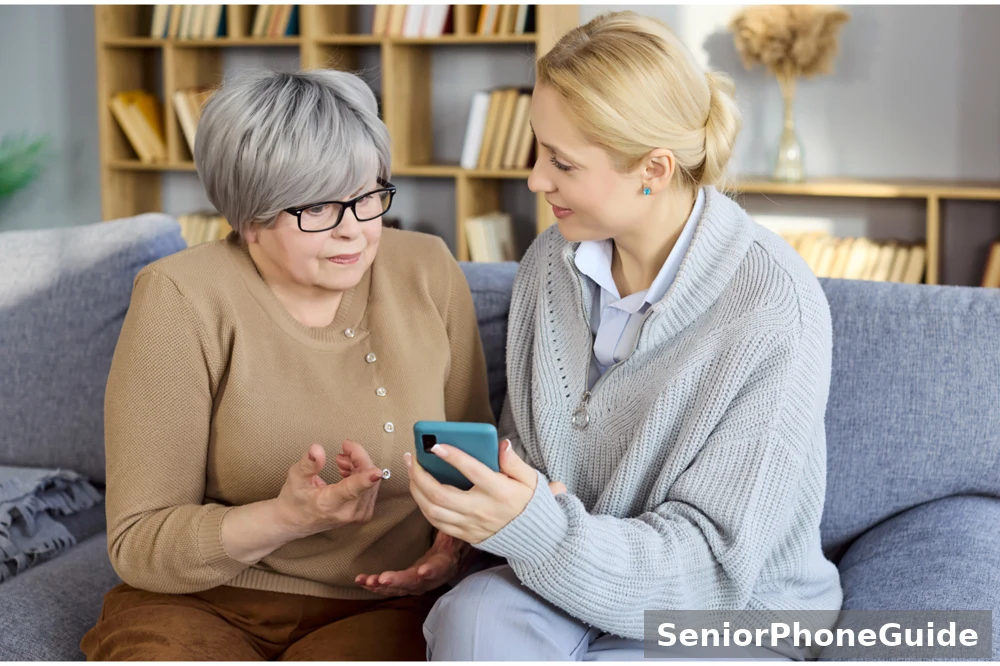
If you are reading this because a parent or grandparent received one of these calls, your role matters as much as any official step. The most helpful thing you can do first is to stay calm. A frightened senior who feels judged will hide the next call. A senior who feels supported will tell you sooner, and sooner is safer.
Sit with them and write down what happened together: the time of the call, the number on the screen, what the caller said, and — most importantly — exactly what was shared, paid, or installed. That list is what the bank, IDCARE, and police will each ask for, and having it written down once saves repeating a stressful story five times.
Then make the calls together. Bank first if money or bank details are involved, then the provider, then police, IDCARE on 1800 595 160, and Scamwatch. If your parent cannot use online reporting comfortably, use the phone routes: Scamwatch can be reached on 1300 795 995, and IDCARE on 1800 595 160. Online forms are not the only way to report, and nobody should be left unprotected because a website feels difficult.
Make the home easier for the next call. Agree on a simple household rule together: hang up on any unexpected call about the internet or phone, and call the provider back on the number on the bill. Put that rule in large print by the phone, along with the provider's real number and the IDCARE number. For hearing difficulties, use the phone's speaker function with permission so you can both hear. For vision difficulties, large-print notes beat a small screen. For memory difficulties, repetition helps: practise the hang-up sentence together — "I'm going to hang up now and call my provider directly" — until it feels automatic.
Finally, check in again in a week, and again in a month. Scam damage is not always immediate: unfamiliar transactions or repeat calls can appear later. A short, regular check catches problems early, and it tells your parent that the topic is not taboo.
One more resource: NBN Co's ScamFit sessions with the Australian Seniors Computer Clubs Association taught older Australians to spot exactly these calls — ask a local seniors computer club what scam-awareness sessions are running now, and go together if you can.
Who To Report To, And What To Have Ready
Reporting feels like paperwork, but it is how scams get stopped. Each report adds to a pattern, and patterns are what produce public warnings, blocked numbers, and police action. Report even if you lost nothing — a report about a call you hung up on still helps.
The pattern is large: Scamwatch figures cited by NBN Co put total scam losses at a record $211 million in 2021, with more than $1.4 million lost to nbn-related scams.Report to Scamwatch first for the national record — online, or by calling 1300 795 995. Report to the Australian Cyber Security Centre if a computer was accessed or personal information was shared. Report to your local police, especially if money was lost or identity documents were shared. Contact IDCARE on 1800 595 160 if personal information was shared or a device was accessed. Report phone and SMS scams to the Australian Communications and Media Authority, and report the number to your provider. If money or bank details are involved, your bank is always the first call. The Australian Cyber Security Centre takes cybercrime reports through ReportCyber — that is the name to look for when you search, so a fake reporting page cannot catch you.
One warning about the numbers themselves. Older official pages show a different IDCARE number from the current one. Use 1800 595 160, the number on the current nbn protection page. If a page, a caller, or an old printout gives you a different number, check it against the current nbn or IDCARE website before you ring. Scammers have been known to circulate fake "support" numbers, so a number you find yourself is always safer than one you were given.
Stopping The Calls From Coming Back
One scam call often leads to more. Your number may be passed on, tried again with a different story, or spoofed — made to look like a familiar or local number — to get you to answer. A few practical steps cut the volume down, even though no step stops scam calls entirely.
First, block the number on your phone. On most mobiles, you can do this from the recent-calls list by choosing the number and selecting the block option. Ask a family member to show you once, and practise it together, so you can do it alone next time. Blocking does not punish the scammer — they use many numbers — but it stops that particular number reaching you again.
Second, report the number to your provider and to the Australian Communications and Media Authority. Providers can note scam numbers on accounts, and regulators use reports to track campaigns. Third, be careful about calling back unknown numbers, even ones that look local: spoofing means the number on your screen may not be the number that called you, and a returned call can confirm your number is active.
Carriers also block many scam calls before they reach you under the ACMA's scam-blocking rules for telcos — but blocking is imperfect, which is why the hang-up rule still matters more than any filter.Fourth, know the truth about the Do Not Call Register. Joining it stops legitimate telemarketers, but it does not stop scammers, who ignore it entirely. If someone calls offering to register you, re-register you, or block scam calls for a fee, that caller is a scammer — the register is free, and nobody legitimate charges for it. The same caution applies to scam texts, which use the same pressure and the same fake authority; our Australian scam-text guide covers the text version of this scam in the same plain language.
Finally, keep the household rule in place: any unexpected call about your internet, phone, or accounts ends with a hang-up and a callback to a number you trust. Once the rule is automatic, the scam loses its main weapon — your uncertainty.
Frequently Asked Questions
- Does nbn ever contact you by phone?
- nbn does not sell phone or internet plans direct to the public, so it never cold-calls to sell, disconnect, charge, or take remote access. There are narrow exceptions: calls to people on its Medical Alarm or Fire and Lift registers, a technology-switch call tied to a genuine appointment arranged through your provider, and limited direct payment for a service you directly requested. In all three cases nobody demands money, details, or remote access out of the blue. If a call does any of those things, it is a scam.
- What should I do when I get a scammer call?
- Hang up, press nothing, and do not call the number back. Write down the time, the number on your screen, and what the caller asked for. If you are worried about your service, call your own provider on the number on your bill. If you shared details or paid money, follow the first-hour steps in this guide, starting with your bank. Then report to Scamwatch.
- How do I report a scam call in Australia?
- Report to Scamwatch online or on 1300 795 995. If a computer was accessed or personal information was shared, also report to the Australian Cyber Security Centre and contact IDCARE on 1800 595 160. Report to your local police if money was lost or identity documents were shared, report the number to your provider, and report phone and SMS scams to the Australian Communications and Media Authority. Have your note of the time, number, and what was shared ready before you start.
- Can a scammer access my phone if I answer a call?
- Simply answering a call does not give a scammer access to your phone. Access comes from what you do next: giving details, installing software, reading out a code, or following a link. If you answered, said nothing important, and hung up, you have not handed over access — but stay alert for callbacks, and follow the first-hour steps if you shared anything at all.
- How do I know if a call is from a scammer?
- Apply three tests. Did it arrive out of the blue? Does it demand an instant action — press a key, pay now, install something, share details? Does it claim urgency, like disconnection within 24 hours? A call that ticks all three is a scam, however official it sounds. A genuine provider contact arrives by letter or account message with proper notice, or at an appointment you booked, and never demands an instant decision.
- What happens to my landline when nbn is connected?
- Your phone service moves to your provider's plan over the nbn network, and your provider manages the change — not nbn directly. During the rollout, households had 18 months from the network switch-on in their area to order a plan before most old landline and internet services were disconnected, but that was a dated rollout process, not a current 24-hour threat. Any question about your landline today should go to your provider, on the number on your bill.
- I pressed 1 but gave nothing. Am I in danger?
- Do not panic, but do act. No official page we checked explains exactly what pressing a key alone does, so treat this as our plain explanation: a key press by itself does not hand over bank details or install software — those need you to give details or install something. Hang up, do not answer a callback from the same number straight away, and watch your accounts over the next few days. If you later shared anything on a callback, follow the first-hour steps.
- What if I let them onto my computer?
- Disconnect the computer from the internet straight away, and do not type passwords or banking details on it. Get a qualified technician to remove the software, run antivirus and anti-spyware scans, and notify the software provider if you know which program was used. Change your passwords — starting with email, then banking, then myGov — from a different, clean device. Tell your bank even if you did not share bank details on the call.
- What if I paid with a gift card?
- Keep the cards, codes, receipts, and the shop name, and write down exactly what happened. Report to the card issuer and ask whether the codes can be frozen or traced, and report to police and Scamwatch. A spent code is often gone, and no honest guide can promise a refund. Never pay anyone who offers to recover gift-card money for a fee — that is a second scam.
- What if I shared my Medicare number or licence details?
- Contact IDCARE on 1800 595 160 first, then the issuer of the document: Medicare through Services Australia for a Medicare number, and your state or territory licence authority for a licence. Ask each one what replacement or protection steps apply. Check your myGov account from a clean device, change its password, and look for unfamiliar activity. Keep a written list of everything you shared.
- Should I change my passwords? On which device?
- Yes, if you shared passwords or allowed remote access — but change them from a different, clean device, never from a computer a scammer has accessed. Start with your email account, because email unlocks most other accounts, then banking, then myGov. Use a different password for each important account, and keep them in a notebook at home rather than on the computer.
- How do I check if someone used my details later?
- Check your bank statements and account activity regularly for at least a few weeks, and ask your bank about anything unfamiliar. Check your myGov account from a clean device. If identity documents were shared, ask IDCARE on 1800 595 160 about further checks, such as watching for unfamiliar accounts or considering a credit ban. Keep every note, receipt, and report reference, because you may need them weeks later.
- My mother pressed 1 on an nbn robocall and then hung up. What should she do now?
- Reassure her first: pressing a key alone does not hand over bank details or install software, so she has not necessarily lost anything. Help her write down the time, the number, and what the recording said. Tell her not to answer a callback from the same number, and to hang up on any follow-up call about the same matter. Check her bank statements together over the next few days, and report the call to Scamwatch. If she later shared anything on a callback, follow the first-hour steps together, starting with her bank.
- My father gave a fake technician remote access to his computer. What do we do first?
- Disconnect the computer from the internet immediately — pull out the network cable or turn off the wi-fi — and do not let him type passwords or banking details on it. Call his bank straight away, even if no bank details were shared on the call, because installed software can record keystrokes later. Get a qualified technician to remove the software and run full scans, notify the software provider if you know which program was used, and change his email, banking, and myGov passwords from a different, clean device. Then contact IDCARE on 1800 595 160 and report to police and Scamwatch.
- A technician is at my door saying he is from nbn. How do I check?
- Ask to see ID, and take a moment to look at it properly: genuine workers carry a digital ID card with a QR code, and approved technicians carry an enAble ID card. A genuine worker will expect the question and will not rush you. If the visitor is pushy, refuses to show ID, or asks for payment at the door, shut the door. You can always arrange a real appointment later through your provider, on the number on your bill.

Bottom line: an unexpected nbn call is a scam until your own provider tells you otherwise. Hang up, press nothing, and check through a number you trust. If you shared something, the first hour is your best window — bank first, then provider, police, IDCARE, and Scamwatch — and if a computer was touched, disconnect it and get it cleaned before you use it again. The scam works on fear and hurry. Your defence is the opposite: pause, hang up, and check calmly.
For more plain-language phone safety guides, follow SeniorPhoneGuide on Pinterest: follow SeniorPhoneGuide on Pinterest for new guides as they are published.