
Dumb Phones for Seniors in 2026: 6 Picks That Actually Work
A dumb phone calls, texts, and stops there. The right one depends on your carrier and on which kind of dumb you want — flip, candybar, minimalist, or E Ink — and the cheapest honest trial is the Nokia 3210 4G.
As an Amazon Associate, I earn from qualifying purchases.
Short on time? See the current price on Amazon.
Last updated: November 1, 2026
Affiliate disclosure: As an Amazon Associate I earn from qualifying purchases. Our picks come from our own research into manufacturer specifications and real user reviews — prices and availability change often, so check the current price on Amazon before you buy. It costs you nothing extra, and it keeps this site free. We still print no prices on this page — they change too often to print honestly — and every feature below was checked against the manufacturer's or carrier's official information in October 2026. Read our affiliate disclosure.
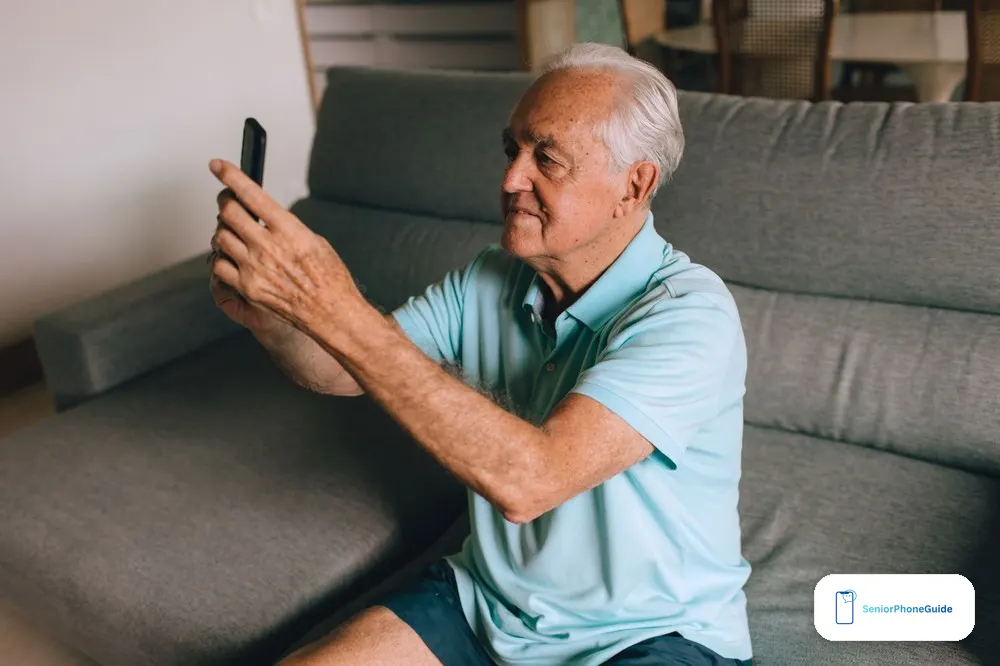
The short version: A dumb phone is a phone that calls, texts, and stops there. If you want one for yourself or for a parent, start with the carrier, not the phone — then pick the kind of dumb that matches the life it has to fit.
Our verdict: Buy the Nokia 3210 4G first if you are only testing the idea — it is the cheapest honest trial. Buy the Sunbeam F1 Pro if the phone has to work on any US carrier without a fight. Everything else below is for a narrower need, and the article says plainly which one that is.
The short answer
A dumb phone is a mobile phone that makes calls and sends texts and refuses, by design, to do the rest. No feeds. No app store full of distractions. No browser waiting to become an afternoon. The name is unfair — the phone is not stupid, it is deliberately limited — but the name is the one everyone searches for, so this guide uses it.
There are four kinds of dumb phone on sale in the US in 2026, and they are not interchangeable. A flip phone folds shut. A candybar phone is a small bar with a keypad. A minimalist phone is a modern phone with the tempting parts removed. An E Ink phone swaps the glowing screen for a paper-like one. The right choice depends on which kind of dumb you actually want — and on the carrier the phone has to work on.
That second point is the one most buyers get wrong. A dumb phone with the wrong LTE bands or without VoLTE becomes a paperweight with a keypad. The carrier decides the purchase; the phone is second. This guide starts there, then names six phones you can buy on Amazon right now, with the honest trade-off of each.
The four kinds of dumb phone
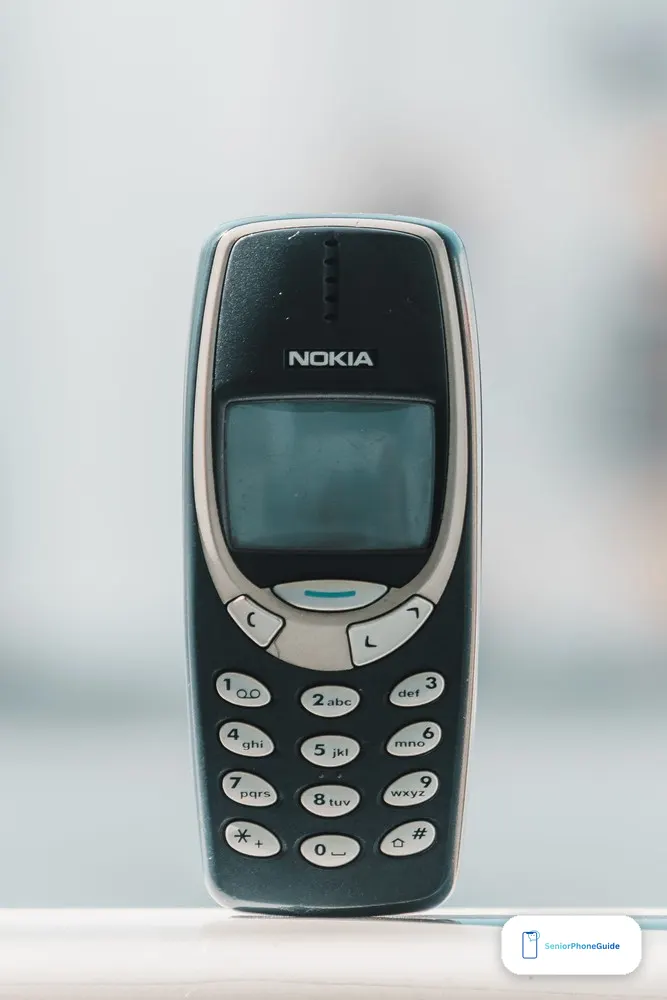
Before the picks, the four kinds — because the word "dumb phone" covers four different machines, and buying the wrong kind is the most common regret in this category.
A flip phone folds shut
The flip is the kind most seniors already know: open it to talk, snap it shut to end the call. Big buttons, a small outside screen for caller ID, and a shape that fits a shirt pocket. Flips are covered in depth in our best flip phones for seniors guide — including the 3G shutdown, hearing-aid compatibility, and the three different things an SOS button can mean. This guide does not repeat that ground. It covers the ground flips do not: the candybar, the minimalist phone, and the E Ink phone — and the decision between them.
A candybar phone is a small bar with a keypad
The candybar is the cheapest kind and the simplest to understand: a small rectangular phone, a physical keypad, a tiny screen, a battery that lasts days. It makes calls, sends texts, plays the radio, and little else. It is the best trial phone in this guide — if the idea of a dumb phone does not survive a weekend, the loss is small. The catch is the carrier: most cheap candybars sold on Amazon are international versions built for the T-Mobile network, not for AT&T or Verizon. Check the listing before you pay.
A minimalist phone is a modern phone with the tempting parts removed
The minimalist phone is the expensive kind. It has a modern processor, 5G, a camera, and a hotspot — and then it refuses, in software, to run social media, email, news, or a browser. The idea is that willpower fails and hardware does not. These phones cost several hundred dollars, and that is the honest problem with them: you can buy a strong midrange Android phone for the same money and lock it down yourself. The reason to pay is that software discipline has not worked for you. If it has, save the money.
An E Ink phone swaps the screen for paper
The E Ink phone is the quietest kind. Its screen looks like paper, reads well in sunlight, and does not glow at night. It is the best phone in this guide for reading, and the worst for anything that needs a fast screen. Maps work. Messages work. Scrolling through photos does not feel like scrolling at all. Buy it for the calm screen; skip it if you expect the phone to behave like a normal Android device.
The picks
Six phones, each best for one situation. Every pick below links to an Amazon search for that phone — prices change often in this category, so this guide names budget bands instead of printed prices, and says where a phone is cheaper bought direct. Nothing here was hands-on tested by us; the method box at the end of the article says exactly how the picks were chosen.
1. Nokia 3210 4G — Best for trying a dumb phone first
Best for: a cheap, honest trial of the dumb-phone idea on the T-Mobile network.
The Nokia 3210 4G is the easiest phone in this guide to understand. It has a 2.4-inch screen, a physical keypad, a 2-megapixel camera with a flash, USB-C charging, an FM radio, a headphone jack, and a removable 1,450 mAh battery that lasts for days. It plays Snake. It does not try to make minimalism feel upscale. It tries to make a phone feel like a phone again.
That is also its limit. The Amazon listing is the international version, and it works on GSM carriers such as T-Mobile, Boost, Metro, and Mint — not on AT&T or Verizon. The band list even misses some of T-Mobile's main LTE bands, so expect patchy 4G in some areas. The camera is weak, the flash is weak, and the demo games cannot be removed. None of that matters if the job is a weekend trial or a backup phone. It matters a great deal if this is meant to be the only phone.
Buy it if you want the cheapest good-looking trial and you are on the T-Mobile network. Skip it if you need reliable coverage on AT&T or Verizon, or if this phone has to be the only phone in the house.
See the Nokia 3210 4G on Amazon
2. Nokia 225 4G — Best for going fully offline
Best for: the simplest phone in this guide — calls and texts, nothing else.
The Nokia 225 4G is the phone for the buyer who looked at the 3210 and thought it still did too much. It is a candybar with a keypad, a small screen, and no apps at all. No cloud apps, no news, no weather, no store to wander into. It calls, it texts, and it stays charged for days. For a senior who wants a phone that cannot surprise them, that is the whole point.
The same carrier warning applies, only more so: this is a basic 4G feature phone sold for the lowest band of the market, and the exact version matters more than the brand name. Buy the version that matches the carrier it will run on, and test a call on the day it arrives. A phone this cheap is easy to return; a phone this cheap is also easy to leave in a drawer, which is the same as wasting the money.
Buy it if the goal is the fewest possible features at the lowest possible price. Skip it if the phone needs maps, a camera worth using, or a loudspeaker that fills a room.
See the Nokia 225 4G on Amazon
3. Sunbeam F1 Pro — Best for working on any US carrier
Best for: the phone that just works, wherever you live and whichever carrier you are on.
The Sunbeam F1 Pro is a rugged flip phone from Sunbeam Wireless, a US company that sells dumb phones. According to Sunbeam and the reviewers who checked it, calls, texts, and picture messages work on Verizon, AT&T, and T-Mobile. That is the spot in this guide no other phone holds: the one that just works, wherever you live.
You get a 2.8-inch screen, 4G LTE, USB-C, a headphone jack, and a removable 2,200 mAh battery that Sunbeam says lasts more than two days. There is no browser, no social media, and no app store. What you get depends on the model. The Juniper adds Waze, a hotspot, and text-only email. The newer Poplar and Walnut models add Signal messages through Sunbeam's own Dewdrop app, though they were on backorder into November 2026.
The honest catches: there is no WhatsApp, and group chats fall back to MMS. Some extra tools need a small monthly subscription. And the hotspot does not work on AT&T's own network — a detail that matters if the hotspot is the reason you are buying it. None of those change the core verdict: for a senior on Verizon, or for a family that does not want to argue about carriers, this is the safest phone in this guide.
Buy it if the phone has to work on any carrier, or if Waze without Instagram is the deal. Skip it if WhatsApp is non-negotiable, or if the hotspot on AT&T is the point.
See the Sunbeam F1 Pro on Amazon
4. Mudita Kompakt — Best calm screen
Best for: readers and privacy-minded buyers who want a paper-like screen.
The Mudita Kompakt puts a 4.3-inch E Ink screen on a de-Googled version of Android. E Ink is great for reading and terrible for doomscrolling, and that is the idea. It comes with the basics: phone, messages, maps you can use offline, calendar, notes, alarms, music, a simple camera, and a headphone jack. The battery is 3,300 mAh, and Mudita claims up to six days of life — reviewers say that claim holds up.
The privacy angle is more concrete than the usual marketing. The phone has a hardware privacy switch that cuts the microphone and the cellular modem, plus an Offline+ mode. Buy the North American version if you live in the US or Canada: it is tuned with the LTE bands this side of the Atlantic needs, including the ones T-Mobile relies on.
The catch sits in the app story. There is no app store. You can sideload Android apps through Mudita's desktop software, but Mudita itself warns that apps needing Google services may not work well. Buy it for the built-in tools, the offline maps, the privacy switch, and the calm screen. Skip it if you are trying to build a sneaky replacement smartphone out of it — that is buying friction instead of focus.
Buy it if the screen is the reason you are buying a phone at all. Skip it if you expect fast scrolling, video, or normal Android behaviour.
See the Mudita Kompakt on Amazon
5. Punkt MP02 — Best voice-first, smallest
Best for: the smallest, calmest phone possible — calls and texts, nothing else competing for attention.
The Punkt MP02 is the anti-slab in this guide. It weighs 100 grams, has a 2-inch screen with Gorilla Glass, 4G, and tethering over Wi-Fi, Bluetooth, or USB. Its party trick is Pigeon, an encrypted messaging app built on the Signal protocol — though you should not treat that as full Signal app parity without checking your own use first. There is no camera. There is nothing to scroll.
The carrier story decides this purchase, and it is blunt. Punkt's official page says AT&T is supported and verified, T-Mobile is supported but VoLTE is not supported, and Verizon is not supported. In 2026, VoLTE support can make or break voice calling, so a T-Mobile buyer needs to understand that before paying. There is also an availability wrinkle: Punkt's own shop listed every colour as unavailable, with refurbished stock the only option direct — while Amazon still listed new-looking inventory. Buy from a return-friendly source and test calls on the day it arrives.
Buy it if you are on AT&T and want the tiniest voice-first phone made. Skip it if Verizon support, MMS-heavy group texting, or carrier flexibility matters.
6. Wisephone II — Best if you still need WhatsApp
Best for: the buyer who would go minimal tomorrow, except the family group chat lives on WhatsApp.
The Wisephone II from Techless is the answer for people who say "I would go minimal, but my group chat…" It is a Samsung Galaxy A17 5G underneath, running Techless's own WiseOS. WiseOS removes the browser, email, social media, news apps, and the Google Play Store. What is left is calls, texts, maps, and a Tool Drawer of approved apps — which includes Signal, WhatsApp, Uber, and Spotify.
That is the only phone in this guide that keeps WhatsApp while removing the feed, and for many seniors that is the whole decision. But the subscription is not optional, and it is not small: the phone costs a few hundred dollars plus an activation fee, and WiseOS costs a monthly fee on top if you keep your own carrier. If you stop paying, Techless drops the phone to emergency calls and texts — and resets it after 90 days. Run the IMEI check for your carrier first; Techless says it tested the big three US carriers and US Mobile.
Buy it if you need a few specific apps for work or family and want everything else locked away. Skip it if a monthly fee for the privilege of owning your phone sounds wrong to you — for many buyers, it does.
See the Wisephone II on Amazon
Worth knowing before you decide
Three phones that did not make the six, and why they are here anyway.
The Light Phone III is the minimalist phone the whole category talks about — a modern 5G phone with a camera, a hotspot, and a fingerprint reader that refuses feeds, email, news, and browsing. It is also the most expensive phone in this guide by a wide margin, its price climbed by about two hundred dollars between summer and autumn 2026, and new orders were showing delivery near the end of the year. It has no WhatsApp, no autocorrect, and no swipe typing. Buy it direct from Light if you want it; Amazon carries third-party listings, so check the seller before you pay.
The Kyocera DuraXE Epic is the rugged flip for bad environments — dust and water protection, drop resistance onto concrete, a removable battery, and a hotspot for ten connections. Kyocera's own page says the device is no longer available, while Amazon sellers still list variants. Treat it as a rugged surplus-style buy, not a fresh launch. Our flip guide covers its close cousin, the DuraXV Extreme+, as a pick.
The Easyfone T200 4G and the Unnecto Snap are the cheapest Amazon feature phones in this category — straightforward 4G phones for buyers who want the lowest possible price. The Snap has a full QWERTY keyboard, which suits frequent texters better than a numeric keypad. Both are T-Mobile-network phones; neither is a Verizon phone.
Budget bands: what the money buys
Prices in this category move fast — one rival printed the Light Phone III at one price in June and another printed a price two hundred dollars higher in October — so this guide uses bands, not printed prices. The band tells you what kind of phone you are buying.
Under $50: the trial band. A basic candybar like the Nokia 225 or a cheap feature phone like the Easyfone. Enough to learn whether the dumb-phone life fits, cheap enough that a failed experiment costs less than a family dinner.
$50 to $100: the practical band. The Nokia 3210 4G, the TCL family of carrier flips, and the better cheap candybars. This is where most seniors should buy. The phone is real, the battery lasts days, and the loss if it does not fit is still small.
$100 to $400: the deliberate band. The Sunbeam F1 Pro, the Punkt MP02, the Mudita Kompakt, and the Wisephone II before its subscription. These phones solve a specific problem — every carrier, the calmest screen, the smallest body, or the WhatsApp exception. Buy here only when you can name the problem in one sentence.
Over $400: the philosophy band. The Light Phone III lives here, and nothing else in this guide needs to. A phone over this line is not a better phone — it is a stronger opinion about what a phone should be. If the opinion is not yours, do not pay for it.
Carrier first: the one rule before you pay
Start with the carrier, not the phone. A dumb phone with the wrong LTE bands or without VoLTE support becomes a paperweight with a keypad. "Unlocked" on a product title does not prove voice calls will work. In this category, unlocked can still mean the wrong network.
The check takes five minutes and saves the whole purchase:
- Name the carrier first. Verizon, AT&T, T-Mobile, or a carrier that rides on one of them — Tracfone, Mint, Metro, Boost, US Mobile. The phone must match that network, not just any network.
- Run the IMEI or compatibility checker. Every carrier has one on its website. Type in the phone's IMEI before you buy, or buy from a seller with a free return and run it on arrival.
- Ask about VoLTE by name. Voice over LTE is what makes calls work now that the old networks are gone. The Punkt MP02 on T-Mobile is the warning: supported, but without VoLTE — and that changes what the phone can do.
- Skip 2G phones entirely. A phone that only does 2G is a paperweight on US networks in 2026, however cheap the listing looks. If the listing will not show the exact LTE bands and VoLTE status, skip the listing too.
If the bill is the problem rather than the phone, check Lifeline, the free government phone program first — a discount of up to $9.25 a month on service, and a phone from the provider, for households that qualify through SSI, Medicaid, SNAP, or income. A cheaper bill beats a cheaper phone.
What you actually give up
The honest cost of a dumb phone is not money. It is the four things a smartphone does quietly in the background, and every buyer should name them before switching.
Group chats break. Family group chats fall back to MMS on most dumb phones, which means photos arrive late or not at all, reactions vanish, and the chat feels broken to everyone else. The Sunbeam F1 Pro and the Punkt MP02 both carry this limit. If the family group chat is daily life, the Wisephone II is the only pick in this guide that keeps it whole.
Banking and two-factor codes move. A bank app, an authenticator app, and a ride-share app do not run on a dumb phone. Before switching, move two-factor codes to a method that still works — a hardware key, an email code, or the old smartphone kept on Wi-Fi at home. Do not discover this on the day the bank asks for a code.
Maps and rides need a plan B. The Sunbeam Juniper has Waze. The Mudita Kompakt has offline maps. The rest have nothing. Print the route, keep the old phone as a Wi-Fi navigator in the car, or accept asking for directions again.
WhatsApp is the line in the sand. Most dumb phones cannot run it at all. The Wisephone II can. The TCL Flip 4 cannot any more, because WhatsApp ended support for its KaiOS software. If WhatsApp is how the grandchildren talk to you, that fact alone decides the purchase.
The rule from the rival guides holds: do not buy the dumbest phone. Buy the phone that removes the distraction without breaking the parts of daily life you still need.
Buying for a parent: the 30-minute setup

Most dumb phones in this guide are bought by someone else — a son, a daughter, a grandchild — for a parent who just wants the phone to work. The phone matters less than the half hour after it arrives. Do the setup yourself, before you hand it over.
- Keep the old number. Port it before you cancel anything. A new number means every contact, every doctor's office, and every two-factor code has to be updated by hand.
- Test the ringer at arm's length. Put the phone on the kitchen table, walk to the next room, and call it. If the ringer cannot be heard through a closed door, the phone will be missed. If big buttons are the real need rather than the dumb part, our big-button phone guide covers the loudest, largest-keyed phones separately.
- Add the ICE contacts first. Family numbers, the doctor, and the pharmacy — saved, tested with one call each, and written on a card taped inside the phone's box. Our emergency SOS setup guide shows how the phone's SOS feature works once it is set up.
- Set up the charger where the phone sleeps. A charging cradle on the bedside table beats a cable in a drawer. The phone charges every night because the cradle is the habit.
- Keep the old smartphone as a Wi-Fi backup. It still runs the bank app, the authenticator, and the maps — on home Wi-Fi, with no plan. The dumb phone handles calls; the old phone handles the three apps that have no dumb-phone version.
- Write down the plan. Carrier, plan name, and monthly cost on one card. If the bill ever needs checking, our cheap cell phone plans for seniors guide explains what a fair senior plan looks like.
One more thing: if the parent still uses a landline at home, the dumb phone does not have to replace it. Our landline phones with big buttons guide covers the home phone that stays by the chair. And if the choice is still between a dumb phone and a simple smartphone, our choosing a phone for a senior guide walks through that decision first.
What to skip
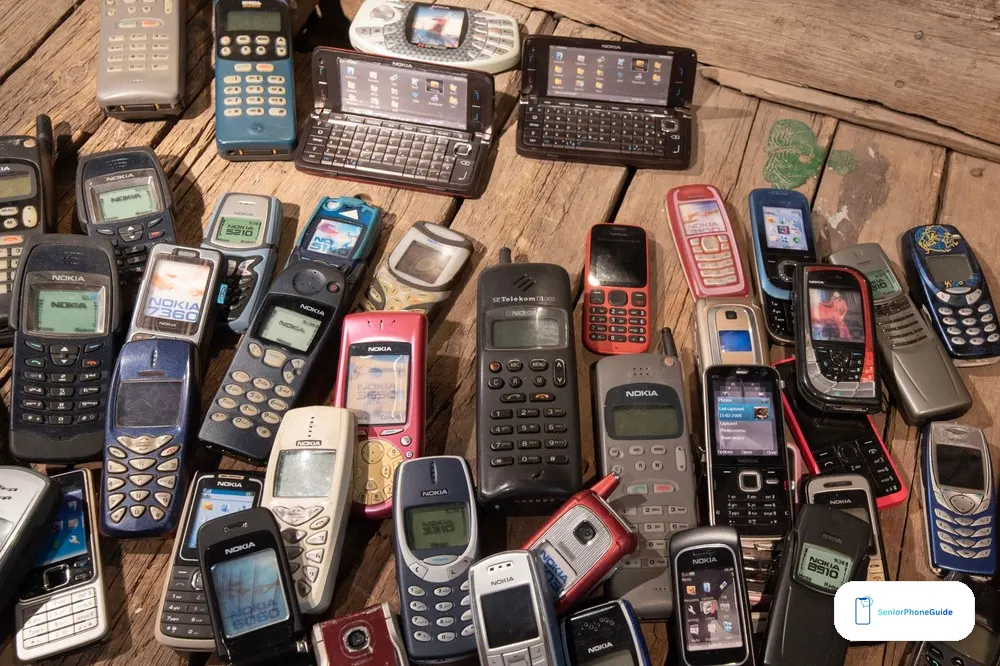
Skip any imported dumb phone that cannot show the exact LTE bands and VoLTE status for your carrier. A product title that says unlocked does not prove voice calls will work. In this category, unlocked can still mean the wrong network.
Skip any 2G phone, however cheap the listing looks. A 2G phone is a paperweight on US networks in 2026. Skip any carrier-locked prepaid flip at a high price — a locked phone is only a good deal when the price is low and the plan fits. The TCL Flip 3 is a good budget pick for exactly that reason; a locked phone at a high price is a trap.
Skip any minimalist phone you plan to fill with workarounds. If the plan is to sideload half your smartphone life onto an E Ink phone, you are buying friction instead of focus — use a stripped-down Android phone instead. And skip the expensive minimalist phone if WhatsApp is non-negotiable for you: the Light Phone III has no WhatsApp, and no amount of money adds it.
Finally, skip the idea that the dumbest phone is the best phone. The cheapest phone in this guide is the right phone only when the job is the cheapest phone. When the job is a phone that works on any carrier, or keeps the family group chat, or survives a worksite, the right phone costs more — and it is worth it.
How this guide was made
We read the two strongest dumb-phone guides in full — The Gadgeteer, published 30 June 2026, and takemy.money, checked against the makers' sites in October 2026 — and checked their picks against the makers' own pages and Amazon listings. We also checked the Proton VPN and Stuff roundups for the phones those two did not cover. We did not hands-on test these phones. Every judgement here is labelled as a judgement from the published evidence, not as experience we do not have. Prices move fast in this category — one rival printed the Light Phone III at one price in June and another printed a price about two hundred dollars higher in October — so this guide uses budget bands instead of printed prices. Figures are as published in October and November 2026.
Frequently asked questions
- What is a dumb phone, exactly?
- A dumb phone is a mobile phone that makes calls and sends texts and refuses, by design, to do the rest — no feeds, no app store full of distractions, no browser waiting to become an afternoon. The name is unfair; the phone is deliberately limited, not stupid.
- Is a dumb phone the same as a flip phone?
- No. A flip is one kind of dumb phone — the kind that folds shut. The other kinds are the candybar with a keypad, the minimalist phone with the tempting parts removed, and the E Ink phone with a paper-like screen. Our flip guide covers flips in depth; this guide covers the decision between all four kinds.
- Which dumb phone is best for a senior?
- For most seniors, the Nokia 3210 4G as a first trial, or the Sunbeam F1 Pro if the phone has to work on any US carrier without a fight. If big buttons and a loud ringer matter more than the dumb part, read our big-button phone guide first — the need might be buttons, not minimalism.
- Will a dumb phone work on Verizon?
- Some will and some will not. The Sunbeam F1 Pro works on Verizon, AT&T, and T-Mobile. The Punkt MP02 does not work on Verizon at all, and the TCL Flip 4 lacks the LTE band Verizon needs. Run the carrier's IMEI checker before you pay.
- Will a dumb phone work on AT&T?
- The Punkt MP02 is verified on AT&T, and the Sunbeam F1 Pro works there too — though its hotspot does not work on AT&T's own network. The Nokia 3210 4G does not work on AT&T; it is a T-Mobile-network phone.
- Will a dumb phone work on T-Mobile?
- Mostly yes, with two warnings: the Nokia 3210 4G works on T-Mobile but its band list misses some of T-Mobile's main LTE bands, so coverage can be patchy; and the Punkt MP02 works on T-Mobile without VoLTE, which can break voice calling.
- Can I still use WhatsApp on a dumb phone?
- On one phone in this guide: the Wisephone II, which keeps WhatsApp in its approved Tool Drawer. Every other pick here cannot run it. The TCL Flip 4 lost WhatsApp when WhatsApp ended support for its KaiOS software.
- What happens to family group chats?
- They fall back to MMS on most dumb phones, which means photos arrive late or not at all and reactions vanish. If the family group chat is daily life, the Wisephone II is the only pick here that keeps it whole.
- Can a dumb phone replace my smartphone completely?
- Only if your life already fits calls, texts, and a few simple tools. If you need a banking app, app-based two-factor codes, ride-share apps, or mobile boarding passes, plan for a second device — usually the old smartphone kept on Wi-Fi at home.
- Will a dumb phone call 911 without a plan?
- Yes. Any working mobile phone with signal can call 911, plan or not — that is the law in the US, and it applies to dumb phones the same as smartphones. The phone still needs a charged battery and coverage where you are standing.
- How long does the battery last on a dumb phone?
- Think in days, not hours. A basic candybar lasts for days on a charge because the screen is tiny and the apps are sparse. Mudita claims up to six days for the Kompakt, and reviewers say that claim holds up. A removable battery also means a spare can live in a drawer.
- Is the Light Phone III worth it for a senior?
- Usually not as a first dumb phone. It is the most expensive phone in this guide by a wide margin, its price climbed sharply between summer and autumn 2026, new orders showed delivery near the end of the year, and it has no WhatsApp, no autocorrect, and no swipe typing. It is a beautiful phone for a committed minimalist — not a practical first step for a senior.
- What is the cheapest dumb phone worth buying?
- The under-$50 band: a basic candybar like the Nokia 225 4G or a cheap feature phone like the Easyfone T200 4G. Enough to learn whether the dumb-phone life fits, cheap enough that a failed experiment costs less than a family dinner.
- Should I buy a dumb phone for my parent?
- Yes — and do the setup yourself. Keep the old number, test the ringer from the next room, add the family and doctor numbers first, put the charger where the phone sleeps, and keep the old smartphone as a Wi-Fi backup for the bank app and two-factor codes. The 30-minute setup in this guide walks through it.
- Where should I buy a dumb phone — Amazon or direct?
- Amazon for the phones sold there — the search links in this guide go to Amazon, and a return-friendly seller matters more than the lowest price. Buy the Light Phone III direct from Light; Amazon carries third-party listings for it, so check the seller. Whatever you buy, test a call on the day it arrives.
Verdict: start with the carrier, try the cheap Nokia first, and buy the Sunbeam if the phone has to work anywhere. Next step: match a phone to the situation in our big-button guide, then run the carrier check before you pay.