
Best Big-Button Mobile Phones for Seniors in the UK: Honest Picks, UK Networks, and the 4G Check That Matters
A senior-paced UK buying guide: 4G big-button mobile phones from Doro, TTfone and Nokia, the networks that carry them, and the checks that stop a wrong buy. No prices printed, because they change too fast to print honestly. Whatever phone you choose, set up SOS first — our Emergency SOS setup guide for iPhone and Android walks through the five-minute setup for both kinds of phone.
As an Amazon Associate, I earn from qualifying purchases.
In a hurry? See the current price on Amazon.
The short answer
For most seniors in the UK, the best big-button mobile phone is a 4G feature phone with large, well-spaced keys, a loud speaker, a charging cradle it simply drops into, and an assistance button set up with family. If the person wants WhatsApp and video calls, the answer changes: then a simplified smartphone such as the Doro Aurora A10 or the Chatsie Phone fits better. This guide is written for UK buyers only, and it prints no prices.
Verdict: Start with a 4G phone, in the shape that matches what the person will actually do — calls and texts, WhatsApp and video, or four buttons and GPS help. Check coverage at the home address, work out the total monthly cost before you buy, and test the phone at home inside the return window.
| Phone | Best for | Shape | Check before you buy |
|---|---|---|---|
| Doro Leva X10 | The simplest phone; memory loss and dementia | Bar, four large contact buttons | Trusted-contacts-only calling; wall adapter sold separately |
| Doro Leva E10 | Simple calls and texts | Bar, physical keypad | High-contrast keypad and screen magnification, as Doro lists them |
| Doro 6820 | Simple calling, messaging and charging | Bar, physical keypad, charging dock | Expert Reviews tested pick; no web browser or email |
| Nokia 2660 Flip | Flip phone lovers | Flip | Charges by micro-USB cable, with no dock |
| Doro Leva E30 | Flip phone with an outside screen | Flip | Argos describes it as a 4G feature phone; cradle in the box |
| Doro Aurora A10 | WhatsApp and video calls, simply | Simplified smartphone, 4.5-inch screen | Still a touchscreen — needs a family set-up |
| Chatsie Phone | WhatsApp and video calls, simplest screen | Simplified smartphone, text-box homescreen | Expert Reviews tested pick; dedicated UK-based helpline |
Affiliate disclosure: As an Amazon Associate I earn from qualifying purchases. Our picks come from our own research into the manufacturers' official UK pages, Argos, Age UK Trading, Expert Reviews and Which? — checked in October 2026. We print no prices on this page, because they change too often to print honestly; check the current price on Amazon.co.uk before you buy. It costs you nothing extra, and it keeps this site free. Read our affiliate disclosure.
One warning: this guide is about mobile phones. The words "big button phone" also bring up landline phones, and the two are different jobs. If the person needs a phone that stays in one room, read our landline guide instead: Landline Phones for Seniors: 6 Big-Button Picks.
Is this the right kind of phone?
Before any model name, answer three questions. They take two minutes, and they prevent the most common wrong buy: a clever phone for a person who only wanted to make calls.
Question 1: what will they do with it?
There are only three honest answers. Calls and texts only — the person rings family, answers calls, and sends the odd short text. WhatsApp and video calls as well — the person wants to see grandchildren on screen and join the family group chat. Or the simplest possible thing — the person presses one button and reaches one person, and everything else is locked away. Each answer points to a different shape of phone, and the sections that follow are built in that order. If the answer is "calls and texts only", do not let anyone sell a smartphone.
Question 2: what can their hands, eyes and ears comfortably manage?
Three small tests, done at the kitchen table. Hands: can they feel one key at a time without pressing its neighbours, and can they plug in a small cable — or would a drop-in charging cradle be kinder? Eyes: can they read the numbers on a keypad and a short message without glasses sliding down their nose, and would a bigger screen or magnified text help? Ears: can they hear a call in a normal room, and do they wear a hearing aid? Doro's feature phones promise large buttons and clear sound — but both still need checking with the person's own hands, eyes and ears.
Question 3: who will help?
A simple phone still needs one afternoon of help: contacts entered, the assistance button set up, the ringtone made loud, the cradle put where it will be used. If help is far away, favour the phones with the fewest settings and the strongest human support — Doro promises real human help when you buy direct, and the Chatsie Phone comes with a dedicated UK-based helpline, according to Expert Reviews.
If the answers point away from a mobile altogether — the person never leaves the house and only ever rings from one chair — read the landline guide linked above instead. If the answers point to a full smartphone the person already owns and knows, keep that phone and simplify it with them; our guide to choosing the right phone, How to Choose the Right Phone for a Senior, walks through that decision slowly.
Flip, bar, or simplified smartphone?
Every phone in this guide is one of three shapes. The shape decides how the phone feels in the hand and what can go wrong, so choose the shape before the brand.
The bar phone: keys always in view
A bar phone is the classic rectangle with a physical keypad below the screen. The keys are always there, always in the same place, and the numbers are large and well-spaced on the models in this guide. Which? defines big buttons as large, clearly labelled and well-spaced buttons, and that definition is the test to apply in a shop: can you see each number clearly, and can you press one without pressing its neighbours? Check the keypad lock for pocket dialling.
The flip phone: close it and the call is over
A flip phone opens to answer and closes to end the call. That single habit removes the most confusing moment on a modern phone: finding the red button on a screen. The closed phone cannot dial by accident, and the outside screen shows who is calling before it is opened. Flip phones suit people who like a clear beginning and end to a call, and who find touchscreens fiddly. Their weakness is the smaller inside screen and slower texting — and charging varies, so check whether a cradle is in the box. Our flip-phone guide covers flip phones in more depth: Best Flip Phones for Seniors.
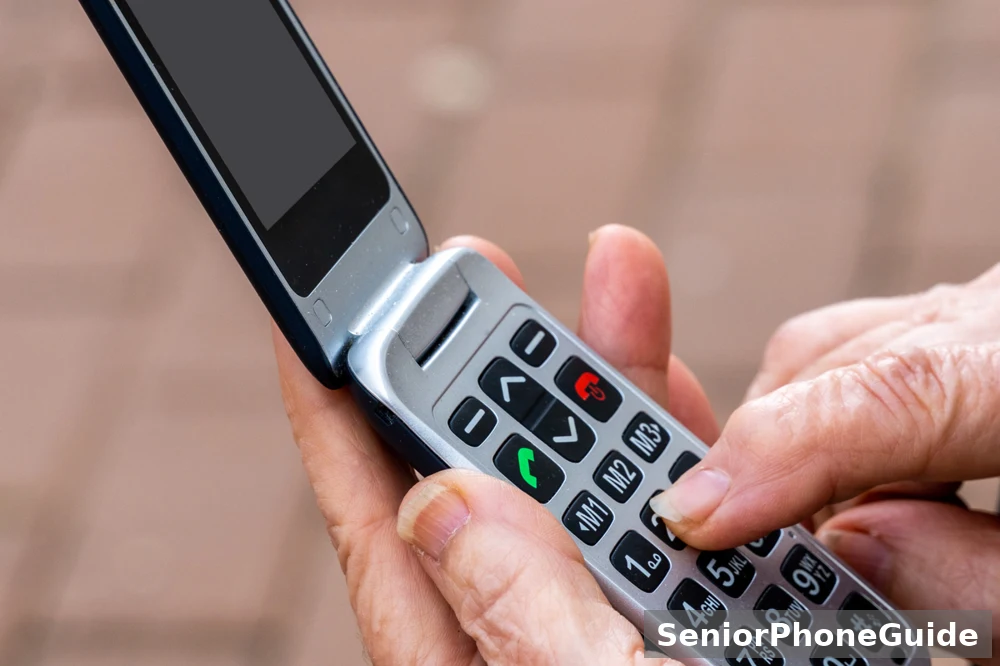
The simplified smartphone: a touchscreen, tamed
A simplified smartphone has a touchscreen, but the homescreen is stripped back to big text boxes or big app icons, the menus are few, and a physical button still answers and ends calls on the Doro models. It suits people who want WhatsApp, video calls, or a bigger screen for reading, and who have a family member to set it up simply first.
Calls and texts only: the simplest phones
If the answer to question 1 was calls and texts only, stop here. These are the simplest phones in this guide, and the rest of it is detail you do not need.
How we picked these (honest version)
No sponsored placements, and no claim that we personally tested every one of these picks. The picks come from our research into real reviews and manufacturer specifications — we compared the options on the things that decide whether one actually works for a big-button mobile phone for a senior in the UK, ranked the ones that fit first, and left out the ones that cost more without doing more. Where a claim rests on a spec or on buyer reports, we say so in the pick.
Doro Leva E10: the plain bar phone, done well
Doro lists the Leva E10 on its UK feature-phone pages with a 2.4-inch landscape display, a high-contrast keypad, screen magnification, and adjustable font size. In plain words: the numbers are bold against the keys, the screen text can be made bigger, and the screen can be magnified for the small print. Check price on Amazon.co.uk
Doro 6820: the tested feature phone
Expert Reviews, updated on 8 October 2026, picked the Doro 6820 as the best feature phone for simple calling, messaging and charging. Its testers judged feature phones on how intuitive the interface felt, how the buttons felt and held up, how calling, messaging and SOS set-up worked, and how charging worked. The 6820 has a physical keypad, an assistance button on the back set up to call or message emergency contacts, a bundled charging dock, and — usefully for a person who is easily confused — no web browser, email or social apps. Check price on Amazon.co.uk
Doro Leva E20 and the TTfone bar phones
Doro also lists the Leva E20 with hearing-aid-compatible wording, a built-in camera, large buttons and a physical keypad — the same shape as the E10, with the hearing-aid wording made explicit. TTfone lists its own bar phones on its UK homepage, including the TT280 and the TT760, among its simple big-button phones, with free delivery on UK orders and a two-year warranty on selected models. TTfone's pages are the maker's own marketing, not independent testing, so treat the descriptions as the maker's claims and check the phone in the hand.
What these phones rule out: WhatsApp, video calls, email, and the internet. That is the point. If video calls are wanted, that is a different phone — see the simplified smartphone section — and it is better to decide that now than to buy twice.
Flip phones: the close-to-end-call phones
Flip phones suit people who want a call to have a clear beginning and a clear end. Open to answer, close to finish, and nothing in between to learn. Four flips in this guide are worth checking, and one warning applies to all of them: check the generation on the maker's own UK page, because flip phones are where old 2G stock hides.
Nokia 2660 Flip: the best-tested flip
Expert Reviews picked the Nokia 2660 Flip as the best flip phone. Its testers describe a phone with a side assistance button, a 0.3MP camera, S30+ software, and 4G and Bluetooth.First, it charges by micro-USB cable, with no dock — so the person must be able to plug in a small cable, or a family member must do it. Second, the assistance button sits on the side, not the back, so show the person exactly where it is and what it does before the phone is used alone. Check price on Amazon.co.uk
Doro Leva E30: the flip with an outside screen
Argos describes the Doro Leva E30 as an easy-to-use 4G feature phone, with an external screen, ClearSound, and a charging cradle and USB-C lead in the box. Argos also lists the Leva L20 and L30 with a Secure Button with GPS, hearing-aid-compatible wording, loud and clear sound, and a charging cradle in the box. Which? tested the Leva L30 in January 2026 and lists it as a clamshell with a 2.8-inch screen and a 2Mp camera. Check price on Amazon.co.uk
Doro Leva E22 and TTfone TT970: check before you buy
Doro lists the Leva E22 as a clamshell phone with hearing-aid-compatible wording, a built-in camera, large buttons and a physical keypad. This guide deliberately gives it no generation label: Argos describes it one way and other listings describe it another way, and the two descriptions disagree. The same caution applies to the TTfone TT970, which TTfone lists among its simple big-button phones: it is a flip in the TTfone range, and its generation and features should be confirmed on TTfone's own pages. Check price on Amazon.co.uk Check price on Amazon.co.uk
WhatsApp and video calls: simplified smartphones
If the person wants WhatsApp, video calls, or a bigger screen for reading, a feature phone will frustrate them. That is the one case where a simplified smartphone earns its complexity — provided a family member sets it up simply first, and provided everyone accepts that a touchscreen still needs learning.
Doro Aurora A10, A20 and A30: Android, tamed
Doro describes its smartphones as combining the familiar Android experience with an intuitive interface, clearer sound, and an easy-to-read display. On Doro's UK pages the Aurora A10 has a 4.5-inch screen and a 13MP camera, the Aurora A20 has a 4.5-inch screen, a 13MP single rear camera and a 3000 mAh battery as shown, and the Aurora A30 has a 6.1-inch screen with a 50MP dual camera and a 5000 mAh battery as shown. Check price on Amazon.co.uk Check price on Amazon.co.uk Check price on Amazon.co.uk
Chatsie Phone: the simplest screen of all
Expert Reviews names the Chatsie Phone as the best smartphone overall for older people, and its description is the clearest in this guide: instead of coloured icons, the homescreen shows text boxes; fonts are adjustable; a stylus is bundled for people who find touchscreens fiddly; dictation handles texting; and there is a dedicated UK-based helpline. That is a phone designed around the fear of menus, not around showing off. If the phone is for someone with a long-term illness or disability, ask the seller about VAT relief before you buy: eligibility and the exact price depend on the seller's scheme, so confirm what applies rather than assuming a discount. Check price on Amazon.co.uk
Motorola Moto G55: the ordinary smartphone, honestly labelled
Expert Reviews also names the Motorola Moto G55 as the best simple and cheap smartphone. Be clear about what that means: it is an ordinary Android smartphone, not a simplified phone. It earns its place here for one reader only: the older person who is comfortable with a normal smartphone, wants a bigger screen and a lower monthly cost, and has someone to set it up. For everyone else in this guide, the Aurora range or the Chatsie Phone is the safer buy. Before buying any ordinary smartphone for this job, check the maker's stated minimum support period — how long it will keep receiving security updates — because a cheap phone abandoned by updates is a false economy.
Hearing and sound: what HAC and ClearSound mean
Hearing is where a wrong buy hurts most, because the problem only shows itself on a real call, in a real room, with a real hearing aid. Badges help, but the test helps more.
What the wording means
On the UK pages checked for this guide, the wording is HAC, short for hearing-aid compatible, and Doro ClearSound, Doro's name for its clearer-sound audio. Doro marks the Leva X10, the Leva E20 and E22, and the Aurora A20 with HAC wording, and Argos lists HAC and loud, clear sound for the Leva L20 and L30 and the Aurora A20. Which? defines hearing-aid compatibility as looking for a phone with a good microphone and telecoil. This guide prints no letter rating for any UK model, because none was verified on an official UK page.
The live-call test
Do this test in the return window, with the hearing aid in, holding the phone as normal. First, call a family member and ask whether voices are clear at both ends, with the television on low. Second, listen for buzzing when the phone is held against the hearing aid — if it still buzzes, the phone is wrong for that hearing aid. Third, check the ringtone from another room, with vibration on — a phone that cannot be heard ringing misses calls. A phone that fails the buzzing test should go back, however cheap or pretty.
If the person has significant hearing loss, talk about it openly before buying. A phone with an amplifier or a captioned-call service may be the right next step, and the landline guide linked earlier covers amplified landline phones in more depth.
Hands and dexterity: buttons you can feel
Stiff fingers, arthritis, tremor, and poor grip change what a phone must be. The test is touch, not looks: can the person find and press one key, on purpose, without looking, and without pressing its neighbours?
What to feel for in the hand
Which? defines big buttons as large, clearly labelled and well-spaced buttons, and that is the whole test. Can the thumb find the call button without hunting? Are the keys raised enough to feel the gap between them? Is the keypad backlit, so the numbers can be seen in a dim room? Weight matters too: there is no right weight in a review, only the person's hand.
Doro 5860: the pick for limited hand mobility
Expert Reviews picked the Doro 5860 as the best phone for limited hand mobility. Its testers describe a physical keypad, an assistance button on the back, a bundled charging dock, no web browser or email or social apps, a 2MP camera, and 4G and Bluetooth. The combination that matters for stiff hands is the physical keypad plus the dock: no tiny cable to plug in, and no touchscreen to tap precisely. Check price on Amazon.co.uk
Charging: the cradle beats the cable
For most older readers, the charging method matters as much as the keypad. A drop-in desktop charging dock — Doro calls it a charging cradle — means the phone is put down in one movement, and picked up charged. The Nokia 2660 Flip has no dock and charges by micro-USB cable, which is its one real weakness in this guide. Doro flip phones come with a cradle and a USB-C lead in the box, according to Argos, and the Doro 6820 and 5860 come with a bundled charging dock, according to Expert Reviews.
Memory loss and dementia: four buttons and GPS help
For a person living with memory loss, the phone must do less, not more. Four buttons, trusted callers only, and a way for family to find the phone — that is the whole specification, and one phone in this guide is built exactly to it.
Doro Leva X10: the simplest phone in this guide
Doro's Leva X10 page describes easy calls to loved ones with four large contact buttons, fewer unwanted calls by allowing only trusted contacts to get through, and added reassurance with an assistance button and GPS location sharing. Argos describes the Leva X10 as ideal for people living with dementia or memory challenges, with a Secure Button with GPS positioning and SMS location requests, call blocking, and a charging cradle and USB-C lead in the box. Check price on Amazon.co.uk
Setting it up so it stays simple
The set-up is the product. Enter the four contacts with the person, using the names they actually use, and put a photo beside each name if the phone allows it. Set the assistance button's contacts to the two people who will always answer, and test it once with them warned. Then stop: do not add apps or features. If strangers start ringing, check the trusted-contacts setting first.
For the wider picture — choosing, setting up, and living with a phone when dementia is part of life — read Best Cell Phones for Seniors With Dementia: 6 Honest Picks. When a phone stops being enough, talk about a care alarm or medical alert device as well. A phone is one tool in the safety plan, not the whole plan, and asking for more help is good sense, not failure.
The 4G check: the switch-off truth
This is the section that saves the most money and the most disappointment, because the trap is real and still on sale: cheap 2G-only phones, sold as bargains, on networks that no longer carry them properly.
What has actually switched off
Age UK Trading, in a guide dated 15 August 2025, reports that all mobile network providers have agreed with the government to switch off 2G and 3G networks by 2033, according to Ofcom. Which?, in October 2026, adds the detail: EE switched off 3G in early 2024, O2 has mostly switched off 3G, Three closed its 3G offering at the end of 2024, and Vodafone has completed switching off 3G. Three never had a 2G network. Put together: 3G is gone, 2G is living on borrowed time, and a phone bought today must be a 4G phone to have a future.
The 2G-only trap, in the shops today
TTfone labels some of its own models 2G on its own homepage — the TT880, the TT150 Dual SIM, and the TT660. Those phones have no future on Three, and no future anywhere once 2G is phased out. Which? tested the Doro 1380 in January 2024 and lists it as a 2G phone. If the price looks too good, check the generation first. If a listing does not state the generation at all, treat that silence as an answer.
The E22 disagreement shows the trap in miniature: Argos describes the Doro Leva E22 one way and other listings describe it another way. This guide gives it no generation label. Check Doro's own UK page, and buy only once the generation is confirmed there.
UK networks and plans: EE, O2, Vodafone, Three
Pay-as-you-go suits light users, a contract suits heavy ones — match the plan to the calling, not to the deal on the day.
Check the phone is SIM-free or unlocked for your network before you buy — a locked phone on the wrong network is a paperweight with buttons.
The phone is half the buy. The other half is the network it runs on, and the plan that pays for it. Get the network wrong and the best phone in this guide will drop calls in the very room it is meant to serve.
The Big Four, and the names that ride on them
The UK has four mobile networks that own their masts: EE, O2, Vodafone and Three. Which? explains that virtual networks such as Giffgaff, Tesco Mobile and Smarty piggyback off one of the Big Four networks. In plain words: a Giffgaff or Tesco Mobile SIM uses another company's masts, so its coverage is that company's coverage, and its customer service is its own.
Coverage where the phone will actually live
Coverage maps are averages. The only coverage that matters is the kitchen, the bedroom, and the chair by the window. Before you buy, check the network's own coverage checker for the home postcode, and ask a neighbour on the same network whether calls hold indoors. If the person already has a phone that works at home, note which network it uses — that network is the safe default, and changing networks to save a small amount a month is a bad trade if the new one drops calls in the hall.
SIM-only, contract, or a Doro Voice plan
Three ways to pay, and the honest comparison is the total monthly cost, not the headline. SIM-only means you keep or buy the handset and pay monthly for calls, texts and data, with no handset cost folded in. A contract folds the handset into the monthly payment over a year or two — the handset looks free and is not. Doro shows a third choice on its Leva X10 page: a monthly Doro Voice plan, or your current provider instead.
Keeping the number, and one network warning
If the person wants to keep their number, ask the new provider to move it for them, and do not cancel the old service until the number has moved — losing a number the person has had for twenty years is a harm, not an inconvenience. One specific warning, from Age UK Trading: the SOS button on a TTfone Mercury 2 TT200 is not available on the Three, IS — as Age UK Trading's page words it — or Smarty mobile networks. The same check applies to any assistance-button phone on any network: ask the seller, in plain words, "will the assistance button work on this network?"
Human help, labelled honestly
Two support numbers were verified on the makers' own UK pages: Doro shows "Questions? Call Us 0800 026 5479" and TTfone shows "Call us 0330 333 0819". Both are sales and support numbers. Neither is an emergency number. Store them in the house book, with the receipt.
Buy it in this order: the seven-step sequence
Check water resistance too — a phone that lives in a pocket meets rain, spills, and gardens, and a splash should not end it.
Do these seven steps in this order.
- Check it is a 4G phone, not a 2G-only model. Ask the seller to confirm the generation, and check the maker's own UK page before you pay.
- Check coverage at the home address. If you can, have someone make a test call from that address first.
- Choose how you will pay: SIM-only, a contract, or a Doro Voice plan where Doro offers one. Work out the total monthly cost before you buy.
- Decide about the number: keep the old number or start fresh. Ask the new provider to move the number for you, and do not cancel the old service until the number has moved.
- Buy where returning it is painless — direct from Doro or TTfone, from Argos, or from Amazon.co.uk — and keep the box and receipt until it has been tested at home.
- Test it at home in the return window: calls, texts, the assistance button set up with family, and a call with the hearing aid in.
- Set it up together: contacts, large text, a loud ringtone with vibration, the charging cradle in its place, and the scam house rule agreed before the phone is used alone.
Where to buy: direct from Doro or TTfone, from Argos, or from Amazon.co.uk through the search links in this guide. Each gives you a receipt and a return route. A marketplace seller with no returns wording and no support number is a risk, not a bargain. Keep the box, the receipt, and the returns wording together until the return window has closed.
The set-up afternoon: make it theirs
Set the phone up together, on one afternoon. A phone set up by someone else, in another room, arrives as a stranger's object. A phone set up together arrives as theirs.
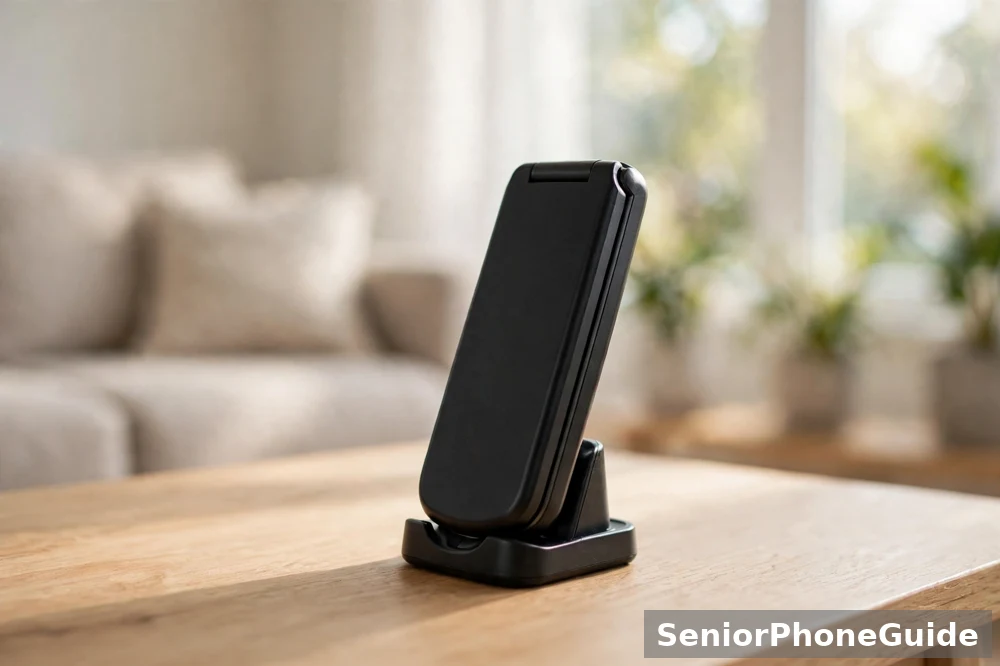
Contacts first, everything else second
Enter the people they actually call, in the order they call them, using the names they use. On the Leva X10, that means the four large contact buttons; on other phones, it means the speed-dial or favourites list. Call each person once, from the new phone, while they are in the room.
Text, sound, and the cradle's place
Make the text as large as the phone allows, and check a real message can be read without glasses sliding down. Set one loud ringtone, with vibration switched on, and test it from another room. Put the charging cradle where the phone will live — beside the favourite chair, plugged in, with nothing stacked on top of it — and practise putting the phone into it twice, so the movement becomes a habit before nightfall.
The scam house rule, agreed out loud
Agree the rule together, out loud, and write it on the card that stays with the phone: never tap a link in a text, never share a code, a password, or bank details because a call or text asked for it, and always show a strange message to someone trusted before acting. Add a family safe word, so a call claiming to be a grandchild in trouble can be tested in seconds. Agree that unknown numbers go to voicemail. The Doro Leva X10's trusted-contacts-only calling and automatic spam blocking help, but the house rule is what protects the person when a new trick arrives.
For smartphone SOS set-up — the iPhone and Android emergency features, which work differently from a feature phone's assistance button — our guide is Emergency SOS on Your Phone: Set It Up Before You Need It (iPhone & Android), and it is a smartphone guide: do not use it as the set-up for a Doro or TTfone feature phone. For a feature phone, the set-up in this section, and the maker's own instructions, are the right documents.
SOS buttons and emergencies: what really happens
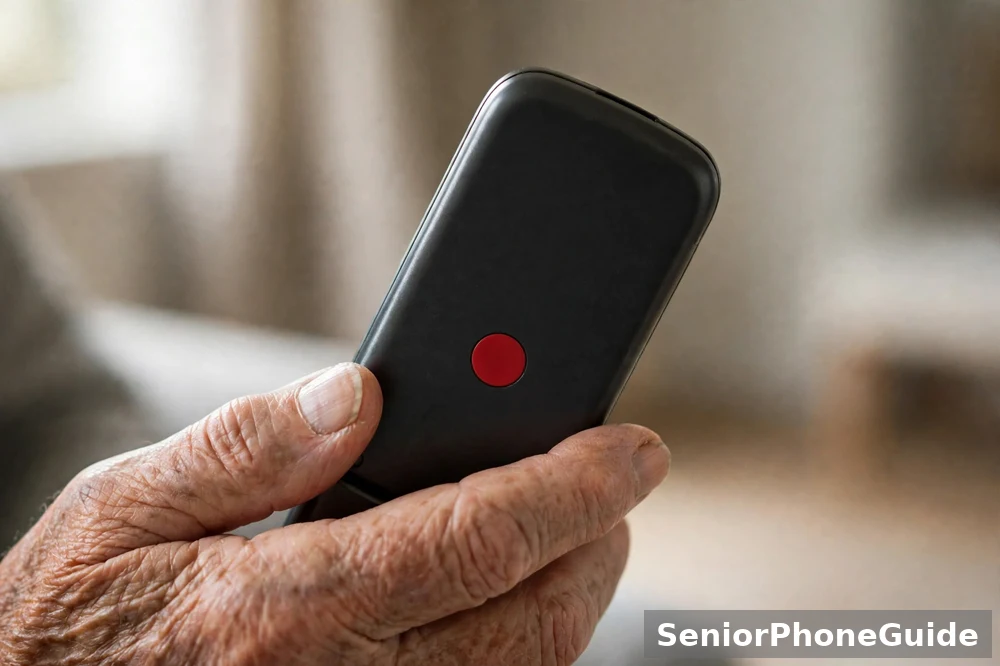
The assistance button is the feature families ask about most, and the feature most often misunderstood. Here is what it does, what it does not do, and when to call the emergency services instead.
What the button does
Which? defines an assistance or SOS button as a dedicated button which, when pressed, automatically sends a message to your emergency contacts. On Doro phones, the Secure Button shares GPS location with trusted contacts, according to Doro and Argos, and Expert Reviews describes the Doro assistance button as set up to call or message emergency contacts. The button contacts the people you chose. It does not call the emergency services, it only works if the phone is charged and has signal, and it must be tested once, with the contacts warned.
When to call 999, 112, 101 or 111
GOV.UK guidance states that 999 is the number to call in an emergency — for example, if you are the victim of a crime, badly injured, or see a fire — and that it is a free number, usable for police, fire and rescue, ambulance, and coastguard. The same guidance states that 112 is also a common emergency telephone number, free to use from most mobile telephones, which can be used instead of 999 and will connect you to the same services. For non-urgent situations, the police can be called on 101 — for example, if property is damaged or stolen. And if you have an urgent medical problem but you are not sure what to do, GOV.UK guidance says to call 111, where a trained adviser will ask about symptoms and direct you to the right service.
Store the right numbers, in the right places
In the phone: the family contacts the assistance button will message, and the GP surgery's number, under names the person recognises. The emergency numbers need no storing — 999 and 112 work from any mobile phone. In the house book, with the receipt: the Doro and TTfone support numbers. On the card beside the phone: the safe word, the house rule, and the family member to call first.
More phone-safety guides, in plain language, are on Pinterest: follow SeniorPhoneGuide on Pinterest to get new guides as soon as they appear.
Bottom line: Buy a 4G phone in the shape that matches what the person will actually do — a bar or flip phone for calls and texts, a simplified smartphone for WhatsApp and video, four buttons and GPS help where memory loss is part of life. Check the generation on the maker's UK page, check coverage at home, work out the total monthly cost, and test it inside the return window. Set the assistance button up with family, test it once, and remember: it messages the people you chose, it does not call 999. In a real emergency, call 999 or 112.
Who should skip this
If the user is comfortable with a touchscreen and wants apps, a big-button phone will feel like a step back. Skip it too if the user needs a smartphone for banking or health apps — a simple phone cannot run them.
Red flags
A phone that does not state its network bands, a “UK model” that is really an import, and any phone sold without a UK charger.
Frequently asked questions
- Which is the best phone for an elderly person?
- There is no single best phone. Calls and texts only means a simple bar or flip phone. WhatsApp and video calls means a simplified smartphone. Memory loss means the Doro Leva X10, with four large contact buttons and GPS location sharing, which Argos describes as ideal for people living with dementia or memory challenges.
- What is the easiest phone for the elderly?
- The easiest phone is the one with the fewest decisions on the screen. For most older readers that means a feature phone with large, well-spaced physical buttons, a loud speaker, and a charging cradle it simply drops into. Expert Reviews picked the Doro 6820 as the best feature phone for simple calling, messaging and charging. Test the phone with the person before the return window closes.
- Should someone with dementia have a mobile phone?
- Yes, in most cases — but it should be the right kind of phone, set up the right way. A phone with four large contact buttons, calls limited to trusted contacts, and GPS location sharing can help a person with dementia stay in touch and stay in touch, and Argos describes the Doro Leva X10 in exactly those terms. Set the phone up together and test the assistance button with the family contacts in place.
- What is the best simple smartphone for elderly people in the UK?
- Expert Reviews names the Chatsie Phone as the best smartphone overall for older people: a text-box homescreen instead of coloured icons, adjustable fonts, a bundled stylus, dictation for texting, and a dedicated UK-based helpline. If the person only wants calls and texts, a feature phone is simpler.
- Which Doro phone is best for the elderly?
- It depends on the job. For the simplest phone, the Doro Leva X10: four large contact buttons, trusted-contacts-only calling, an assistance button with GPS location sharing, and a charging cradle. For a simple bar phone, the Doro Leva E10. For a flip phone, the Doro Leva E30. For WhatsApp and video calls, the Doro Aurora A10. For limited hand mobility, Expert Reviews picks the Doro 5860.
- What phones are available at Tesco for elderly customers?
- This guide cannot name a Tesco handset range, because no Tesco handset page was checked in the research for it. Tesco Mobile is a virtual network piggybacking off one of the Big Four, as Which? explains. If you buy through Tesco Mobile, ask the same questions this guide asks everywhere: is the handset a 4G phone, is it locked to a network, what is the total monthly cost, and can it be returned after a test at home?
- What type of phone is best for seniors who can't hear?
- A phone with hearing-aid-compatible wording on its own UK page, a loud and clear speaker, and a live-call test before you commit. Doro marks several models with HAC, for hearing-aid compatible, and Doro ClearSound, and Argos lists HAC and loud, clear sound for the Leva L20 and L30 and the Aurora A20. The test matters more than any badge: make a real call with the hearing aid in, in a normal room, and ask whether the voice is clear without buzzing.
- What is the best phone for an 80 year old?
- Age is not a phone specification. An active 80-year-old who video-calls grandchildren daily needs a different phone from an 80-year-old who wants one button that calls her daughter. This guide branches by need, not by age: calls and texts only, WhatsApp and video, hearing and sound, hands and dexterity, memory loss, or a simplified smartphone for someone frightened of menus.
- Can you still buy basic phones?
- Yes. Doro's UK pages list a full range of feature phones with large buttons, clear sound and long-lasting battery life, and TTfone's UK homepage lists simple big-button phones with free UK delivery. What has changed is the network underneath: the UK's 3G networks have been switched off, so a basic phone must be a 4G phone. The trap is the cheap 2G-only phone still on sale — TTfone labels some of its own models 2G. Buy 4G, and check the generation on the maker's own UK page.
- What are the disadvantages of flip phones?
- Three, and all three are manageable. First, the inside screen is smaller than a smartphone screen, so long messages take more scrolling. Second, most flip phones here have no proper touchscreen keyboard, so typing long texts is slow. Third, charging varies: the Nokia 2660 Flip charges by micro-USB cable with no dock, according to Expert Reviews, while Doro flip phones come with a charging cradle in the box, according to Argos.
- Is iPhone or Samsung better for seniors?
- Neither, out of the box. A standard iPhone or Samsung phone is a full smartphone with menus, app stores, passwords and notifications — the opposite of simple. What makes a smartphone senior-friendly is simplification after purchase: large text, a simple homescreen, unneeded apps hidden, and a family member setting it up. That is the job the Chatsie Phone and the Doro Aurora range are built for. If the person already owns an iPhone or Samsung and knows it, keep it and simplify it with them.
- How much does a basic mobile phone cost?
- This guide prints no prices, because handset and plan prices change too often to print honestly. Work out the total cost: handset, monthly plan, and extras. Compare plan totals, not just the handset. Check the current price on Amazon.co.uk, Argos, or direct from Doro or TTfone on the day you buy, and keep the receipt until the phone has been tested at home.
- My mum has an old phone that stopped working on Three. What happened?
- Three never had a 2G network, and Three closed its 3G offering at the end of 2024, as Which? reports. An older phone that relied on 2G or 3G therefore has no network left to use on Three. The fix is a 4G phone: check the generation on the maker's own UK page, not on a marketplace listing, and test the new phone at home in the return window. Age UK Trading adds that all providers have agreed with the government to switch off 2G and 3G networks by 2033, according to Ofcom. Do not replace a dead 2G phone with another 2G phone.
- My father pressed the assistance button by accident and it messaged my sister. Is that supposed to happen?
- Yes — that is what the button is for. Which? defines an assistance or SOS button as a dedicated button which, when pressed, automatically sends a message to your emergency contacts. On Doro phones the Secure Button shares GPS location with trusted contacts, according to Doro and Argos. It does not call the emergency services by itself, and it is not a substitute for calling 999 in a real emergency. Test it on purpose, once, with the family contacts warned first, so everyone knows what happens.
- My mother was sold a phone on a long contract with a free handset she cannot use. What do I check first?
- Four things, in this order. First, the return window: when was it bought, and can it still be returned? Second, the network: is the phone locked to one network, and is it a 4G phone? Third, the contract: what is the total monthly cost, how long does it run, and what happens if you leave early? Fourth, the fit: can your mother feel the keys, read the screen and hear a call? If any answer is no, take the phone back to the seller, use the seven-step sequence in this guide for the replacement, and keep every letter and receipt.