
Panasonic Cordless Phones for Seniors in 2026: 6 Picks That Actually Work
Panasonic still makes the best cordless phones for seniors, and the right one depends on the senior's ears — the KX-TGM450S for hearing loss, the KX-TGD833M for most homes, and the KX-TGF975B when scam calls are the problem.
As an Amazon Associate, I earn from qualifying purchases.
Short on time? See the current price on Amazon.
Last updated: November 1, 2026
Affiliate disclosure: As an Amazon Associate I earn from qualifying purchases. Our picks come from our own research into manufacturer specifications and real user reviews — prices and availability change often, so check the current price on Amazon before you buy. It costs you nothing extra, and it keeps this site free. We still print no prices on this page — they change too often to print honestly — and every feature below was checked against the manufacturer's or carrier's official information in October 2026. Read our affiliate disclosure.

The short version: Panasonic still makes the best cordless phones for seniors, and the right one depends on the senior's ears, not the box. If hearing loss is the problem, buy the KX-TGM450S — 50 dB of voice boost, Slow Talk, and a 112 dB ringer. If the house just needs a reliable phone in every room, buy the KX-TGD833M. And if scam calls are the problem, buy the KX-TGF975B, which blocks 14,000 known robocall numbers before they ring.
Our verdict: if the senior struggles to hear calls, buy the KX-TGM450S and check third-party stock first — it is sold out at Panasonic's own store. If hearing is fine and the house needs coverage, buy the KX-TGD833M with three handsets. If the phone rings all day with scams, buy the KX-TGF975B and let its pre-installed block list do the work. Do not buy on the biggest dB number alone: the tone settings and Slow Talk matter more than the loudest figure on the box.
The short answer: which Panasonic cordless for which senior
Panasonic has made home phones for decades, and its cordless line is the one every other brand is measured against — DECT 6.0, call blocking that actually works, and handsets that expand to six. The hard part is not finding a Panasonic. It is buying the right model: the amplified line, the standard line, and the accessible line look alike in a search result, and they solve different problems. The model number is the whole purchase.
| Situation | Buy this | Why |
|---|---|---|
| Struggles to hear calls | KX-TGM450S | 50 dB voice boost, Slow Talk, 112 dB ringer, hearing-aid compatible |
| Most homes, reliable phone in every room | KX-TGD833M | Three handsets, advanced call block, bilingual caller ID, answering machine |
| Scam calls all day | KX-TGF975B | 14,000 numbers pre-blocked, Link2Cell, five handsets |
| Small buttons and low volume are the problem | KX-TGU432W | Big buttons, talking caller ID, volume boost, flashlight — no answering machine |
| Large house, five rooms need a phone | KX-TGE645M | Five handsets in the box, nothing extra to buy |
| Tightest budget, basic phone | KX-TGC222S | Two handsets, DECT 6.0, answering machine, call block |
| Needs a phone to carry out of the house | Not a cordless — see our flip phone guide | A home phone stays home; a flip goes with the senior |
| Wants big buttons on any brand, not just Panasonic | Our cordless big-button guide | The brand-neutral companion to this guide, with the full setup walkthrough |
This guide covers Panasonic's cordless line and Panasonic's rules. Our cordless big-button guide covers the same ground across brands, and the setup steps there apply to every system on this page.
The picks: 6 Panasonic cordless phones that actually work

Every pick below is a Panasonic system sold in the United States in 2026, chosen from the maker's own spec pages and the two strongest rival guides. No pick was tested hands-on by us, and this guide says so where it matters: every decibel, handset count, and block-list figure comes from Panasonic or the seller's listing, and where a figure comes only from a seller, the guide says so. Prices are given as bands because they change with sales and stock, and a printed price would be wrong within weeks.
1. Panasonic KX-TGM450S — best for hearing loss
Best for: a senior with real, ongoing hearing loss who needs the loudest, clearest cordless phone Panasonic makes.
The KX-TGM450S is the amplified flagship, and it is the only pick here built around hearing first. Panasonic lists up to 50 dB of voice amplification with six tone settings, so the caller can be shaped to the frequencies the senior still hears, not just made louder. The ringer reaches up to 112 dB with a bright red LED visual ringer on the base and the handset, so a call is seen as well as heard. And the Slow Talk button slows a fast talker down in real time — and on saved messages — which helps far more than raw volume when words run together.
It is a complete system, not just a loud handset: talking caller ID, talking keypad and phonebook, speakerphone, 9 speed dials, a 250-number call block, an intercom, and a digital answering machine. It meets the TIA-1083 standard for hearing-aid compatibility, so it should not buzz against a hearing aid's telecoil. Two backup batteries in the base keep it working during a power cut — Panasonic says up to 3 hours of use — and the system expands to six handsets with extra KX-TGMA45S handsets.
The honest catch is stock. Panasonic's own store listed the KX-TGM450S at its list price and showed it sold out on November 4, 2026; third-party listings sit in the $100–$200 band. Check the listing before you buy, and buy from a seller with a return window — an amplified phone is a personal fit, and the tone settings need a few days of real calls to judge. See the current price on Amazon.
2. Panasonic KX-TGD833M — best for most homes
Best for: a typical house that wants a reliable phone in three rooms, with scam blocking built in.
The KX-TGD833M is the standard line's best all-rounder: three handsets in the box, advanced call block, bilingual caller ID in English and Spanish, a high-contrast display, and a digital answering system with up to 17 minutes of messages. It expands to six handsets, talks for around 10 hours per charge with about 5 days of standby, and its automated call block intercepts robocalls before the phone rings — plus room for 1,000 more numbers blocked by hand.
What makes it the default pick is the balance: nothing here is the loudest or the cheapest, but nothing is missing either. A senior who answers in the kitchen, the bedroom, and the living room gets a handset in each, the answering machine catches clinic calls, and the block list quietly shrinks the scam calls. If the house has one room that matters, the two-handset sibling below is the same phone with one fewer handset. See the current price on Amazon.
3. Panasonic KX-TGF975B — best for scam protection
Best for: a house where the phone rings all day with robocalls and scams, and the senior also carries a cell phone.
The KX-TGF975B is the strongest call-blocking system Panasonic sells. It comes with 14,000 numbers pre-installed from a robocall database supplied by YouMail, so known nuisance callers are blocked before they ring — plus a 1-touch button that blocks up to 2,000 more numbers, an automatic block with an allow list of up to 100 names and numbers, telemarketing call block, and a One-Ring Scam Alert that shows a confirmation screen before you call back a number that rang once.
It is also the only pick here that bridges the landline and the cell phone. Link2Cell pairs up to two cell phones with the base over Bluetooth, so mobile calls ring on any of the five cordless handsets around the house — the senior answers the cell without carrying it. Two-way recording captures calls to replay later, the phonebook holds 3,000 entries, and the answering system records up to 18 minutes. Five handsets come in the box, expandable to six. See the current price on Amazon.
4. Panasonic KX-TGU432W — best accessible pick
Best for: a senior whose problem is small buttons and low volume, not hearing loss that needs 50 dB.
The KX-TGU432W is the accessible pick: large display and big buttons, a flashing favorites key, a built-in flashlight, call block, volume boost, and talking caller ID that announces who is calling. Two handsets come in the box. It is the simplest phone on this page to use — the buttons are the feature, not an afterthought — and the flashlight is the kind of small thing that matters at night.
The one thing to know before buying: this model has no answering machine in its listing. If the senior relies on recorded messages from clinics or family, buy the KX-TGD833M above instead — it has the same talking caller ID plus the machine. If messages do not matter and big buttons do, this is the right phone. See the current price on Amazon.
5. Panasonic KX-TGE645M — best for large homes
Best for: a large house where five rooms need a phone and nobody wants to buy expansion handsets separately.
The KX-TGE645M ships with five handsets in the box — the most of any standard system here — on DECT 6.0 with an answering machine and call blocking. That is the whole pitch: coverage without extra purchases. Count the rooms where the senior answers calls, and if the number is five, this is the only pick that covers them all out of the box.
The trade-off is that it is a standard system, not an amplified one: no Slow Talk, no 50 dB boost, no talking caller ID in the listing. If the senior in the large house also has hearing loss, buy the KX-TGM450S above and add handsets to it instead — it expands to six, and the amplification is worth more than the handset count. See the current price on Amazon.
6. Panasonic KX-TGC222S — best budget pick
Best for: the tightest budget, a spare phone, or a senior who needs the basics and nothing more.
The KX-TGC222S is the cheapest Panasonic system on this page: two handsets, DECT 6.0, an answering machine, call block, and caller ID. It does the core job — a phone that rings, a voice that is clear, a message that is recorded — for the lowest band here. It is the right pick for a second phone, a small apartment, or a senior who will use one handset in one central room.
What it does not have is the senior-specific help: no big-button layout, no talking caller ID, no volume boost beyond the standard, no Slow Talk. If buttons or volume are the problem, the KX-TGU432W above costs more and earns it. If the budget is the problem, this is the phone. See the current price on Amazon.
Four more Panasonics are worth knowing, and none of them is a pick here for a stated reason. The KX-TGD832M is the KX-TGD833M with two handsets instead of three — same advanced call block, same bilingual caller ID, same 17-minute answering machine — buy it when the house has two rooms that matter instead of three. The KX-TGU433B is the three-handset volume-boost model: Panasonic lists a +12 dB receiver booster and hearing-aid T-coil compatibility, and it is the model that replaced the older amplified KX-TGM420W below. The KX-TG9582B is the two-line office system — a corded base plus two cordless handsets, Link2Cell, and 3-way conference — the only pick for a home office juggling two numbers. And the KX-TGM420W is the older amplified model: 40 dB of boost, Slow Talk, six tone settings, a 100 dB base ringer, one handset — but it is now hard to find new at a fair price, and the KX-TGU433B above has taken its place. Do not pay a premium for a new 420W when the 433B is the current model.
Budget bands: what each band buys
Panasonic's line splits cleanly into four bands, and the band decides the features more than the model name does. Buy by band, then by situation inside the band.
| Band | What it buys | The pick |
|---|---|---|
| Under $50 | Two handsets, DECT 6.0, answering machine, basic call block | KX-TGC222S |
| $50–$100 | Two or three handsets, advanced call block, bilingual caller ID, talking caller ID on the accessible model | KX-TGD832M, KX-TGD833M, KX-TGU432W |
| $100–$200 | Five handsets, or the amplified system with Slow Talk and a 112 dB ringer — third-party stock for the amplified model | KX-TGE645M, KX-TGF975B, KX-TGM450S |
| Over $200 | Two-line office systems, or the amplified flagship at its list price when it is in stock | KX-TG9582B, KX-TGM450S at list |
Two band rules matter. First, handsets are the price: a five-handset box costs more than a two-handset box of the same line, so count the rooms before you count the dollars — buying a two-handset system and adding three expansion handsets later costs more than buying the five-handset box once. Second, the amplified models do not follow the bands: the KX-TGM450S sits in the $100–$200 band at third-party sellers and over $200 at its list price, and the price moves with stock, so check the listing on the day you buy.
The dB truth: the number on the box is not comparable
Every amplified phone prints a decibel number, and the numbers look like a ranking: 50 dB beats 40 dB, 112 dB beats 100 dB. The ranking is not real. Those figures are the maker's own claims, measured the maker's own way, and no two brands measure them the same — a 50 dB claim from one maker and a 50 dB claim from another are not the same loudness. The honest way to read the numbers is as bands, not as a leaderboard: 40–50 dB is the mainstream amplified band for moderate hearing loss, and the ringer band of 90–112 dB is what carries across a house.
What actually decides whether a senior hears the call is not the biggest number. Age-related hearing loss usually starts in the high frequencies — the consonants that make words distinct — so tone control often helps more than raw volume. The KX-TGM450S has six tone settings for exactly that reason, plus Slow Talk and noise reduction: three ways to shape the sound, where a louder-only phone has one. And if the senior wears hearing aids, the compatibility rating matters more than any dB figure: look for hearing-aid compatibility under the TIA-1083 standard, or an M/T rating, which means the phone will not buzz or feed back against the aid's telecoil. Our big-button phone guide covers the handset side of the same question — buttons, display, and answering — for the phone itself.
The practical test is the only honest one: buy from a seller with a return window, set the tone that sounds clearest before daily use, and make a few real calls in the first days. A phone that is loud but muffled is worse than a phone that is quieter but clear, and no box figure tells you which one you have.
The call-blocking ladder: 250, 1,000, or 14,000

Panasonic's call blocking is not one feature — it is three tiers, and the tier decides how much scam protection the house actually gets. Buy the tier that matches the scam problem, not the phone that happens to mention blocking.
| Tier | What it blocks | Models |
|---|---|---|
| Basic | 250 numbers, blocked by hand one at a time | KX-TGM450S |
| Advanced | Automated block before the phone rings, plus 1,000 numbers blocked by hand, plus One-Ring Scam Alert | KX-TGD833M, KX-TGD832M |
| Maximum | 14,000 numbers pre-installed from a robocall database, plus 2,000 more by one-touch button, plus automatic block with an allow list | KX-TGF975B |
The 14,000-number list on the KX-TGF975B comes from a robocall database supplied by YouMail, and it blocks known nuisance callers before they ring — the senior never hears them. The 1,000-number tier on the TGD models is the middle ground: the automated block catches most robocalls, and the senior or a family member adds the numbers that get through. The 250-number tier on the amplified KX-TGM450S is the weakest, and it is the one honest weakness of the best hearing phone on this page: if scam calls are the bigger problem, the KX-TGF975B above is the right phone, not the 450S.
One-Ring Scam Alert deserves its own sentence, because it catches the scam the other tiers miss: a number rings once and stops, hoping the senior calls back — and the callback number is premium-rate. The alert shows a confirmation screen before the callback goes through, so the senior sees the warning instead of dialling blind. Our senior scam checklist covers the calls that target this exact moment — a new phone, a new line, a senior who wants to be helpful — and the family rule that belongs with any of these phones: no real caller asks for a code, a password, or a payment over the phone.
Landline or VoIP: what the phone actually needs
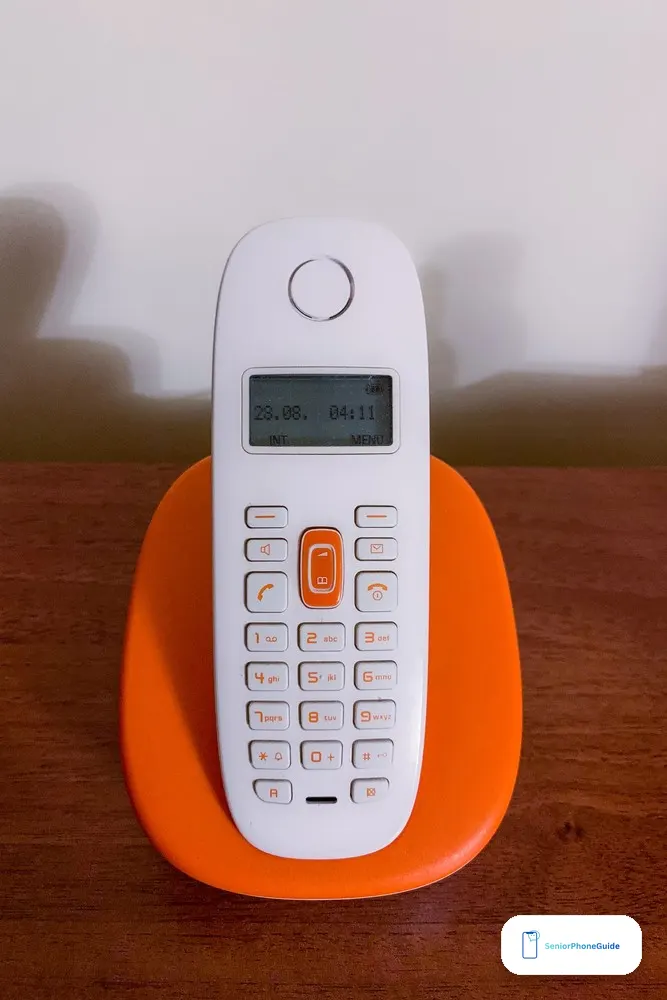
A Panasonic cordless phone needs a phone jack. That is the whole requirement, and it is the one buyers forget: the base plugs into a standard landline jack, and the handsets talk to the base over DECT 6.0. No internet is needed for the phone itself, no app, no account, no subscription. If the house has a landline, the phone works the day it arrives.
If the house has internet phone instead — VoIP through a cable modem or a provider adapter — the phone still works, but only if the adapter provides a phone jack. Most VoIP adapters do; some do not. Check the adapter first, and check with the provider before you buy: a cordless phone with no jack to plug into is a paperweight, whatever the listing says about compatibility. The same check applies the other way: if the senior is thinking of dropping the landline entirely, the cordless phone goes with it, and the replacement is a cell phone, not another cordless. If there is no landline at all in the house, a free government phone through the Lifeline program is the honest alternative to check first.
DECT 6.0 is worth one paragraph because it is the reason these phones sound clear in a modern house. DECT uses its own frequency band, separate from the 2.4 GHz and 5 GHz bands Wi-Fi uses, so the phone avoids most Wi-Fi interference — the router, the smart TV, and the microwave do not fight the call. An older 2.4 GHz cordless phone shares the Wi-Fi band and crackles when the house gets busy; every Panasonic on this page is DECT 6.0, and that is one of the quiet reasons the line has lasted.
What will NOT work: the traps in the listings
Panasonic's line is clean enough that the traps are not in the models — they are in the listings around them. Every one of these looks right in a search result, and every one wastes money or creates a second purchase:
- An expansion handset from the wrong series. Extra handsets must match the base series — a handset from another Panasonic line will not register to the base. The common mistake is buying a cheap handset that does not match the system already in the house. Check the series on the base before you buy the extra handset, and buy the handset that names the same series.
- A 2.4 GHz cordless phone in a Wi-Fi house. Older cordless phones share the 2.4 GHz band with Wi-Fi and crackle when the router is busy. Every pick on this page is DECT 6.0 for that reason — if a listing does not say DECT 6.0, do not buy it for a house full of routers.
- A cordless phone with no jack to plug into. No landline and no VoIP adapter with a jack means the base has nowhere to connect. Check the jack before the phone, not after.
- The KX-TGM420W at an inflated price. The older amplified model is hard to find new at a fair price, and some listings charge a premium for leftover stock. The KX-TGU433B has taken its place at a lower band with three handsets — do not pay more for the older phone.
- The KX-TGM450S from a seller with no return window. An amplified phone is a personal fit: the tone settings need a few days of real calls to judge. A seller who will not take it back is a seller who knows it might come back.
- A "senior phone" that is a cell phone in disguise. Some listings sell 3G-era senior cell phones under the same words as home phones. A home phone plugs into a jack; a cell phone needs a carrier plan. If the listing talks about a SIM card, it is not a cordless phone, and our dumb phones guide is the right place to compare it.
- Any listing that does not name the model number. Panasonic's model numbers are the whole purchase — KX-TGD833M is not KX-TGD832M, and KX-TGU432W is not KX-TGU433B. A listing that says "Panasonic cordless phone" with no model number is a listing that does not know what it is selling.
Setting it up for a parent: the caregiver checklist

A cordless phone for a senior is bought by a child and used by a parent, and the setup is the product as much as the phone. Do it in this order, before the phone goes on the counter. Our cordless big-button guide walks the same steps across brands — these are the Panasonic-specific versions:
- Place the base centrally and raised. The base is the antenna for the whole house: put it in the middle of the home, off the floor, away from the router and the microwave. A base in a corner cupboard is a phone that crackles in the far bedroom.
- Register every handset to the base. Handsets arrive registered on most Panasonic systems, but check each one: make a call from every handset before you leave. An unregistered handset is a dead handset, and it is found out at the worst time.
- Give every handset a fixed charging spot. One charger per handset, always in the same place — the kitchen counter, the bedside, the living room. A cordless handset that is not on its charger is a handset that dies mid-call, and the habit is the fix, not the battery.
- Program the speed dials, most-called first. Family, caregiver, doctor, pharmacy, emergency — before you hand the phone over, not after. On the KX-TGM450S there are 9 speed dials; on the KX-TGU432W the flashing favorites key does the same job with one press. Add large-print name labels next to the keys.
- Set up the answering machine and the scam block together. Record the greeting in the senior's own voice, set the ring count so callers are not cut off, and turn on the automated call block — on the KX-TGF975B that is the 14,000-number list, on the TGD models the automated block plus the 1,000-number list. Then teach the family rule: no real caller asks for a code, a password, or a payment over the phone.
- Set the ringer, the volume, and the tone, then test from the next room. Pick the tone setting that sounds clearest on the KX-TGM450S, set the ringer loud enough to carry across the house, and make a test call from the farthest room. If the senior also carries a cell phone, set up Emergency SOS on the phone while you are there — the cell is the phone that leaves the house.
- Practise finding a lost handset. Show the senior the handset-locator button on the base, press it together, and follow the beep. A lost handset is the most common cordless problem, and the locator is the fix — if the senior has never pressed it, it does not exist.
When something goes wrong
Most Panasonic cordless problems have the same few causes, and they are all fixable without a new phone:
- "Out of range" beeps or crackling in one room: move the base more centrally and higher, and check the distance — DECT covers a house, not a farm. A handset that crackles only in one room is a placement problem, not a phone problem.
- Static, buzzing, or interference: move the base away from the router, the microwave, and other electronics, and check the handset is not sitting on a metal surface. A DECT phone should not crackle near Wi-Fi — if it does, the base is too close to the router.
- The handset is lost: press the locator button on the base and follow the beep. Then give the handset its fixed charging spot from the setup list, so it is lost once and never again.
- The handset dies mid-call: check the battery age and the charging habit — a handset that lives off its charger dies mid-call. Panasonic handsets use rechargeable batteries that wear out after years; a worn battery can be swapped rather than the phone replaced, which is the cheapest fix on this page.
- The answering machine is full: delete old messages and check the recording time — the KX-TGD833M holds up to 17 minutes, the KX-TGF975B up to 18. A full machine stops recording, and the clinic call that mattered is the one that does not get saved.
- Call block is catching a wanted number: check the allow list — the KX-TGF975B lets up to 100 names and numbers through automatically. A doctor's office or a pharmacy that calls from a new number can land on the block list, and the allow list is the fix.
- Link2Cell will not pair: unpair the cell phone from the base and pair it again from scratch, with the cell's Bluetooth on and the phone next to the base. Link2Cell pairs up to two cell phones on the KX-TGF975B — if two are already paired, the third will not connect until one is removed.
How we picked these (method)
We did not test these phones hands-on, and this guide does not pretend otherwise. Every pick comes from three sources: Panasonic's own spec pages and help pages, which carry the decibel figures, handset counts, block-list sizes, and battery figures; the two strongest rival guides, Primea's Panasonic ranking and ElderlyDaily's big-button guide, both read in full; and the seller listings that carry the stock notes — the KX-TGM450S sold out at Panasonic's own store on November 4, 2026, and the KX-TGM420W hard to find new, both checked that month.
The picks were chosen by situation, not by spec sheet: hearing loss, most homes, scam calls, accessible buttons, large houses, and budget. The decibel figures are the maker's claims, and this guide says plainly that they are not comparable across brands — tone settings, Slow Talk, and hearing-aid compatibility decided the hearing pick, not the biggest number. Prices are given as bands because they change with sales and stock. If a guide still tells you the KX-TGM420W is easy to buy new, or prints a price for the KX-TGM450S as if it were in stock at Panasonic, check the date on that guide: it was written before November 2026. Our guide to choosing a phone for a senior covers the carrier and handset questions before you pay for hardware.
Frequently asked questions
- Which Panasonic cordless phone is best for seniors?
- It depends on the senior's ears. For hearing loss, the KX-TGM450S — 50 dB of voice boost, Slow Talk, and a 112 dB ringer. For most homes, the KX-TGD833M with three handsets and advanced call block. For scam calls, the KX-TGF975B with 14,000 numbers pre-blocked. For big buttons and low volume, the KX-TGU432W.
- What does the KX-TGM450S cost?
- It sits in the $100–$200 band at third-party sellers, and over $200 at its list price when it is in stock. Panasonic's own store showed it sold out on November 4, 2026, so check the listing on the day you buy and buy from a seller with a return window.
- Is the KX-TGM450S worth it over the KX-TGM420W?
- Yes, if you can find the 450S: 50 dB of boost against 40 dB, a 112 dB ringer against 100 dB, and the same Slow Talk and six tone settings. The 420W is also hard to find new at a fair price now — the KX-TGU433B has taken its place with three handsets and a +12 dB booster.
- Do Panasonic cordless phones need a landline?
- They need a phone jack. A landline gives them one directly. An internet phone (VoIP) works too, but only if the provider's adapter provides a phone jack — check the adapter and the provider before you buy.
- Do they work with VoIP or internet phone service?
- Yes, through a VoIP adapter with a phone jack. Most adapters provide one, but some do not, and the phone has nowhere to connect without it. Confirm compatibility with the provider first — the phone itself needs no internet, no app, and no account.
- What is DECT 6.0 and does it matter?
- DECT 6.0 is the wireless standard these phones use, on its own frequency band separate from the 2.4 GHz and 5 GHz bands Wi-Fi uses. That means clearer calls in a house full of routers and gadgets. Every Panasonic on this page is DECT 6.0 — an older 2.4 GHz cordless shares the Wi-Fi band and crackles when the house gets busy.
- How many handsets do I need?
- Count the rooms where the senior answers calls. Two handsets cover an apartment, three cover a typical house, five cover a large house. Every system here expands to six handsets, but buying the five-handset box once costs less than buying a two-handset box and adding three handsets later.
- Can I add extra handsets later?
- Yes — every system here expands to six handsets. The extra handset must match the base series, so check the series on the base before you buy. A handset from another Panasonic line will not register to the base.
- What is Slow Talk?
- Slow Talk is a button on the KX-TGM450S and the KX-TGM420W that slows a fast talker's speech down in real time, and on saved messages too. It helps far more than raw volume when words run together, and it is the feature families of hard-of-hearing parents single out most.
- What is One-Ring Scam Alert?
- It catches the one-ring scam: a number rings once and stops, hoping the senior calls back to a premium-rate number. The alert shows a confirmation screen before the callback goes through, so the senior sees the warning instead of dialling blind.
- How does call blocking work on these phones?
- Three tiers. The KX-TGM450S blocks 250 numbers by hand. The KX-TGD833M and KX-TGD832M add automated blocking before the phone rings, plus 1,000 numbers by hand. The KX-TGF975B comes with 14,000 numbers pre-installed from a robocall database, plus 2,000 more by one-touch button and an allow list of up to 100.
- Does the KX-TGU432W have an answering machine?
- No — its listing does not include one. If the senior relies on recorded messages from clinics or family, buy the KX-TGD833M instead: it has the same talking caller ID plus a 17-minute answering machine.
- What is Link2Cell?
- Link2Cell pairs the cordless base with a cell phone over Bluetooth, so mobile calls ring on the cordless handsets around the house. The KX-TGF975B pairs up to two cell phones; the KX-TG9582B does the same on a two-line office system.
- What if the power goes out?
- The KX-TGM450S has two backup batteries in the base that keep it working for up to 3 hours of use during a power cut. Other cordless handsets stop working when the base loses power — keep a corded phone somewhere in the house as the emergency backup, since a corded phone needs no power at all.
- Which Panasonic cordless is best for a large house?
- The KX-TGE645M, with five handsets in the box and nothing extra to buy. If the senior in the large house also has hearing loss, buy the KX-TGM450S instead and add handsets to it — it expands to six, and the amplification is worth more than the handset count.
Verdict: if the senior struggles to hear calls, buy the KX-TGM450S and check third-party stock first. If hearing is fine, buy the KX-TGD833M with three handsets. If scam calls are the problem, buy the KX-TGF975B. Next step: check the phone jack before you pay, then set up the speed dials first.