
Small Phones for Seniors in 2026: Pocket Size, Weight, and the Easiest Test
The smallest phone on the shelf is usually the hardest to dial. Measure the pocket, weigh the hand, press the keys — then run the network check before you pay. Small phones make the text smaller too — our make text bigger on Android guide shows the one slider that makes messages, emails, and menus comfortably large in under a minute. Small phones make the text smaller too — our increase text size on iPhone guide shows the two sliders that make an iPhone comfortable in twenty seconds.
In a hurry? See the current price on Amazon.
Last updated: November 1, 2026
Affiliate disclosure: As an Amazon Associate I earn from qualifying purchases. Our picks come from our own research into manufacturer specifications and real user reviews — prices and availability change often, so check the current price on Amazon before you buy. It costs you nothing extra, and it keeps this site free. We still print no prices on this page — they change too often to print honestly — and every feature below was checked against the manufacturer's or carrier's official information in October 2026. Read our affiliate disclosure.
Small Means Three Different Things — Measure the Right One
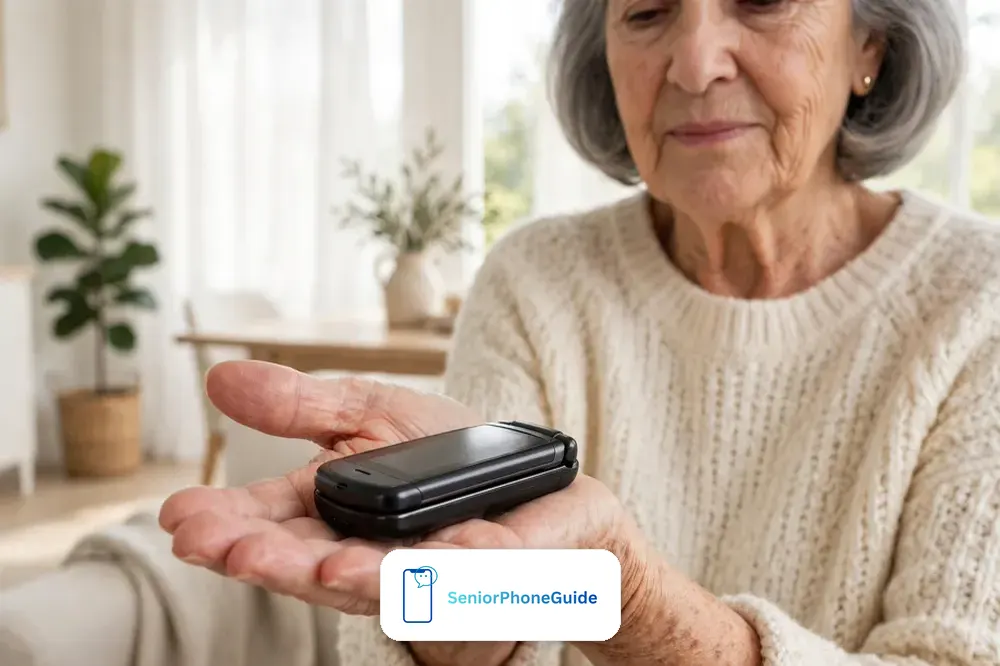
Ask ten families what "small phone" means and you will get three different answers, and each one points at a different phone. The first family means pocket size: a phone that disappears into a shirt pocket or a small purse without dragging it down. The second means weight: a phone an arthritic hand can hold to an ear for a ten-minute call without the wrist giving out. The third means simple: few buttons, few menus, nothing to learn. The trouble is that the smallest phone on the shelf is usually the worst at the second and third jobs. Shrink the body and the keys shrink with it, the screen shrinks with it, and the thing that fit the pocket perfectly becomes the thing nobody can dial on. This guide separates the three meanings, measures each one honestly, and tells you which trade-offs are worth making — because the right answer for a woman with small hands and good eyes is not the right answer for a man with big hands and tremor, and no single "smallest phone" list serves them both.
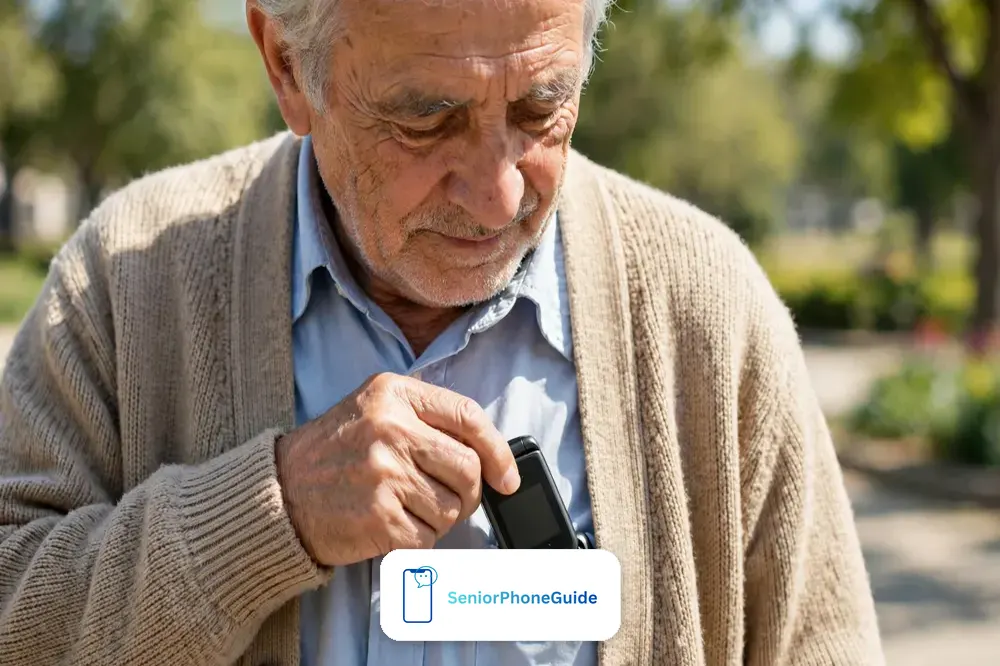
Start with the pocket test, because it is the only test you can do without switching the phone on. A closed flip phone lives in the pocket folded, so its folded size is the size that matters: HMD lists the Nokia 2780 Flip at 110.2 by 58 millimetres closed, 19.5 millimetres thick, and the Nokia 2660 Flip a touch smaller at 108 by 55 millimetres. Both are roughly the size of a deck of cards cut in half — they fit a shirt pocket, a jacket pocket, and the small zip pocket of a purse where a 6.7-inch smartphone never fit at all. A candybar phone has no fold, so its full length is its pocket length, and it needs a case or a pocket of its own to stop pocket-dialling. If the phone will live in a trouser pocket, the flip wins on size alone. If it will live in a purse with its own compartment, the difference narrows and the keypad matters more than the fold. Measure the pocket it will actually live in — a tape measure beats a spec sheet, because pockets vary more than phones do.
Then weigh the hand, not the phone. Phone weights sound trivial until you hold one to your ear. The Nokia 2780 Flip weighs 131.2 grams and the Nokia 2660 Flip 123 grams, both manufacturer figures. That is roughly the weight of a small apple, and most hands hold it comfortably through a long call. Phones cross into heavy territory around 160 grams and over — many big-screen smartphones sit near 200 grams, which is a third heavier again, and that third is exactly what an arthritic wrist notices at minute eight of a call. But weight alone misleads in the other direction too. The ultra-mini phones advertised online at 67 or 75 grams are not senior phones at all: they are backup and novelty devices, mostly sold overseas, with no US carrier support shown and screens and keys far too small for older eyes and fingers. Light is good. Too light means too small to use, and the lightest phone in the house is worthless if the person who owns it cannot read it. The sweet spot for most seniors is 120 to 150 grams — light enough for the wrist, big enough for the fingers — and that band, not the record books, is where this guide shops.
The third meaning of small is the one that decides whether the phone gets used at all: how little there is to learn. A phone with nine menus and a touchscreen teaches nothing on day one and everything by force over the first month. A flip phone with physical keys teaches one thing — open it, press the green button — and that lesson sticks because the hand remembers what the eyes forget. Our guide to the best big-button cell phones for seniors matches six current phones to real situations, and every one of them earns its place on simplicity first. This article does not repeat those picks. It answers the question underneath them: how small, how light, and how simple — and in what combination for the person in front of you.
Keypad Feel: The Test No Spec Sheet Can Give You
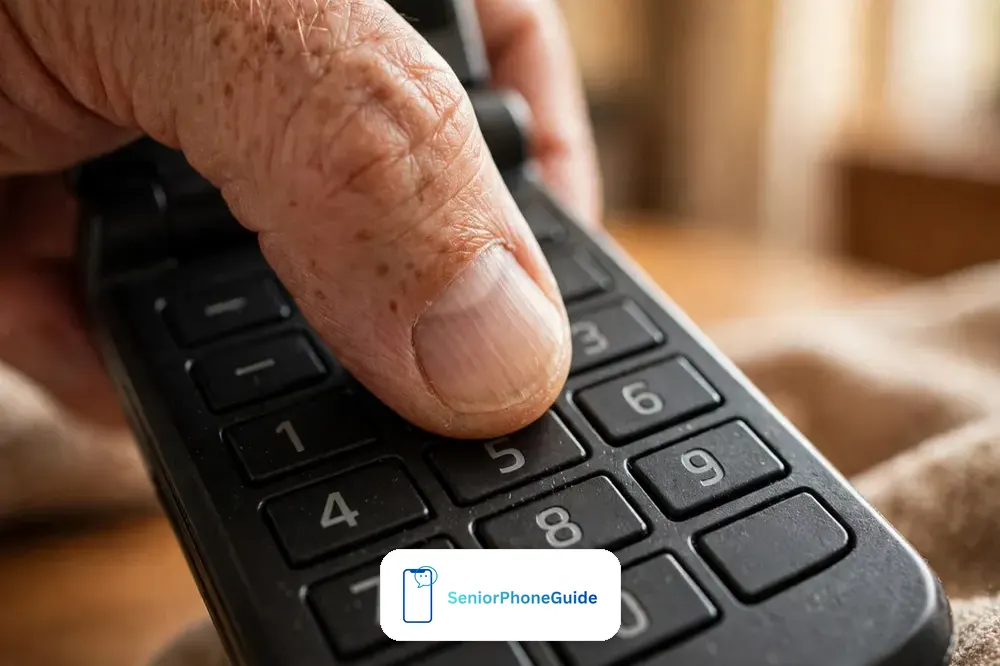
Two phones can list identical key sizes and feel nothing alike in the hand. The difference is the key itself: domed keys that rise under the fingertip, with a clear click at the bottom of the press, against flat keys that sit flush with the surface and give no answer when pressed. For fingers with arthritis, neuropathy, or tremor, that click is not a luxury — it is the confirmation that the press happened. A flat keypad asks the user to trust the screen, and the screen is the thing they are struggling to read. In the shop, press every key with the pad of the thumb, not the nail. A good key travels — it moves down, it clicks, it comes back. A bad key feels like pressing a photograph of a key. If the shop model is behind glass, ask for it in the hand; no honest shop refuses, and a shop that refuses has told you something about its returns desk too. Some keypads add a small vibration as you press — a haptic confirmation that the key registered, which matters when the fingertip cannot feel the click.
Spacing matters as much as shape. Keys need gaps between them wide enough that a fingertip presses one key and only one key. The classic telephone layout — three columns, four rows, the zero centred below — works because the thumb learned it decades ago, and a phone that rearranges it is asking an older hand to unlearn forty years of dialling. Backlighting is the third part of the test: the keys should glow evenly in dim light, numbers readable without glasses at arm's length, because the calls that matter most happen at night, in a dark hallway, when nobody is hunting for reading glasses. Test the backlight by cupping a hand over the phone in the shop. If the numbers vanish, the phone fails the 2 a.m. test, and the 2 a.m. test is the only test that counts for an emergency phone.
One feature deserves its own paragraph because it changes the game for some users entirely: the speaking keypad. The Snapfon ez4G speaks each number aloud as it is typed, so a user with very low vision hears the number confirmed before the call is placed. It is a narrow feature for a narrow need, and it comes with its own trade-offs — a smaller screen, a simpler camera — but for the person who dials by ear rather than by eye, it is the difference between independence and asking for help with every call. The same logic applies to hearing-aid compatibility, rated M and T: the Nokia 2780 Flip carries an M4/T4 rating, the strongest, which means it is designed to work with hearing aids in both microphone and telecoil modes. A phone without a stated hearing-aid rating is not automatically bad, but a phone with M4/T4 has passed a test the other phone never took. Our big-button guide compares hearing-aid ratings across its six picks in detail; here, the rule is simple: if hearing aids are worn, the rating is not optional.
Finally, the glove test and the tremor test. If the phone will be used outdoors in winter, try the keys with the gloves that will actually be worn — thin touch gloves, not bare hands in a warm shop. And if the hands shake, watch what happens on the third and fourth press, not the first: tremor grows with effort, and a keypad that behaves for the first digit and doubles the fourth is a keypad that dials wrong numbers when it matters. There is no shame in any of this. The phone serves the hands, not the other way round, and the hands get the final vote.
At a glance:
| Shape | Best for |
|---|---|
| Flip | Answers and ends calls with one motion — and closed, it cannot pocket-dial. |
| Candybar | Nothing to open, ready in one grab — best for very stiff fingers; keys press in a pocket, so it needs a case with a cover. |
Flip or Candybar: The Shape Decision
The flip phone earns its keep in three moments. Opening it answers the call — one motion, no swipe, no looking. Closing it ends the call — one motion, no hunting for a red button on a screen. And closed, it cannot pocket-dial, because the keys are folded safely inside. Those three moments are the whole daily life of a simple phone, and the flip shape makes all three automatic. The outer screen, small as it is, shows who is calling before the phone is opened, which means the decision to answer happens with information instead of hope. For a person who finds touchscreens mysterious or hostile, the flip is not a retro fashion choice. It is the shape that removes the three most common failures of a simple phone: the unanswered call, the call that would not end, and the call nobody meant to make. The flip's one hidden cost is texting: T9 means pressing a key three or four times for one letter, and many seniors give up texting the grandkids because of it.
The candybar shape — one solid slab, keys always exposed — has one real advantage: there is nothing to open, so the phone is ready in one grab. For a person with very stiff fingers who struggles with the flip's hinge, that single grab can matter more than everything the flip offers. The costs are real, though: keys that press in a pocket, a screen that needs a lock the user must remember, and no satisfying close to end a call. A candybar phone in a purse needs a case with a cover, and the case adds the bulk the candybar was bought to avoid. Some candybar phones solve the pocket-dial problem with a keypad lock, but a lock is one more thing to learn, and a lock forgotten is a phone that will not dial when the grandchild calls. If the hands can manage a hinge — and most can, because a flip hinge asks for a pinch, not a grip — the flip wins for most seniors. If the hinge itself is the barrier, the candybar is the honest choice, bought with eyes open about the case and the lock.
There is a third shape worth naming so it can be ruled out: the tiny smartphone. A small touchscreen phone looks like the answer to "small" and fails the simplicity test completely, because everything on it is glass, menus, and swipes — the exact skills a simple phone is bought to avoid. A 6.7-inch smartphone is too big; a 5-inch smartphone is still a smartphone. Size is not simplicity, and a small screen running a complex system is the worst of both worlds: too small to read, too complex to learn. If the person genuinely needs apps, video calls, and captions, our big-button guide's smartphone pick is the honest route, chosen for its simplified system rather than its size. If they need calls and texts, buy a phone whose shape does the work.
The Seven-Day Test: Is It Actually the Easiest Phone?
"Easiest" is a claim every phone box makes and almost none can prove, so prove it yourself in the first week — while the return window is still open. The test has four tasks, and the phone passes only if all four happen without help by day seven: make a call to a family member, answer a ringing call, read a text message aloud, and put the phone on its charger at night. Not once with coaching. Alone, on an ordinary day. If any task still needs a helper on day seven, the phone is not the easiest phone for this person — it is the easiest phone for someone else, and the return window is the moment to act on that knowledge. Families miss this because day one goes well: the helper is standing there, the shop assistant set everything up, and the first call works. Day one proves the shop. Day seven proves the phone.
Setup is where families win or lose the first week, and the work belongs to the family, not the phone. Before the phone is handed over, load the contacts with names the person actually uses — "Sarah" not "Sarah Mobile" — and put the three most-called people on speed dial, with the numbers written on a card kept beside the charger. Turn the volume to maximum and the ringtone to the loudest, clearest tone; a phone that cannot be heard from the next room is a phone that misses the call that mattered. Set the screen text to its largest size using the steps in our guides to make text bigger on Android and increase text size on iPhone — the flip phones in this guide have their own display settings, and the largest setting is the starting point, not a concession. Delete or hide everything that is not a call, a text, or the torch. Every extra icon is a wrong turn waiting to happen, and a phone with three visible choices is a phone that gets used.
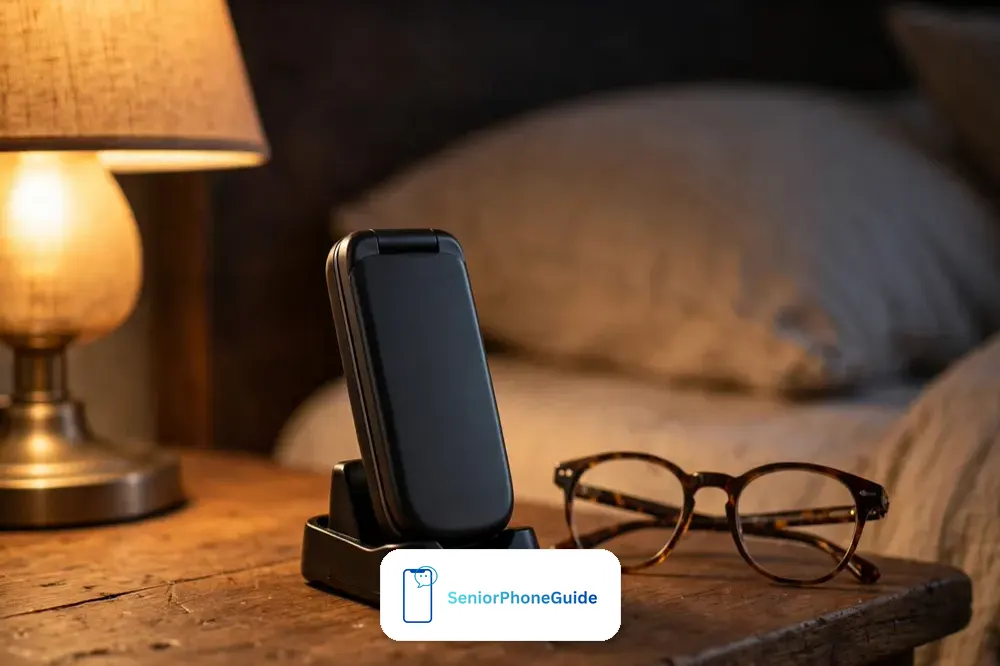
The charger deserves the same thought as the phone. A charging cradle — the phone drops in, no cable to fumble — removes the single most common reason a simple phone goes dead: the tiny USB plug that defeats stiff fingers in dim light. If the phone uses USB-C, as the Nokia 2780 Flip does, the plug at least goes in either way up, which is a genuine improvement over the old micro-USB that demanded the right way up every night. Put the charger where the phone sleeps: bedside table, one spot, never moved. The rule to teach is one sentence — "phone lives here at night" — and the family checks the spot, not the battery, for the first two weeks. A phone that is charged is a phone that can call for help. A phone in a drawer with a dead battery is a paperweight with a keypad. A simple phone should go days between charges, not hours — check the standby figure on the listing, because a flip phone that lasts a week between charges is normal.
Frame the teaching around the emergency, not the features. The 2 a.m. scenario is the one to rehearse out loud, together, twice: "It is 2 a.m., you have fallen, the phone is on the bedside table. Show me what you do." The answer must be one motion — open the flip, press the emergency button, or press and hold the speed-dial key — and it must work in the dark, half asleep, with shaking hands. If the phone has a dedicated emergency button, program it before the first night, test it with the monitoring service or the family member who will answer, and write down what happens next: who is called, in what order, and what they will hear. Our big-button guide explains what emergency buttons actually do and what they cost, month by month, because an unprogrammed emergency button is worse than none at all — it promises help it cannot deliver. Teach the emergency first, the address book second, and the camera never, unless the person asks.
The Network Check: Four Points Before You Pay
The most expensive small phone is the one that cannot make a call, and since 2022 that failure has a specific cause families keep rediscovering the hard way. The United States shut down its 3G networks in 2022: AT&T in February, T-Mobile's 3G in July, and Verizon's at the end of December. T-Mobile's older 2G network followed, retired in August 2026. A phone that relies on 3G for voice — and many cheap flip phones sold online still do — powers on, shows signal bars, and cannot complete a single call, including a call to emergency services. The status bar lies politely: it shows 4G for data while voice quietly needs the dead 3G network underneath. Verizon went further and cut off 4G phones without VoLTE, the voice-over-LTE technology that carries calls on the 4G network itself. The lesson is blunt and worth memorising: a phone must support 4G LTE with VoLTE on the carrier it will actually use. "4G" printed on the box is not enough. "4G" on a listing that says nothing about calling is a warning, not a promise.
Run the four checks before money changes hands. First, confirm the phone supports 4G LTE with VoLTE — in the manufacturer's specifications, not the seller's headline. Second, confirm the carrier's bands: the same phone model ships in versions tuned for different networks, and a phone built for one carrier's frequencies may show full bars and still fail on another's. Third, run the IMEI check: every carrier publishes a device-compatibility checker, and the phone's unique IMEI number typed into it returns a yes or no before purchase, not after. Fourth, confirm the phone is unlocked, or locked to the carrier that will actually serve it — an unlocked phone that fails the IMEI check and a locked phone on the wrong network fail identically, silently, at the worst moment. Secondhand phones from before 2020 deserve extra suspicion: they come from the era when 4G data with 3G voice was standard, and many of them are exactly the phones the shutdown stranded. A bargain flip phone from a drawer is a gamble, and the stake is the call that has to work.
Carrier choice follows the same honesty. The big-button phones tied to one carrier's service — Lively's phones on the Verizon network, Consumer Cellular's on its own service — trade freedom for simplicity: setup, support, and the emergency service come as one package, and the phone is guaranteed to work on the network it was sold for. An unlocked phone bought on Amazon keeps every carrier option open and puts every check on the buyer instead. Neither is wrong. The wrong choice is the one made without knowing which deal was taken. If the buyer is a family member setting the phone up from another state, the carrier-tied route removes four checks at a stroke. If the senior already has a carrier and a plan they like, the unlocked route keeps them — provided the IMEI check passes first. Either way, buy somewhere with a real return window, keep the box and the receipt for the full window, and make the first test call from the house, not the shop: the house is where the phone has to work.
Free Phones for Seniors: The Honest Answer
"Are there any free phones for seniors?" is one of the most-asked questions in our keyword research, and it deserves a straight answer: there is no federal program that gives every senior a free phone because of their age. What exists is better targeted and narrower than the adverts suggest, and understanding the boundary saves families from scams and disappointment alike. The federal Lifeline program, run by the FCC and administered by USAC since 1985, gives qualifying low-income households a discount on service — up to $9.25 a month off a phone or internet bill, up to $5.25 for voice-only service, and up to $34.25 for eligible households on qualifying Tribal lands, figures current as of October 2026. It applies to one service per household, phone or internet, not both. Eligibility is by income — at or below 135% of the federal poverty guidelines — or by participation in programs including SNAP, Medicaid, SSI, federal housing assistance, and the Veterans Pension. Age alone qualifies nobody. A 70-year-old with a comfortable pension and a 70-year-old on SSI are treated differently, and that difference is the whole point of the program.
The discount is on the bill, not the handset, and that distinction is where the "free phone" adverts mislead. The FCC does not subsidise hardware through Lifeline. Some participating providers — SafeLink and Assurance Wireless are the names families meet most — voluntarily offer a basic phone to new Lifeline subscribers as a way of winning their custom, and those offers are real, but they are the provider's offer, not the government's promise: the model, the minutes, and the data allowance are whatever that provider chooses, and they change. A family that applies expecting a particular phone will be disappointed; a family that applies expecting a discounted bill, with a basic phone as a possible bonus, gets exactly what the program offers. Apply through the official route — lifelinesupport.org, or 1-800-234-9473 for a paper form — and through no other website. Any site that asks for personal details to "enrol" you in a program that no longer exists is harvesting your details, not helping you.
That warning matters because the bigger program is gone, and its ghost is still being sold. The Affordable Connectivity Program gave eligible households up to $30 a month toward broadband — up to $75 on Tribal lands — and more than 23 million households enrolled. It stopped taking applications on 7 February 2024 and ended on 1 June 2024 when Congress did not renew its funding. As of October 2026 no replacement program exists, and the FCC has warned consumers about websites that still advertise ACP enrolment or collect personal information from people trying to apply. If a page promises ACP today, it is out of date at best and a scam at worst — close it. The same honesty applies to Medicare: Medicare does not pay for cell phones, and no supplement or advantage plan changes that. A phone is not durable medical equipment, however essential it feels, and anyone selling a "Medicare phone" is selling a story. The real routes are Lifeline for the bill, a provider offer for the handset, and the family's own purchase for everything else — and the cheapest honest phone is the one bought once, checked against the network, and kept for years.
Where to Buy: Hands First, Then the Cheapest Price
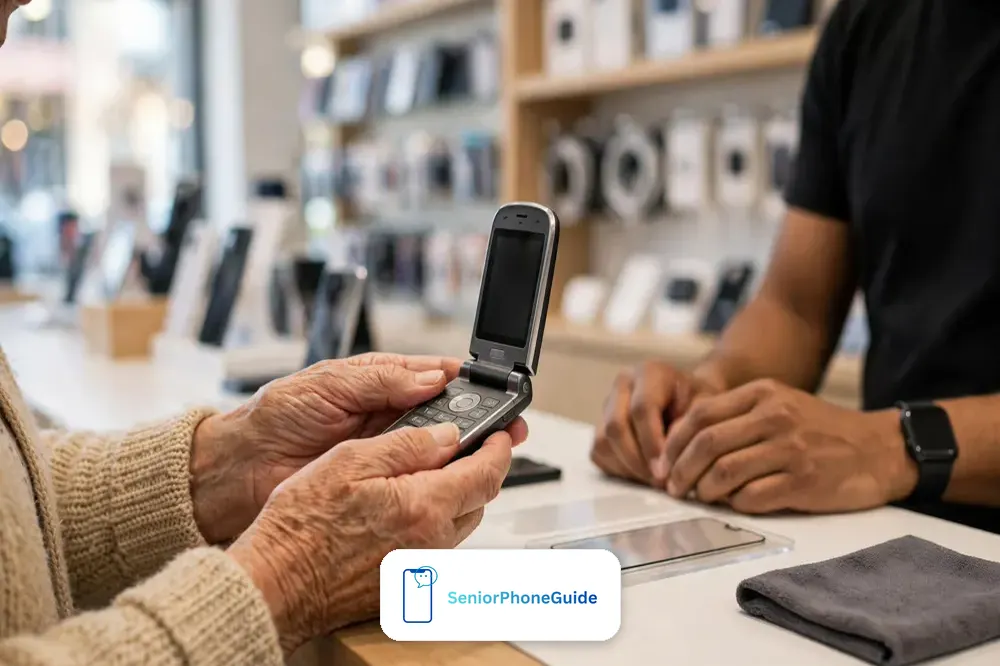
Buy the phone where hands can touch it first. A carrier store or an electronics shop lets the user press the keys, feel the weight, open and close the flip, and hear the ringtone at full volume before committing — and that twenty minutes in the shop prevents the most common failure in this whole guide, the phone that looked right online and felt wrong in the hand. Ask the assistant to let the senior dial a real number, not a demo number: their own child's number, from memory, with the assistant watching silently. Ask what happens if the phone comes back in a week — the return window in days, whether it is exchange-only, whether a restocking fee applies — and get the answer before paying, not after. The shop that answers plainly earns the sale. The shop that waves the question away has told you how returns go there.
Buying direct from the senior-focused carriers is the second honest route, and for many families it is the better one. Lively and Consumer Cellular sell phones already set up for their own service, with support staff who expect senior callers and emergency-response services built into the deal. The price of that simplicity is lock-in: the phone and the plan come together, and leaving means replacing both. Buying an unlocked phone from Amazon keeps every option open and moves all the checking — VoLTE, bands, IMEI, unlocked status — onto the buyer, which is fine when the buyer is a tech-confident family member and a trap when it is not. The Amazon links in this guide are category searches, not single-product endorsements, because the right model changes and the checks do not: search for flip phones for seniors, filter for the carrier, and run the IMEI check before the return window closes. Whichever route is chosen, the rule from the network section stands: first test call from the house, box and receipt kept for the whole return window, decision made by day seven. Lively's flip phone is sold as the Jitterbug — the name to ask for in the shop.
What to ask in the shop, in order: does this phone support VoLTE on my carrier — and will you run the IMEI check with me now? What is the hearing-aid rating, stated as M and T numbers, not "hearing aid friendly"? How many days is the return window, and is it a refund or an exchange? Is the charger a cradle or a cable, and what does a spare cost? Is the emergency button programmed, by whom, and what does the monitoring cost per month after any introductory period? A shop that answers all five without reaching for a manager is a shop that sells phones to seniors every week. A shop that answers two of them is a shop selling phones to everyone, and seniors are not everyone. The cheapest price on the internet is worth exactly nothing if the phone fails the first four questions, and the most expensive phone in the shop is worth exactly nothing if it fails the seven-day test at home.
Who Should Skip a Small Phone — and What to Buy Instead
Small is not for everyone, and saying so is the kindest part of this guide. If the eyes need a large screen — low vision that glasses no longer fully correct, or a user who reads messages rather than listening to them — a small screen is a daily punishment, and the honest answer is a bigger phone with a simplified system, which is exactly what our big-button guide's smartphone pick exists for. The screen that shows a text message in letters an inch high is worth more than any pocket saved. If memory loss or dementia is the real challenge, no small phone is simple enough, because the problem is not the keypad but remembering that the phone exists, where it lives, and what it is for — and our dedicated guide to the best cell phones for seniors with dementia matches phones to dementia stages, with the caregiver setup most guides skip. If the hands cannot manage a flip hinge or a keypad at all — advanced arthritis, severe tremor, Parkinson's — the answer may be a phone that is operated by voice, or a wearable emergency button that does not ask the hands to do anything, and forcing a keypad onto those hands is cruelty disguised as simplicity.
The landline question deserves its place here too, because many families arrive at small phones after the landline has already failed. A cordless phone with big buttons and photo memory keys serves the house beautifully and does nothing the moment its owner steps outside — and the fall that matters rarely happens beside the landline. The right answer is often both: the landline for the house, the small mobile for the pocket, the same three numbers on speed dial in both. Our pages on landline and cordless big-button phones cover the house half of that pair. And if the senior already owns a smartphone and uses it happily for photos, video calls, and messages, do not "simplify" them into a flip phone they will resent: make the phone they love easier instead, with bigger text, fewer home-screen icons, and the emergency setup in our SOS guides. Small phones serve the person who wants calls and nothing else. Everyone else is better served by making their current phone kinder, not smaller.
That is the whole guide in one paragraph: measure the pocket, weigh the hand, press the keys, run the network checks, tell the truth about free phones, buy where hands can touch it, and decide by day seven. The phone that passes all of that is rarely the smallest phone on the shelf and never the cheapest listing on the internet — it is the phone still being used, confidently, three months from now, by the person it was bought for. Start with our big-button picks to match a phone to the situation, or with our choose-a-phone guide if the choice is between a flip, a smartphone, and a landline. The right small phone is out there. It is the one that fits the hands that will hold it.
Quick answers
The 10-second version: small means pocket size, weight, and simplicity — measure all three. Press the keys in the shop, run the 4-point network check, and decide by day seven.
The 3-step path: pocket-test the folded size, keypad-test the feel in the shop, then check VoLTE, bands, IMEI, and unlocked status before you pay — and buy where returns are real.
The golden rule: the best small phone is the one still being used, confidently, three months from now — not the smallest phone on the shelf on buying day.
Choosing between phone types? Our guide to choosing a phone for a senior compares flips, smartphones, and landlines side by side. If hearing is the main challenge, the hearing-aid ratings in our big-button guide go deeper. For everything else, browse Phone Technology.
Frequently asked questions
- What is the smallest phone for seniors?
- There is no single smallest senior phone, because "small" means pocket size, weight, and simplicity at once. The Nokia 2660 Flip, at 108 by 55 millimetres closed and 123 grams, is among the smallest current flip phones with US carrier support — but a phone smaller than that usually has keys and a screen too small for older eyes and fingers. Measure the pocket, weigh the hand, and press the keys before chasing the smallest number.
- What is the lightest phone for a senior?
- Among current senior-suitable flip phones, the Nokia 2660 Flip at 123 grams and the Nokia 2780 Flip at 131.2 grams are the lightweights, both manufacturer figures. The comfortable band for most seniors is 120 to 150 grams: light enough for an arthritic wrist through a long call, big enough for the fingers. Ultra-mini phones advertised at 67 or 75 grams are not senior phones and have no US carrier support shown.
- What is the easiest phone for a senior to use?
- The easiest phone is the one that passes the seven-day test: the senior makes a call, answers a call, reads a text, and charges the phone alone, without help, by day seven. A flip phone with physical keys, three visible choices, and a charging cradle is the shape that passes most often — but the test, not the box, decides. If any task still needs help on day seven, use the return window.
- Are there any free phones for seniors?
- No federal program gives every senior a free phone for age alone. The Lifeline program discounts the monthly bill — up to $9.25, or $34.25 on qualifying Tribal lands — for qualifying low-income households. Some Lifeline providers voluntarily offer a basic phone to new subscribers, but that is the provider's offer, not a government promise, and the model and allowance are theirs to choose.
- How do I get a free cell phone for a senior?
- First check Lifeline eligibility at lifelinesupport.org or by calling 1-800-234-9473: income at or below 135% of the federal poverty guidelines, or participation in SNAP, Medicaid, SSI, federal housing assistance, or the Veterans Pension. If eligible, choose a participating provider and ask what phone, if any, they include — and confirm the monthly cost after any introductory period before enrolling.
- Is the Affordable Connectivity Program still available?
- No. The ACP stopped taking applications on 7 February 2024 and ended on 1 June 2024 when its funding ran out. As of October 2026 no replacement exists. Websites still advertising ACP enrolment are out of date at best — the FCC warns some collect personal information — so close them and use Lifeline instead.
- Will my old flip phone still work?
- Only if it supports 4G LTE with VoLTE on your carrier. The US 3G networks shut down in 2022, and a 3G-dependent phone shows signal bars but cannot complete calls, including emergency calls. Run the carrier's IMEI compatibility check before relying on any phone from before 2020 — and check VoLTE specifically, because a "4G" label for data alone is not enough.
- Does a small phone work on Verizon?
- Only a phone that supports Verizon's LTE bands with VoLTE and passes Verizon's IMEI check. Many inexpensive flip phones are built for the networks run by T-Mobile and AT&T and will not activate on Verizon at all. Carrier-tied phones sold by Lively run on the Verizon network and are guaranteed to work on it; an unlocked phone must pass the check first, whatever the listing claims.
- Is a keypad phone better than a touchscreen for seniors?
- For calls and texts, usually yes: physical keys give a click the fingertip can feel, the classic layout is already learned, and there is nothing to swipe. For photos, video calls, and apps, a touchscreen is necessary — and then the answer is a bigger phone with a simplified system, not a small touchscreen running a complex one. Match the input to the job, not to the fashion.
- What hearing-aid rating should a senior phone have?
- Look for stated M and T ratings. M4/T4 is the strongest rating, meaning the phone is designed to work with hearing aids in both microphone and telecoil modes — the Nokia 2780 Flip carries M4/T4. A phone described only as "hearing aid friendly," with no numbers, has made a marketing claim, not a measured one.
- How do I make the keys easier to press?
- Choose domed keys with clear travel and a click, spaced so one fingertip presses one key. Turn the keypad backlight to its brightest, test the keys with the gloves that will actually be worn, and watch the third and fourth presses, not the first — tremor grows with effort. If dialling by ear is easier than by eye, a speaking keypad that reads each number aloud is worth seeking out.
- What if my parent cannot learn the new phone?
- Use the seven-day test honestly: if the four tasks still need help on day seven, the phone is wrong for this person, not the person wrong for the phone. Return it inside the window and simplify further — fewer visible choices, a charging cradle, a speaking keypad, or, for memory loss, a phone designed for dementia rather than a simpler version of an ordinary phone.
- Should a senior keep a landline instead?
- Often both is the answer: a cordless big-button landline phone for the house, with the same three numbers on speed dial, plus a small mobile for the pocket. The landline serves the house beautifully and does nothing outside it — and the fall that matters rarely happens beside the landline. Our landline and cordless guides cover the house half of the pair.
- Where is the best place to buy a phone for a senior?
- Where hands can touch it first: a carrier store or electronics shop, with the return window confirmed before paying. Senior-focused carriers sell phones set up for their own service with support that expects senior callers; an unlocked phone from Amazon keeps every carrier option open but moves all the network checks onto the buyer. Either way, make the first test call from the house, not the shop.
- Can I return the phone if it does not work out?
- Only inside the seller's return window, on the seller's terms — which is why the window, the refund-versus-exchange question, and any restocking fee must be confirmed before paying. Keep the box and receipt for the whole window, and make the decision by day seven using the four-task test, not by day thirty when the window has closed.
Verdict: measure the pocket, weigh the hand, press the keys — then run the 4-point network check and decide by day seven. Next step: match a phone to the situation in our big-button guide, then check carrier compatibility before you pay.