
Verizon Flip Phones for Seniors in 2026: 6 Picks That Actually Work
Verizon still sells nine flip phones on its own shelf, and the TCL Flip 3 is the best of them for most seniors — buy the exact Verizon variant, check the prepaid lock, and know the 2026 unlock change before you pay.
As an Amazon Associate, I earn from qualifying purchases.
Short on time? See the current price on Amazon.
Last updated: November 1, 2026
Affiliate disclosure: As an Amazon Associate I earn from qualifying purchases. Our picks come from our own research into manufacturer specifications and real user reviews — prices and availability change often, so check the current price on Amazon before you buy. It costs you nothing extra, and it keeps this site free. We still print no prices on this page — they change too often to print honestly — and every feature below was checked against the manufacturer's or carrier's official information in October 2026. Read our affiliate disclosure.
The short version: Verizon still sells flip phones — nine basic phones on its own shelf — and the TCL Flip 3 is the best of them for most seniors. Buy the exact Verizon variant, check the prepaid lock before you pay, and remember the 2026 unlock change: a Verizon phone bought today stays locked until it is paid off, and a prepaid phone stays locked for a year.
Our verdict: if the senior is already on Verizon and will stay there, buy the TCL Flip 3. If the internet is the problem, buy the Voice & Text Only version of the same phone. If the line is Verizon Prepaid, buy the Go Flip 7 and nothing else — the other cheap flips will not activate on a prepaid line. And if the phone must move to another carrier later, read the Nokia 2780 section below before you spend anything, because that road is closing.
The short answer: which Verizon flip for which senior
Verizon is the carrier most seniors in the United States already have, and it is the carrier whose flip-phone shelf is the easiest to buy from — the phones are on Verizon's own basic-phones page, they are 4G LTE with VoLTE, and they work on the network without a compatibility argument. The hard part is not finding a flip phone. It is buying the right variant: postpaid or prepaid, with internet or without it, and with the lock understood before the money is paid.
| Situation | Buy this | Why |
|---|---|---|
| On Verizon postpaid, wants the simplest good phone | TCL Flip 3 | Biggest screen on the shelf, SOS quick-dial, hearing-aid PASS rating |
| On Verizon postpaid, wants NO internet at all | TCL Flip 3 Voice & Text Only | The same phone, calls and texts only — nothing to get lost in |
| Wants the cheapest new Verizon flip | TCL Flip Pro Voice & Text Only | Lowest-cost new listing — check stock first, it sells out |
| Wants the cheapest Verizon phone, full stop | Orbic Journey V | Lowest price on Verizon's shelf |
| Wants the Orbic with the bigger screen and camera | Orbic Journey Pro | 3.2-inch screen, 5MP camera, Wi-Fi Calling |
| On Verizon Prepaid | Verizon Prepaid TCL Go Flip 7 | The only cheap new flip that activates on a prepaid line; M4/T4 hearing-aid rating |
| Needs the toughest phone | Kyocera DuraXV Extreme+ — in our flip phone guide | Rugged, waterproof, built for drops and work gloves |
| Wants to move carriers later | Nokia 2780 Flip — read the 2780 section first | Unlocked, works on all three big networks — but supply is drying up |
This guide covers Verizon's shelf and Verizon's rules. Our flip phone guide covers the six best flips across all carriers — the Jitterbug, the Nokia, the IRIS, the TCL Flip 4 5G, the Alcatel and the Kyocera — and none of those six is repeated as a pick here. If you are not tied to Verizon at all, start there, or with our dumb phones guide. If the senior is on Verizon and staying there, this is the guide.
What is actually on Verizon's shelf now
Verizon's own basic-phones page lists nine phones. Count them this way: the TCL Flip 3 in two versions, the TCL Flip Pro, the Kyocera DuraXV Extreme+, three Orbic Journey models, the KAZUNA eTalk, and the Light Phone II. That is the whole shelf, and it is a small shelf — which is good news, because a small shelf is a shelf you can actually choose from.
- TCL Flip 3 — the everyday flip, in a full version and a Voice & Text Only version.
- TCL Flip Pro Voice & Text Only — the lowest-cost new Verizon flip.
- Kyocera DuraXV Extreme+ — the rugged flip, plus a non-camera version for workplaces that forbid cameras.
- Orbic Journey V, Orbic Journey Pro, Orbic Journey Pro Lite — three Orbic flips at three rungs of the same ladder.
- KAZUNA eTalk — the plainest flip on the shelf, with the best hearing-aid paperwork.
- Light Phone II — listed on the same page, but it is not a flip phone at all. It is a minimalist slab with no apps. If the senior wants no apps and no flip, it may fit — but it is a different kind of phone, and this guide does not pick it.
Verizon's prepaid shelf is a separate list: the TCL Flip 3 Prepaid, the TCL Flip 3 Voice & Text Only Prepaid, the Orbic JOY 2 Prepaid, the TCL Flip Pro Voice & Text Only Prepaid, the Orbic Journey V Prepaid, the Orbic Journey Pro Prepaid and the Orbic Journey Pro Lite Prepaid. Prepaid and postpaid are different locks, and the section below explains why that matters more than the phone itself. The shelf also changes — models go out of stock and come back — so check Verizon's basic-phones page on the day you buy, and check the exact variant, not just the model name.
The picks: 6 Verizon flip phones that actually work

Every pick below is 4G LTE with VoLTE, sold by Verizon or for Verizon, and sold on Amazon. Every figure comes from the maker's own spec page or the seller's listing — there are no invented scores here, and no pick was tested hands-on by us. Prices are given as bands, not printed figures, because flip-phone prices change with sales and stock, and a printed price goes stale within weeks. The band for each pick tells you what kind of money it takes.
1. TCL Flip 3 — best for most seniors on Verizon
Best for: a senior already on Verizon who wants the simplest good phone — big keys, a screen you can read, and an SOS button that does something.
The Flip 3 is the phone Verizon itself puts first, and it is the pick both of our rival guides put first too. The main screen is 3.2 inches with a 1.77-inch outer display for caller ID, so the phone need not be opened to see who is calling. Verizon lists large text, captions, built-in text-to-speech, keypad vibration and a voice assistant, and the phone carries a hearing-aid compatibility listing of PASS. It runs on 4G LTE with HD Voice, the battery is removable at 1,850mAh, and Verizon quotes up to 17 days of standby and 10.5 hours of 4G use under its stated test conditions. It has a 5MP camera, 16GB of storage, a microSD slot up to 512GB, a hotspot for up to 10 devices, and USB-C — so the same cable charges it as everything else in the house. It weighs just over 5 ounces, which matters for a hand that holds a phone all day.
The SOS button is the detail to understand properly. It is a Quick Dial Button, not a staffed emergency service: you switch it on, save one number, and three quick presses call that number on speakerphone. You can also save five ICE contacts. That is honest and useful — it calls your daughter, not a stranger — but it is not the same as the Jitterbug's staffed help button, which answers with a live agent and needs a paid Lively plan. If a staffed button matters, our flip phone guide covers the Jitterbug in full.
The honest limits: it runs KaiOS, which means it has a web browser and email, and a senior who keeps opening the browser by accident will keep doing so. If the internet itself is the problem, pick 2 below is the same phone without it. And the keypad and displays may still be too small for severe low vision — "large text" does not enlarge every element on the screen. See the TCL Flip 3 on Amazon.
2. TCL Flip 3 Voice & Text Only — best for no internet at all
Best for: a senior who wants a phone, not a computer — calls and texts, and nothing to get lost in.
This is the same Flip 3 hardware in a version that makes calls and sends texts and does nothing else. No browser to open by accident, no email to confuse, no apps to update, no hotspot to leave on. For a parent who has told you plainly that they do not want the internet on their phone, this is the version to buy — not the full Flip 3 with features disabled one by one, which is a chore that undoes itself at the next software update.
One honest caution, from the rival guide that checked it: the exact screen, hearing-aid, data and Wi-Fi Calling specifications must be confirmed for this specific variant before you buy. Do not infer its capabilities from the full Flip 3. Check the listing for this exact version, and check the IMEI with Verizon, the way the setup section below describes. It sits in the same $50–$100 band as the full Flip 3. See the TCL Flip 3 Voice & Text Only on Amazon.
3. TCL Flip Pro Voice & Text Only — best for the lowest-cost new Verizon flip
Best for: the tightest budget that still wants a new phone from Verizon's own shelf.
The Flip Pro Voice & Text Only is the lowest-cost new Verizon flip, in the same $50–$100 band as the Flip 3 but at the bottom of it. It is the same idea as pick 2 — calls and texts only, no internet — in the slightly better-equipped Flip Pro body. The renewed Flip Pro listing documents two features worth knowing: it is hotspot capable, and its 1,850mAh battery is removable, so a worn battery can be swapped rather than the phone replaced. It runs on a Qualcomm quad-core processor with a microSD slot up to 32GB, and it is locked to Verizon.
The catch is stock. It was out of stock when the rival guides checked it in August and again in November 2026, and the renewed listing showed "Available later" — which means not buyable, not cheap. Treat this pick as availability-dependent: check stock first, and if it is gone, buy pick 2 instead. Do not wait for it, and do not pay a third-party seller a premium for it — the Flip 3 Voice & Text Only is the same money and actually in stock. See the TCL Flip Pro Voice & Text Only on Amazon.
4. Orbic Journey V — best for the cheapest Verizon phone
Best for: the lowest price on Verizon's shelf — a spare phone, a glovebox phone, or a first flip for a senior who is not sure they want one at all.
The Journey V is the cheapest phone Verizon sells, in the $50–$100 band but at the bottom of it. It is a 4G LTE flip with Wi-Fi, Bluetooth, a camera, a 3.5mm headphone jack, and a seller-stated standby of up to 10 days. That is the whole pitch: it makes calls, it sends texts, it lasts days between charges, and it costs less than every other phone on Verizon's shelf.
The honest limit is documentation. The Journey V is the least documented phone on this page — few published specifications, no maker spec sheet as complete as the Flip 3's or the Journey Pro's. Buy it for calls and texts, not for features, and buy it knowing the trade: the cheapest phone is the cheapest phone. If the senior needs a bigger screen, a better camera, or Wi-Fi Calling stated plainly, the Journey Pro below is the step up. See the Orbic Journey V on Amazon.
5. Orbic Journey Pro — best for the Orbic step-up
Best for: a senior who wants the Orbic name with the same screen and battery as the Flip 3.
The Journey Pro is the Orbic that matches the Flip 3 spec for spec, on the maker's own page: a 3.2-inch internal LCD with a 1.77-inch external display, a removable 1,850mAh battery, up to 9 hours of talk time and 4 days of standby on the maker's claim, a 5MP rear camera with flash, KaiOS 3.1, a Qualcomm quad-core processor, Wi-Fi Calling, and USB-C charging. It is the same class of phone as the Flip 3, in the same $50–$100 band, from the brand that has quietly become Verizon's second flip-phone supplier.
Two cautions. First, stock: Orbic's own store showed the Journey Pro sold out when checked, and the same for the Pro Lite below — Verizon's catalog still lists both, so check stock before you promise either one to anyone. Second, conflicting specifications: one roundup lists this phone with a 2.8-inch screen and a 3,000mAh battery. Those figures belong to a different Orbic model, not this one — the maker's page and the user manual agree on 3.2 inches and 1,850mAh, and this guide uses the maker's figures.
The step down is the Orbic Journey Pro Lite, with the same 3.2-inch and 1.77-inch screens and the same 1,850mAh battery, in the same $50–$100 band. It is the Lite in name and in price, not a different phone — and it carries the same sold-out warning on Orbic's own store. See the Orbic Journey Pro on Amazon.
6. Verizon Prepaid TCL Go Flip 7 — best for a prepaid line
Best for: a senior already on Verizon Prepaid, or a family setting up a prepaid line for a parent.
The Go Flip 7 is the cheapest new flip phone on this page, in the under-$50 band, and it is the only cheap new flip that activates on a Verizon Prepaid line. It carries the only stated hearing-aid rating among the cheap flips — M4/T4, the highest rating on the scale — with large tactile buttons, a 1.77-inch external colour display for caller ID, an all-day battery, a 2MP camera, alarms and a calendar. It is sold by Amazon itself, not a third-party seller, which is rare on this page.
The catch is in its own title, and the listing repeats it in the first bullet so nobody can say they were not told: it is locked to Verizon Prepaid and not compatible with Verizon Postpaid. Buy it for a prepaid line and it is an excellent deal, on the same network as postpaid, so coverage is not the compromise — the lock is. Buy it for a regular Verizon plan and it will not activate, and the Flip 3 is the answer instead. One more honest note: the listing states no SOS button. If an emergency button matters, the Flip 3 above — or the Jitterbug route in our flip phone guide — fits better than this one. See the Verizon Prepaid TCL Go Flip 7 on Amazon.
Two more phones sit on the shelf without a pick of their own. The KAZUNA eTalk is the plainest flip Verizon sells: a 2.8-inch main screen with a 1.44-inch outer display, a 2MP rear camera with flash, VoLTE and Wi-Fi Calling, a removable 1,500mAh battery, and the best hearing-aid paperwork on the shelf — M4/T4, Real-Time Text and Live Caption — in a 3.8-ounce body. Verizon Prepaid listings of it are prepaid-locked, while unlocked variants are also sold, so confirm the exact variant before you buy. The Kyocera DuraXV Extreme+ is the rugged Verizon flip from our flip phone guide — IP68 dust and water resistance, MIL-STD-810H drop protection, M4/T4, programmable keys and a removable 1,770mAh battery — at the top of the $100–$250 band. Buy it only if the phone will be dropped, rained on, or worked with; for a kitchen table and a handbag, it is weight and money spent on protection nobody uses. And the Nokia 2780 Flip is the unlocked flip that works on all three big networks — but read the 2780 section below before you buy it, because that road is closing.
Budget bands: what each band buys
Flip-phone prices change with sales, bundles and stock, so this guide prints bands, not prices. A printed price is wrong within weeks; a band stays useful. Here is what each band buys on Verizon's shelf:
- Under $50: the cheapest way onto Verizon. The Go Flip 7 lives here new, and the renewed Flip 3 lives here too — when it is actually in stock. It showed "Available later" when checked, which means not buyable, not cheap. Renewed listings carry Amazon's 90-day guarantee, and on a flip phone that is less of a gamble than on a smartphone, because there is little to wear out beyond the battery and the hinge — but check whether the listing states what is in the box, and prefer a phone with a removable battery, since that is the part that ages.
- $50–$100: where most senior households should buy. The Flip 3, both Voice & Text Only models, the Journey V, the Journey Pro, the Pro Lite and the eTalk all sit here. This band buys a new phone, a big screen, a removable battery and a hearing-aid rating — everything a senior flip needs, without paying for ruggedness nobody uses.
- $100–$250: the rugged band. The Kyocera DuraXV Extreme+ sits at the top of it. The older Kyocera E4810 sits here too as a renewed listing — sometimes for more money than the new E4810, which tells you everything about how little renewed prices mean. Buy the Extreme+, not the older E4810, unless the price gap is large and the seller states the box contents.
If the cost is the problem rather than the choice, check whether the senior qualifies for Lifeline first. Lifeline is the federal programme that pays up to $9.25 a month toward phone service for seniors on SSI or Medicaid, and it is explained in full in our free government phone guide. A phone is a one-time purchase; the plan is the monthly cost — and the plan is where the real money goes, which is the next section.
The 2026 unlock change nobody mentions

Every older guide to Verizon phones says the same thing: Verizon unlocks its phones automatically after 60 days. That was true for nearly twenty years, and it has been wrong since January 2026.
When Verizon bought its 700 MHz spectrum in 2008, it accepted an FCC condition requiring it to unlock handsets 60 days after activation — regardless of whether the phone was paid off. In May 2025 Verizon asked the FCC to waive that rule, arguing it made its handsets a magnet for theft. On January 12, 2026, the FCC agreed: Order DA 26-43 waived the rule, and the new terms took effect on January 27, 2026. Verizon now follows the wireless industry's voluntary unlocking code, the same code AT&T and T-Mobile follow.
What that means in practice, for a flip phone bought today:
- Postpaid: the phone unlocks automatically once it is paid in full. A financed Flip 3 on a 36-month payment plan stays locked to Verizon for 36 months, unless the balance is paid off early. Pay the balance off with a Verizon gift card and there is a 35-day hold on top.
- Prepaid: the phone unlocks after 365 days of paid, active service, on request. A Go Flip 7 bought on Verizon Prepaid is a one-year commitment to Verizon Prepaid — not a phone you can move to another carrier next month.
- Bought before January 27, 2026: the old rule still applies, and those phones unlocked automatically 60 days after activation. The activation date is the dividing line.
- "Unlocked" on Amazon is the seller's claim, not Verizon's. Check that the listing states unlocked and names Verizon's LTE bands before you buy — and check the IMEI with Verizon, the way the setup section below describes.
- Deployed military can get a phone unlocked on production of deployment papers, under the same industry code.
The practical advice is simple: do not buy a Verizon flip planning to move it to another carrier soon after. Buy the phone for the carrier the senior will actually use, and treat the unlock as a someday, not a next month.
Prepaid or postpaid: the lock that catches buyers
Three phrases on flip-phone listings mean three different things, and confusing them is the most common way to waste money on a Verizon flip:
- "For Verizon" or "locked to Verizon": the phone works on a regular Verizon postpaid account, and nowhere else until it unlocks.
- "Locked to Verizon Prepaid": the phone works only on a Verizon Prepaid account. It will not activate on a regular postpaid plan, even though it is the same network. The Go Flip 7 is the example on this page.
- "Unlocked": the phone works on Verizon and can move to another carrier later — if the listing is honest and the phone carries Verizon's LTE bands, including band 13.
Two traps sit outside those three phrases. The Tracfone Nokia 2760 Flip is locked to Tracfone, which is a different account even though Tracfone is a Verizon-owned brand — it will not activate on a Verizon line. And the KAZUNA eTalk sold through Verizon Prepaid is prepaid-locked, while unlocked eTalk variants are sold elsewhere under the same name — the model name alone does not tell you the lock, only the listing does.
Then there is the monthly cost, which matters more than the phone's price. Verizon's own no-data Talk & Text prepaid line sits in the $30–$40 a month band with AutoPay, and its data plans sit higher. Verizon-network MVNOs sell the same talk-and-text in the $10–$15 a month band — Twigby and Page Plus run on Verizon's own towers — but check the MVNO accepts the exact phone before you buy, because a prepaid-locked flip is the one that trips people up. Our cheap cell phone plans guide works through the plan choice in full, and our guide to choosing a phone for a senior covers the carrier question before you pay for hardware.
Phones that will NOT work on Verizon
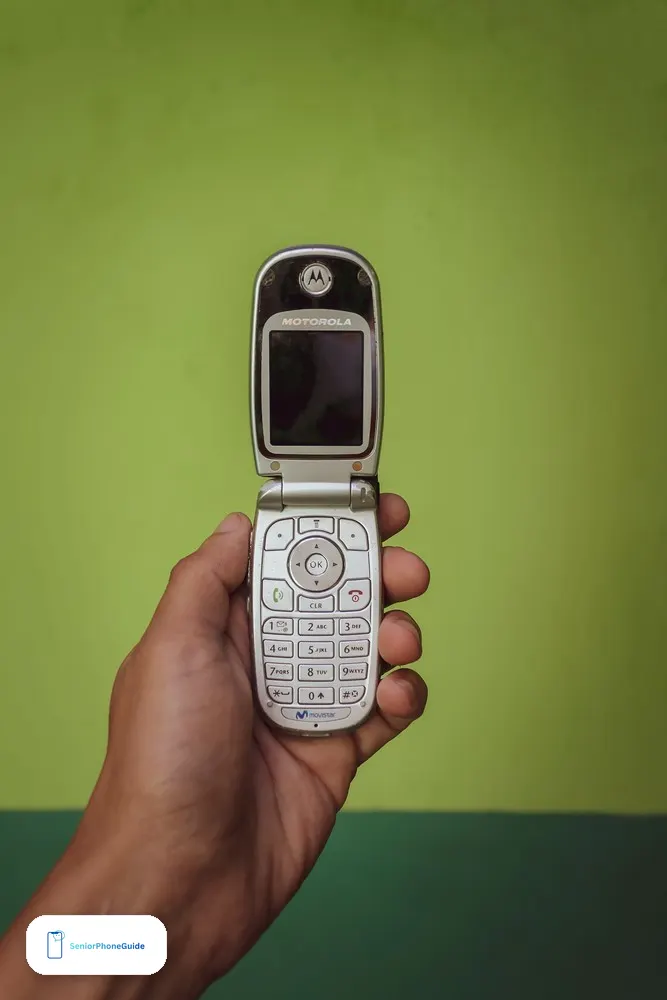
The fastest way to waste money on a Verizon flip is to buy a phone that was never built for Verizon. Every one of these looks right in a search result, and every one fails the same test — 4G LTE with VoLTE on Verizon's bands:
- Any 3G or CDMA flip. Verizon switched off its old 3G and CDMA network at the end of 2022, and every flip built for that network stopped working as a phone. The Samsung Convoy 3, the Motorola Barrage, the LG VX-5400 and the LG Exalt are the famous ones, but most of the flip phones ever sold are in the same grave. A handsome older flip at a tempting price is a paperweight on Verizon now, whatever the seller says about condition.
- The TCL Flip 4 5G. It is a pick in our flip phone guide for other carriers, but it has no band 13, which is the band Verizon's network leans on — so it does not work on Verizon. The Flip 3 above is the Verizon TCL, not the Flip 4.
- The Jitterbug Flip3. It is not a Verizon phone. It needs a Lively plan, and its staffed help button needs Lively's paid Urgent Response add-on. Lively runs on Verizon's network, which is why people assume it is a Verizon phone — but the phone is Lively's, the plan is Lively's, and a Verizon line will not activate it.
- The IRIS Easy Flip and the Alcatel Go Flip 4. Both are picks in our flip phone guide for other carriers. Neither is a Verizon phone.
- The artfone G6, the artfone G3 and the UNIWA V202T. These fill the "Popular on Amazon" boxes on the senior Verizon guide above — and their own listing text says they work with T-Mobile and its virtual operators only, and explicitly NOT with Verizon. A bestseller box is not a compatibility check.
- The Nokia 110 4G. A 4G flip with a removable battery and a good price, but its own listing title says it is not Verizon compatible, and its first bullet says it works with GSM carriers such as T-Mobile and not with Verizon.
- The Tracfone Nokia 2760 Flip. Locked to Tracfone. Tracfone is a Verizon-owned brand, but it is a different account — the phone will not activate on a Verizon line.
- Any listing that does not state 4G LTE, VoLTE and the lock. If the listing is a title and one line, and it says nothing about which network it works on, walk away. The lock is the whole purchase on Verizon, and a seller who will not state it is a seller who does not know it.
The Nokia 2780 problem: the unlocked path is closing
The Nokia 2780 Flip was the one phone on this page that answered the hardest question in flip-phone buying: what if the senior wants to move carriers later? It was unlocked, it worked on Verizon, AT&T and T-Mobile, it had bigger buttons, hearing-aid compatibility, real-time text and a programmable side button, and it ran KaiOS with a browser and downloadable apps.
That road is closing. HMD, the company that makes Nokia phones, has left the United States, and the 2780 is gone from its US lineup. Amazon listings still show stock — one rival guide found it in stock, low, in November 2026 — but that is leftover stock, not a living product line. There will be no new batch, no new firmware, and no one to call when it breaks.
What to do about it depends on where you stand. If the senior already owns a 2780, it still works, and nothing in this section says otherwise — keep using it. If you are buying now, do not build a Verizon plan around a disappearing phone. Buy the Flip 3 for Verizon instead, and if the carrier must change later, buy the next unlocked flip when you move — by then there will be one, and it will be a phone with a company behind it. And if a guide still recommends the 2780 as a phone you can buy new with confidence, check the date on that guide: it was written before HMD left.
Setting it up for a parent: the caregiver checklist
A flip phone for a senior is bought by a child and used by a parent, and the setup is the product as much as the phone. Do it in this order, before the phone goes in a pocket:
- Check the IMEI with Verizon before you pay. Verizon's bring-your-own-device check, or a minute in a Verizon store, confirms the exact phone works on the exact line. This one step prevents every lock surprise on this page.
- Activate on the right line, then test. Postpaid or prepaid — the lock decides, not the phone. Make a call, send a text, and check voicemail before you leave the store or end the call with support.
- Add the contacts first. Family, caregiver, doctor, pharmacy, emergency — before you hand the phone over, not after.
- Set the SOS, then test it. On the Flip 3, save the one number on the Quick Dial Button and press it three times to confirm it calls that number on speakerphone. Set up Emergency SOS on the phone before the phone goes in a pocket, not after — and if the senior wears a medical alert pendant, test the pendant after the new phone is set up, not before.
- Set the reading. Text size, contrast, ringtone, keypad vibration or audible feedback, and Wi-Fi Calling if the house has weak signal. When the phone needs the home Wi-Fi password, our Wi-Fi sharing guide shows the senior-safe way to share it — never read the password aloud to a caller.
- Label the charger and write the instructions down. A spare cable if possible, and large-print instructions for answering, calling a saved contact, returning a missed call, voicemail, charging, and 911. Tape them to the fridge if that is where they will be read.
- Say the scam sentence out loud. No real Verizon caller asks for a code, a password, or a payment over the phone. If a caller claims to be Verizon support and asks for any of those, hang up and call Verizon back on the number on the bill. Our senior scam checklist covers the calls that target this exact moment — a new phone, a new line, a senior who wants to be helpful.
When something goes wrong
- No service: restart the phone, reseat the SIM or the battery where it comes out, confirm the line is active, and recheck the IMEI with Verizon. A phone that worked yesterday and shows no service today is usually a line problem, not a phone problem.
- Calls fail but texts work: check VoLTE and HD Voice provisioning on the line. The exact Verizon variant matters here — a phone bought for another carrier, or a prepaid phone on a postpaid line, will text fine and fail calls. Call Verizon and ask them to check VoLTE on the line by name.
- Poor indoor reception: turn on Wi-Fi Calling if the phone supports it, and test near a window or upstairs — height and glass beat thick walls. If the whole house is a dead zone, the phone is not the problem, and our signal booster guide covers the fix. If the phone itself is hard to hear or hard to use, fix that first with our big-button phone guide — a booster cannot fix a phone you cannot hear.
- Hearing feedback: try the telecoil setting, speakerphone, lower volume, Bluetooth, or a different phone position. The Go Flip 7 and the Kyocera carry the M4/T4 hearing-aid rating, and the Flip 3 carries a PASS listing — but a rating does not guarantee comfort with every hearing aid, so test the senior's own aid with the phone before the return window closes.
- Battery drains fast: check weak-signal areas, a hotspot left on, brightness, and battery age. The Flip 3, the Flip Pro, the Journey Pro and the eTalk all have removable batteries — a worn battery can be swapped rather than the phone replaced, which is the cheapest fix on this page.
- Too complicated: move to a verified Voice & Text Only model rather than disabling features one by one. Disabling is a chore that undoes itself at the next update; the right model is a decision made once.
- Wrong lock: a prepaid-locked phone will not activate on a postpaid line, and a postpaid phone will not activate on a prepaid line. Exchange it inside the return window — do not fight it, and do not pay anyone to "unlock" it for you. Verizon unlocks its own phones on its own schedule, and there is no code to type and no tool that works.
How we picked these (method)
These picks come from our own desk research into the makers' spec pages — TCL through Verizon's catalog as reported by the rival guides, Orbic's own product pages, KAZUNA's own spec sheet — plus carrier support pages and real listing patterns on Amazon. No pick was tested hands-on by us, and this guide says so where it matters: battery life, standby time and call quality are the makers' or the sellers' figures, not ours, and no score here was invented. Prices are given as bands because they change with sales and stock, and a printed price goes stale within weeks. Every figure's source is the maker or the seller, and where two sources disagreed — the Journey Pro's screen size, for example — this guide uses the maker's page and says so.
The six picks are all phones Verizon itself sells, and none of them repeats a pick from our flip phone guide, which covers the six best flips across all carriers. That guide is the companion to this one: read it if the senior is not tied to Verizon, and read this one if they are. If a listing contradicts this guide, the listing and Verizon win — check the exact variant, the lock, and the IMEI before you pay, and check the current price on Amazon before you buy.
Frequently asked questions
- Does Verizon still sell flip phones?
- Yes. Verizon's own basic-phones page lists nine: the TCL Flip 3 in two versions, the TCL Flip Pro, the Kyocera DuraXV Extreme+, three Orbic Journey models, the KAZUNA eTalk and the Light Phone II — though the Light Phone II is a minimalist slab, not a flip. The TCL Flip 3 is the best of them for most seniors.
- Which Verizon flip phone is best for seniors?
- The TCL Flip 3, for most seniors on Verizon: the biggest screen on the shelf, large text and text-to-speech, a hearing-aid PASS listing, a removable battery, and an SOS Quick Dial Button. If the internet is the problem, buy the Voice & Text Only version of the same phone. If the line is Verizon Prepaid, buy the Go Flip 7 instead.
- Can I use a Verizon Prepaid flip phone on a regular Verizon plan?
- No. A phone locked to Verizon Prepaid works only on a prepaid account and will not activate on a regular postpaid plan, even though it is the same network. The Go Flip 7 is the example on this page. Buy the Flip 3 for a postpaid account.
- Will an old Verizon flip phone still work?
- Only if it is a 4G LTE phone with VoLTE. Verizon switched off its old 3G and CDMA network at the end of 2022, and every flip built for that network stopped working as a phone. A handsome older flip at a tempting price is a paperweight on Verizon now, whatever the seller says about condition.
- Is the Jitterbug Flip3 a Verizon phone?
- No. The Jitterbug Flip3 needs a Lively plan, and its staffed help button needs Lively's paid Urgent Response add-on. Lively runs on Verizon's network, which is why people assume it is a Verizon phone — but the phone is Lively's, the plan is Lively's, and a Verizon line will not activate it.
- Can I bring my own flip phone to Verizon?
- Yes, if it is unlocked, carries Verizon's LTE bands including band 13, and supports VoLTE. Check the IMEI with Verizon before you buy — Verizon's bring-your-own-device check, or a minute in a Verizon store, confirms the exact phone works on the exact line. A listing that does not state 4G LTE, VoLTE and the lock is not worth the risk.
- How long until my Verizon flip phone unlocks?
- Since January 27, 2026, a postpaid Verizon phone unlocks automatically once it is paid in full, and a prepaid phone unlocks after 365 days of paid, active service. Phones activated before January 27, 2026 keep the old rule and unlocked automatically 60 days after activation. The old advice that Verizon unlocks after 60 days has been wrong since January 2026.
- Does the TCL Flip 3 have an SOS button?
- It has a Quick Dial Button, not a staffed emergency service: you switch it on, save one number, and three quick presses call that number on speakerphone. You can also save five ICE contacts. It calls your daughter, not a stranger — which is honest and useful, but it is not the same as the Jitterbug's staffed help button, which answers with a live agent and needs a paid Lively plan.
- Does the TCL Flip 3 have internet?
- The full Flip 3 runs KaiOS, so it has a web browser and email. The Voice & Text Only version of the same phone makes calls and sends texts and does nothing else — no browser, no email, no apps. If the internet itself is the problem, buy the Voice & Text Only version, not the full Flip 3 with features disabled one by one.
- What is the cheapest Verizon flip phone?
- On a prepaid line, the Verizon Prepaid TCL Go Flip 7 — the cheapest new flip on this page. On a postpaid line, the Orbic Journey V is the cheapest phone on Verizon's shelf, and the TCL Flip Pro Voice & Text Only is the lowest-cost new Verizon flip when it is in stock, which it often is not.
- Can a flip phone use WhatsApp?
- No. None of the phones on this page runs WhatsApp. The KaiOS flips have a browser and downloadable apps, but WhatsApp ended support for KaiOS, and the Voice & Text Only models have no apps at all. If WhatsApp matters, a simple smartphone fits better than any flip.
- What plan does a flip phone need on Verizon?
- A flip needs a talk-and-text line, not a data plan. Verizon's own no-data Talk & Text prepaid line sits in the $30–$40 a month band with AutoPay, and its data plans sit higher. Verizon-network MVNOs sell the same talk-and-text in the $10–$15 a month band on Verizon's own towers. On postpaid, the flip goes on a shared family plan, and the phone's instalment is separate from the plan.
- Is a renewed flip phone safe to buy?
- From Amazon Renewed, yes, with two habits: check whether the listing states what is in the box, and prefer a phone with a removable battery, since that is the part that ages. Amazon's Renewed programme requires the seller to inspect and test the device and backs it with a 90-day guarantee. On a flip phone it is less of a gamble than on a smartphone, because there is little to wear out beyond the battery and the hinge.
- What happened to the Nokia 2780 Flip?
- HMD, the company that makes Nokia phones, has left the United States, and the 2780 is gone from its US lineup. Amazon listings still show leftover stock, but there will be no new batch, no new firmware, and no one to call when it breaks. If the senior already owns one, it still works. If you are buying now, do not build a Verizon plan around a disappearing phone — buy the Flip 3 instead.
- Which Verizon flip phone is best for hearing aids?
- The Go Flip 7 and the Kyocera DuraXV Extreme+ carry the M4/T4 hearing-aid rating, the highest on the scale, and the eTalk carries M4/T4 too. The Flip 3 carries a PASS listing. A rating does not guarantee comfort with every hearing aid, so test the senior's own aid with the phone before the return window closes — and try the telecoil setting, speakerphone, and Bluetooth if there is feedback.
Verdict: if the senior is already on Verizon and will stay there, buy the TCL Flip 3. If the line is prepaid, buy the Go Flip 7 and nothing else. Next step: check the lock on the exact variant before you pay, then set up the SOS button first.