
iPhone SE for Seniors in 2026: The Last iPhone With a Home Button
The iPhone SE is the last iPhone with a physical Home button. Press it once and you are home. Press it twice and the app switcher opens. Rest a finger on it and the phone unlocks. There is no swipe up from the bottom, no face to hold up to the camera, nothing to relearn. For a senior who has used a Home-button phone for years — an iPhone 6, 7 or 8 — the SE is the least disruptive smartphone Apple ever made.
As an Amazon Associate, I earn from qualifying purchases.
Short on time? See the current price on Amazon.
Last updated: November 1, 2026
Affiliate disclosure: As an Amazon Associate I earn from qualifying purchases. Our picks come from our own research into manufacturer specifications and real user reviews — prices and availability change often, so check the current price on Amazon before you buy. It costs you nothing extra, and it keeps this site free. We still print no prices on this page — they change too often to print honestly — and every feature below was checked against the manufacturer's or carrier's official information in October 2026. Read our affiliate disclosure.
Our verdict: The iPhone SE is the only iPhone with a Home button and Touch ID, and Apple stopped selling it on 19 February 2025 — so every SE on sale now is renewed or old stock. Buy the 3rd generation (2022), never the 2nd, demand 85% battery health or better in writing, and buy from a seller with a warranty and a return window. If the Home button is not the priority, the iPhone 16e at $599 new is the better buy. The SE runs iOS 27, but it will never get Apple Intelligence, and it has no Crash Detection and no satellite SOS.
The short answer
The iPhone SE is the last iPhone with a physical Home button. Press it once and you are home. Press it twice and the app switcher opens. Rest a finger on it and the phone unlocks. There is no swipe up from the bottom, no face to hold up to the camera, nothing to relearn. For a senior who has used a Home-button phone for years — an iPhone 6, 7 or 8 — the SE is the least disruptive smartphone Apple ever made.
There is one catch, and it decides everything else in this guide. Apple stopped selling the SE on 19 February 2025, the same day it introduced the iPhone 16e. No shop, no carrier and no Apple Store sells a new SE any more. Every SE you can buy today is either renewed — checked, cleaned and resold — or old stock that has been sitting in a warehouse since 2022. That does not make the SE a bad buy. It makes the seller the thing you are really choosing, and the battery the thing you must check before anything else.
Two generations of SE exist, and they are not the same phone. The 3rd generation (2022) has the A15 chip, 5G and a 2,018 mAh battery. The 2nd generation (2020) has the A13 chip, 4G only and a 1,642 mAh battery. Both run iOS 27 today. The 3rd generation is the one to buy. The 2nd generation is the one to buy only when the budget is truly tight — and only with your eyes open about its shorter support left and its older battery.
| iPhone SE 2nd gen (2020) | iPhone SE 3rd gen (2022) | iPhone 16e (2025) | |
|---|---|---|---|
| Chip | A13 Bionic | A15 Bionic | A18 |
| Mobile data | 4G LTE only | 5G (sub-6GHz) | 5G (sub-6GHz) |
| Battery (video) | Up to 13 hours | Up to 15 hours | Up to 26 hours |
| Screen | 4.7-inch LCD | 4.7-inch LCD | 6.1-inch OLED |
| Unlock | Touch ID, Home button | Touch ID, Home button | Face ID, no button |
| iOS 27 | Yes | Yes | Yes |
| Apple Intelligence | No | No | Yes |
| Charging | Lightning | Lightning | USB-C |
| Price | Renewed only, varies | Renewed only, varies | $599 new |
If you want the short version of the whole guide: buy a renewed 3rd-generation SE with 128GB, demand 85% battery health in writing, pair it with a cheap plan, and set it up together before handing it over. The rest of this guide is the proof — and the traps to walk around.
The picks
Six ways to buy into the SE — or out of it. Every price marked "snapshot" is one listing seen in November 2026, not a promise: renewed prices move daily, and the listing you open is the price that counts.
1. iPhone SE 3rd Gen (2022), Renewed — the one to buy
Best for: the senior who wants the Home button and will buy renewed the right way.
This is the lead pick because it is the only SE that makes full sense in 2026. The A15 Bionic is the same chip as the iPhone 13, so everyday use — calls, messages, photos, banking apps, FaceTime — is genuinely fast, not "fast for an old phone". 5G is sub-6GHz only, with no mmWave, which for a senior's use does not matter: calls, texts and light data run on sub-6GHz everywhere. The battery is 2,018 mAh, good for up to 15 hours of video playback, and the phone runs iOS 27, the current iOS. Its hearing-aid rating is M3/T4 on Apple's own support page, the same rating as the iPhone 15, and Made for iPhone hearing aids work with it.
What you are really buying is a 2022 phone in 2026, so the checks matter more than the model name. Demand the battery health in writing before you pay: 85% or better. Buy from a seller that states the battery health, offers a warranty and takes returns. When the phone arrives, open Settings, then Battery, then Battery Health & Charging, and look at the number yourself. If it is below 85%, send it back — a renewed phone with a tired battery is a phone that dies at 4pm, and no setting fixes that. A small scratch on the frame is nothing; a weak battery is everything.
Storage: 64GB is tight. It is enough for email, messaging, streaming and photos kept in iCloud, but not for a large local photo library or downloaded shows. The 128GB version is the sensible renewed buy. When Apple still sold this phone new, 64GB was $429, 128GB was $479 and 256GB was $579 — those were the 2022 new prices, not today's renewed prices. One renewed listing seen in November 2026 put a 64GB unit at $128.99 on Amazon Renewed. That number will have moved by the time you read this. Check the listing.
See the current price on Amazon.
2. iPhone SE 3rd Gen, Tracfone Prepaid — the one-bill SE
Best for: the senior who wants one bill, no contract and a phone that arrives ready to use.
The same 3rd-generation SE, sold as a prepaid bundle through Tracfone. The phone is identical — A15, 5G, Touch ID, Home button, iOS 27 — but the buying works differently: the phone and the plan come together, the monthly cost is fixed, and there is no contract to leave. For a senior on a fixed income who does not want a surprise bill, that predictability is worth more than a slightly lower phone price elsewhere. It takes a physical nano-SIM and an eSIM, so the number can move with the phone if the plan changes later.
The warning is the same as for any SE: it is a 2022 phone, so check the battery health on arrival and keep the return window in mind. Prepaid does not mean no checks. It means the checks happen once, at the start, and then the bill stays the same.
See the current price on Amazon.
3. iPhone SE 2nd Gen (2020), Renewed — the tight-budget SE
Best for: the tightest budget, with eyes open.
The 2nd-generation SE is the cheapest way to get a Home-button iPhone, and it is the pick one rival site made its Editor's Choice. That rival is wrong, and this guide says so plainly. The 2nd generation has the A13 chip, 4G only — no 5G at all — and a 1,642 mAh battery that was small when it was new in 2020. It runs iOS 27 today, because Apple dropped no iPhone with iOS 27, but its support is expected to end sooner than the 3rd generation's, and its battery is now at least six years old in design terms. One renewed listing seen in November 2026 put these at $100 to $130. That is cheap. It is cheap because the phone underneath is old.
Buy it only if the budget truly cannot stretch to the 3rd generation, and apply the same rules harder: battery health 85% or better in writing, a seller with a warranty and returns, and check the number in Settings on arrival. A renewed 2nd-generation phone whose battery was only ever guaranteed above 80% — which is what that rival's Editor's Choice promises — is a phone that may not survive a day out. 80% is the floor. Our bar is 85%.
See the current price on Amazon.
4. iPhone 16e (new, $599) — the modern exit
Best for: the senior who can live without the button and wants a new phone with a warranty.
The 16e is what Apple sells instead of the SE. It is new, it carries a full warranty, and it has none of the SE's age: the A18 chip, 8GB of RAM, a 6.1-inch OLED screen, a 48MP camera, USB-C charging, a 4,005 mAh battery good for up to 26 hours of video, and Apple Intelligence. It is $599 for 128GB. There is no Home button and no Touch ID — unlocking is Face ID, and going home is a swipe up from the bottom. Most people adapt within a week, but it is a change worth practising together before the old phone goes away.
Choose the 16e over the SE when the Home button is a preference, not a need. If the senior has never owned a Home-button iPhone, or Face ID has never bothered them, the button is not a reason to buy a four-year-old phone. Then the only thing that matters is what you get for the money — and for $599 new, the 16e gives more of it: a bigger screen, a far better battery, a better camera, USB-C, and years more support. Our best iPhone for seniors guide covers the 16e as its second pick, with the full comparison.
See the current price on Amazon.
5. iPhone 15, Renewed — the big-screen exit
Best for: the best camera and the biggest screen jump from the SE.
If the Home button is not the deal-breaker, the iPhone 15 is the better phone for a senior who reads a lot on the phone or takes a lot of photos. The 6.1-inch OLED screen peaks at 2,000 nits outdoors — more than three times the SE's 625 nits — so text stays readable in sunlight. The 48MP dual camera has Night mode, which the SE lacks entirely, and the hearing-aid rating is M3/T4. It charges over USB-C, so the same cable as a laptop or an Android phone works. It was $699 new after the iPhone 16 arrived; renewed listings seen in November 2026 put it around $380. That number moves daily — check the listing.
The trade-off is Face ID instead of Touch ID, and gestures instead of a button. For a senior with low vision, the screen is the stronger argument: at large text sizes, far more words fit on screen at once than on the SE's 4.7-inch display. Our best iPhone for seniors guide makes the 15 its third pick, with the full detail.
See the current price on Amazon.
6. iPhone 13, Renewed — the cheapest big-screen iPhone
Best for: the lowest price on a full-size iPhone with iOS 27.
The iPhone 13 is the cheapest way into a modern, full-size iPhone. It has the same A15 chip as the SE 3rd generation, a 6.1-inch OLED screen, a dual 12MP camera with Night mode, and iOS 27. Renewed listings seen in November 2026 started around $233. That is less than a new 16e by a wide margin, for a phone that does everything a senior needs — calls, messages, photos, FaceTime, banking — on a screen big enough to read comfortably.
The trade-offs are the same as the 15's: Face ID, gestures, no Home button. And the battery is four years old in design, so the same rule applies: demand the health in writing, 85% or better, and check it in Settings on arrival. If the budget is the whole question and the Home button is not, this is the pick. If the Home button is the whole question, go back to pick one.
See the current price on Amazon.
What it costs
Renewed prices are not fixed prices. A renewed SE 3rd generation costs whatever the listing in front of you says, and it changes with the seller, the storage, the condition and the battery health. Any guide that prints one renewed price as a fact is printing yesterday's listing. This guide prints snapshots instead — one listing, seen in November 2026, labelled as such — and the first-year maths below uses those snapshots so you can see the shape of the cost, not a promise.
The snapshots: a 64GB SE 3rd generation renewed at $128.99 on Amazon Renewed; SE 2nd generation renewed at $100 to $130; an iPhone 15 renewed around $380; an iPhone 13 renewed from $233. The fixed prices: iPhone 16e new at $599; iPhone 15 new at $699; the SE's old new prices, $429 for 64GB, $479 for 128GB and $579 for 256GB, which are history now, not prices you can pay.
First-year maths, phone plus plan, using the cheapest verified plan in this guide (Tello at $8 a month, $96 a year) unless stated:
- SE 3rd gen, snapshot: $128.99 + $96 = $224.99 for the first year. The phone is the cheap part; the plan is the ongoing part.
- SE 2nd gen, snapshot: $100 to $130 + $96 = $196 to $226 for the first year. Cheapest of all — and the shortest support left.
- iPhone 16e, new: $599 + $96 = $695 for the first year. More up front, a new phone with a warranty, and years more support.
- iPhone 15, new: $699 + Visible at $25 a month ($300 a year) = $999 for the first year.
- iPhone 13, snapshot: $233 + $96 = $329 for the first year. The cheapest full-size iPhone with iOS 27.
Two costs people forget. First, the charger: the SE charges over Lightning, and Apple does not include a 20-watt adapter in the box. If the household has moved to USB-C, the SE needs its own Lightning cable — a second cable to carry. Second, the case and the screen protector: the SE has no Ceramic Shield, and one rival's drop tests found the back glass cracks easily. A case is not an accessory on this phone. It is part of the price. For the senior who never wants to think about charging at all, an iPhone 15 Plus renewed is the longest-lasting iPhone in this guide's orbit — Consumer Reports measured 53 hours of battery life on it.
The plans
A senior who calls, texts and uses a little data does not need an expensive plan. The cheapest verified plans in our guides are Tello at $8 a month, Mint at $15 a month on an annual prepay, and Visible at $25 a month. Consumer Cellular's 50+ plan is $35 a month, and T-Mobile's Essentials Choice 55+ is $45 a month. All of them work with an unlocked SE — and "unlocked" is a word to check on the listing before you pay, because a carrier-locked renewed phone only works on that carrier until it is paid off or unlocked.
The free route exists too. Lifeline gives $9.25 a month off phone service for households at or below 135% of the federal poverty level — $5.25 for voice-only — and a free phone can come with it. If the budget is the whole question, check Lifeline first, before any plan. Our best cell phone deals guide pairs phones with plans the same way, and our choose a phone guide covers the flip-versus-smartphone decision for someone who is not sure a smartphone is right at all.
One warning about plans and the SE: the 2nd generation has no 5G, and the 3rd generation has sub-6GHz 5G only, with no mmWave. Neither matters for calls, texts and light data. What matters is that the phone is unlocked and the plan covers the area where the senior actually lives — check the carrier's coverage map by address before signing anything, the same check our better signal guide recommends.
Touch ID vs Face ID, honestly
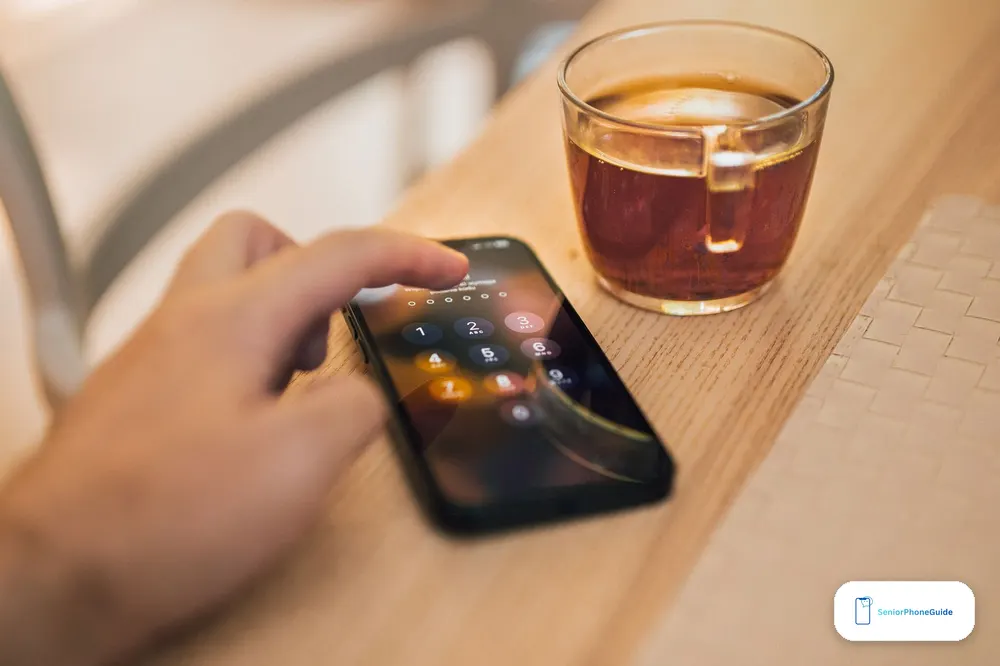
Touch ID wins in some situations and loses in others, and both sides are worth saying plainly. The Home button wins when the phone is lying flat on the table or sitting in a car mount: rest a thumb on it and it unlocks, with no picking it up, no leaning forward, no swiping. It wins with a scarf up to the nose, a helmet on, or ski goggles on the face — Face ID struggles there, and the sensor in the button does not. It wins on muscle memory: the button is always in the same place, it gives feedback you can feel, and you do not need to look at it to find it. And it wins across the day in small moments — every Apple Pay payment, every password authorisation, every App Store purchase asks for confirmation, and a thumb on a button is one movement where Face ID is a look and a swipe.
Touch ID loses just as reliably in other situations. Wet fingers, grease on a thumb, flour, dry skin in winter, gloves: the sensor fails. Anyone who works with their hands all day does not automatically benefit from Touch ID. And Face ID has one advantage the button never will: it works when the hands are full, dirty or gloved, and it never needs a finger to be registered.
The practical fixes are small. Touch ID stores up to five fingerprints — register two, a thumb and an index finger, so a cut on one does not lock the phone. Face ID fails in the dark, in sunglasses and at odd angles, and the fallback is always the passcode, so the passcode must be one the senior actually remembers, written down somewhere safe. And for someone who struggles with swipe gestures at all, the button is not nostalgia. As one rival put it, it is the difference between usable and unusable — and that is the whole case for the SE in one sentence.
If Touch ID is not a selling point and only the price matters, the SE is not the best choice. A renewed iPhone 13 gives more screen and a second camera for similar money, the standard iPhone 16 is the middle step between the 13 and the 16e, and the 16e gives a new phone with a warranty. Do not buy the SE out of nostalgia you do not feel. If the senior has never owned a Home-button iPhone and Face ID has never bothered them, the button is simply another way to reach the same goal.
The safety features — and the gap nobody mentions
The SE carries the standard iPhone safety tools. Hold the side button and a volume button together and Emergency SOS calls emergency services, then texts the emergency contacts with the location. Medical ID, set up in the Health app, puts allergies, conditions, medications and emergency contacts on the lock screen where paramedics can see them without a passcode. Check In, in Messages, tells a contact when the person arrives somewhere safely — it is a trip feature, not a daily habit. Find My lets a trusted family member see where the phone is, which is a shared choice to agree together, not surveillance. Our Emergency SOS setup guide walks through the button hold, and our scam checklist covers the calls and texts that try to get past all of it.
Here is the gap. The SE has no Crash Detection and no satellite SOS. Both start with the iPhone 14. If the senior is in a serious car crash, the SE will not call for help on its own. If there is no cellular signal at all, the SE cannot reach emergency services by satellite. The phone itself cannot detect a fall, either — fall detection lives on the Apple Watch, not on any iPhone. An iPhone 14 renewed is the cheapest iPhone that has both Crash Detection and satellite SOS, and for a senior who drives alone, that is worth knowing before choosing the SE.
About the watch: the SE can pair with an Apple Watch for fall detection, but Apple's own pages disagree about which SE. The Watch Series 12 specifications say an iPhone 11 or later, including the iPhone SE (2nd generation or later), with iOS 27. Apple's health press release from the same week says iPhone 11 or later or iPhone SE 3 with iOS 27. One page admits the 2nd generation; the other names only the 3rd. Apple has published nothing that reconciles them. If the watch is part of the plan, check Apple's page for the exact watch model before buying — do not take either page on trust.
One more safety truth, from our signal booster guide and our better signal guide: the SE's small battery and old radio mean it is the first phone to struggle in a weak-signal house. If the calls drop at home, the free fixes in the signal guide come before any new phone.
Setup for a parent
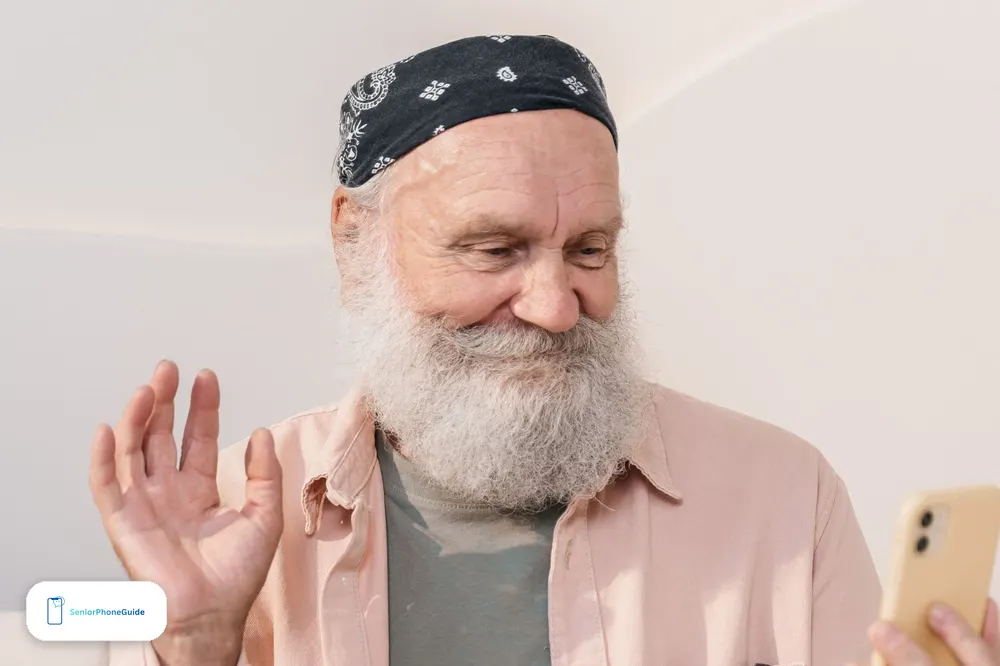
Do this together, unhurried, before the phone is handed over for good. An iPhone straight out of the box is not a senior phone. It becomes one after an hour of thoughtful setup — and on a renewed SE, the first half hour is checks, not settings.
First, the arrival checks. Open Settings, then Battery, then Battery Health & Charging, and read the number. 85% or better is the bar; below it, the phone goes back. Check the phone is unlocked: Settings, then General, then About, and look for "No SIM restrictions". Check the model is the one you paid for — a 3rd generation, not a 2nd — in the same About screen. Then update it: Settings, then General, then Software Update, and install iOS 27 if it is offered.
Then the settings that do most of the work. Turn on Display Zoom, in Settings under Display & Brightness — it makes everything larger, icons and buttons included, not just text, and it is the single most helpful change for most older users. Turn on Larger Text and Bold Text. Turn up the ringer and alert volume and choose a ringtone they can recognise from another room. Set up Siri — "Call Susan" bypasses the menus entirely. Turn on the Magnifier, which turns the camera into a magnifying glass for medicine bottles and menus. Add favourites with photos to the Phone app, so calling a son or a neighbour is a face, not a name in a list. Declutter the home screen: Phone, Messages, Camera, Photos and one or two chosen apps is plenty, and everything else goes into a folder off the first page.
Fill in Medical ID with conditions, medications, allergies and emergency contacts, and turn on Show When Locked. Add emergency contacts and set up Emergency SOS, then practise the button hold together so it is familiar before it is needed. Set up Find My and Check In if they want them, and talk through what each does. Consider Assistive Access — built into iOS 17 and later — if a full home screen is still too much: it shows only the apps you choose as large icons or a list, and a family member locks it with a passcode so it cannot be changed by accident. It is closer to a Jitterbug Smart4 experience than to a normal iPhone, and it can be turned off later if the person grows more confident. Our Smart4 guide and our RAZ memory phone guide cover the simpler-phone end of the same decision.
Finally, write down the basics on a card: how to answer, how to hang up, how to call for help, and the passcode. Then answer the same question kindly as many times as it takes. If the senior has never used a smartphone, our what is a smartphone guide explains the whole thing in plain words first, and our dumb phones guide covers the no-smartphone option for someone who only wants calls and texts.
What it cannot do
The SE cannot run Apple Intelligence. Not a little, not slowly — not at all. Apple limits Apple Intelligence to the iPhone 15 Pro and Pro Max and newer. One rival claims the SE qualifies because its A15 chip meets the minimum. That is wrong: the A15 is necessary but not sufficient, and no SE of any generation gets Apple Intelligence. If AI features matter, the 16e is the cheapest iPhone that has them.
The camera cannot do Night mode. The single 12MP lens takes good photos in daylight and struggles in low light, and there is no Ultra Wide lens, no telephoto and no Cinematic mode. The front camera is 7MP. Video reaches 4K at 60 frames per second, which is plenty for family videos, but the phone will not save a dark restaurant photo the way a newer iPhone would.
It cannot charge with MagSafe. Wireless charging works over Qi at 7.5W, but magnetic accessories do not attach. It cannot charge over USB-C — the port is Lightning, and a household that has moved to USB-C carries a second cable for this phone. It cannot do mmWave 5G, though neither can the 16e, and for a senior's use that does not matter.
It cannot hold a big photo library on 64GB. That storage is enough for email, messaging, streaming and photos kept in iCloud, and not enough for a large local library or downloaded shows. Buy 128GB renewed if the senior takes a lot of photos. And it cannot last a heavy day: the 2,018 mAh battery is the smallest in any current Apple phone, and a day of navigation, music and camera use is not possible without recharging. For a light user — calls, a few messages, some photos — it lasts the day. For a heavy user, it does not.
Who should not buy it
Do not buy the SE if the price is the only reason. A renewed iPhone 13 gives more screen, a second camera and Night mode for similar money, and the 16e gives a new phone with a warranty for $599. Do not buy it if the senior takes a lot of photos, watches series on the phone, or needs long days without a power outlet — the single lens, the small screen and the small battery all argue against it. Do not buy it for someone with low vision: the 4.7-inch screen shows far less text at large sizes than a 6.1-inch or 6.7-inch iPhone, and a bigger screen is the honest answer there. Our Verizon flip guide and our big-button guide cover the simpler phones for someone who wants calls and a few big buttons, and our clear caption guide covers the phone for someone whose hearing is the main problem.
Do not buy the 2nd generation if the 3rd generation is affordable at all — the 4G-only radio, the older chip and the shorter support left make it a false saving. Do not buy any SE from a seller who will not state the battery health in writing, offer a warranty, or take returns. And do not buy the SE 1st generation (2016) or an iPhone 8 at any price: the 1st-generation SE stops at iOS 15 and the iPhone 8 stops at iOS 16, neither runs iOS 27, and both are a decade of wear away from new. A phone that cannot run the current iOS is a phone living on borrowed time.
Troubleshooting
Touch ID stops working. Wet fingers, grease, flour, dry winter skin and gloves all defeat the sensor. Dry the finger, try the second registered finger, and use the passcode as the fallback. Register two fingers from the start — a thumb and an index finger — so a cut on one does not lock the phone. If Touch ID fails every time, check the Home button is clean and dry, and re-register the fingerprints in Settings under Touch ID & Passcode.
The battery dies by the afternoon. First check the health: Settings, then Battery, then Battery Health & Charging. Below 85% on a renewed phone means the seller's promise did not hold — send it back inside the return window. Above 85% and still dying, the causes are usually the small battery meeting a heavy day: turn on Low Power Mode, lower the brightness, and turn off 5G when it is not needed. The SE's battery is 2,018 mAh. It was never going to survive navigation, music and camera use in one day.
The "new" SE is not new. Any listing that calls an SE new in 2026 is selling old stock. Apple discontinued the phone on 19 February 2025. Check the model in Settings, then General, then About, and check the battery health — a "new" phone with a battery below 100% has been sitting or used. A genuine new-old-stock SE should show 100% battery health. Anything less, and it is renewed whatever the listing says.
Storage is full at 64GB. The fix is iCloud Photos with "Optimise iPhone Storage" turned on, which keeps small versions on the phone and full versions in the cloud — or the honest fix, which is a 128GB phone. Deleting apps one by one is a weekly chore, not a solution.
The household is all USB-C and the SE is Lightning. Keep one Lightning cable by the charger and one in the car. The SE charges over Qi wireless too, so a wireless pad on the bedside table removes the cable question entirely.
Face ID keeps failing — on the wrong phone. The SE has no Face ID. If the senior is holding the phone up to their face waiting for it to unlock, they are using the wrong phone's habits on this one. Rest a finger on the Home button. That is the whole unlock.
Method
This guide was not hands-on tested on every phone named. The steps and the specifications are the makers' and the carriers' own published facts, checked against each other in November 2026: Apple's support pages for the hearing-aid rating (M3/T4) and the iOS 27 compatibility list, the carriers' own plan pages, and the rivals' own published figures where they could be cross-checked. Renewed prices are snapshots from listings seen in November 2026, labelled as such, because renewed prices move daily and no fixed renewed price would stay true for a week.
Three rival errors are named here because a senior could act on them. First, seniorsite.org sells an "iPhone SE (2024)" — Apple never made a 2024 SE. The 3rd-generation SE is March 2022, and the next entry iPhone was the 16e in February 2025. Their "new units start at $429" is the 2022 new price, not a price you can pay in 2026. Second, revendo.ch claims the SE gets Apple Intelligence because its A15 chip meets the minimum. It does not: Apple limits Apple Intelligence to the iPhone 15 Pro and newer, and no SE qualifies. Third, finforum.org made the renewed iPhone SE 2nd generation its Editor's Choice, with a battery guaranteed only above 80%. The 2nd generation is 4G-only with an older chip and shorter support left — the wrong SE to crown. Two more loosenesses: assureokay.com says to buy an SE "new or refurbished", but Apple sells no SE new since February 2025; and simplymac.com prices the SE "around $429", which was the new price when Apple still sold it, not today's price.
The judgements in this guide are conditional, and the conditions are the point. The SE is the best iPhone for a senior if the Home button is the priority and the buyer checks the battery. The 16e is the better buy if the button is a preference, not a need. The 2nd generation is acceptable if the budget truly cannot stretch and the battery is 85% or better. Nothing here was tested hands-on, and nothing here is a promise about a listing you have not opened yet — open it, read the battery health, and check the return window before you pay.
Frequently asked questions
- Is the iPhone SE still a good phone for a senior in 2026?
- Yes, if the Home button is the priority. It is the only iPhone with Touch ID and a physical Home button, it runs iOS 27, and it is fast enough for calls, messages, photos and FaceTime. The conditions are: buy the 3rd generation (2022), demand 85% battery health or better in writing, and buy from a seller with a warranty and a return window.
- Can you still buy an iPhone SE new?
- No. Apple discontinued the SE on 19 February 2025, the same day it introduced the iPhone 16e. Every SE on sale now is renewed or old stock. A listing that calls an SE new in 2026 is selling a phone that has been sitting since 2022 — check the battery health, which should read 100% on genuine new-old-stock.
- Which iPhone SE should a senior buy — 2nd or 3rd generation?
- The 3rd generation (2022). It has the A15 chip, 5G and a 2,018 mAh battery, against the 2nd generation's A13 chip, 4G only and 1,642 mAh battery. Both run iOS 27 today, but the 3rd generation has longer support left and a better battery. Buy the 2nd generation only when the budget truly cannot stretch.
- Will the iPhone SE keep getting updates?
- Both generations run iOS 27, released 14 September 2026, and Apple dropped no iPhone with iOS 27. How much longer they will be supported is a pattern, not a promise: estimates put the 2nd generation's support ending around 2027 and the 3rd generation's around 2029. Apple promises no fixed number of years.
- Does the iPhone SE have Apple Intelligence?
- No. Apple Intelligence requires an iPhone 15 Pro or Pro Max or newer. No SE of any generation qualifies, even though the 3rd generation's A15 chip meets one of the requirements. One rival claims otherwise; that claim is wrong. The cheapest iPhone with Apple Intelligence is the iPhone 16e.
- Is the iPhone SE battery good enough for a senior?
- For a light user, yes: up to 15 hours of video playback on the 3rd generation. For a heavy day of navigation, music and camera use, no — the 2,018 mAh battery will not survive it. The battery is the wear item on a renewed SE, so demand 85% health or better in writing and check it in Settings on arrival.
- Does the iPhone SE have a Home button and Touch ID?
- Yes. It is the last iPhone with both. Press the button once to go home, twice for the app switcher, and rest a finger on it to unlock. Touch ID stores up to five fingerprints — register two, a thumb and an index finger, so a cut on one does not lock the phone.
- What is the difference between Touch ID and Face ID for a senior?
- Touch ID unlocks with a finger on a button, works with the phone flat on a table, and works with a scarf or goggles on — but fails with wet, greasy or gloved fingers. Face ID unlocks with a look, works with full or dirty hands, but fails in the dark, in sunglasses and at odd angles. Both fall back to the passcode, so the passcode must be one the senior remembers.
- Can the iPhone SE detect a fall or call for help on its own?
- No. The SE has no Crash Detection and no satellite SOS — both start with the iPhone 14. Emergency SOS by holding the side and volume buttons works, and fall detection lives on the Apple Watch, not on any iPhone. The cheapest iPhone with Crash Detection and satellite SOS is a renewed iPhone 14.
- Does the iPhone SE work with hearing aids?
- Yes. Apple's support page rates the SE 3rd generation M3/T4 for hearing-aid compatibility, the same rating as the iPhone 15, and Made for iPhone hearing aids work with it. A rating is not a guarantee for one particular hearing aid — confirm with the hearing-aid maker for the exact model.
- How much storage does a senior need — is 64GB enough?
- 64GB is enough for email, messaging, streaming and photos kept in iCloud, and not enough for a large local photo library or downloaded shows. The 128GB version is the sensible renewed buy. When Apple still sold the SE new, 64GB was $429, 128GB was $479 and 256GB was $579.
- Does the iPhone SE have 5G?
- The 3rd generation (2022) has 5G on sub-6GHz bands only, with no mmWave. The 2nd generation (2020) has 4G only, no 5G at all. For calls, texts and light data, sub-6GHz 5G is all a senior needs — the iPhone 16e is sub-6GHz only too.
- What is the cheapest way to buy an iPhone SE for a senior?
- A renewed 3rd-generation SE from a seller that states the battery health, offers a warranty and takes returns — one listing seen in November 2026 put a 64GB unit at $128.99 on Amazon Renewed — paired with a cheap plan like Tello at $8 a month. The free route is Lifeline, which gives $9.25 a month off service for qualifying households.
- Should a senior buy the iPhone 16e instead of the SE?
- Yes, if the Home button is a preference, not a need. The 16e is $599 new with a warranty, a 6.1-inch OLED screen, a 48MP camera, USB-C, a 26-hour battery and Apple Intelligence. If the senior has never owned a Home-button iPhone, or Face ID has never bothered them, the 16e gives more for the money.
- How do I set up an iPhone SE for a parent?
- Check the battery health (85% or better) and that the phone is unlocked first, then update to iOS 27. Turn on Display Zoom, Larger Text and Bold Text, turn up the ringer, fill in Medical ID, add emergency contacts, set up Emergency SOS and practise the button hold together, add favourites with photos, declutter the home screen, and write the basics — how to answer, how to hang up, how to call for help — on a card.
Verdict: buy a renewed iPhone SE 3rd generation (2022) with a stated battery health of 85% or better and a written return window — never a "new" one, never a 64GB one, never from a seller who will not put the battery in writing. If the budget stretches to $599, the iPhone 16e is the better phone for the next five years. And if a real Home button is not the thing that matters, a renewed iPhone 15 is the better buy at a similar price. Whichever you choose, check the battery on arrival, turn on Medical ID, and write the passcode down — the phone is only as good as the person who can still get into it.