
What Is a Smartphone? The Honest Answer for Seniors in 2026
A smartphone is a phone with a computer inside — a touchscreen, apps and the internet in one device. If you only make calls and send short texts, you do not need one. If you want to see your grandchildren's faces, get their photos, or use maps and email, you do.
No affiliate links on this page: this guide explains what a smartphone is — it is not a buying guide, so nothing here is for sale.
Short on time? The short answer gives you the whole picture in one table.
Last updated: November 15, 2026
About this guide: there are no affiliate links on this page — this is a plain-English explanation, not a buying guide, so this guide earns nothing from the phones it names. Every figure was checked against the carriers' and makers' own pages in November 2026. Read our affiliate disclosure.
Our verdict: A smartphone is a phone with a computer inside — a touchscreen, apps and the internet in one device. If the senior only makes calls and sends short texts, they do not need one, and a flip phone will make them happier. If they want to see their grandchildren's faces, get their photos, or use maps and email, they do need one — and the cheapest honest way in is the Jitterbug Smart4 at $119.99, or a free government phone if they qualify.
A smartphone is a mobile phone with a computer inside it. The screen is the whole front of the phone, you touch it instead of pressing buttons, and it runs small programs called apps — for calls, messages, photos, maps, email, banking, music and more. The word itself is not new: Merriam-Webster records its first known use in 1996. What changed is that the phone stopped being a phone with a few extras and became a small computer that also makes calls. Wikipedia puts it the same way: a smartphone combines a traditional mobile phone with advanced computing, a touchscreen, the internet, a camera and GPS.
About 90% of adults age 50 and older already own a smartphone, according to AARP. So if you are reading this because someone in the family keeps saying "you need a smartphone," you are not behind — you are deciding, like millions of others, whether the extra abilities are worth the extra money and the extra learning. This guide answers that question honestly: what a smartphone is, what it does that a flip phone cannot, what it costs every month, and the test that tells you whether to buy one or keep the flip.
The short answer: do you need one?
The answer is not the phone. It is the person. What does this person actually do with a phone each day? Answer that first, and the phone picks itself.
| Situation | The honest answer |
|---|---|
| Calls and short texts only | A flip phone. A smartphone adds nothing but menus. |
| Wants to see grandchildren's faces | A smartphone. Video calls need a touchscreen and the internet — no flip phone can do it. |
| Wants their photos | A smartphone. The camera is better, and the photos arrive in seconds. |
| Gets lost driving or walking | A smartphone. Maps with spoken directions need GPS and a screen. |
| Wants email | A smartphone. A flip phone cannot read email properly. |
| Wants banking or health apps | A smartphone. The bank and the doctor's portal live in apps. |
| Memory loss or dementia | Not a smartphone. The RAZ Memory Cell Phone — one screen, photo contacts, nothing to get lost in. |
| Cannot afford a phone or a plan | A free government phone. Lifeline gives a free phone and free service to people who qualify. |
If the table says a smartphone, the next step is our guide to choosing a phone for a senior: How to Choose a Phone for a Senior. It asks six short questions and compares the three honest choices — a flip phone, a senior smartphone, or a regular iPhone or Android. This guide explains what a smartphone is first, because the choice makes no sense until the device does.
What a smartphone actually is
A smartphone has five parts that matter, and every one of them is different from a flip phone. The screen is the whole front of the phone — there are no number keys, and you tap, swipe and pinch instead of pressing buttons. The apps are small programs, one for each job: Phone for calls, Messages for texts, Camera for photos, Maps for directions, Mail for email. Most apps are free. The ones that cost money say so before you download them, and they come from one shop only: the App Store on an iPhone, the Play Store on an Android. The camera sits on the back and the front — the front one is for video calls, so the grandchildren can see your face. The GPS knows where the phone is, which is how maps and directions work. And the internet comes two ways: Wi-Fi, which is free internet at home or at the library or the doctor's office, and mobile data, which is the internet the carrier sells you by the month.
Data is the word that confuses people most, so here it is plainly: data is the internet on the move. When the phone is on Wi-Fi at home, it uses the house internet and costs nothing extra. When it leaves the house, it uses mobile data, and that is what the monthly plan pays for. Without Wi-Fi and without mobile data, most apps stop working — calls and texts still go through, but maps, email, photos and the internet do not. A flip phone never has this problem, because a flip phone does not use data at all. That is the first real difference between the two, and the first real cost: a smartphone needs a data plan, and a flip phone does not.
There are two kinds of smartphone, and the difference matters for a senior. An iPhone is made by Apple, and only Apple makes it. It runs FaceTime for video calls, Siri for voice commands, and it works with an iPad or a Mac if the family already has one. An Android is made by many companies — Samsung, Google, Motorola and more — so there is more choice and lower prices. It runs Google Assistant for voice commands and the Play Store for apps. The Jitterbug Smart4 and the RAZ Memory Cell Phone both run Android underneath, but they hide most of it: the Smart4 shows one simple list menu instead of a screen full of icons, and the RAZ shows photo contacts and almost nothing else. If the senior has never used any mobile phone, start with our guide to big-button phones: Best Big-Button Cell Phones for Seniors. A smartphone is the same idea with a screen instead of buttons — and that one change is the whole learning curve.
The first screen a senior sees is the home screen, and it is the part that frightens people most — a grid of small pictures with no labels that make sense yet. Each picture is an app, and the pictures that matter are few: Phone for calls, Messages for texts, Camera for photos, Photos for the pictures already taken, and Settings, which looks like a gear and is where the text size, the volume and the Wi-Fi live. The row at the bottom is the dock, and it stays the same on every screen — usually Phone, Messages and the web browser. Everything else can be moved, hidden or deleted. That is the first thing to teach: the home screen is not a test. The five pictures that matter are the only ones that need to be there, and the rest can wait.
A smartphone also replaced half the objects in the house. It is the camera, the map book, the address book, the alarm clock, the calculator, the radio and the photo album, all in one device. That is why it is called smart: it does the jobs of a dozen separate gadgets. It is also why it is harder to use than a flip phone — a flip phone does two jobs, and a smartphone does fifty, and every one of them has a menu.
What it does that a flip phone cannot
Six things, and they are the whole reason to own one. First, video calls: you see the grandchildren's faces and they see yours. On an iPhone that is FaceTime; on any smartphone it is WhatsApp. One warning here: several senior guides still recommend Skype for video calls, and Skype is dead — Microsoft shut it down in May 2025. Do not install it. WhatsApp and FaceTime are the video-call apps now. Second, photos that arrive instantly: take a photo and send it in seconds, and the camera is far better than any flip phone's. Third, maps with spoken directions: the phone tells you where to turn, out loud, and it knows where you are. Fourth, email: read it and reply properly, with attachments, instead of squinting at a two-inch screen. Fifth, apps: the bank, the doctor's portal, a ride with Uber, a medication reminder like Medisafe, and a medical ID that sits on the lock screen so responders can read allergies and medications without unlocking the phone. Sixth, a voice assistant: Siri on an iPhone or Google Assistant on an Android answers "call my daughter," "set an alarm for eight," or "what is the weather" without any typing at all.
The medical ID is the feature most seniors never hear about, and it is free. It is a profile — name, allergies, medications, emergency contact — that shows on the lock screen. A paramedic only has to glance at the phone to learn it. A flip phone has nothing like it. And the phone is also an alarm clock, a medication reminder and a medical ID in one pocket, which is why the best senior guides call it a tool that protects as well as entertains.
There is a seventh thing, and it needs a warning with it: the phone can be a wallet. It can hold a boarding pass, a loyalty card, a bus ticket and a bank card, and pay for groceries by tapping the phone on the reader. That is convenient, and it is also the reason the phone must have a lock code. A phone with no lock code and a bank card inside it is a wallet left open on a table. Set a six-digit code on the day the phone arrives, write it on paper at home, and never tell it to anyone who calls or texts asking for it. The simplest real smartphone is the Jitterbug Smart4: Jitterbug Smart4 for Seniors. One list menu, big text, and a button that reaches a live agent — it is the smartphone for a senior who wants the abilities without the clutter.
What it costs: the phone and the plan
A smartphone costs two things, and the guides that hide one of them are the ones that mislead. The first cost is the phone itself. A senior smartphone starts at $119.99 — that is the Jitterbug Smart4, the simplest real smartphone you can buy. One comparison on the web puts smartphones at $400 to $1,200, and that band is wrong for seniors: it describes flagship phones, not the phones a senior actually buys. The iPhone 16e is Apple's cheapest current iPhone, and the Galaxy A16 5G is Samsung's budget Android, and both cost far less than a flagship. A flip phone costs $50 to $150 — the Jitterbug Flip3 is $79.99, the TCL Flip 3 is $99.99, the Iris Easy Flip 2 is $100. So the phone itself is not the expensive part. The plan is.
The second cost is the monthly plan, and it never stops. A smartphone needs a data plan, because its apps need the internet. A flip phone runs on talk-and-text alone, which is why its plans are cheaper. The cheapest honest smartphone plans are Tello at $8 a month, Mint at $15 a month if you pay for the year in advance, and Visible at $25 a month. Here is the first year, honestly, for the four ways in:
| The way in | First year, honestly |
|---|---|
| Jitterbug Smart4 + Lively Basic plan | $119.99 for the phone + $25 to activate online + $19.99 a month x 12 ($239.88) = $384.87 |
| Free government phone (Lifeline, if you qualify) | $0 — a free phone and free service |
| A phone you already own + Tello | $8 a month x 12 = $96 a year |
| A phone you already own + Mint | $15 a month x 12 = $180 a year, paid in advance |
Two things to notice in that table. First, the phone is the small cost and the plan is the big one: the Smart4 costs $119.99 once, but the plan costs $239.88 every year after the first, forever. Second, the price in the ad is never the bill. The Smart4 costs $35 to activate by phone and $25 online. Mint's $15 price needs annual prepay — pay monthly and it costs more. Consumer Cellular's $20 plan is really about $23.99 a month once the $3.99 per-line fee is added, and there is a $10 activation fee. And if you cannot afford a phone or a plan at all, check the free route first: Free Government Phone. Lifeline gives a free phone and free service to people whose income is at or below 135% of the federal poverty line, with a $9.25 a month discount — $5.25 for voice-only service. No senior guide we read mentions it. Ours does, because for a senior on a fixed income it is the difference between having a smartphone and not having one. The cheapest plans, honestly compared, are in our deals guide: Best Cell Phone Deals for Seniors.
The plan: why a smartphone needs data
A smartphone without data is a flip phone with a bigger screen. Calls and texts still work, because they run on the voice network. Everything else — maps, email, photos, the internet, the apps — needs the internet, and the internet comes from Wi-Fi or from mobile data. At home, the phone uses Wi-Fi, which is the house internet and costs nothing extra. At the library, the doctor's office or a café, it uses their Wi-Fi the same way, free, once it has been connected the first time. Away from Wi-Fi, it uses mobile data, and that is what the monthly plan pays for. So the plan is not really a phone bill. It is an internet bill that happens to include calls.
That is why the cheapest plans work for most seniors. A senior who mostly uses the phone at home, on Wi-Fi, barely touches mobile data — and an unlimited plan wastes most of its price on data that never gets used. Tello at $8 a month is enough for a phone that lives on home Wi-Fi. Mint at $15 a month is enough for a phone that leaves the house sometimes. Visible at $25 a month is the honest middle for a phone that is used out and about every day. What happens when the data runs out depends on the plan: some plans slow the phone down to a crawl, some charge extra, and some cut the internet off until next month while calls and texts keep working. The cheapest plans usually slow down rather than charge extra — which is the kinder trap, but it still means the maps stop working on the drive home. Check the plan's own words for "throttled" or "deprioritized" before buying, and buy a little more data than the senior uses now, not a little less. What you do not need is the $60 or $70 postpaid plan the carrier store will offer first, with a phone payment folded in — that is how a $119.99 phone turns into a $1,000 bill over two years. And one trap to name plainly: Verizon's prepaid Talk & Text plan is $30 to $40 a month, but it is a plan for a flip phone, not a smartphone — it has no data worth using. A smartphone on a talk-and-text plan is a flip phone that cost too much. Our Verizon guide covers the carrier's flips in full: Verizon Flip Phones for Seniors. For a smartphone, buy a plan with data in it, and buy the smallest one that fits.
The safety features — and the one that is not there
A smartphone can call for help, and it does it better than a flip phone in one way and worse in another. On an iPhone, press and hold the side button and the phone calls 911 and texts your emergency contacts. On an Android, the same press-and-hold does the same thing. Set it up first, before anything else — our SOS guide walks through the five-minute setup for both kinds of phone: Emergency SOS Setup for iPhone and Android. The Medical ID on the lock screen is the second safety feature: allergies, medications and an emergency contact, readable without unlocking the phone. Fill it in on the day the phone arrives, not the day it is needed.
Now the part no senior guide says plainly: the phone itself does NOT detect falls. If the senior falls and cannot press a button, the smartphone does nothing. The Apple Watch detects falls. The Snapfon ez4G — a basic phone, not a smartphone — detects falls. The RAZ Memory Cell Phone does not. No flip phone in our guides does. So if fall detection matters, buy a phone or a watch that has it, and do not assume the smartphone does. The button is manual everywhere; the difference is only who answers. On a smartphone, SOS calls 911 directly and costs nothing extra. On the Jitterbug Flip3, the Urgent Response button only works on Lively's Preferred plan at $39.99 a month and Premium at $49.99 — not on Basic at $19.99. A Flip3 on Basic has no emergency button at all.
The smartphone also brings the scams with it. A flip phone gets scam calls. A smartphone gets scam calls, scam texts, scam emails and fake app pop-ups, because it is connected to the internet all day. The rule is simple and it never changes: never tap a link in a text from a number you do not know, and the bank never texts asking for a password. Our scam checklist explains what a scam call sounds like and what to do next: Senior Scam Checklist. And if the senior is ever unsure about a message, the right move is to close it and call the company on the number printed on the card — never the number in the message.
What it cannot do
A smartphone cannot do five things, and the guides that only praise it never say so. First, it has no physical buttons. The whole front is glass, and stiff or shaky hands struggle with a touchscreen in a way they never struggle with real keys. Second, the battery lasts one to two days. A flip phone lasts five to seven. A smartphone must be charged every night, and a senior who forgets will find a dead phone in the morning. Third, software updates change things. An update can move buttons, rename menus and rearrange the home screen overnight, and the phone looks different in the morning for no reason the senior can see. Fourth, it cannot replace a computer for typing. Long emails, forms and letters are miserable on a small screen with no keyboard — a tablet or a laptop is better for all of them. Fifth, it cannot guarantee safety. It can call for help, but it cannot detect a fall by itself, it cannot stop a scam, and it cannot make the senior safe alone in the house. And if the phone never leaves the house at all, a cordless home phone does the job for less: Panasonic Cordless Phone for Seniors.
Who should not buy one
If the senior only makes calls and sends short texts, do not buy a smartphone. A flip phone will make them happier, and the money stays in their pocket. Our flip guide covers the six that are actually buyable in 2026: Best Flip Phones for Seniors.
If the senior has memory loss or dementia, do not buy a smartphone. Forty apps, notifications and a changing screen are the opposite of what they need. Buy the RAZ Memory Cell Phone instead — one screen, photo contacts, nothing to get lost in, and the family manages it from afar: RAZ Memory Cell Phone for Seniors.
If the senior hates touchscreens, do not buy a smartphone. No amount of explaining will make a glass screen feel like a real button. Buy a phone with keys they can feel: Dumb Phones for Seniors.
If the senior cannot afford the monthly plan, do not buy a smartphone on a contract. Check the free government phone first — a free phone and free service if they qualify: Free Government Phone. A smartphone bought on a payment plan is the most expensive way to own one.
If the senior never leaves the house with a phone, do not buy a smartphone. A cordless home phone with big buttons and a loud ringer does the job for less, and it never needs charging in the middle of the day.
If the senior needs a real computer — for long emails, for forms, for reading the news — do not buy a smartphone and call it a computer. Buy a tablet or a laptop. A smartphone is a small computer, and small is the problem. If none of these fits, the next step is our choosing guide, which asks the six questions and compares the three honest choices: How to Choose a Phone for a Senior.
Setting it up for a parent: seven steps
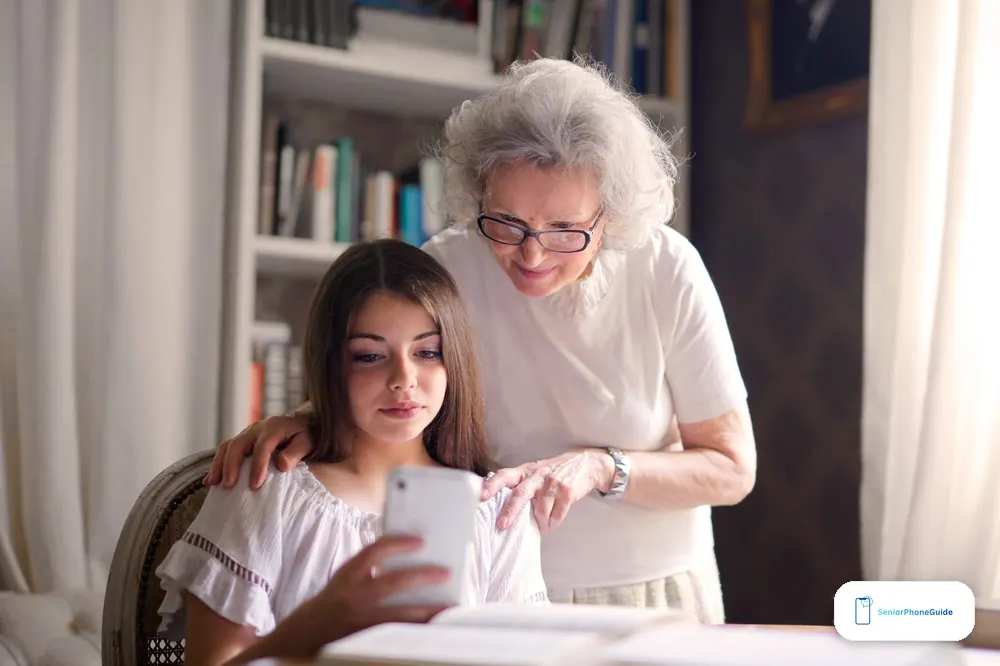
Do the setup before the senior ever holds the phone. That is the whole secret, and the best senior guides say it in one line and move on. Here are the seven steps, in order.
- Prepare the phone first. Download the useful apps, delete the confusing ones, and set the volume higher. A phone handed over full of apps the senior will never open is a phone that frightens them on the first day.
- Make the text bigger. One slider in Settings — Display, then Text Size — makes messages, emails and menus comfortably large in under a minute. Do it before they look at the screen, not after they complain they cannot read it.
- Put the people on the home screen. Favorites, or photo contacts: the daughter's face, the son's face, the doctor's number. The senior should never have to type a number.
- Set up SOS first. Press-and-hold for 911, emergency contacts filled in, and one practice press together so they are not afraid to use it.
- Fill in Medical ID. Allergies, medications, emergency contact — on the lock screen, readable without unlocking.
- Connect Wi-Fi at home. Once, and the phone remembers it forever. Show them the Wi-Fi symbol so they know when they are on it.
- Make the first call together. A video call with family, so the first memory of the phone is a face, not a menu.
When it goes wrong
The screen is too small to read. Turn the text size up in Settings, and turn the brightness up too. If the words are still too small, the phone is the wrong size — a bigger screen, not a stronger pair of glasses, is the fix.
They cannot hear the calls. Turn the volume up, and check the hearing-aid rating before buying — the best phones are rated M3/T4 or M4/T4. If hearing is the real problem, a captioned phone shows every word on the screen: Clear Caption Phone for Seniors.
The battery dies by evening. Charge it every night, same place, same time. Turn the brightness down one notch. And accept the truth: a smartphone lasts one to two days, and a flip lasts five to seven. The charger is part of the phone now.
There is no internet away from home. Check that mobile data is turned on — it is a switch in Settings, and it is easy to turn off by accident. Wi-Fi only works where it has been saved: at home, at the library, at the doctor's office. Everywhere else, the phone needs mobile data.
Too many notifications. Turn off notifications for everything except calls and messages. A phone that buzzes all day is a phone that gets switched off and left in a drawer.
They forgot the password. Use the recovery email or phone number set up on the day the phone arrived. Write the password on paper and keep it at home — never in the phone itself, and never on a note stuck to the phone.
They are scared of scams. That fear is reasonable, and the fix is a rule, not a lecture: never tap a link in a text from a number you do not know, and the bank never texts asking for a password. Our scam checklist covers the rest: Senior Scam Checklist. And if the signal is weak at home, the problem may be the house, not the phone — a signal booster is the fix: Cell Phone Signal Booster for Seniors.
How this guide was written
We did not test these phones in our hands. Everything in this guide comes from the sources that define and compare smartphones — Wikipedia's definition, Merriam-Webster's, AARP's ownership figure, and our own earlier guides for the phones we have already covered in depth. Where the sources disagree, we name the disagreement and say which figure we print and why: one comparison puts smartphones at $400 to $1,200, but the Jitterbug Smart4 costs $119.99, so the band is wrong for seniors. Three senior guides are out of date and we name them: one still recommends Skype, which Microsoft shut down in May 2025; one recommends the original Jitterbug Smart and the Galaxy J3 Emerge, both discontinued years ago; one still recommends the Jitterbug Flip2, which Lively replaced with the Flip3. Prices are list prices as of November 2026 — check the current price before buying, and check the plan price with the fees included, because the advertised price is never the bill.
Frequently asked questions
- What is a smartphone in simple words?
- A smartphone is a phone with a computer inside it. The screen is the whole front of the phone, you touch it instead of pressing buttons, and it runs small programs called apps — for calls, messages, photos, maps, email, banking and more. It is a small computer that also makes calls.
- What is the difference between a smartphone and a flip phone?
- A flip phone has real buttons, a small screen, and does two jobs: calls and texts. A smartphone has a touchscreen, runs apps, uses the internet, takes good photos and does video calls. A flip lasts five to seven days on a charge; a smartphone lasts one to two. A flip needs no data plan; a smartphone does.
- Do I need a smartphone if I only make calls?
- No. If the senior only makes calls and sends short texts, a flip phone will make them happier and cost less. A smartphone only helps if they want video calls, photos, maps, email or apps.
- How much does a smartphone cost for a senior?
- The phone starts at $119.99 for the Jitterbug Smart4. The plan is the bigger cost: the Smart4's first year is $384.87 with the Basic plan, then $239.88 every year after. A phone you already own on Tello costs $96 a year; on Mint, $180 a year paid in advance.
- What is the cheapest smartphone plan?
- Tello at $8 a month is the cheapest honest plan for a phone that mostly uses Wi-Fi at home. Mint at $15 a month, paid for the year in advance, is next. Visible at $25 a month is the honest middle for a phone used out and about every day.
- Do I need the internet to use a smartphone?
- Yes, for most of it. Calls and texts work without the internet. Maps, email, photos, the internet and the apps need Wi-Fi or mobile data. At home the phone uses Wi-Fi, which is free. Away from home it uses mobile data, which is what the monthly plan pays for.
- What is an app?
- An app is a small program for one job: Phone for calls, Messages for texts, Camera for photos, Maps for directions. Most apps are free. They come from one shop only: the App Store on an iPhone, the Play Store on an Android.
- What is the difference between an iPhone and an Android?
- An iPhone is made by Apple only. It runs FaceTime for video calls and Siri for voice commands, and it works with an iPad or a Mac. An Android is made by many companies, so there is more choice and lower prices, and it runs Google Assistant and the Play Store. The Jitterbug Smart4 and the RAZ both run Android underneath but hide most of it.
- Can a smartphone detect a fall?
- No. The phone itself does not detect falls. The Apple Watch does. The Snapfon ez4G, a basic phone, does. The RAZ Memory Cell Phone does not, and no flip phone in our guides does. If fall detection matters, buy a phone or a watch that has it — do not assume the smartphone does.
- Is a smartphone hard to use for someone who has never had one?
- It is harder than a flip phone, because it does fifty jobs instead of two and every one has a menu. It gets easy when someone sets it up first: big text, the people on the home screen, SOS set up, and the confusing apps deleted before the senior ever holds it.
- Can I get a smartphone for free?
- Yes, if you qualify. Lifeline gives a free phone and free service to people whose income is at or below 135% of the federal poverty line, with a $9.25 a month discount. Our free government phone guide explains how to check and apply.
- What happens to my landline if I get a smartphone?
- Nothing, unless you cancel it. A landline, a flip phone and a smartphone can exist alongside one another. Many seniors keep the landline at home and carry the smartphone when they go out.
- Is WhatsApp free on a smartphone?
- WhatsApp itself is free to use, and it needs Wi-Fi or mobile data. It is the video-call and messaging app most families use. It does not run on basic flip phones — WhatsApp ended support for KaiOS, so a flip cannot use it at all.
- What should I do first after buying a smartphone for my parent?
- Prepare it before they hold it: download the useful apps, delete the confusing ones, make the text bigger, put the family on the home screen, set up SOS, fill in Medical ID, connect Wi-Fi at home — and then make the first call together, a video call, so the first memory is a face, not a menu.
- Should I buy a smartphone or a simple smartphone like the Jitterbug Smart4?
- A simple smartphone if the senior wants video calls and photos but not the clutter — the Smart4 shows one list menu instead of a screen full of icons. A regular iPhone or Android if the family will set it up and the senior wants the widest range of uses. A flip phone if they only need calls and texts.
Verdict: a smartphone is a phone with a computer inside — worth it if the senior wants to see their grandchildren's faces, get their photos, or use maps and email. If they only make calls and send short texts, keep the flip and save the money. If you do buy one, have your son or daughter set it up before the senior ever holds it, and make the first call a video call with family.